
1. はじめに
This manual provides essential instructions for the proper setup, operation, and maintenance of your Black Box EVNDVI01-0010 DVI-A to VGA HD15 Cable. Please read this manual thoroughly before using the product to ensure optimal performance and longevity.
2.製品オーバーview
The Black Box EVNDVI01-0010 is a DVI-A to VGA HD15 cable designed to connect a digital DVI-A output from a source device to an analog VGA input on a display device. This cable facilitates the transmission of analog video signals, allowing compatibility between DVI-A enabled devices and traditional VGA monitors or projectors.
主な特徴:
- Connects digital DVI-A display outputs to analog VGA device inputs.
- Supports resolutions up to 1600 x 1200.
- Features a 17-pin single link configuration for DVI-A.
- Male-to-Male connector gender.
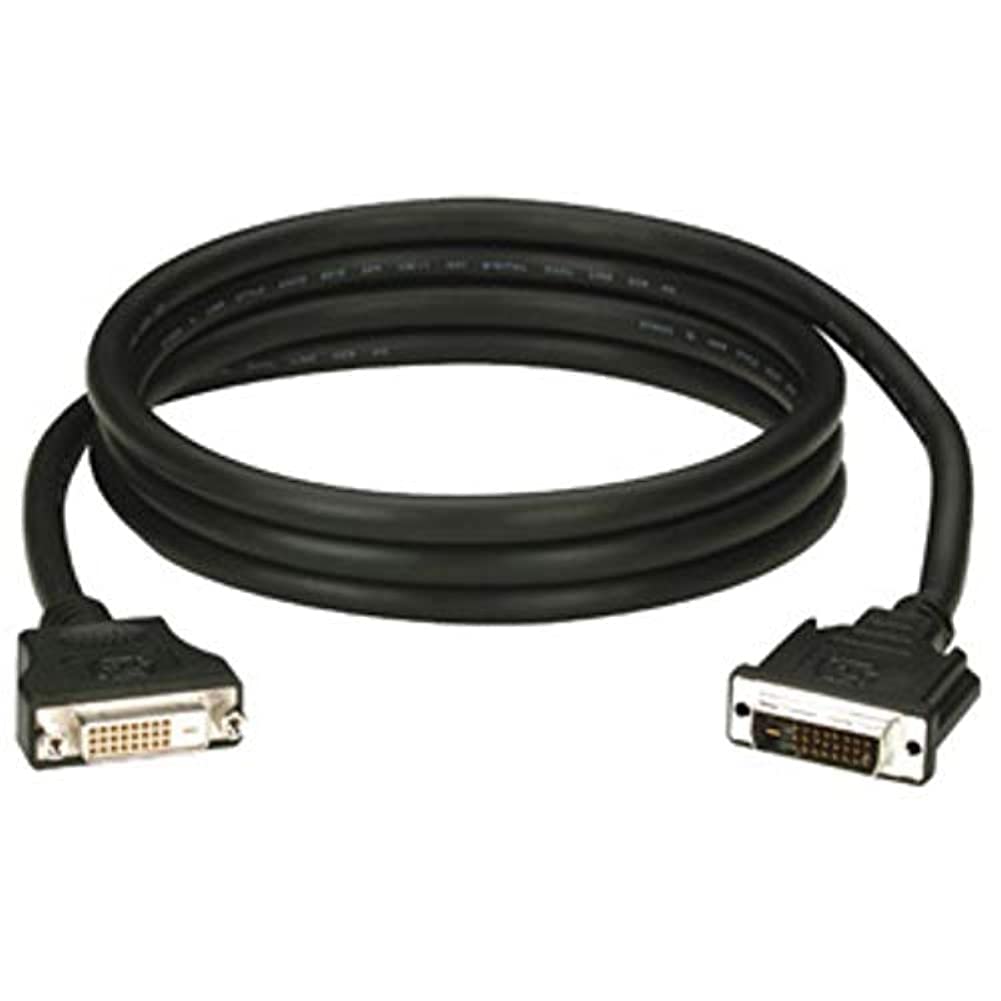
Figure 1: Black Box DVI-A to VGA HD15 Cable. This image displays the cable with its DVI-A (white) and VGA (blue) connectors, illustrating its male-to-male configuration.
3. セットアップ
Follow these steps to properly connect your DVI-A to VGA cable:
- ポートを識別します: Locate the DVI-A output port on your source device (e.g., computer graphics card) and the VGA input port on your display device (e.g., monitor, projector). The VGA port is typically blue.
- Connect DVI-A: Carefully insert the DVI-A connector of the cable into the DVI-A output port of your source device. Ensure the pins align correctly and gently push until it is fully seated.
- VGA を接続します: Insert the VGA HD15 connector of the cable into the VGA input port of your display device. Tighten the thumbscrews on the VGA connector to secure the connection and prevent accidental disconnections.
- デバイスの電源をオンにします: ソースデバイスとディスプレイデバイスの両方の電源を入れます。
- 入力を選択します: On your display device, select the correct input source (e.g., 'VGA', 'PC', 'Input 1') using the display's menu or input selection button.
A proper connection should result in the display device showing the video output from the source device.
4.運用
Once the Black Box EVNDVI01-0010 cable is correctly connected, its operation is passive. The cable transmits the analog video signal directly from the source to the display. No additional software or drivers are required for the cable itself.
- 解像度設定: Ensure your source device's display settings are configured to a resolution supported by both the source and the display device, up to 1600 x 1200.
- 表示モード: If using a computer, you may need to configure your display mode (e.g., duplicate, extend, second screen only) through your operating system's display settings.
5. メンテナンス
To ensure the longevity and reliable performance of your Black Box DVI-A to VGA cable, follow these maintenance guidelines:
- 取り扱いにはご注意ください: ケーブルを急激に曲げたり、コネクタに過度の力を加えたりしないでください。
- 清潔に保ちます: ケーブルとコネクタは定期的に柔らかく乾いた布で拭き、ほこりやゴミを取り除いてください。コネクタに液体クリーナーを直接使用しないでください。
- 適切に保管してください: 使用しないときは、ケーブルを緩く巻き、極端な温度を避けて清潔で乾燥した環境に保管してください。
- 損傷の検査: Regularly check the cable and connectors for any signs of wear, fraying, or damage. Discontinue use if damage is observed.
6。 トラブルシューティング
If you encounter issues with your DVI-A to VGA cable, consider the following troubleshooting steps:
- ディスプレイに信号なし:
- ケーブルの両端がしっかりと接続されていることを確認してください。
- ソースデバイスとディスプレイデバイスの両方の電源がオンになっていることを確認します。
- ディスプレイ デバイスで正しい入力ソースが選択されていることを確認します。
- Test with another cable if available to rule out a faulty cable.
- 画質が悪い(ちらつき、画像の歪み)
- Check for loose connections at both ends of the cable. Tighten VGA thumbscrews.
- Adjust the display resolution on your source device to a lower setting to see if the issue resolves.
- Ensure there are no strong electromagnetic interference sources near the cable.
- Inspect the cable for any physical damage.
- 間違った色:
- Verify the cable is fully seated and not bent or damaged.
- Check the color settings on your display device and source device.
7. 仕様
| ブランド | ブラックボックス |
| モデル番号 | EVNDVI01-0010 |
| コネクタタイプ | DVI-A Male, VGA HD15 Male |
| ケーブルタイプ | DVI-A to VGA |
| サポートされている解像度 | 最大1600 x 1200 |
| コネクタの性別 | 男性から男性へ |
| 色 | ブラック、ブルー |
| アイテム重量 | 0.35キログラム(12.3オンス) |
| 屋内/屋外での使用 | 屋内、屋外 |
| 欧州連合 | 822088058960 |
8. 保証とサポート
For specific warranty information regarding your Black Box EVNDVI01-0010 DVI-A to VGA HD15 Cable, please refer to the official Black Box web公式サイトをご覧いただくか、カスタマーサポートに直接お問い合わせください。保証条件は異なる場合があります。
If you require technical assistance or have questions not covered in this manual, please contact Black Box customer support through their official channels.