
1. はじめに
This manual provides instructions for the installation, operation, and maintenance of your Gembird 3.5" SATA USB 3.0 External HDD Enclosure. This device allows you to convert an internal 3.5-inch SATA hard disk drive into a portable external storage solution, utilizing the high-speed USB 3.0 interface for data transfer.
2. パッケージ内容
パッケージの内容をよくご確認ください。不足品や破損品がございましたら、販売店までご連絡ください。
- Gembird 3.5" SATA USB 3.0 External HDD Enclosure (Model: EE3-U3S-3)
- USB 3.0データケーブル
- 電源アダプター
- Screws and screwdriver (if applicable for assembly)
- ユーザーマニュアル(このドキュメント)
3. セットアップ
3.1 Installing a 3.5" SATA Hard Drive
- Carefully slide open the enclosure casing.
- Connect your 3.5-inch SATA hard drive to the SATA data and power connectors inside the enclosure. Ensure a firm connection.
- Secure the hard drive within the enclosure using the provided screws, if necessary.
- Slide the enclosure casinしっかりと閉まるまで元の位置に戻します。
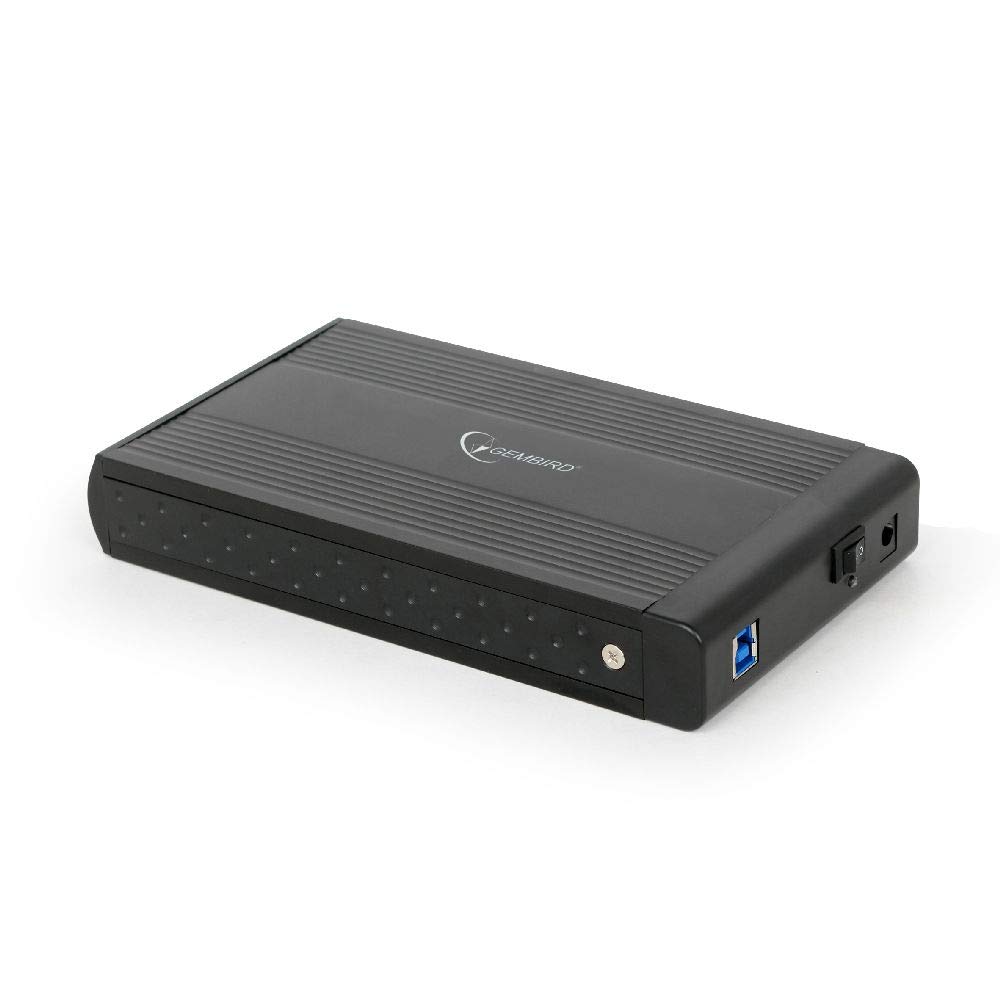
Image: The Gembird 3.5-inch SATA USB 3.0 External HDD Enclosure. This image shows the sleek black aluminum casing of the enclosure, designed to house a 3.5-inch SATA hard drive and connect to a computer via USB 3.0.
3.2 コンピュータへの接続
- Connect the power adapter to the enclosure's power input port and then plug it into an electrical outlet.
- Connect one end of the supplied USB 3.0 cable to the USB 3.0 port on the enclosure.
- Connect the other end of the USB 3.0 cable to an available USB 3.0 port on your computer. For optimal performance, use a USB 3.0 port (typically blue). The enclosure is backward compatible with USB 2.0, but data transfer speeds will be limited.
- Your operating system should automatically detect and install the necessary drivers. The hard drive will appear as a new storage device.
4. 操作手順
4.1データ転送
Once the enclosure is connected and recognized by your computer, you can drag and drop files to and from the external hard drive, or use it for backup purposes. The USB 3.0 interface supports data transfer speeds up to 5 Gbps (Gigabits per second), significantly faster than USB 2.0.
4.2 安全な取り外し
Always safely remove the external hard drive before disconnecting it from your computer to prevent data corruption. In Windows, use the "Safely Remove Hardware and Eject Media" icon in the system tray. On macOS, drag the drive icon to the Trash or use the Eject option in Finder.
5. メンテナンス
エンクロージャの寿命を延ばし、最適なパフォーマンスを確保するには:
- 筐体を清潔に保ち、ほこりを取り除いてください。清掃には柔らかく乾いた布を使用してください。
- 筐体を極端な温度、湿度、または直射日光にさらさないでください。
- Do not drop or subject the enclosure to strong impacts, as this can damage the internal hard drive.
- 特に長時間使用する場合、過熱を防ぐために適切な換気を確保してください。
6。 トラブルシューティング
6.1 エンクロージャが検出されない
- 電源を確認: Ensure the power adapter is securely connected to both the enclosure and a working electrical outlet.
- Check USB connection: Verify that the USB cable is firmly connected to both the enclosure and a functional USB port on your computer. Try a different USB port or cable.
- Hard drive installation: Re-open the enclosure and ensure the SATA hard drive is correctly seated and connected to the internal connectors.
- ディスク管理 (Windows) / ディスクユーティリティ (macOS): Check if the drive appears in your operating system's disk management tools. If it appears but is unallocated or unformatted, you may need to initialize and format it (note: formatting will erase all data on the drive).
6.2 データ転送速度が遅い
- USB 3.0ポート: コンピュータの USB 3.0 ポートに接続されていることを確認してください。USB 2.0 ポートでは速度が制限されます。
- USB 3.0 cable: Use the provided USB 3.0 cable or another certified USB 3.0 cable.
- Hard drive performance: The speed of the internal hard drive itself can be a limiting factor. Older or slower HDDs will not achieve maximum USB 3.0 speeds.
7. 仕様
| モデル | EE3-U3S-3 |
| フォームファクター | 3.5インチ |
| インターフェース(内部) | SATA |
| インターフェース(外部) | USB3.0 について |
| データ転送速度 | 最大5Gbps(USB 3.0) |
| 材料 | アルミニウム |
| 色 | 黒 |
| 対応デバイス | 3.5" SATA HDDs |
| 重さ | 235グラム |
8. 保証とサポート
Gembird products are designed for reliability and performance. For warranty information, please refer to the warranty card included with your product or visit the official Gembird website. For technical support or further assistance, please contact your retailer or the Gembird customer support team.