
iFrogz IFFAWL-BL0
IFROGZ Aurora Wireless Headphones User Manual
ブランド: iFrogz | モデル: IFFAWL-BL0
導入
The IFROGZ Aurora Wireless Headphones are designed to provide a high-quality audio experience with the convenience of wireless connectivity. Featuring 40mm drivers for rich sound and a comfortable, foldable design, these headphones are suitable for various uses, including listening to music and taking calls on the go. This manual provides detailed instructions for setup, operation, and maintenance to ensure optimal performance and longevity of your headphones.
パッケージ内容
パッケージにすべてのアイテムが揃っていることを確認してください:
- IFROGZ Aurora Wireless Headphones
- USB充電ケーブル
- 3.5mmオーディオジャックケーブル
- ユーザーマニュアル(このドキュメント)
製品終了view

図1: 角度付き view of the IFROGZ Aurora Wireless Headphones, highlighting the overall design and earcups.

図2: 側 view of the headphones, illustrating the placement of control buttons for volume and track navigation.

図3: フロント view of the headphones, showcasing the iFrogz logo and the sleek design of the earcups.
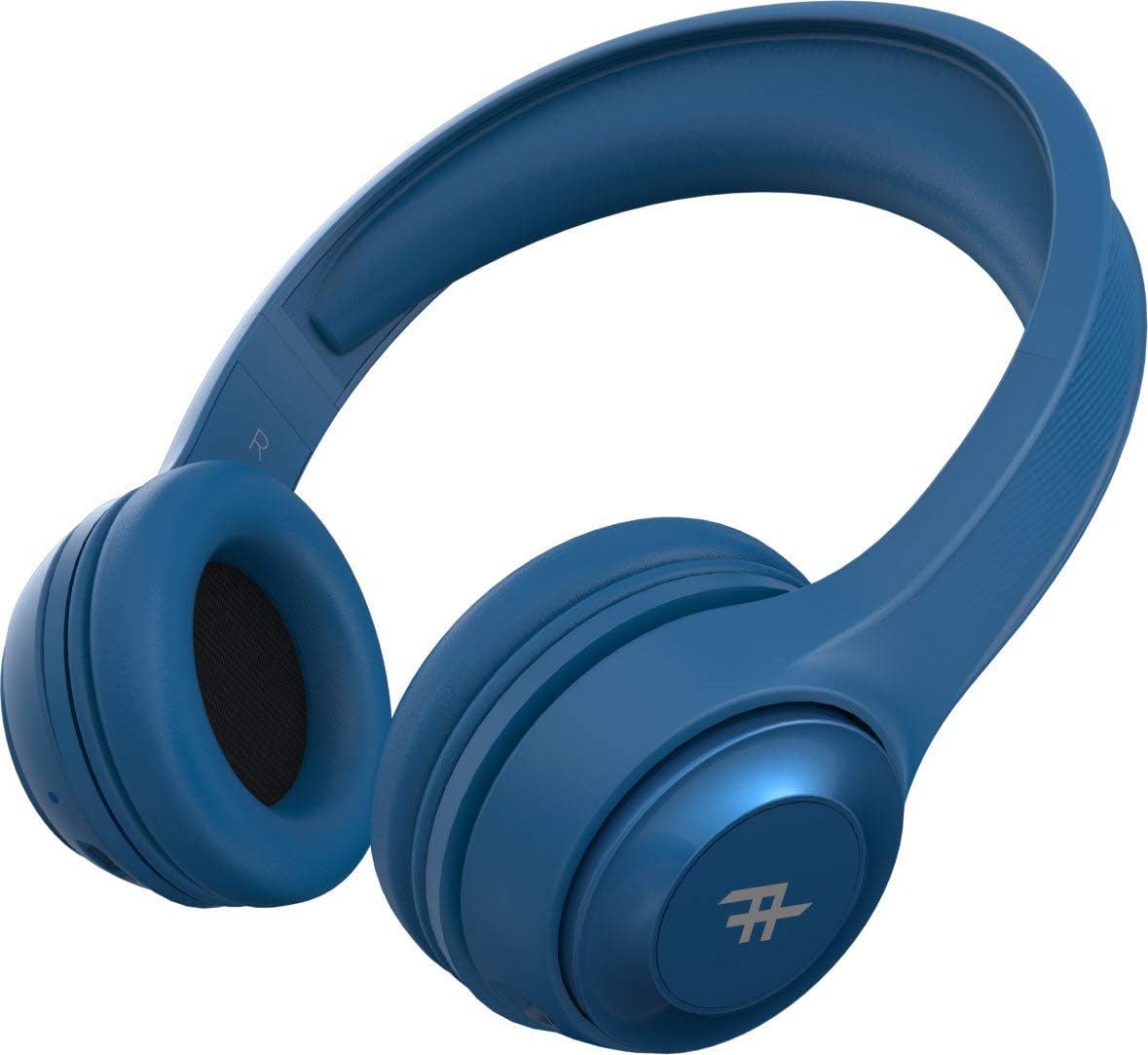
図4: トップ view of the headphones, demonstrating the adjustable headband for a comfortable fit.
主な特徴:
- ワイヤレスBluetooth接続: Enjoy freedom from cords with seamless Bluetooth pairing.
- プレミアムサウンド: Equipped with 40mm drivers for rich and powerful audio output.
- On-Headset Controls: Intuitive controls located on the earcup for easy management of music and calls.
- 長いバッテリー寿命: 1回の充電で最大12時間の再生が可能。
- 統合マイク: ハンズフリー通話が可能です。
- 折りたたみ式デザイン: コンパクトで収納も簡単なので旅行に最適です。
- Convertible Use: Can be used wirelessly via Bluetooth or wired with the included 3.5mm audio jack cable.
- パッシブノイズアイソレーション: AeroFoam padding on earcups provides comfort and helps reduce ambient noise.
セットアップと初期使用
1. ヘッドフォンを充電する
Before first use, fully charge your headphones. Connect the small end of the USB charging cable to the charging port on the headphone earcup and the larger end to a USB power source (e.g., computer USB port, wall adapter). The LED indicator will show charging status and turn off or change color when fully charged.
2.電源のオン/オフ
- 電源を入れるには: Press and hold the Power button (usually the multi-function button) for approximately 3 seconds until the LED indicator lights up and you hear an audible prompt.
- 電源を切るには: LED インジケータが消えて音声プロンプトが聞こえるまで、電源ボタンを約 5 秒間押し続けます。
3.Bluetoothペアリング
- ヘッドフォンの電源がオフになっていることを確認してください。
- LED インジケーターが高速点滅してペアリング モードを示すまで、電源ボタンを約 5 ~ 7 秒間押し続けます。
- デバイス(スマートフォン、タブレット、コンピューター)で Bluetooth を有効にし、利用可能なデバイスを検索します。
- Select "IFROGZ Aurora" from the list of found devices.
- Once paired, the LED indicator will stop flashing and remain solid blue, and you will hear a confirmation tone.
- パスワードの入力を求められた場合は、「0000」と入力してください。
注意: ヘッドフォンは、電源を入れると、最後にペアリングしたデバイスに自動的に再接続しようとします。
4. 有線接続(オプション)
If the battery is depleted or you prefer a wired connection, you can use the included 3.5mm audio jack cable. Plug one end into the audio input port on the headphone earcup and the other end into your device's 3.5mm audio output jack. The headphones will function as passive wired headphones in this mode.
操作手順
音楽再生コントロール
- 再生/一時停止: Press the Multi-function button (usually the iFrogz logo button).
- 次のトラック: Press and hold the "Next" button (usually marked with >).
- 前のトラック: Press and hold the "Previous" button (usually marked with <).
- ボリュームアップ: 「+」ボタンを短く押します。
- ボリュームダウン: 「-」ボタンを短く押します。
通話管理
- 通話の応答/終了: 多機能ボタンを押します。
- 通話を拒否: 多機能ボタンを 2 秒間押し続けます。
- 最後の番号にリダイヤル: 多機能ボタンをXNUMX回押します。
お手入れとメンテナンス
- クリーニング: ヘッドホンは柔らかく乾いた布で拭いてください。研磨剤入りの洗剤や溶剤は使用しないでください。
- ストレージ: 使用しない時は、直射日光や極端な温度を避け、涼しく乾燥した場所に保管してください。折りたたみ式なので、コンパクトに収納できます。
- バッテリーのケア: バッテリー寿命を延ばすため、定期的に使用しない場合でも、少なくとも3ヶ月に1回はヘッドホンを充電してください。バッテリーを頻繁に完全に放電することは避けてください。
- 水への露出: These headphones are not waterproof. Avoid exposure to liquids, moisture, or rain.
トラブルシューティング
| 問題 | 考えられる原因 | 解決 |
|---|---|---|
| ヘッドホンの電源が入りません。 | バッテリー残量が少なくなりました。 | ヘッドホンを完全に充電してください。 |
| Bluetooth デバイスとペアリングできません。 | ヘッドフォンがペアリングモードになっていない、デバイスの Bluetooth がオフになっている、デバイスから遠すぎる。 | Ensure headphones are in pairing mode (flashing LED). Turn on Bluetooth on your device. Move headphones closer to the device (within 10 meters). |
| 音が出ない、または音量が低い。 | ヘッドフォンまたはデバイスの音量が低すぎる、オーディオソースが正しくない、ヘッドフォンが接続されていない。 | Increase volume on both headphones and device. Ensure headphones are properly paired or connected via audio cable. Check audio output settings on your device. |
| 音の歪み。 | Too far from Bluetooth device; interference; audio file 品質。 | Move closer to the Bluetooth device. Avoid strong electromagnetic interference. Try a different audio file. |
| マイクが機能しません。 | Microphone muted on device; headphones not selected as input device. | Check microphone settings on your device. Ensure the headphones are selected as the audio input device during calls. |
仕様
| 特徴 | 詳細 |
|---|---|
| モデル番号 | IFFAWL-BL0 |
| 接続性 | Wireless (Bluetooth), Wired (3.5mm Audio Jack) |
| ワイヤレステクノロジー | ブルートゥース |
| 電池のタイプ | リチウムポリマー(1個入り) |
| バッテリー寿命 | 最大12時間 |
| フォームファクター | オーバーイヤー |
| 色 | 青 |
| 材料 | プラスチック(PU) |
| 特集 | Foldable design, Integrated microphone |
| メーカー | ザッグ |
| パッケージ寸法 | 8.4 x 19 x 21.2 cm |
| パッケージ重量 | 0.28キロ |
保証とサポート
For warranty information and customer support, please refer to the warranty card included in your product packaging or visit the official iFrogz webサイトでご確認ください。保証請求に備えて購入証明書を保管してください。
For further assistance or technical inquiries, please contact iFrogz customer service.
Ask a question about this manual
Ask about setup, troubleshooting, compatibility, parts, safety, or missing instructions. Manuals+ will review the question and use this page’s manual context to help answer it.