
1. はじめに
This manual provides essential information for the safe and efficient operation of your Lenco L-30BK Belt Drive Turntable. Please read these instructions thoroughly before using the device and retain them for future reference. The Lenco L-30BK is designed for playing vinyl records at 33 and 45 RPM, featuring a built-in preamplifier and USB connectivity for digitizing your vinyl collection.
2. 安全情報
- 電源: 電源のボリュームを確認してくださいtage matches the requirements specified on the unit. Use only the provided power adapter.
- 水と湿気: 本製品を雨、湿気、または液体の滴りや飛び散りにさらさないでください。花瓶など、液体の入った物を本製品の上に置かないでください。
- 換気: 十分な換気を確保してください。通気口を塞がないでください。
- 熱: ユニットをラジエーター、暖房口、ストーブ、その他の機器(電気を含む)などの熱源から遠ざけてください。 amp熱を発生する装置。
- クリーニング: 清掃する前に、本体の電源プラグをコンセントから抜いてください。柔らかく乾いた布を使用してください。液体洗剤やエアゾール洗剤は使用しないでください。
- サービス: この製品を自分で修理しようとしないでください。 すべてのサービスを資格のあるサービス担当者に依頼してください。
- 配置: Place the turntable on a stable, level surface to prevent vibrations and ensure proper playback.
3. パッケージ内容
以下にリストされているすべてのアイテムがパッケージに含まれていることを確認してください。
- Lenco L-30BK Turntable Unit
- ダストカバー
- 大皿
- ドライブベルト
- スリップマット
- AC電源アダプター
- USBケーブル
- RCAオーディオケーブル
- 取扱説明書
- Pick-up Needle (pre-installed on cartridge)
4.製品オーバーview
Familiarize yourself with the components of your Lenco L-30BK turntable.

図4.1: フロント view of the Lenco L-30BK Turntable with the dust cover open, revealing the main components including the platter, tonearm, and control buttons.

図4.2: Rear panel connections of the Lenco L-30BK, including RCA audio outputs (L/R), USB port, DC12V power input, and the main power switch.
主要コンポーネント:
- プラッター: The circular platform where records are placed.
- トーンアーム: レコードの溝を読み取るカートリッジとスタイラスを保持します。
- Cartridge and Stylus: Converts physical vibrations into electrical signals. The L-30BK features a Movable Magnet Sensor (MMC) with an individually replaceable stylus.
- 速度セレクター: Switch to select between 33 and 45 RPM playback speeds.
- 自動シャットオフ: Automatically stops the platter rotation at the end of a record.
- ダストカバー: 使用していないときにターンテーブルをほこりから保護します。
- RCAオーディオ出力(L/R): 外部に接続する場合 ampライファまたはアクティブスピーカー。
- USBポート: For connecting to a computer to digitize vinyl records.
- DC12V電源入力: 電源アダプタを接続します。
5. セットアップ
5.1開梱と配置
- ターンテーブルをパッケージから慎重に取り出します。
- Place the unit on a stable, level surface, away from direct sunlight, heat sources, and excessive dust or vibrations.
- Install the dust cover by aligning its hinges with the slots on the back of the turntable.

図5.1: The Lenco L-30BK Turntable with its protective dust cover closed, ready for placement.
5.2 プラッターとベルトの取り付け
- プラッターをターンテーブルスピンドルに置きます。
- ドライブ ベルトを見つけます。通常はプラッターの下にあるか、別途パッケージ化されています。
- Carefully stretch the drive belt around the motor pulley and the inner rim of the platter. Ensure the belt is not twisted.
- スリップマットをプラッターの上に置きます。
5.3 オーディオ接続
The L-30BK has a built-in preamplifier, allowing direct connection to most audio systems.
- Connect the RCA audio cable (red for right channel, white for left channel) from the AUDIO OUT jacks on the rear of the turntable to the LINE IN or AUX IN jacks on your ampライファまたはアクティブスピーカー。
5.4電源接続
- Connect the DC12V power adapter to the DC12V POWER input on the rear of the turntable.
- 電源アダプタを適切な壁のコンセントに差し込みます。
5.5 USB接続(デジタル化用)
- To digitize your vinyl records, connect the USB cable from the USB port on the rear of the turntable to an available USB port on your computer (PC or Mac).
6. 操作手順
6.1 電源のオン/オフ
- Flip the ON/OFF switch on the rear panel to the 'ON' position to power on the turntable.
- Flip the switch to 'OFF' when not in use.
6.2 レコードの再生
- レコードをプラッターの中央に置きます。
- Select the appropriate speed (33 or 45 RPM) using the speed selector switch. For 45 RPM singles, place the included adapter on the spindle if needed.
- キューイングレバーを使用してトーンアームを持ち上げます。
- トーンアームをレコードの希望する開始溝の上に手動で配置します。
- Gently lower the tonearm using the cueing lever. The stylus will descend onto the record, and playback will begin.
- At the end of the record, the auto shut-off function will stop the platter rotation. Lift the tonearm and return it to its rest.

図6.1: Proper technique for lowering the tonearm onto a record for playback.
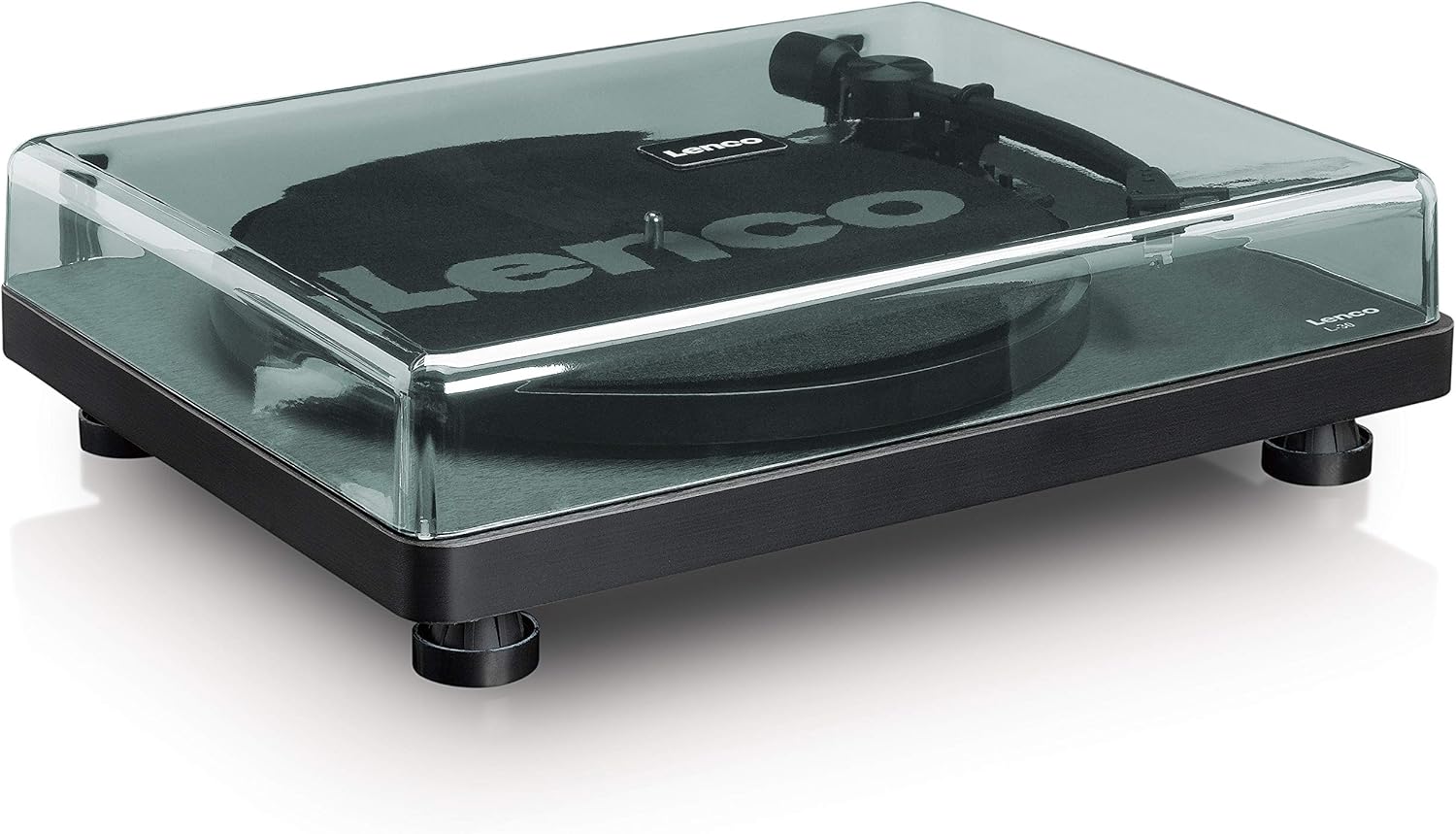
図6.2: 詳細 view of the Movable Magnet Sensor (MMC) cartridge and stylus assembly.
6.3 USB経由でレコードをデジタル化する
The L-30BK allows you to convert your vinyl records into digital audio fileコンピューターを使用しています。
- 付属の USB ケーブルを使用してターンテーブルをコンピューターに接続します。
- Download and install audio recording software such as Audacity (available online for free) on your computer.
- Open the recording software and select the USB Audio Device as the input source.
- Start recording in the software, then begin playing your record on the turntable as described in section 6.2.
- Once the record finishes, stop the recording in the software and save your digitized audio file.
7. メンテナンス
7.1 ターンテーブルのクリーニング
- 清掃する前に必ずターンテーブルを電源コンセントから抜いてください。
- Use a soft, dry, lint-free cloth to wipe the cabinet and dust cover.
- 仕上げを傷める恐れがあるため、研磨剤入りの洗剤、ワックス、溶剤は使用しないでください。
7.2 スタイラスの手入れと交換
- The stylus is a delicate component. Avoid touching it with your fingers.
- Clean the stylus regularly using a soft brush, gently brushing from back to front.
- The stylus should be replaced after approximately 300-500 hours of playback, or if you notice a degradation in sound quality.
- To replace the stylus, carefully pull the old stylus assembly forward and down from the cartridge. Insert the new stylus assembly by pushing it upwards and backwards into the cartridge until it clicks into place.
8。 トラブルシューティング
If you encounter problems with your turntable, refer to the following common issues and solutions:
| 問題 | 考えられる原因 | 解決 |
|---|---|---|
| 電源なし | Power adapter not connected; Power switch off; Wall outlet faulty. | Ensure power adapter is securely connected; Turn power switch to 'ON'; Test wall outlet with another device. |
| 音が出ない、または音量が小さい | RCA ケーブルが正しく接続されていません。 Amplifier/speakers off or volume low; Input selected incorrectly on amplifier。 | Check RCA cable connections; Turn on amplifier/speakers and adjust volume; Select correct input source on your audio system. |
| 歪んだ音 | Dirty stylus; Damaged stylus; Dirty record; Turntable not on a stable surface. | Clean the stylus; Replace the stylus if damaged; Clean the record; Ensure turntable is on a stable, level surface. |
| レコードのスキップ | Dirty or scratched record; Stylus worn or damaged; Turntable not level; External vibrations. | Clean the record; Replace the stylus; Ensure turntable is level; Place turntable away from sources of vibration. |
| USB録音の問題 | USB cable not connected; Incorrect input selected in software; Software not installed. | Check USB cable connection; Select 'USB Audio Device' as input in recording software; Install Audacity or similar software. |
9. 仕様
| モデル名 | L-30BK |
| ブランド | レンコ |
| ドライブタイプ | ベルト駆動 |
| 速度 | 33 1 / 3、45 RPM |
| 前ampリファイアー | 内蔵 |
| カートリッジの種類 | Movable Magnet Sensor (MMC) |
| 接続性 | USB, RCA Audio Out |
| 自動シャットオフ | はい |
| プラッター径 | 300ミリメートル |
| 材料 | Wood (Enclosure) |
| 色 | 黒 |
| アイテム重量 | 3.28キログラム |
| 寸法(長さ×幅×高さ) | 41L x 32W x 12H センチメートル |
| 信号対ノイズ比 | 60デシベル |
| 巻tage | 240ボルト |
| 電源 | コード式電気 |
10. 保証とサポート
Lenco products are manufactured to high quality standards. In the event of a defect, your product is covered by the terms of the warranty in your country of purchase. For detailed warranty information, please refer to the warranty card included with your product or visit the official Lenco website. For technical support or service inquiries, please contact Lenco customer service through their official channels.


