
1. はじめに
This manual provides essential instructions for the safe and efficient installation, operation, and maintenance of your CTOUCH Wallom 10080250 Electric Wall Mount. This electric wall mount is designed to provide a flexible mounting solution for interactive displays ranging from 139.7 cm (55 inches) to 218.4 cm (86 inches).
Please read this manual thoroughly before installation and use, and retain it for future reference. Improper installation or operation may result in damage to the product, display, or personal injury.
2. セットアップ手順
The CTOUCH Wallom 10080250 electric wall mount is designed for straightforward installation. It comes largely pre-assembled in its packaging, allowing for installation by a single person in approximately 20 minutes.
2.1 開梱とコンポーネントの確認
すべての部品をパッケージから慎重に取り出してください。すべての部品が揃っていて、損傷がないことを確認してください。完全な在庫については、梱包リストを参照してください。
2.2 ユニットの取り付け
Select a suitable wall location capable of supporting the combined weight of the mount and your display. Ensure the wall material is appropriate for secure fastening. Use appropriate wall anchors and screws (not included, unless specified in packaging) for your wall type.
- Position the pre-assembled wall mount against the desired wall location.
- 掘削ポイントを正確にマークします。
- 選択したファスナーの必要に応じて下穴を開けます。
- Securely attach the wall mount to the wall. Ensure it is level and firmly fixed.
- Attach your CTOUCH display (139.7 cm to 218.4 cm) to the mount according to the display's specific mounting instructions.
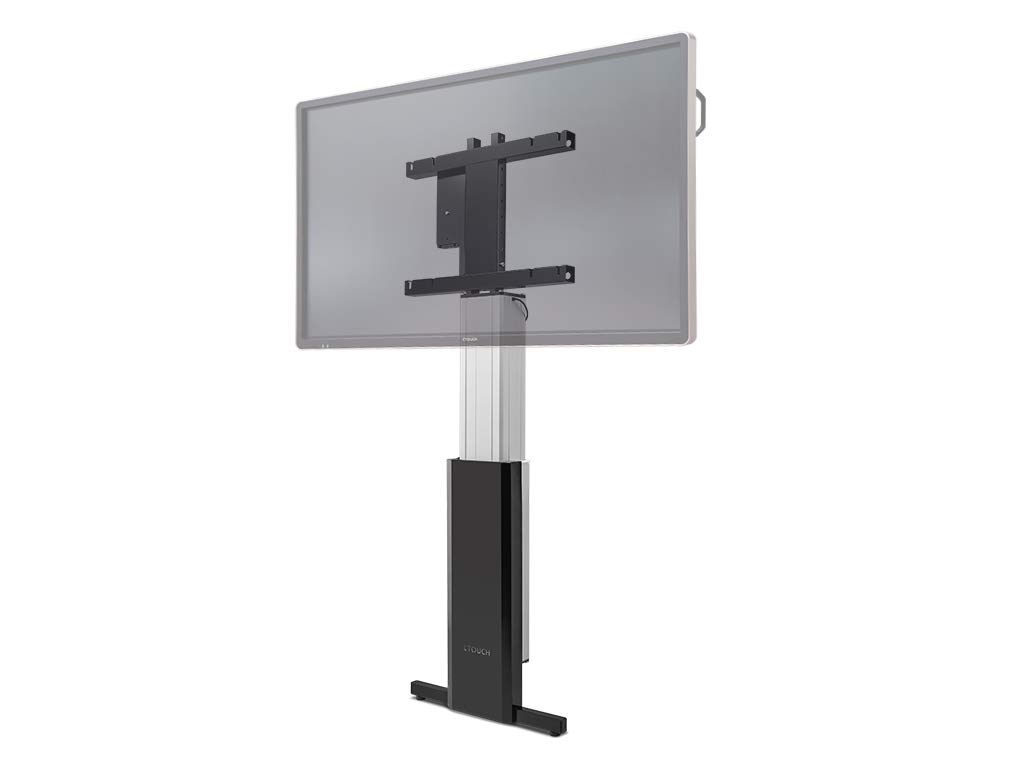
Figure 1: The CTOUCH Wallom 10080250 Electric Wall Mount supporting an interactive display. This image illustrates the product's appearance when installed.
3. 操作手順
The electric wall mount is operated using a three-button remote control, allowing for precise height adjustments.
3.1リモコン機能
- 上ボタン: Press to raise the display.
- 下ボタン: Press to lower the display.
- メモリボタン: Use this button to set and recall preferred height positions. Consult the remote control's specific instructions for programming memory settings.
3.2 Adjusting Display Height
The mount allows for significant vertical travel, from a low position of 30 cm (bottom edge of an 86-inch screen) to a maximum height that optimizes reach for various users and applications.
- Ensure the power cable is securely connected to a power outlet.
- Use the Up or Down buttons on the remote control to move the display to your desired height.
- Release the button when the display reaches the desired position.
- To save a frequently used height, follow the instructions provided with your remote control for setting memory presets.
4. メンテナンス
Regular maintenance ensures the longevity and safe operation of your electric wall mount.
- クリーニング: Use a soft, dry cloth to clean the exterior surfaces of the mount. Avoid abrasive cleaners or solvents.
- 検査: すべての取り付けネジと接続部がしっかりと固定されているか定期的に確認してください。
- ケーブル管理 Ensure all cables are neatly routed and not pinched or strained during height adjustments.
- 潤滑: The moving parts are factory-lubricated and generally do not require additional lubrication. If unusual noises occur, contact support.
5。 トラブルシューティング
This section addresses common issues you might encounter with your CTOUCH Wallom 10080250 electric wall mount.
| 問題 | 考えられる原因 | 解決 |
|---|---|---|
| マウントは動きません。 | No power supply. Remote control batteries are dead. Overload protection activated. | Check power connection. Replace remote control batteries. Disconnect power for 10 minutes to reset overload protection. |
| 動作中に異常な音がする。 | Loose components. Obstruction in the movement path. | Inspect for loose screws or obstructions. Ensure cables are not interfering. If noise persists, contact support. |
| リモコンが応答しません。 | Batteries are dead or incorrectly inserted. Remote control out of range. | Replace batteries. Ensure line of sight to the mount's receiver. |
If you encounter issues not listed here or if problems persist after attempting the suggested solutions, please contact CTOUCH customer support.
6. 仕様
| 特徴 | 詳細 |
|---|---|
| ブランド | タッチ |
| モデル番号 | 10080250 |
| 対応画面サイズ | 139.7 cm(55インチ)~218.4 cm(86インチ) |
| 高さ調整範囲 | From 30 cm (bottom edge of 86-inch screen) to maximum reach |
| 制御方法 | Three-button remote control |
| 組み立て | 迅速な設置のために組み立て済み |
| 原産国 | オランダ |
7. 保証とサポート
For warranty information, please refer to the documentation provided with your purchase or visit the official CTOUCH webサイトをご覧ください。具体的な保証条件は地域や販売店によって異なる場合があります。
- スペアパーツ: スペアパーツの入手可能性に関する情報は現在入手できません。
- ソフトウェアアップデート: 保証されたソフトウェア更新に関する情報は現在入手できません。
- カスタマーサポート: For technical assistance, troubleshooting beyond this manual, or warranty claims, please contact CTOUCH customer support directly. Contact details can typically be found on the manufacturer's webサイト。