
1. はじめに
The EZON H001 is a versatile outdoor sports watch designed for adventurers and sports enthusiasts. It integrates multiple essential functions including an altimeter, barometer, compass, thermometer, and timer, making it an indispensable tool for activities like hiking, trekking, and mountain climbing. This manual provides comprehensive instructions to help you understand and utilize all features of your EZON H001 watch.
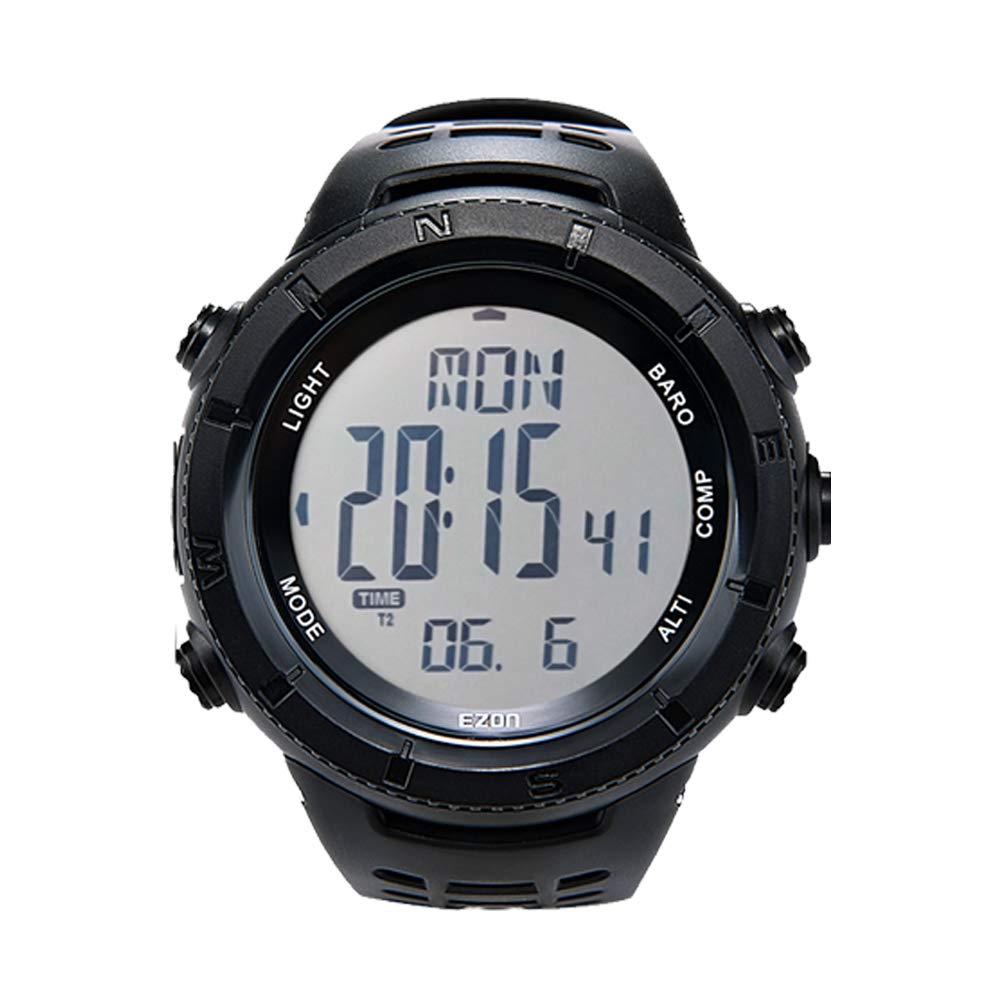
Image: The EZON H001 Outdoor Sports Watch, showcasinデジタルディスプレイと頑丈なデザインが特徴です。
2. 主な特徴
- 高度計: Measures current altitude, relative altitude, total ascent, and total descent. Records up to 50 altitude logs.
- バロメーター: Displays atmospheric pressure and predicts weather changes.
- コンパス: Provides directional guidance. Requires calibration for accurate readings.
- 温度計: 周囲温度を測定します。
- 時間関数: Includes time display, date, day of the week, sunrise/sunset times, stopwatch, and countdown timer.
- バックライト: EL backlight for clear visibility in low-light conditions.
- 耐水性: 5ATM (50 meters) water resistant, suitable for short periods of recreational swimming and cold showers. Avoid pressing buttons underwater or exposure to steam/hot water.
- 耐久性に優れたデザイン: Constructed with ultra-durable materials and a stainless steel back cover for longevity and corrosion resistance.

Image: The EZON H001 watch, highlighting its robust design for exploration and mountain climbing.
3. セットアップ
3.1初期電源オン
To activate the watch display, press and hold all four buttons simultaneously. The watch will power on and display the initial time setting screen.
3.2 Basic Settings (Time, Date, Units)
- を押し続けます モード button (bottom left) to enter the settings menu.
- 使用 アルティ (右下)と バロ (top right) buttons to navigate through settings such as Time-Date, Alarm, Timer, Alti-Baro, Compass, and Unit.
- 選択 時刻と日付 to set the current time (12/24-hour format) and date. Use the COMP (middle right) button to confirm selections and move to the next setting.
- では ユニット setting, you can choose between metric (meters, Celsius, hPa) and imperial (feet, Fahrenheit, inHg) units for altitude, temperature, and pressure.
- For the altimeter, it is recommended to set the sea level pressure or a known altitude at your current location for accurate readings.
Video: This video demonstrates the unboxing and initial setup of the EZON H001 watch, including how to activate the display and navigate through its main functions like barometer, compass, and altimeter, and its 50-meter water resistance.
4. 操作手順
4.1 モードナビゲーション
を押す モード button (bottom left) to cycle through different functions: Time, Altimeter, Barometer, Compass, Stopwatch, Timer, and Settings.
4.2 Altimeter Function
In Altimeter mode, the watch displays current altitude. It also records total ascent and descent. For accurate readings, calibrate the altimeter at a known altitude (e.g., trailhead, sea level) before your activity. The measurement range is -500m to 9000m (-1640ft to 29527ft).

Image: The EZON H001 watch displaying altitude, ideal for mountain climbing.
4.3 気圧計機能
The barometer displays atmospheric pressure and can help predict short-term weather changes. A rising pressure generally indicates improving weather, while a falling pressure suggests deteriorating conditions. The measurement range is 300hPa to 1100hPa (8.86inHg to 32.48inHg).

Image: The EZON H001 watch displaying barometer readings and weather forecast icons.
4.4 コンパス機能
To use the compass, hold the watch horizontally and away from magnetic interference. It is essential to calibrate the compass and set the magnetic declination before use for accurate directional readings.

Image: The EZON H001 watch displaying compass direction, with a hiker using it for navigation.
4.5 Stopwatch and Timer
The watch includes a stopwatch for measuring elapsed time and a countdown timer for specific intervals. These functions are useful for tracking performance during sports or other activities.
4.6バックライト
を押す ライト button (top left) to activate the EL backlight, providing clear visibility of the display in dark environments.

Image: The EZON H001 watch with its backlight activated, showing clear visibility in the dark.
5. メンテナンス
5.1 耐水性
The EZON H001 watch is 5ATM (50 meters) water resistant. This means it can withstand splashes, rain, and short periods of recreational swimming or cold showers. Important: Do not press any buttons while the watch is submerged in water. Avoid exposure to steam or hot water, as this can damage the waterproof seals.

Image: The EZON H001 watch submerged in water, demonstrating its 50-meter water resistance.
5.2 バッテリー
The watch uses a Lithium Metal battery (CR2032). The battery life can last up to 365 days depending on usage. When the battery is low, it is recommended to have it replaced by a qualified technician to maintain water resistance.