
導入
The Saramonic UWMIC9 is a 96-channel digital UHF wireless dual lavalier microphone system designed for professional audio capture with cameras, DSLRs, camcorders, and smartphones. This system provides a reliable and high-quality audio solution for field recording, interviews, broadcast TV, and electronic news gathering (ENG) applications.
消費者警告: Most users do not require a license to operate this wireless microphone system. However, operation without a license is subject to specific restrictions: the system must not cause harmful interference, operate at a low power level (not exceeding 50 milliwatts), and has no protection from interference received from other devices.
パッケージ内容
以下にリストされているすべてのアイテムがパッケージに含まれていることを確認してください。
- 1 x RX9 Portable Receiver
- 2 x TX9 Bodypack Transmitters
- ラベリアマイク 2 本
- 1 x 1/8" to XLR Output Cable
- 1 x 1/8" to 1/8" Output Cable
- 2 xウインドスクリーン
- ベルトクリップ2個
- 1 x Shoe-Mount Adapter

画像: Contents of the Saramonic UWMIC9 system package.
製品の特徴
The Saramonic UWMIC9 system offers the following key features:
- 96 channels in the UHF frequency band.
- Operating range of over 100 meters (328 feet) in optimal conditions.
- Auto-scan function for easy channel selection.
- Backlit LCD panel displaying RF signal level, channel, group, and battery status.
- Crystal-controlled PLL synthesizer for stable transmission.
- 信号受信を改善するデュアルアンテナ。
- Two 3.5 mm output ports for real-time audio monitoring.
- Lavalier microphone with removable windscreen to reduce noise.
- Shoe adapter plus a 1/4-inch thread for easy camera attachment.
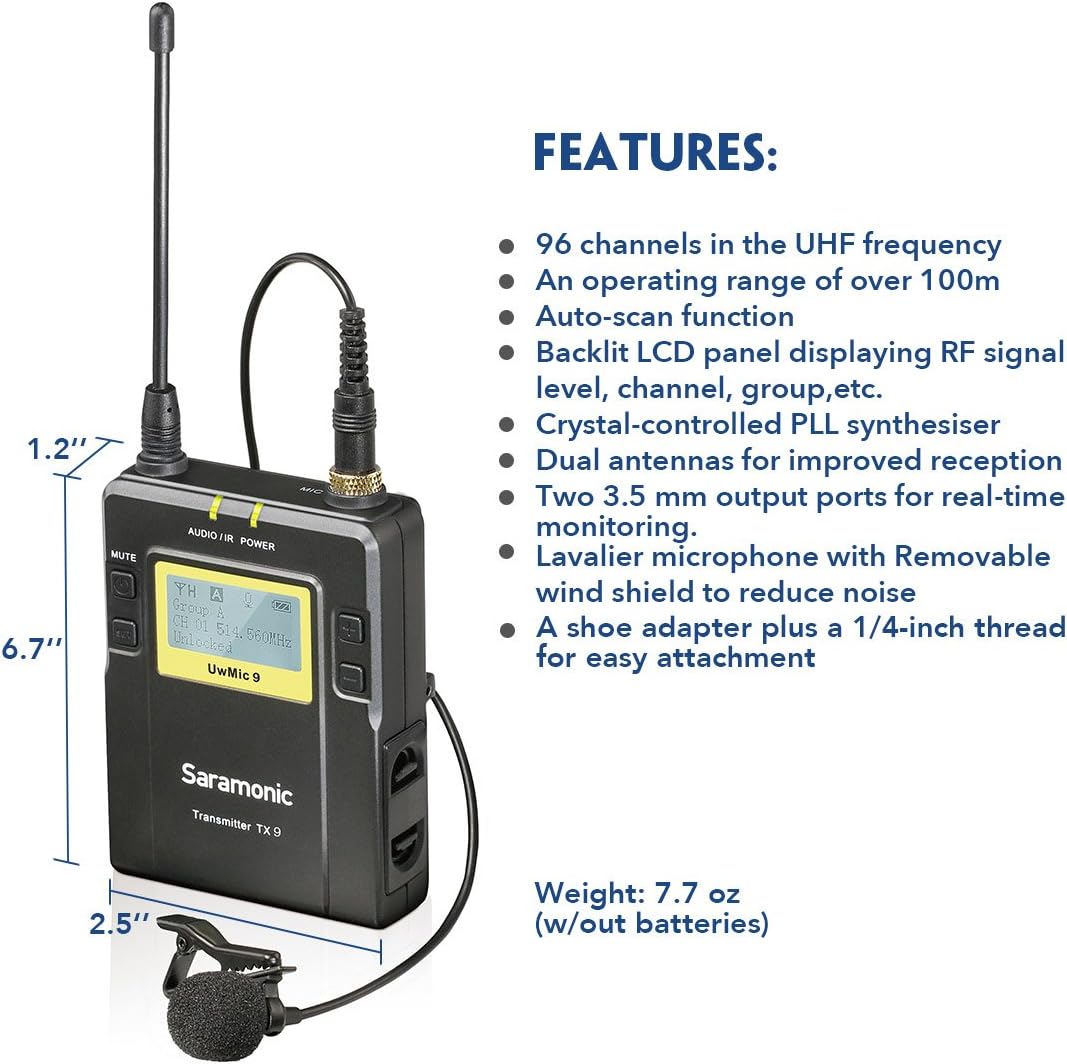
画像: Key features and dimensions of the Saramonic TX9 transmitter.
コンポーネントの識別
Familiarize yourself with the main components of the UWMIC9 system:

画像: Labeled diagram of TX9 transmitters and RX9 receiver.
- RX9 Portable Receiver: The central unit that receives audio signals from the transmitters. Features include an LCD display, power button, volume controls, earphone jack for monitoring, and audio output for connecting to recording devices.
- TX9 Bodypack Transmitters: Two compact units worn by subjects, each connecting to a lavalier microphone. They transmit audio wirelessly to the RX9 receiver. Each features an LCD display, power button, and microphone input.
- Lavalier Microphones: Small, omnidirectional microphones designed for discreet placement on clothing, capturing clear speech.
- アンテナ: Detachable antennas for both transmitters and receiver, crucial for stable wireless signal transmission and reception.
- ベルトクリップ: Allows easy attachment of transmitters and receiver to clothing or camera rigs.
- Shoe-Mount Adapter: For mounting the RX9 receiver directly onto a camera's hot shoe.
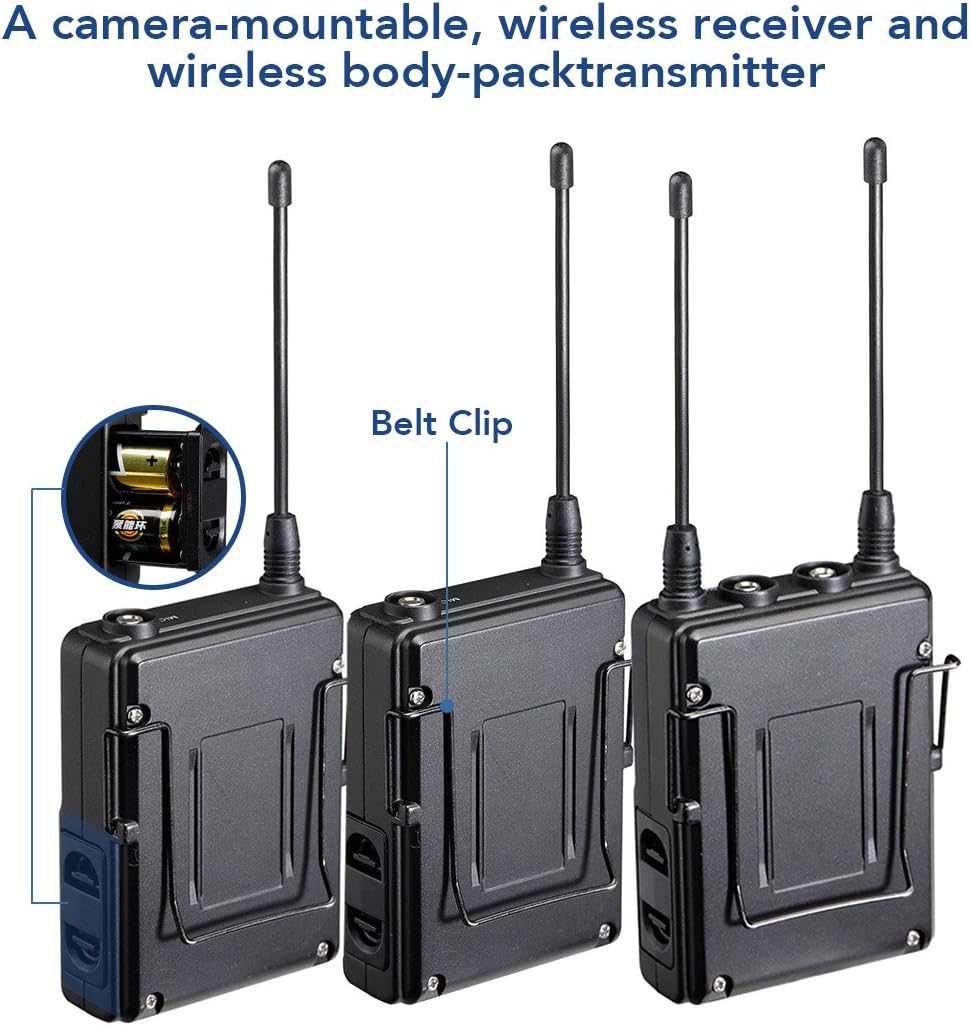
画像: 後方 view of Saramonic bodypack units, showing belt clip and battery compartment.
セットアップガイド
1. バッテリーの取り付け
- Open the battery compartment cover on the back of each TX9 transmitter and the RX9 receiver.
- Insert two AA size batteries into each unit, ensuring correct polarity (+/-).
- 電池カバーをしっかりと閉じてください。
2. アンテナの取り付け
Screw the provided antennas onto the antenna connectors of both TX9 transmitters and the RX9 receiver until finger-tight.
3. Connecting Lavalier Microphones
Plug each lavalier microphone into the "MIC IN" jack on the top of each TX9 transmitter. Ensure the connector clicks into place.
4. 受信機の取り付け
- カメラ取り付け: Attach the shoe-mount adapter to the bottom of the RX9 receiver, then slide it onto your camera's hot shoe.
- ベルトクリップ: Alternatively, use the belt clip to attach the receiver to your belt or a camera rig.
5. Connecting to Recording Device
- DSLR/Camcorder: Use the 1/8" to 1/8" output cable to connect the RX9 receiver's "LINE OUT" to your camera's microphone input. For devices requiring XLR, use the 1/8" to XLR output cable.
- スマートフォン: An appropriate adapter (not included) may be required to connect the 1/8" output cable to your smartphone's audio input.
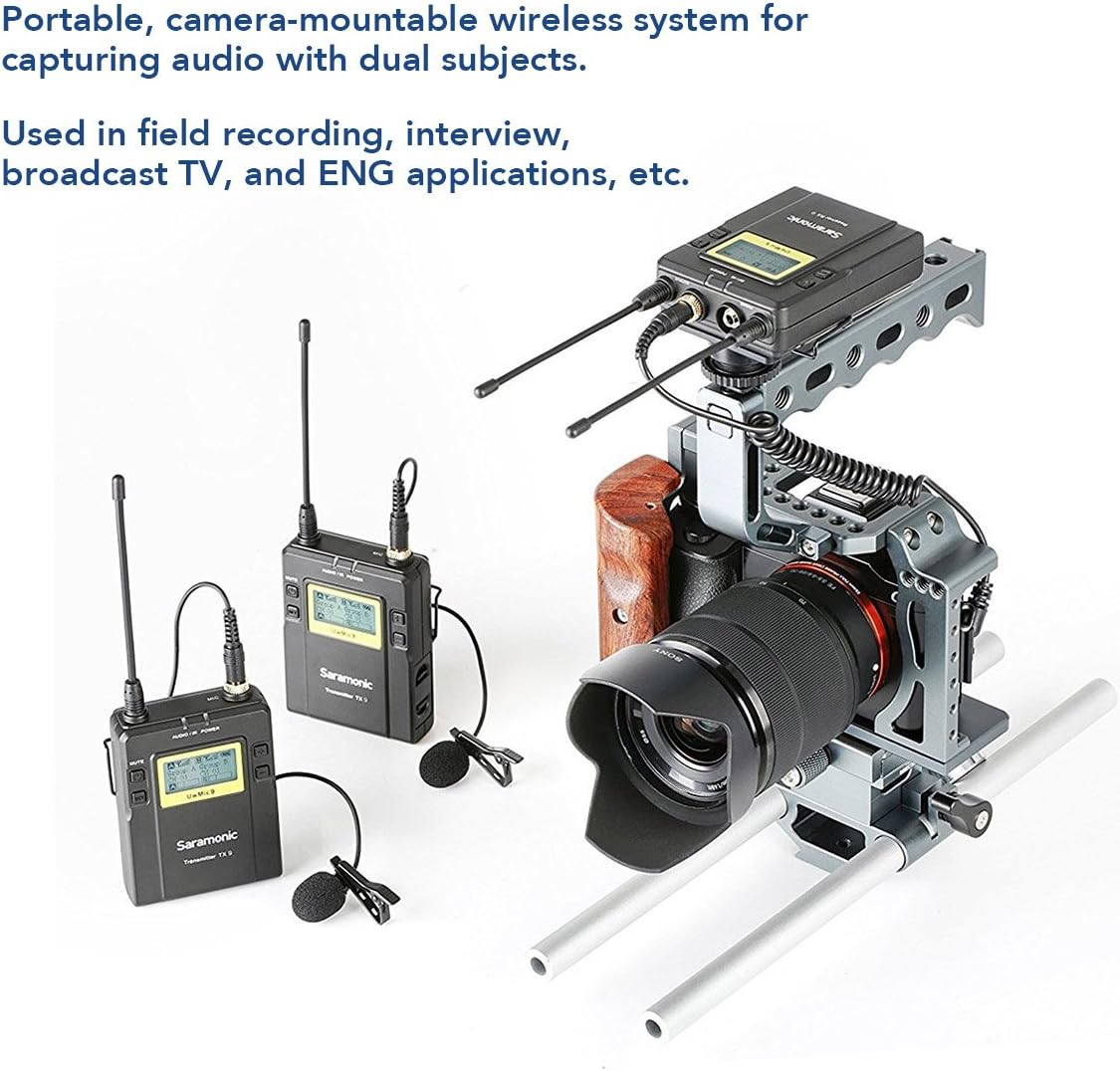
画像: Example setup of the Saramonic UWMIC9 system with a camera rig.
操作手順
1.電源のオン/オフ
Press and hold the Power button on each TX9 transmitter and the RX9 receiver until the LCD screen illuminates to power on. Repeat to power off.
2. チャンネルペアリング
- 送信機と受信機の両方の電源がオンになっていることを確認します。
- On the RX9 receiver, use the "Mode" button to navigate to the channel selection menu.
- Utilize the "Volume" buttons to select an available channel. The auto-scan function can help find clear frequencies.
- On each TX9 transmitter, navigate to the channel selection menu and set it to the same channel as the RX9 receiver.
- Confirm that the RF signal indicator on the RX9 receiver shows a stable connection.
3. オーディオレベルの調整
Use the volume buttons on the RX9 receiver to adjust the output audio level. Monitor the audio through headphones connected to the receiver's earphone jack to ensure optimal levels without clipping.
4. オーディオのモニタリング
Connect headphones to the "EARPHONE" jack on the RX9 receiver to monitor the incoming audio in real-time. This helps in verifying sound quality and detecting any interference.

画像: Saramonic UWMIC9 in use for field recording and interviews.
メンテナンス
- バッテリーのケア: Remove batteries from all units when not in use for extended periods to prevent leakage. Replace batteries promptly when the low battery indicator appears on the LCD screen.
- クリーニング: 本体の外側を拭く際は、柔らかく乾いた布をご使用ください。刺激の強い化学薬品や研磨剤の使用は避けてください。
- ストレージ: Store the system in a cool, dry place away from direct sunlight and extreme temperatures. Use the original packaging or a protective case for transport.
- アンテナ: Handle antennas carefully to avoid bending or breaking. Ensure they are securely attached during operation.
トラブルシューティング
| 問題 | 考えられる原因 | 解決 |
|---|---|---|
| オーディオ出力なし |
|
|
| Static or intermittent audio |
|
|
| LCD画面が機能しない |
|
|
仕様
| 特徴 | 詳細 |
|---|---|
| マイクフォームファクター | マイクシステム |
| 電源 | 電池駆動(単三電池2本/ユニット) |
| 信号対ノイズ比 | 70デシベル |
| チャンネル数 | 96 |
| 周波数応答 | 596 MHz |
| Item Weight (Receiver/Transmitter) | 7.7オンス(電池なし) |
| パッケージ寸法 | 13.5 x 10.2 x 2.4インチ |
| モデル番号 | UWMIC9 (Internal: 10789246) |
| 接続技術 | Wireless (UHF), XLR |
| コネクタタイプ | 3.5mmジャック、XLR |
| 特集 | クリップオンデザイン |
| 対応デバイス | ビデオカメラ、カメラ、スマートフォン |
| 極性パターン | 全指向性(ラベリアマイク) |
| オーディオ感度 | 95デシベル |
保証とサポート
For detailed warranty information, please refer to the warranty card included with your product or visit the official Saramonic website. If you encounter any issues not covered in this manual or require technical assistance, please contact Saramonic customer support through their official webサイトまたは認定サービス センターにお問い合わせください。
Saramonic Official Webサイト: www.saramonic.com