製品終了view
This manual provides instructions for the Delock USB 2.0 A-B Cable, model 83687. This cable is designed for connecting devices with a USB Type-A port to devices with a USB Type-B port, facilitating data transfer.
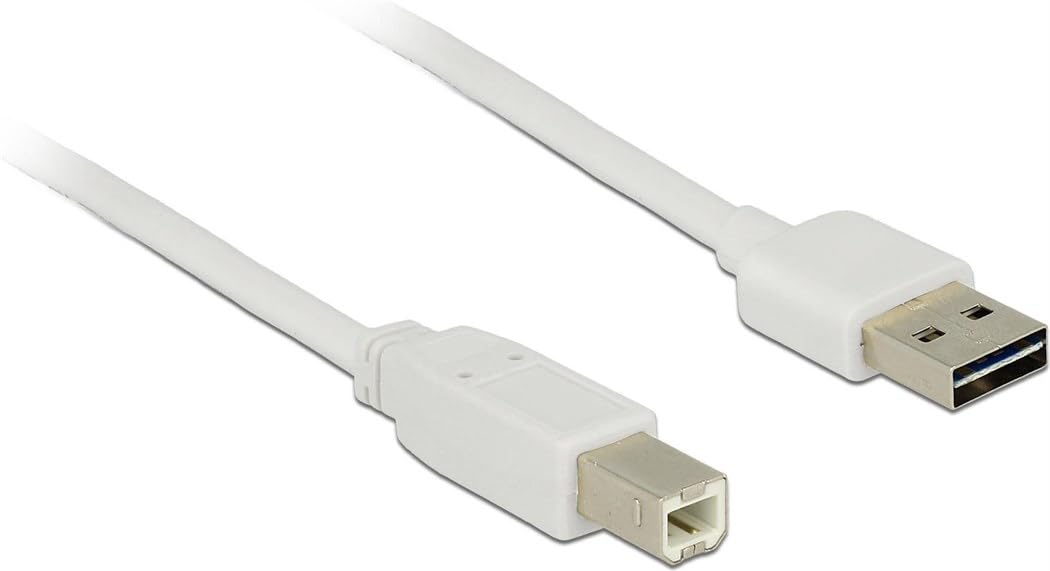
Image: The Delock USB 2.0 A-B Cable, featuring a white cable and gold-plated connectors. The USB Type-A connector is visible on the right, and the USB Type-B connector is on the left.
設定
The Delock USB 2.0 A-B Cable is designed for simple plug-and-play operation. Follow these steps to connect your devices:
- ポートを識別します: Locate the USB Type-A port on your host device (e.g., computer, laptop) and the USB Type-B port on your peripheral device (e.g., printer, scanner, external hard drive).
- USBタイプAを接続します: Insert the USB Type-A connector of the cable into the corresponding USB Type-A port on your host device. Ensure it is fully seated.
- USBタイプBを接続します: Insert the USB Type-B connector of the cable into the corresponding USB Type-B port on your peripheral device. Ensure it is fully seated.
- 接続を確認します: Once both ends are connected, your operating system should automatically detect the peripheral device. If necessary, install any required drivers for your peripheral device as per its manufacturer's instructions.
This cable is compatible with devices such as laptops and personal computers.
操作手順
Once the cable is properly connected, it facilitates data transfer between the connected devices. The cable supports USB 2.0 specifications, allowing for data transfer rates of up to 480 Mbit/s.
- Ensure both connected devices are powered on for proper communication.
- Initiate data transfer operations (e.g., printing, scanning, file transfer) through the software or operating system interface of your host device.
- For optimal performance, avoid disconnecting the cable during active data transfer.
メンテナンス
To ensure the longevity and optimal performance of your Delock USB 2.0 A-B Cable, follow these maintenance guidelines:
- ストレージ: Store the cable in a cool, dry place away from direct sunlight and extreme temperatures. Avoid tightly coiling or bending the cable, especially near the connectors, to prevent internal damage.
- クリーニング: ケーブルやコネクタが汚れた場合は、柔らかく乾いた糸くずの出ない布で優しく拭いてください。液体クリーナーや研磨剤は使用しないでください。
- 取り扱い: Always grasp the connector housing when plugging or unplugging the cable, rather than pulling on the cable itself. This prevents strain on the cable's internal wires and connections.
- 保護: Keep the cable away from sharp objects, heavy furniture, or areas where it might be stepped on or pinched, as this can damage the insulation and internal conductors.
トラブルシューティング
If you encounter issues with your Delock USB 2.0 A-B Cable, consider the following troubleshooting steps:
| 問題 | 考えられる原因 / 解決策 |
|---|---|
| デバイスが認識されません |
|
| データ転送が遅い |
|
| 断続的な接続 |
|
仕様
| 特徴 | 詳細 |
|---|---|
| ブランド | デロック |
| モデル番号 | 83687 |
| ケーブルタイプ | USB2.0ABケーブル |
| ケーブル長さ | 2メートル(6.56フィート) |
| コネクタ1 | USBタイプAオス |
| コネクタ2 | USB Type-B Male |
| USBバージョン | 2.0 |
| データ転送速度 (最大) | 480 メガビット/秒 |
| 連絡先 | 金メッキ |
| 色 | 白 |
| 対応デバイス | Laptop, Personal Computer, and other devices with USB A and B ports |
| 特集 | データ転送 |
保証とサポート
For information regarding warranty coverage and technical support for your Delock USB 2.0 A-B Cable, please refer to the official Delock web販売店のウェブサイトをご覧いただくか、カスタマーサービスに直接お問い合わせください。具体的な保証条件は、地域や販売店によって異なる場合があります。
Manufacturer: DeLOCK
発売日:2017年8月29日