
1. はじめに
ご購入ありがとうございますasing the Coby CSB04 Bluetooth Soundbar Speaker. This manual provides important information regarding the setup, operation, and maintenance of your new soundbar. Please read this manual thoroughly before using the device and retain it for future reference.
The Coby CSB04 is a sleek and compact soundbar designed to enhance your audio experience. It features wireless Bluetooth connectivity, an RCA line input, and comes with a remote control for convenient operation.
2. 安全情報
デバイスの損傷や怪我を防ぐために、次の安全上の注意事項を守ってください。
- サウンドバーを雨、湿気、極端な温度にさらさないでください。
- cを開けないでくださいasing. すべての修理は資格を持った担当者に依頼してください。
- 電源アダプターがお住まいの地域の電源と互換性があることを確認してください。
- Keep the soundbar away from heat sources and direct sunlight.
- 乾いた布でのみ清掃してください。
3. パッケージ内容
Carefully unpack your Coby CSB04 Soundbar and check that all items are present and in good condition. If any items are missing or damaged, contact your retailer.
- Coby CSB04 Bluetooth Soundbar Speaker
- AC電源アダプター
- RCAケーブル
- リモートコントロール
- ユーザーマニュアル(このドキュメント)

Image 3.1: Coby CSB04 Soundbar packaging. The box displays the Coby logo and "Slim 2.0 Sound Bar" text.
4.製品オーバーview
Familiarize yourself with the components and controls of your Coby CSB04 Soundbar.
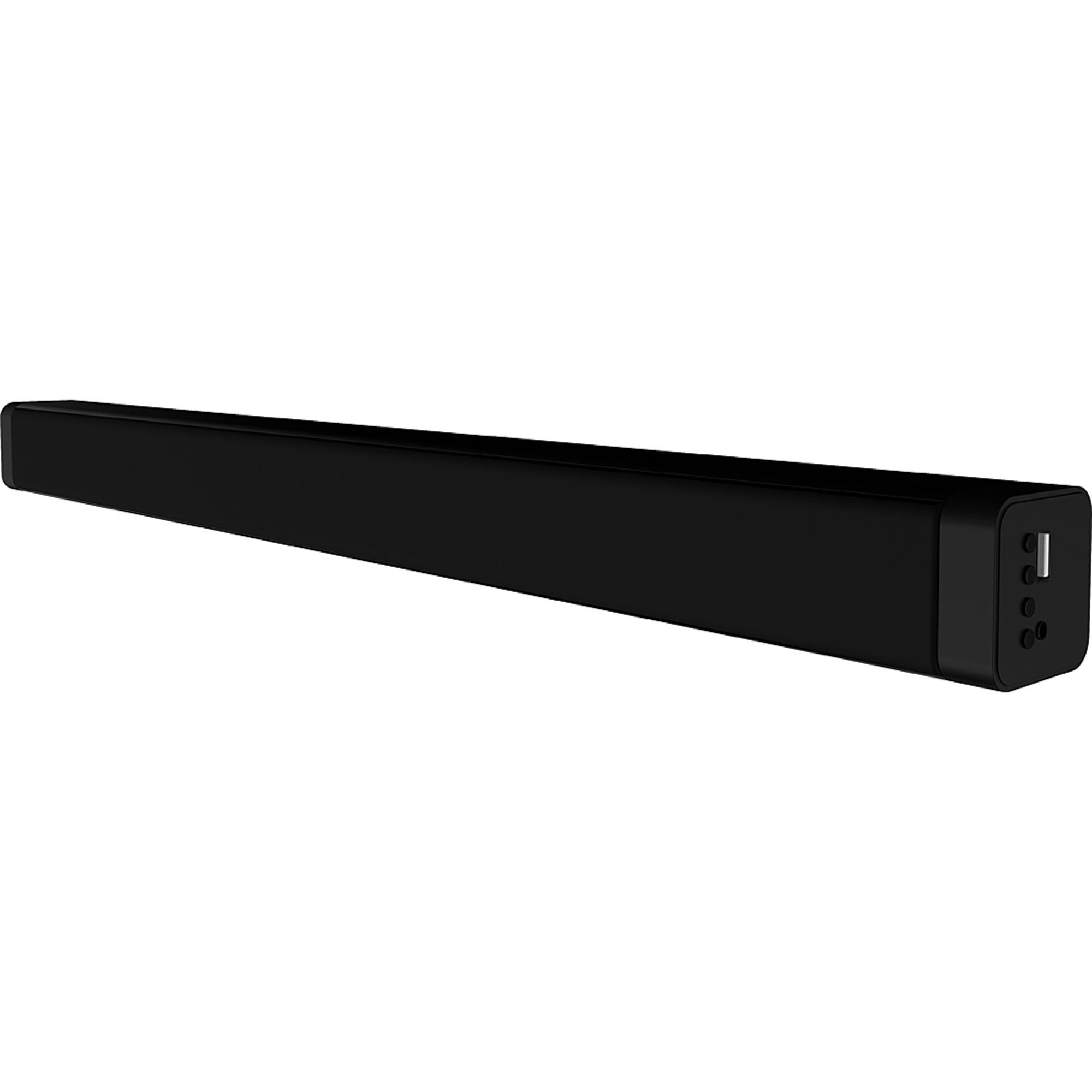
画像4.1:正面 view of the Coby CSB04 Bluetooth Soundbar. The soundbar is black and rectangular.

画像4.2: 側面 view of the Coby CSB04 Soundbar, showing a USB port and other connection points.
4.1. Front Panel / Top Panel Controls
- 電源ボタン: サウンドバーの電源をオンまたはオフにします。
- 音量を上げる/下げる: 音量レベルを調整します。
- モードボタン: Switches between input modes (Bluetooth, RCA).
- LEDインジケーター: Shows current status (e.g., Bluetooth pairing, input mode).
4.2.リアパネルの接続
- DC IN: ここにAC電源アダプターを接続します。
- RCA L/R入力: Connect external audio devices using the RCA cable.
- USBポート: For potential firmware updates or specific media playback (functionality may vary).
4.3. リモートコントロール
The included remote control allows for convenient operation of the soundbar from a distance. Functions typically include Power, Volume Up/Down, Mode Selection, Mute, and Playback controls for Bluetooth mode.
5. セットアップ
5.1. 電源接続
- AC電源アダプターを DC入力 サウンドバーの背面にあるポート。
- AC 電源アダプタのもう一方の端を壁のコンセントに差し込みます。
- サウンドバーはスタンバイモードになります。
5.2. オーディオ接続
You can connect audio sources to the soundbar via Bluetooth or RCA cable.
5.2.1.Bluetooth接続
- Power on the soundbar using the Power button on the unit or remote control.
- を押す モード button repeatedly until the LED indicator shows Bluetooth mode (usually a blinking blue light).
- スマートフォンやその他の Bluetooth 対応デバイスで Bluetooth を有効にし、利用可能なデバイスを検索します。
- Select "CSB04" (or similar name) from the list of devices.
- ペアリングされると、LED インジケーターが青色に点灯し、確認音が聞こえます。
- これで、サウンドバーを通じてデバイスからのオーディオを再生できるようになりました。
5.2.2.RCA接続
- Connect one end of the RCA cable to the RCA L / R入力 サウンドバーのポート。
- Connect the other end of the RCA cable to the audio output ports (usually "Audio Out" or "L/R Out") of your TV, DVD player, or other audio source.
- サウンドバーの電源を入れます。
- を押す モード button repeatedly until the LED indicator shows RCA mode (e.g., a green light).
- 接続されたデバイスからオーディオを再生します。
6. 操作手順
6.1. 電源のオン/オフ
を押す 力 サウンドバーまたはリモコンのボタンを使用して、ユニットの電源をオンまたはオフにします。
6.2.音量の調整
使用 ボリュームアップ(+) そして ボリュームダウン (-) サウンドバーまたはリモコンのボタンを使用して、オーディオレベルを調整します。
6.3. Changing Input Mode
を押す モード button on the soundbar or remote control to cycle through available input sources: Bluetooth, RCA.
6.4. Bluetooth再生
Once paired, your Bluetooth device will automatically connect to the soundbar when both are powered on and within range. Use your device's controls or the soundbar's remote control (if applicable) for playback functions like Play/Pause, Next Track, and Previous Track.
7. メンテナンス
Proper maintenance ensures the longevity and optimal performance of your soundbar.
- クリーニング: Use a soft, dry cloth to wipe the exterior of the soundbar. Do not use liquid cleaners or aerosols.
- ストレージ: サウンドバーを長期間保管する場合は、電源を外して涼しく乾燥した場所に保管してください。
- 換気: Ensure the soundbar has adequate ventilation and is not covered, to prevent overheating.
8。 トラブルシューティング
If you encounter issues with your Coby CSB04 Soundbar, refer to the following common problems and solutions:
| 問題 | 考えられる原因 | 解決 |
|---|---|---|
| 電源なし | 電源アダプターが接続されていないか、コンセントに障害があります。 | Ensure the power adapter is securely connected to the soundbar and a working power outlet. Try a different outlet. |
| 音が出ない | 入力モードが正しくない、音量が低い、またはケーブル接続が正しくない。 |
|
| Bluetoothペアリングに失敗しました | サウンドバーがペアリングモードになっていない、デバイスが遠すぎる、または干渉が発生しています。 |
|
| リモコンが動作しない | 電池切れまたは障害物。 | Replace the batteries in the remote control. Ensure there is no obstruction between the remote and the soundbar's sensor. |
9. 仕様
Here are the technical specifications for the Coby CSB04 Bluetooth Soundbar Speaker:
- モデル: CSB04
- スピーカータイプ: サウンドバー
- 接続技術: ブルートゥース
- 最大スピーカー出力: 10ワット
- 対応デバイス: Smartphone (and other Bluetooth/RCA audio sources)
- 制御方法: リモートコントロール
- 電源: 電源ケーブル(ACアダプター)
- 色: 黒
- 寸法: 85.09 x 14.22 x 38.35 cm(約33.5 x 5.6 x 15.1インチ)
- 重さ: 1.54 kg(約3.4ポンド)
- 取り付けタイプ: デスクトップマウント
10. 保証とサポート
For warranty information and technical support, please refer to the warranty card included with your product or visit the official Coby webサイトでご確認ください。購入証明として購入レシートを保管してください。
For further assistance, you may contact Coby customer service through their official channels.