
1. はじめに
ご購入ありがとうございますasing the FOSTEX PM0.3H(B) Active Speaker System. This manual provides essential information for the safe and efficient operation of your new speakers. Please read it thoroughly before use and retain it for future reference.
主な特徴:
- 2-way bass reflex design for balanced audio reproduction.
- Powerful 15W + 15W (RMS) output.
- Wide frequency response from 110Hz to 40kHz.
- Compact design suitable for various desktop audio setups.
2. 安全情報
Please observe the following safety precautions to prevent electric shock, fire, or other hazards:
- 水への露出: Do not use the device where water can directly come into contact with the main unit. This includes avoiding placement near sinks, bathtubs, or in excessively humid environments.
- 異常な状態: Do not use the device if it is in an abnormal condition, such as emitting smoke, unusual odors, or strange noises. Immediately disconnect the power and contact customer support.
- 換気: スピーカー周囲に十分な換気を確保してください。通気口を塞がないでください。
- 電源: Use only the provided AC adapter and power cord. Ensure the power outlet matches the voltag要件。
- 取り扱い: スピーカーは丁寧に取り扱ってください。落としたり、強い衝撃を与えたりしないでください。
3. パッケージ内容
パッケージに以下のすべての項目が含まれていることを確認してください。
- FOSTEX PM0.3H(B) Active Speaker System (1 pair)
- ACアダプター
- スピーカーケーブル(1.5m)
- Stereo Mini to RCA x 2 Cable (1.5m)
- ユーザーマニュアル(このドキュメント)
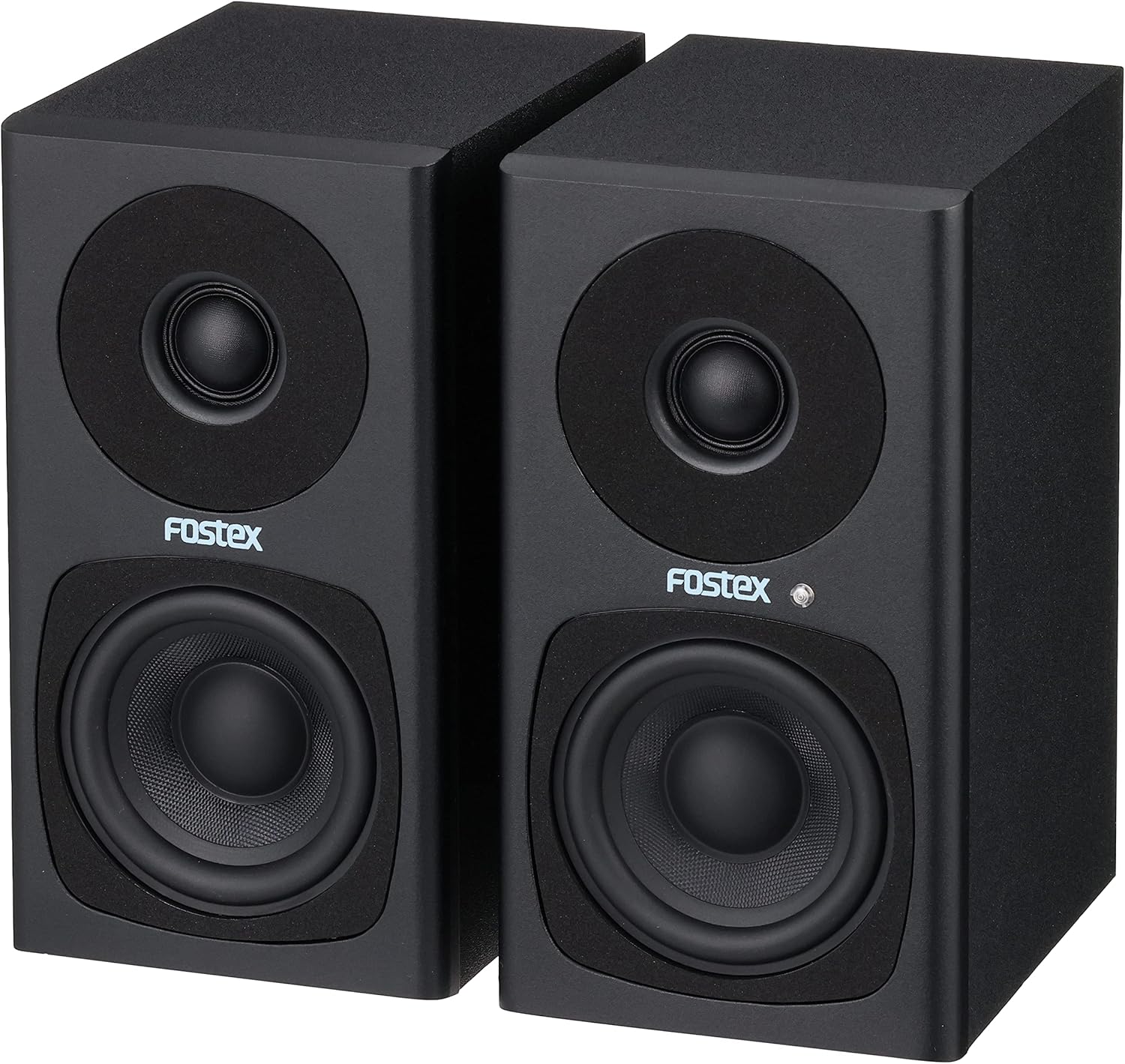
Image: FOSTEX PM0.3H(B) Active Speaker System with its accessories, including the AC adapter, speaker cable, and stereo mini to RCA cable.
注記: An unboxing video demonstrating the package contents and initial setup would typically be embedded here if available from the seller. This video would visually guide you through identifying each component.
4.製品オーバーview
Familiarize yourself with the various parts and controls of your FOSTEX PM0.3H(B) Active Speaker System.
4.1フロント View

画像: 正面 view of the active speaker, featuring the tweeter at the top, the woofer at the bottom, and the Fostex logo with a blue power indicator LED.
- ツイーター: 高周波音を再現します。
- ウーファー: Reproduces mid-range and low-frequency sounds.
- 電源インジケータLED: Illuminates blue when the speaker is powered on.
4.2 Rear Panel (Active Speaker)

Image: Rear panel of the active speaker, detailing the volume control knob, RCA input (Input A), stereo mini input (Input B), L-OUT for connecting to the passive speaker, and the DC power input.
- ボリュームノブ: Adjusts the overall output volume. Turn clockwise to increase, counter-clockwise to decrease.
- INPUT A (RCA): Stereo RCA input jacks for connecting audio sources.
- INPUT B (Stereo Mini): 3.5mm stereo mini-jack input for connecting portable audio devices or computers.
- Lアウト: Output terminal for connecting the active speaker to the passive speaker using the supplied speaker cable.
- DC IN: Power input jack for the AC adapter.
- シリアル番号。: Unique serial number for the unit.
4.3 Rear Panel (Passive Speaker)

Image: Rear panel of the passive speaker, showing the L-IN input for connection to the active speaker.
- L-IN: Input terminal for connecting the passive speaker to the active speaker using the supplied speaker cable.
5. セットアップ
5.1 スピーカーの配置
Place the speakers on a stable, flat surface. For optimal stereo imaging, position the speakers equidistant from your listening position, forming an equilateral triangle. Ensure there is sufficient space behind the speakers for ventilation and cable connections.
5.2 スピーカーの接続
- Connect the supplied speaker cable (1.5m) from the Lアウト terminal on the active speaker to the L-IN terminal on the passive speaker. Ensure a secure connection.
5.3 オーディオソースの接続
You can connect audio sources using either the RCA inputs or the stereo mini input:
- RCA Input (INPUT A): Use the supplied stereo mini to RCA x 2 cable to connect devices with RCA outputs (e.g., CD players, audio interfaces) to the 入力A ジャック。
- Stereo Mini Input (INPUT B): Use a 3.5mm stereo mini cable (not supplied, unless the stereo mini to RCA cable is used with an adapter) to connect devices with a stereo mini output (e.g., smartphones, computers) to the 入力B ジャック。
5.4 電源の接続
- 付属のACアダプターを DC入力 jack on the active speaker.
- Plug the AC adapter into a suitable wall outlet. The power indicator LED on the front of the active speaker will illuminate blue.
6. 操作手順
6.1 電源オン/オフ
The speakers power on automatically when the AC adapter is connected to a power source. To turn off the speakers, disconnect the AC adapter from the wall outlet.
6.2 音量の調整
回転する 音量 knob on the rear panel of the active speaker to adjust the sound level. Turn clockwise to increase volume and counter-clockwise to decrease it. Start with a low volume and gradually increase it to a comfortable listening level.
6.3入力の選択
The PM0.3H(B) supports two audio inputs (RCA and Stereo Mini). If both inputs are connected, the speaker system will mix the audio signals. To listen to a single source, ensure only that source is connected or powered on.
7. メンテナンス
7.1 クリーニング
- 清掃する前に、電源アダプターを壁のコンセントから抜いてください。
- スピーカーキャビネットを柔らかく乾いた布で拭いてください。
- 仕上げを傷める恐れがあるため、研磨剤入りの洗剤、ワックス、溶剤は使用しないでください。
7.2 ストレージ
When not in use for extended periods, store the speakers in a cool, dry place away from direct sunlight and extreme temperatures. It is recommended to keep the original packaging for safe storage and transport.
8。 トラブルシューティング
If you encounter any issues with your FOSTEX PM0.3H(B) speakers, refer to the following common problems and solutions:
8.1 音が出ない
- 電力を確認します: Ensure the AC adapter is securely connected to both the speaker and a working wall outlet. Verify the power indicator LED is blue.
- ボリュームを確認: Confirm the VOLUME knob on the active speaker is not set to minimum (OFF) and the volume on your audio source is turned up.
- 接続を確認してください: Ensure all audio cables (RCA, stereo mini, and the speaker cable between active and passive units) are securely connected.
- Test Audio Source: Try connecting a different audio source to rule out issues with your primary device.
8.2 歪んだ音
- 音量レベルを調整する: Reduce the volume on both the speakers and your audio source. Overdriving either can cause distortion.
- ケーブルの品質を確認する: Ensure audio cables are not damaged or poorly shielded, which can introduce noise.
- ソースの品質: 低品質のオーディオ files or streaming can result in distorted sound.
8.3 Only One Speaker Producing Sound
- スピーカーケーブル: Verify the speaker cable connecting the active and passive units is properly and securely connected at both ends.
- Audio Source Balance: Check the balance settings on your audio source.
- 入力接続: Ensure the stereo mini or RCA cables are fully inserted and not loose.
9. 仕様
| 特徴 | 説明 |
|---|---|
| モデル名 | PM0.3H |
| スピーカータイプ | Monitor, Active |
| 材料 | 木材 |
| 色 | 黒 |
| 製品寸法(1個あたり) | 13cm(奥行き)×10cm(幅)×18.5cm(高さ) |
| 製品重量 | 2.94 kg(ペア) |
| 周波数応答 | 110Hz~40kHz |
| 出力電力 | 15W + 15W (実効値) |
| 最大出力 | 60ワット |
| 消費電力 | 約12W |
| エンクロージャタイプ | 2ウェイバスレフ |
| 接続技術 | AUX (RCA, Stereo Mini) |
| オーディオ出力モード | ステレオ |
| 取り付けタイプ | 卓上マウント |
| 原産国 | 中国 |

Image: Dimensions of a single FOSTEX PM0.3H(B) speaker.
10. 保証とサポート
For warranty information, technical support, or service inquiries, please refer to the warranty card included in your package or visit the official FOSTEX webサイトでご確認ください。保証請求に備えて購入証明書を保管してください。
FOSTEX Official Webサイト: www.fostex.jp