
1. はじめに
This manual provides detailed instructions for the installation, operation, and maintenance of your THINKWARE F100 Dash Cam. The F100 is designed to record high-quality video footage of your journeys, offering features such as Full HD 1080p recording, night vision, and a secure parking mode to enhance your driving safety and provide evidence in case of incidents.
適切な操作を確保し、損傷を防ぐために、製品を使用する前にこのマニュアルをよくお読みください。
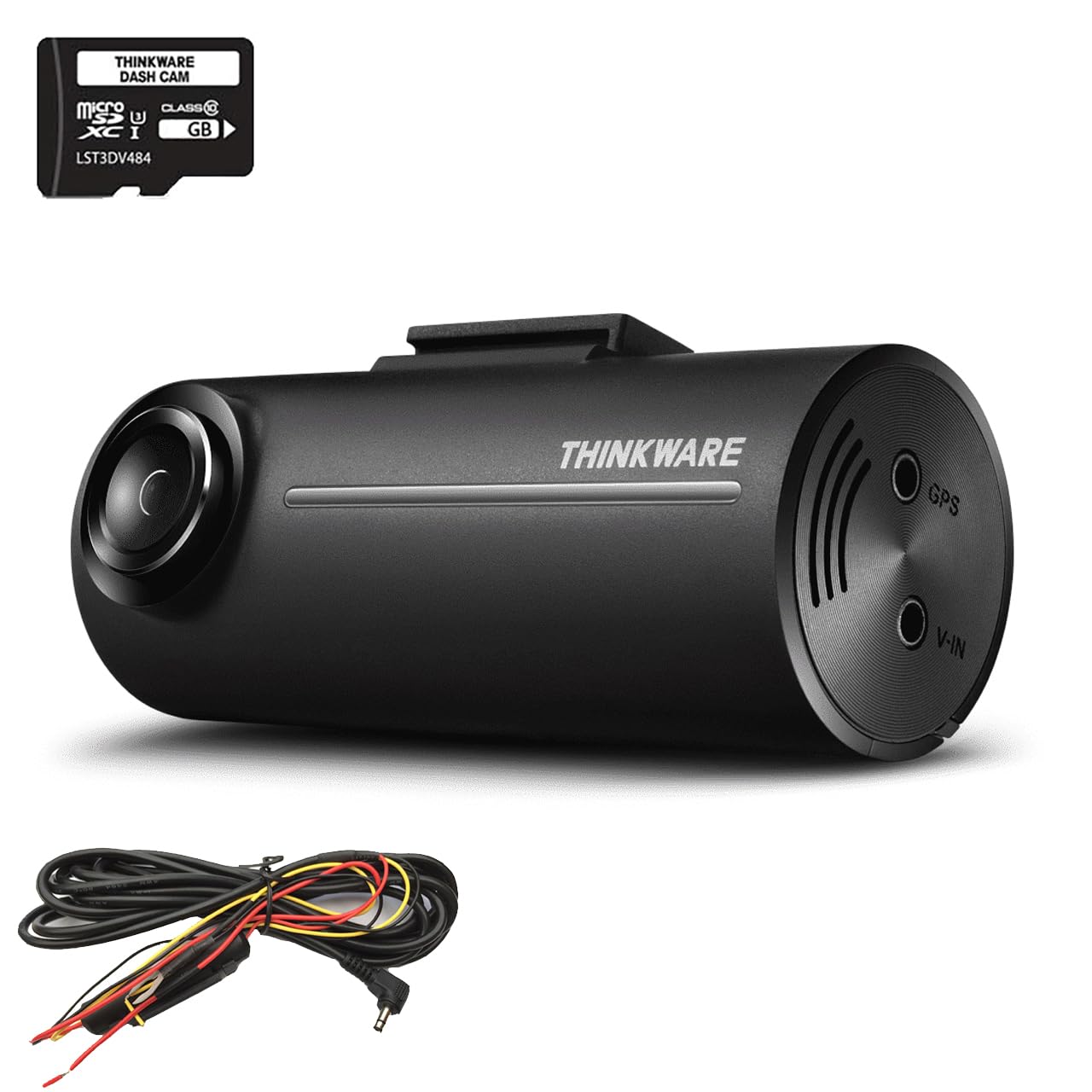
Image 1.1: The THINKWARE F100 Dash Cam recording in Full HD 1080p.
2. パッケージ内容
Verify that all components are present in the box before proceeding with installation.
- THINKWARE F100 Dash Cam Unit
- ハードワイヤーケーブル
- 16GB マイクロ SD カード
- クイックスタートガイドと保証情報
- 3M Sticky Mounting Pad (2 included)

Image 2.1: All items included in the THINKWARE F100 Dash Cam package.
3.製品オーバーview
The THINKWARE F100 Dash Cam features a compact design for discreet installation and a wide-angle lens to capture a broad view 道路の。

Image 3.1: The F100 Dash Cam mounted on a windshield.
主な特徴:
- フルHD 1080p録画: Captures clear video at 30 frames per second with a 135-degree wide-angle view.
- Night Enhancement Technology: Sony CMOS image sensors provide clearer images in low-light conditions.
- 駐車監視モード: Monitors your vehicle when parked, preventing battery drain with its G-sensor system.
- Format Free Technology: Extends the life of your Micro SD card by eliminating the need for manual formatting.
- Driver Safety Features: Includes emergency recording via G-sensor accident detection and optional speed camera alerts (requires optional GPS antenna).

Image 3.2: Visual representation of F100 key features.
4. インストール
Proper installation is crucial for optimal performance. It is recommended to have the dash cam professionally installed, especially for hardwiring.
4.1 ドライブレコーダーの取り付け
- ドライブレコーダーを取り付ける予定のフロントガラス部分をきれいに拭き取ります。視界を遮らないように注意してください。 view.
- Attach one of the 3M sticky mounting pads to the dash cam mount.
- Firmly press the mount onto the cleaned windshield area. Hold for at least 30 seconds to ensure a secure bond.
- Adjust the camera angle to ensure it captures the road ahead clearly, with the horizon in the middle of the frame.
4.2 Power Connection (Hardwire)
The F100 includes a hardwire cable for secure parking mode installation, which connects directly to your vehicle's fuse box. This connection prevents battery drain while providing continuous power for parking surveillance.
- Connect the hardwire cable to the power input port on the dash cam.
- Route the cable along the windshield trim and down to your vehicle's fuse box. Use cable clips to secure the cable and keep it tidy.
- Connect the hardwire cable's ACC (Accessory) and BATT (Battery) wires to appropriate fuse slots in your vehicle's fuse box. Consult your vehicle's manual or a professional installer for correct fuse selection.
- Connect the GND (Ground) wire to a metal bolt or chassis point in your vehicle.
- Once connected, start your vehicle to ensure the dash cam powers on correctly.
5. 基本操作
5.1 電源のオン/オフ
- When connected to your vehicle's power supply (either via cigarette lighter adapter or hardwire kit), the F100 will automatically power on and begin continuous recording when the vehicle starts.
- The dash cam will automatically power off when the vehicle's ignition is turned off, unless parking mode is enabled via hardwire installation.
5.2 録音モード
- 連続記録: The dash cam records continuously in 1-minute segments while driving. Older files are overwritten automatically when the SD card is full.
- イベント録画: In the event of an impact or sudden braking detected by the G-sensor, the dash cam will automatically save a 20-second video clip (10 seconds before and 10 seconds after the event) to a protected folder, preventing it from being overwritten.
- 手動録音: Press the emergency recording button on the dash cam to manually save a 20-second video clip to the protected folder.
6. 高度な機能
6.1 駐車監視モード
With the hardwire installation, the F100 can monitor your vehicle even when parked. This mode uses the G-sensor to detect impacts and motion, recording events to provide security when you are away from your vehicle.
- The F100's parking mode system continuously monitors your car battery's health. If the battery voltage drops below a safe level, the dash cam will automatically shut down to prevent complete battery drain.
- Motion detection and impact detection are active in parking mode.

Image 6.1: Battery Saving Parking Mode functionality.
6.2 Driver Safety Features
- G-Sensor Accident Detection: Automatically detects impacts and saves footage to a protected folder.
- スピードカメラアラート: The F100 supports a UK speed camera database (Cyclops) with free updates. This feature requires an optional GPS antenna to function.
6.3 フォーマットフリーテクノロジー
The F100 utilizes an advanced file allocation table system that manages the Micro SD card efficiently, reducing the need for manual formatting and extending the lifespan of the memory card.
7. PC/Mac Viewソフトウェア
The THINKWARE PC/Mac Viewer software allows you to manage your dash cam settings, view 記録されたfootage, and download or delete filesコンピュータから。
7.1 Downloading and Installing the Viewer
の viewer software can be downloaded for free from the official THINKWARE webサイトにアクセスします。画面の指示に従ってコンピューターにインストールしてください。
7.2を使用して Viewer
- Remove the Micro SD card from the dash cam.
- Insert the Micro SD card into your computer's card reader.
- Launch the THINKWARE PC/Mac Viewerソフトウェア。
- You can now browse recorded videos, adjust dash cam settings, and update firmware if available.

Image 7.1: The THINKWARE PC/Mac Viewer software in use.
8. メンテナンス
8.1 マイクロSDカードの管理
- 重要なファイルを定期的にバックアップするtage from your Micro SD card to a computer or external storage.
- Although the F100 features Format Free technology, it is still recommended to manually format the SD card every few months using the PC/Mac Viewer software to maintain optimal performance and prevent data corruption.
- Use only high-quality, genuine Micro SD cards from reputable brands.
8.2 ダッシュカムのクリーニング
- Wipe the camera lens gently with a soft, lint-free cloth to ensure clear recordings.
- ドライブレコーダーの外側を乾いた布か軽く湿らせた布で拭いてください。amp 布で拭いてください。強力な化学薬品や研磨剤入りの洗剤は使用しないでください。
9。 トラブルシューティング
If you encounter issues with your F100 Dash Cam, refer to the following common problems and solutions:
| 問題 | 考えられる原因 | 解決 |
|---|---|---|
| ダッシュカムの電源が入りません。 | No power supply; faulty cable; incorrect hardwire connection. | Check power cable connection. Ensure vehicle ignition is on (if not hardwired). Verify hardwire connections to fuse box. |
| 録画が停止またはフリーズします。 | SD カード エラー、SD カードがいっぱい、SD カードに互換性がありません。 | Format the SD card using the PC/Mac Viewer. Replace with a new, high-quality SD card if issues persist. |
| ビデオ品質が低い。 | Dirty lens; incorrect camera angle; low-light conditions. | Clean the camera lens. Adjust camera angle. Ensure sufficient lighting for optimal recording. |
| 駐車モードが機能しません。 | Not hardwired; incorrect hardwire connection; battery voltag低すぎます。 | Ensure the dash cam is hardwired correctly. Check vehicle battery health. |
If the problem persists after trying these solutions, please contact THINKWARE customer support.
10. 仕様
Technical specifications for the THINKWARE F100 Dash Cam:
| 特徴 | 詳細 |
|---|---|
| メーカー | シンクウェア |
| モデル番号 | F100 |
| 製品寸法 | 7.8 x 3.4 x 3.15 cm |
| 重さ | 421.84グラム |
| ビデオキャプチャ解像度 | 1080pフルHD |
| 光センサー技術 | CMOS(ソニー) |
| 特集 | Night Vision, G-Sensor, Parking Mode, Format Free Technology |
| 取り付けタイプ | フロントガラスマウント |
| 含まれるコンポーネント | Dash Camera, Hardwire Cable, 16GB SD Card |
| 色 | 黒 |
11. 保証とサポート
THINKWARE provides comprehensive support for its products. As a global dash cam brand, we offer a free technical helpline and professional national installation services.
For warranty information, please refer to the 'Quick Start Guide & Warranty Information' included in your product package. For technical assistance or further inquiries, please visit the official THINKWARE webサイトをご覧いただくか、カスタマー サポートに直接お問い合わせください。