
1. はじめに
This manual provides essential information for the proper installation, operation, maintenance, and troubleshooting of your Supermicro PWS-2K05A-1R Power Supply. Please read this manual thoroughly before attempting to install or operate the unit. Retain this manual for future reference.
2. 安全情報
- 電気による危険: このユニットは高電圧で動作しますtage. Do not open the power supply casing. 内部にはユーザーが修理可能な部品はありません。修理はすべて資格のあるサービス担当者にご依頼ください。
- 接地: Always ensure the power supply is properly grounded to prevent electrical shock.
- 換気: Ensure adequate airflow around the power supply. Do not block ventilation openings. Overheating can cause damage or fire.
- 環境: Operate the power supply in a dry, well-ventilated environment, away from moisture, dust, and extreme temperatures.
- 電源コード: Use only the power cord supplied with the unit or a suitable replacement rated for the local voltage および現在の要件。
3.製品オーバーview
The Supermicro PWS-2K05A-1R is a high-performance 2000-watt power supply designed for personal computer systems. It features an ATX form factor, air cooling with two integrated fans, and a 24-pin system bus connector, providing reliable and efficient power delivery for demanding applications.
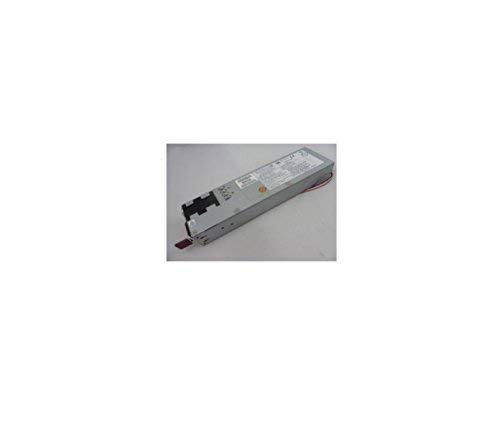
図1: フロント view of the Supermicro PWS-2K05A-1R Power Supply, showing its compact design and ventilation grilles.
4. セットアップとインストール
- 準備: Before installation, ensure your computer system is powered off and disconnected from the main power outlet.
- 取り付け: Carefully insert the PWS-2K05A-1R power supply into the designated ATX power supply bay in your computer chassis. Secure it with the appropriate screws.
- 主電源接続: Connect the 24-pin ATX system bus connector from the power supply to the corresponding port on your motherboard. Ensure it is firmly seated.
- 周辺機器の接続: Connect all necessary peripheral power cables (e.g., CPU, GPU, storage drives) from the power supply to their respective components. Refer to your motherboard and component manuals for specific connection requirements.
- 電源コード: Connect the AC power cord to the power supply's input socket and then to a grounded electrical outlet.
5. 操作手順
Once the power supply is correctly installed and all connections are secure, you can power on your computer system. The PWS-2K05A-1R is designed for continuous operation within its specified voltageとwattag制限があります。
- 入力ボリュームtage: The power supply is designed to operate with an AC input voltage between 110 Volts and 120 Volts. Ensure your power source falls within this range.
- 電源オン/オフ: Use the main power switch on your computer chassis to turn the system on or off. The power supply will activate or deactivate accordingly.
- 監視: 現代のマザーボードやオペレーティングシステムは、電源電圧を監視するツールを備えていることが多い。tages. Consult your system's documentation for details.
6. メンテナンス
定期的なメンテナンスを行うことで、電源装置の寿命が長くなり、最適なパフォーマンスが確保されます。
- ファンのクリーニング: Periodically inspect the power supply's cooling fans for dust accumulation. If dust is present, carefully clean the fan blades and grilles using compressed air. Ensure the system is powered off and unplugged before cleaning.
- 換気: Ensure that the computer case's ventilation paths are clear and unobstructed to allow for proper airflow to and from the power supply.
- ケーブル管理 Maintain tidy cable management within your computer case to prevent obstruction of airflow and potential overheating.
7。 トラブルシューティング
If you encounter issues with your Supermicro PWS-2K05A-1R Power Supply, consider the following troubleshooting steps:
- 電源なし:
- Verify the power cord is securely connected to both the power supply and the wall outlet.
- 別のデバイスを接続して、壁のコンセントが機能するかどうかを確認します。
- Ensure the main power switch on the power supply (if present) is in the 'ON' position.
- Confirm all internal power connectors (24-pin ATX, CPU, GPU) are firmly seated.
- システムの不安定性/ランダムなシャットダウン:
- This could indicate an overloaded power supply or a faulty unit. Ensure your system's total power consumption does not exceed the power supply's 2000-watt capacity.
- Check for proper ventilation and ensure the power supply fans are spinning freely. Overheating can cause shutdowns.
- ファンの騒音が大きい:
- Excessive fan noise can be caused by dust accumulation. Refer to the Maintenance section for cleaning instructions.
- If the noise persists after cleaning, it may indicate a worn-out fan bearing.
If these steps do not resolve the issue, contact Supermicro technical support or a qualified technician.
8. 仕様
| 特徴 | 仕様 |
|---|---|
| ブランド | スーパーマイクロ |
| モデル | PWS-2K05A-1R |
| 出力ワットtage | 2000ワット |
| フォームファクター | ATTX |
| 冷却方法 | 空気 |
| ファン数 | 2 |
| 最小入力ボリュームtage | 110ボルト(AC) |
| 最大入力ボリュームtage | 120ボルト(AC) |
| コネクタタイプ | ATTX |
| System Bus Connector Type | 24 ピン |
| 対応デバイス | パソコン |
9. 保証情報
Warranty terms and conditions for the Supermicro PWS-2K05A-1R Power Supply are typically provided by the manufacturer or the point of purchase. Please refer to the documentation included with your purchase or visit the official Supermicro web詳細な保証情報および登録手順については、こちらのサイトをご覧ください。
10. サポート
For technical assistance, product inquiries, or further support, please contact Supermicro customer service or visit their official support website. Have your product model number (PWS-2K05A-1R) and any relevant purchase information ready when contacting support.
Supermicro公式 Webサイト: www.supermicro.com