
1. はじめに
This manual provides essential information for the safe and efficient operation of your Amazon Basics 400VA Standby Uninterruptible Power Supply (UPS) with Battery Backup and Surge Protection. Please read these instructions thoroughly before use and retain them for future reference.
2. 安全情報
- 配置: Do not lie the UPS on its side. Ensure proper ventilation and avoid placing it near heat sources or in direct sunlight.
- 初期費用: For optimal performance, plug in the UPS and allow it to charge for at least 8 hours before connecting devices.
- 耐荷重: Do not overload the UPS. For optimal system performance, keep the total load below 80% of the unit's rated capacity (255W).
- バッテリー: Contains a sealed lead-acid battery. Do not attempt to disassemble or incinerate. Refer to local regulations for proper battery disposal.
- 遮断器: The unit includes a circuit breaker to prevent overload. If it trips, reduce the load and press the breaker to reset.
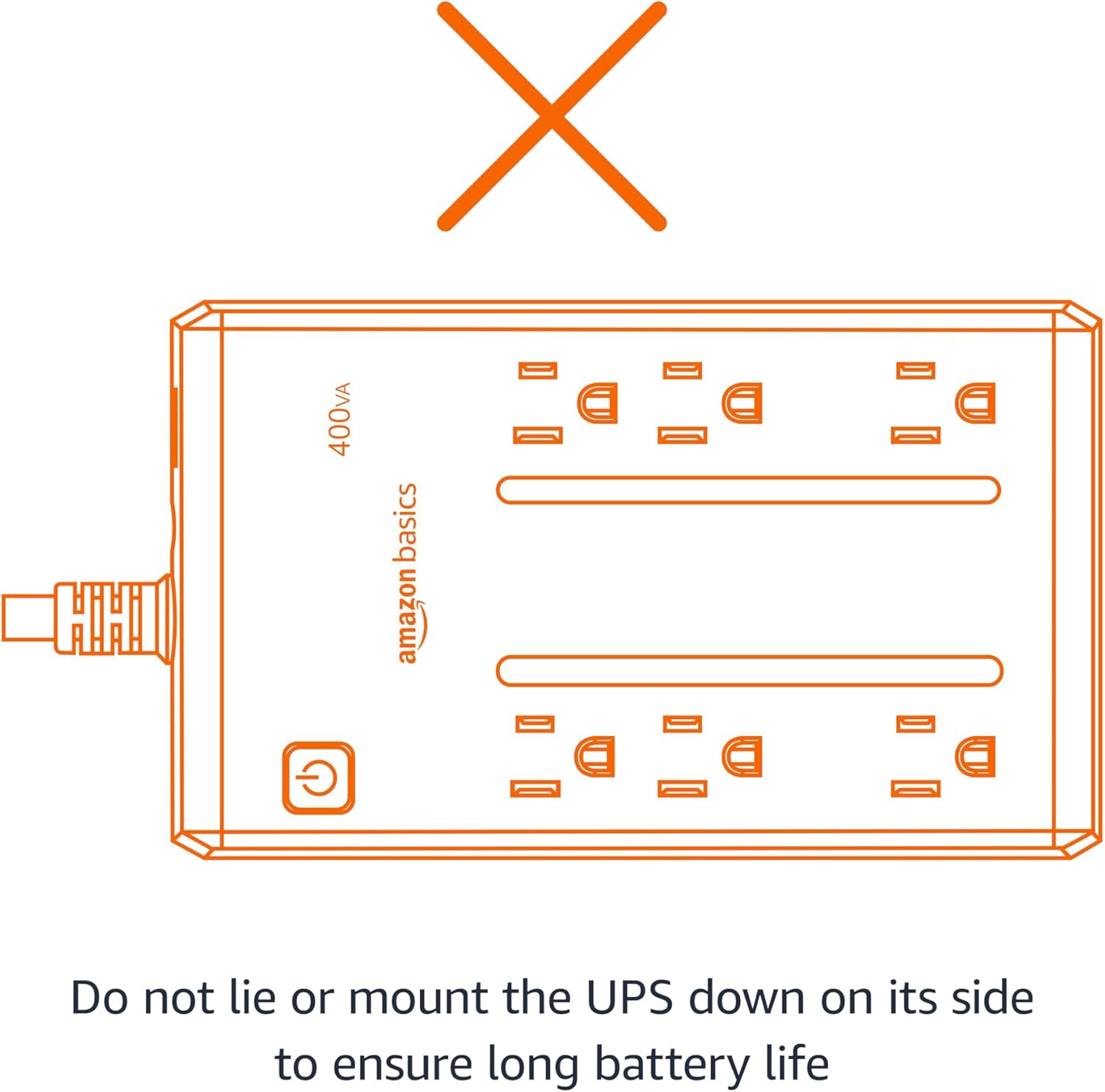
Figure 2.1: Proper orientation is crucial for battery life and unit performance. Avoid lying the UPS on its side.
3. パッケージ内容
パッケージにすべてのアイテムが揃っていることを確認します。
- Amazon Basics 400VA Standby UPS Unit
- ユーザーマニュアル

Figure 3.1: The Amazon Basics 400VA Standby UPS unit.
4.製品オーバーview
The Amazon Basics 400VA UPS features a compact design with multiple outlets for power protection.
- 総アウトレット数: 6 (NEMA 5-15R)
- バッテリーバックアップおよびサージ保護コンセント: 3 outlets provide continuous power during outages とサージから保護します。
- サージ保護専用コンセント: 3 outlets protect against surges but do not provide battery backup during power outages。
- 電源ボタン: Controls the unit's power.
- 電源コード: 5-foot cord with NEMA 5-15P right-angle and 45-degree offset plug.

Figure 4.1: Key features and outlet types of the UPS.

図4.2:詳細 view of the UPS outlets, distinguishing between battery-backed and surge-only ports.
5. セットアップ
- 開梱: Carefully remove the UPS unit from its packaging.
- 初期費用: Plug the UPS into a standard wall outlet. Press and hold the power button for 2 seconds to turn the unit on. The green LED indicator will illuminate. Allow the unit to charge for a minimum of 8 hours before connecting any critical devices.
- デバイスを接続する: Plug your electronic devices into the appropriate outlets. For devices requiring continuous power during outages (e.g., routers, modems, computers), use the バッテリーバックアップとサージ保護 outlets. For devices needing only surge protection, use the サージ保護 アウトレット。
Video 5.1: Demonstrates connecting devices to the UPS, highlighting the distinction between battery-backed and surge-only outlets.
6. UPSの操作
Once fully charged and devices are connected, your UPS is ready for operation.
- 電源オン/オフ: Press and hold the power button for approximately 2 seconds to turn the UPS on or off. The green LED indicates power status.
- パワーオウtage: 停電の場合tage, devices connected to the バッテリーバックアップとサージ保護 outlets will continue to receive power from the internal battery. The UPS may emit an audible alarm to indicate it is operating on battery power.
- アラーム制御: To silence the audible alarm during a power outage, quickly press the power button twice. To reactivate the alarm, press the power button twice again.
- ランタイム: The battery backup runtime varies based on the power consumption of connected devices. At half load (200VA/127.5W), the UPS provides approximately 6 minutes of backup power. At full load (400VA/255W), it provides approximately 1.5 minutes of backup power.
ビデオ6.1: オーバーview of the Amazon Basics 400VA UPS, demonstrating its features and functionality.
7. メンテナンス
- バッテリー交換: The internal battery is a sealed lead-acid type. Its typical lifespan is 3-5 years, depending on usage. Battery replacement should be performed by qualified personnel.
- クリーニング: Disconnect the UPS from the power outlet and wipe the exterior with a dry cloth. Do not use liquid cleaners.
- ストレージ: If storing the UPS for an extended period, ensure it is fully charged and recharge it every 3 months to maintain battery health.
8。 トラブルシューティング
一般的な問題とその解決策については、次の表を参照してください。
| 症状 | 考えられる原因 | 解決 |
|---|---|---|
| UPSがオンになりません。 | バッテリーが接続されていないか放電されています。 | バッテリーが接続されていることを確認してください。壁のコンセントに差し込み、8時間充電してください。 |
| UPS が継続的にビープ音を鳴らします。 | 過負荷またはバッテリー残量が少ない。 | Reduce connected load. Allow battery to recharge. |
| No power from battery backup outlets during outage. | Devices plugged into surge-only outlets. | Ensure critical devices are plugged into バッテリーバックアップとサージ保護 アウトレット。 |
| 回路ブレーカーが落ちた。 | オーバーロード。 | Unplug some devices, then press the circuit breaker to reset. |
9. 仕様
| 特徴 | 詳細 |
|---|---|
| モデル | ABST400 |
| 容量 | 400VA/255W |
| 入力ボリュームtage | 120V~, 10A, 50/60Hz |
| 出力巻tage | 120V~, 5.0A, 50/60Hz |
| 総出力電流 | 10A (Including Surge Outlets) |
| 電池のタイプ | 密閉型鉛蓄電池 |
| 寸法(長さ×幅×高さ) | 7.24 x 4.33 x 3.22 インチ (18.39 x 11 x 8.18 cm) |
| アイテム重量 | 3.8ポンド |
| コードの長さ | 5フィート |

Figure 9.1: Physical dimensions of the UPS unit.
10. 保証とサポート
This Amazon Basics UPS is backed by a limited 1-year warranty, including the battery. For support or warranty claims, please refer to the Amazon Basics customer service channels.
Additionally, a $75,000 connected equipment guarantee is provided. Please refer to the product documentation or Amazon's website for full details on how to make a claim.