
1. はじめに
This manual provides detailed instructions for the Symcode MJ-2030-W Barcode Scanner. This device offers both 2.4GHz wireless and USB 2.0 wired connectivity, designed for efficient and reliable barcode scanning in various environments. Please read this manual thoroughly before operating the scanner to ensure proper use and to maximize its performance.
2.製品オーバーview
The Symcode MJ-2030-W is a versatile handheld laser barcode scanner. Key features include:
- デュアル接続: 2.4GHz ワイヤレス接続と USB 2.0 有線接続の両方をサポートします。
- 拡張範囲: Effective wireless communication up to 200 meters outdoors and 100 meters indoors.
- 長いバッテリー寿命: Equipped with a 2000mAh rechargeable battery, providing extended operation.
- XNUMX つの動作モード: Instant upload and storage modes for flexible data handling.
- Customizable Scanning: Supports prefix/suffix settings and character manipulation.
- 耐久性に優れたデザイン: Features a shock-resistant silicone casing (IP54 rated) for enhanced protection.
3. セットアップ
3.1 パッケージ内容
始める前に、パッケージにすべてのアイテムが揃っていることを確認してください。
- Symcode MJ-2030-W Barcode Scanner
- Mini USB Receiver (2.4GHz wireless dongle)
- USBケーブル(充電および有線接続用)
- ユーザーマニュアル(このドキュメント)
3.2 スキャナの接続
スキャナーには主に 2 つの接続方法があります。
3.2.1 2.4GHzワイヤレス接続
- Insert the mini USB receiver into an available USB 2.0 port on your computer.
- バーコードスキャナーをオンにします。受信機と自動的にペアリングされます。
- A successful connection is indicated by a specific sound or LED indicator on the scanner.

Figure 1: The reliable mini USB receiver for wireless connection.

Figure 2: Scanner in use with 2.4GHz wireless connection.
3.2.2 USB有線接続
- 付属の USB ケーブルの一方の端をスキャナーの USB ポートに接続します。
- USB ケーブルのもう一方の端をコンピューターの使用可能な USB 2.0 ポートに接続します。
- The scanner will be recognized as a HID keyboard device, and no additional drivers are typically required.
4. 操作手順
4.1 基本的なスキャン
To scan a barcode, aim the laser beam at the center of the barcode and press the trigger button. A successful scan is usually indicated by a beep and/or a green LED light.
4.2 データアップロードモード
The scanner supports two modes for uploading scanned data:
4.2.1 インスタントアップロードモード
In this mode, scanned barcodes are immediately transmitted to the connected computer. This is suitable for real-time data entry.
4.2.2ストレージモード
When the scanner is out of range of the receiver or disconnected, it can store scanned barcodes internally. The scanner supports storing approximately 1000 barcodes in offline memory. To upload stored data, reconnect the scanner to your computer (either wirelessly or via USB) and scan the specific 'Upload Data' barcode (refer to the programming guide for this barcode, if provided). The stored data will then be transmitted to your computer.
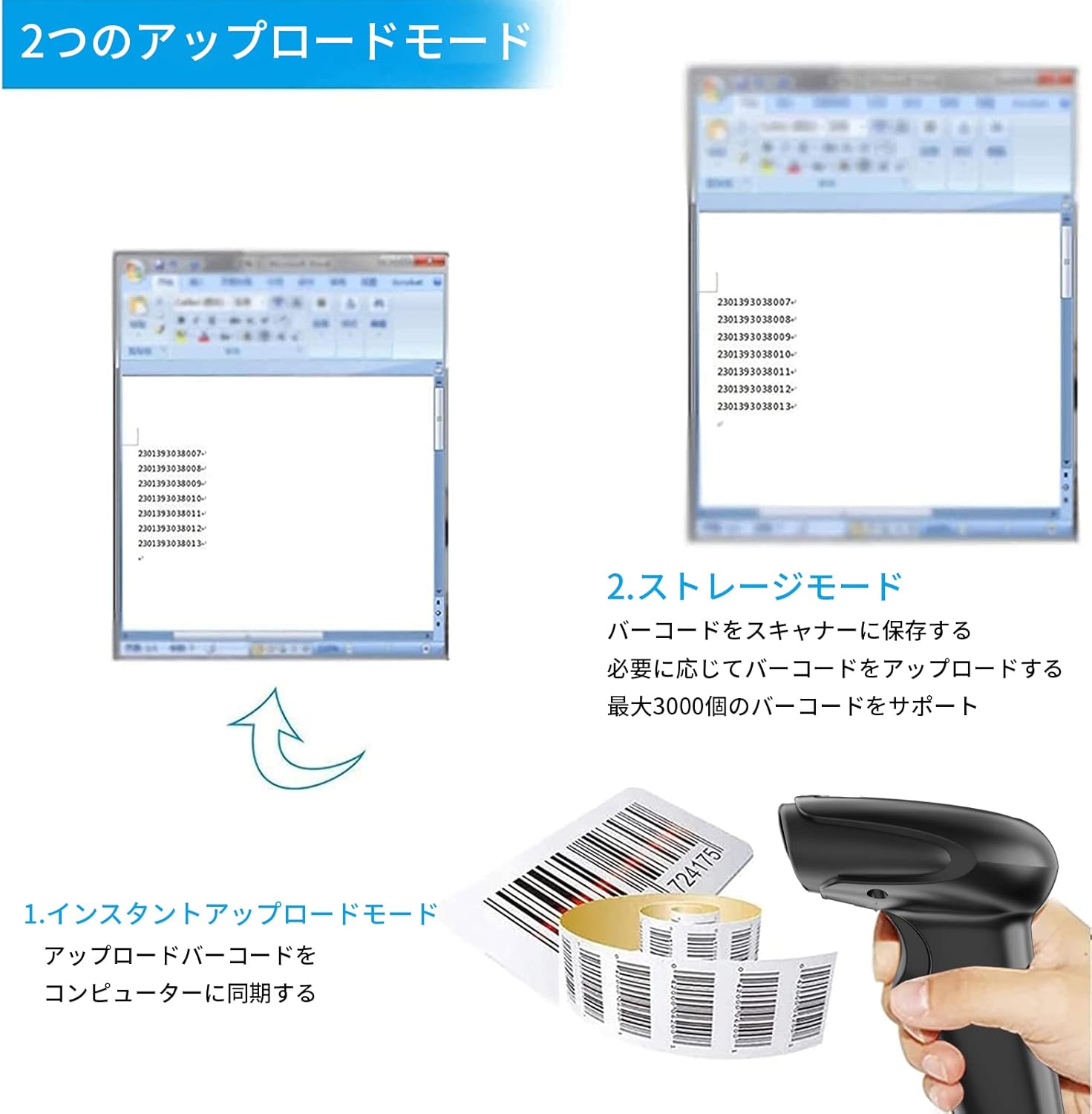
図 3: インスタントアップロードとストレージモードの図解。
4.3 Programmable Barcodes
The Symcode MJ-2030-W scanner allows for customization of barcode data output:
- プレフィックスとサフィックスの設定: You can configure the scanner to add a specific prefix or suffix to each scanned barcode data.
- Character Insertion/Deletion: Specific characters can be inserted or deleted from the scanned data.
Refer to the separate programming guide (if included) or the manufacturer's website for detailed instructions on how to program these settings by scanning specific configuration barcodes.

Figure 4: Scanner demonstrating programmable barcode features.
5. バッテリーと充電
The scanner is equipped with a 2000mAh rechargeable battery. For optimal performance, ensure the battery is fully charged before first use.
- 充電時間: フル充電には約3〜4時間かかります。
- 動作期間: A full charge can provide up to 12,000 hours of standby time or approximately 74,000 scans.
- 充電方法: Connect the scanner to a computer or a USB power adapter using the provided USB cable.

Figure 5: Battery specifications and shock-resistant design.
6. メンテナンス
- クリーニング: スキャナの外側は、柔らかく乾いた布で拭いてください。スキャンウィンドウは、糸くずの出ない柔らかい布で軽く拭いてください。amp水または中性洗剤で拭き取ってください。研磨剤入りの洗剤や溶剤は使用しないでください。
- ストレージ: スキャナーは、直射日光や極端な温度を避け、涼しく乾燥した場所に保管してください。
- 耐久性: The scanner features a black silicone protective cover with IP54 rating, designed to protect the glass window from scratches and the unit from drops up to 6.56 feet (2 meters).
7。 トラブルシューティング
7.1 スキャナーが応答しない
- Ensure the scanner is turned on and fully charged.
- For wireless connection, verify the mini USB receiver is securely plugged into the computer and the scanner is within range. Try re-pairing if necessary (refer to the programming guide for pairing instructions).
- For wired connection, ensure the USB cable is properly connected to both the scanner and the computer. Try a different USB port.
7.2 バーコードがスキャンされない
- バーコードが鮮明で、損傷がなく、十分に明るいことを確認してください。
- スキャナーとバーコード間の距離と角度を調整します。
- Check if the scanner is in the correct operating mode (e.g., not in a configuration mode).
7.3 Unexpected Sound Volume
If the scanner's beep volume is too loud or too quiet, refer to the programming guide for specific barcodes that allow adjustment of the sound settings.
7.4 不足しているコンポーネント
If any components, such as the receiver or a programming code sheet, are missing from your package, please contact customer support immediately.
8. 仕様
| 特徴 | 仕様 |
|---|---|
| ブランド | symcode |
| モデル番号 | MJ-2030-W |
| 色 | 白 |
| 寸法 | 17.53 x 8.38 x 11.43 cm |
| 重さ | 280.66グラム |
| 電源 | 電池駆動 |
| 接続技術 | 2.4GHzワイヤレス、USBケーブル |
| バッテリー容量 | 2000mAh |
| Wireless Range (Outdoor) | 最大200m |
| 無線範囲(屋内) | 最大100m |
| ストレージ容量 | Approx. 1000 barcodes (offline mode) |
| 落下耐性 | 最大6.56フィート(2メートル) |
| 保護等級 | IP54 |

Figure 6: Wireless transmission distance capabilities.
9. 保証とサポート
Symcode products are designed for reliability and performance. For warranty information, technical support, or service inquiries, please refer to the contact information provided with your purchase or visit the official Symcode website. Please have your product model number (MJ-2030-W) and purchase details ready when contacting support.