
1. はじめに
This manual provides detailed instructions for the installation, operation, and maintenance of your XTRONS HD121THD 11.6-inch Car Headrest DVD Player. This device features a high-definition 1920x1080 TFT IPS touch screen, supports 1080P video playback, and includes an HDMI port for expanded connectivity. Please read this manual thoroughly before using the product to ensure proper function and safety.
2. 安全情報
- デバイスを操作する前に、すべての指示をよくお読みください。
- ユニットを分解または改造しないでください。保証が無効になり、損傷の原因となる可能性があります。
- 車両の運転中にデバイスが動かないように、デバイスがしっかりと取り付けられていることを確認してください。
- ユニットを極端な温度、長時間の直射日光、湿気にさらさないでください。
- 付属の電源アダプターとケーブルのみを使用してください。
3. パッケージ内容
パッケージの内容を以下のリストと照らし合わせてご確認ください。
- 1 x XTRONS HD121THD Headrest DVD Player
- ISO配線ハーネス×1
- ISOアダプタケーブル1本
- リモコン x 1
- 1 x Instruction Manual (Language may vary)
- 1xシガレットライターアダプター
- 5 x Plastic Drive Wipes
- ゲームディスク 1 枚
- 固定ネジ x 1
- 2 x取り付けブラケット
4.製品オーバーview
The XTRONS HD121THD is designed to provide a premium in-car entertainment experience with its large, clear display and versatile media playback options.
4.1 主な特徴
- 11.6-inch Full HD IPS Touch Screen: Enjoy a large, clear display with 1920x1080 resolution and wide 178-degree view角度を変える。
- スロットロードDVDドライブ: Conveniently play your favorite DVDs.
- 1080P Video Support: Experience high-definition video playback.
- 内蔵HDMIポート: Connect external devices like smartphones or game consoles for expanded entertainment.
- 複数のオーディオ出力オプション: Includes built-in stereo speakers, IR transmitter for wireless headphones, and an FM transmitter for car stereo integration.
- USBおよびSDカードスロット: Play media directly from USB drives or SD cards.
- 取り外し可能なデザイン: Easily detach the unit for use outside the vehicle.

画像4.1: 以上view of XTRONS unique user interface, high-definition resolution, and 1080P video support.

Image 4.2: Illustration of the 178-degree wide viewing angle, ensuring clear visibility from various seating positions.

Image 4.3: Visual comparison highlighting the larger 11.6-inch screen size of the HD121THD model.

画像4.4: 詳細 view illustrating the 1920x1080 HD resolution compared to lower resolutions.
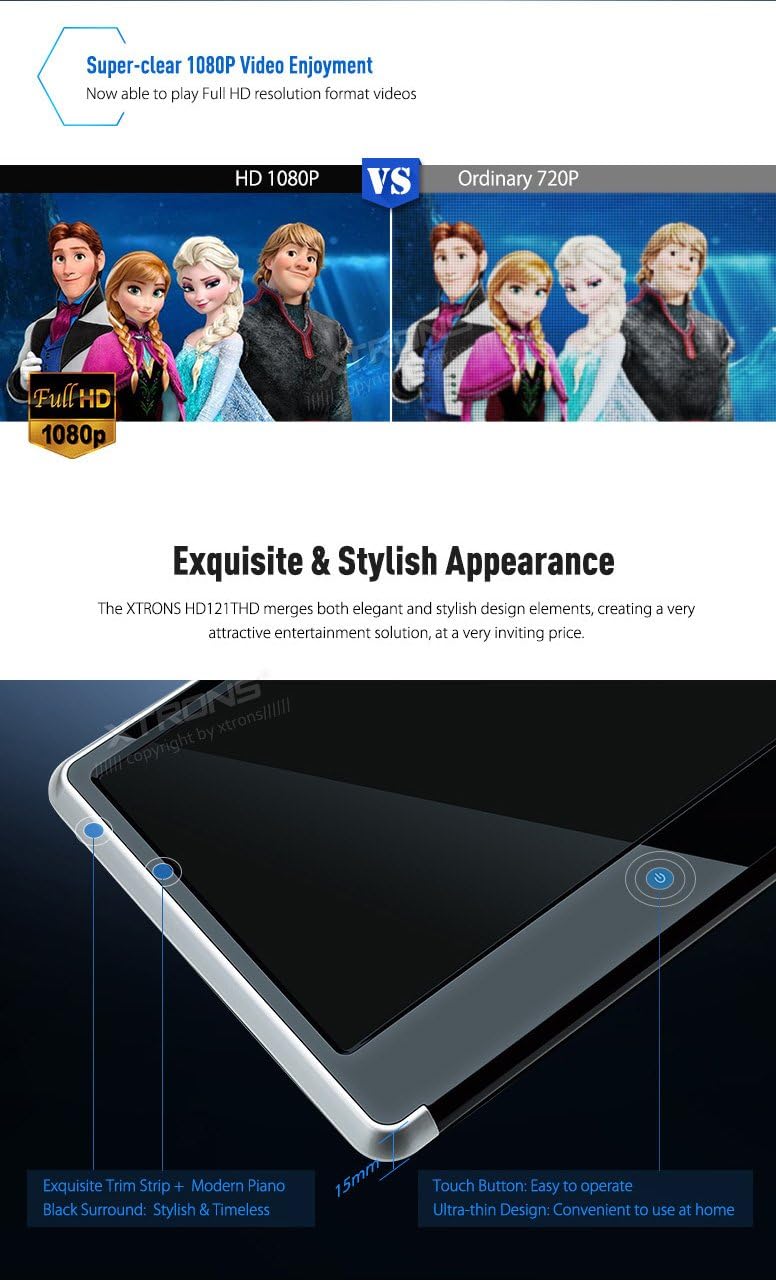
Image 4.5: Close-up showing the sleek design, thin profile, and touch button of the HD121THD unit.

画像4.6: View of the rear panel, highlighting the slot-load DVD drive mechanism and integrated stereo dual speakers.

Image 4.7: Illustration of adjustable viewing angles and a detailed view of the various input/output ports on the unit.
5. インストール
The HD121THD is designed for easy installation and removal, allowing for flexible use in your car or at home.
5.1 ヘッドレストの取り付け
- Measure the distance between the poles of your vehicle's headrest. The adjustable pole distance for this unit is 160mm~105mm そして 105mm~90mm. Ensure compatibility before proceeding.
- Attach the provided mounting brackets to the headrest poles.
- Slide the HD121THD unit onto the mounting brackets until it clicks securely into place.
- 調整する viewing angle as desired. The unit offers adjustable view最適な快適性のために角度を調整します。
- Use the fixing screw to further secure the unit if necessary.
5.2電源接続
- Connect the provided ISO wiring harness to the unit.
- For in-car use, connect the ISO adapter cable to your vehicle's power source (typically 12V DC). Alternatively, use the cigarette lighter adapter for a simpler connection.
- For home use, an optional AC adapter (not included) may be required.
6. セットアップ
6.1初期電源オン
- After connecting the power, press the power button on the unit or remote control to turn it on.
- The XTRONS logo will appear, followed by the main user interface.
6.2 基本設定
- Navigate through the touch screen interface to access settings such as language, display brightness, and audio preferences.
- For DVD playback, ensure the correct region code is set if prompted (this unit is region-free).
7. 操作手順
7.1 DVD再生
- Gently insert a DVD disc into the slot-load drive. The unit will automatically detect the disc.
- The DVD menu will appear on the screen. Use the touch screen or remote control to navigate and select playback options.
7.2 USB/SDメディアの再生
- USB ドライブを USB ポートに挿入するか、SD カードを SD カード スロットに挿入します。
- Select the 'USB' or 'SD' icon from the main menu.
- Browse your media files (videos, music, photos) and select the desired file 再生のために。
7.3HDMI入力
The built-in HDMI port allows you to connect external devices for a wider range of entertainment options.
- Connect your smartphone, tablet, or game console to the HDMI port using an HDMI cable (not included).
- Select the 'HDMI' input source from the unit's menu.
- The content from your connected device will be mirrored on the HD121THD screen.

Image 7.1: Demonstrates connecting a smartphone via HDMI for gaming and sharing videos with passengers.
7.4 オーディオ出力オプション
- 内蔵スピーカー: The unit features stereo dual speakers for direct audio output.
- IRトランスミッター: For private listening, the built-in IR transmitter allows you to connect wireless IR headphones (dual channel A & B supported).
- FMトランスミッター: To share audio through your car's stereo system, activate the FM transmitter function and tune your car radio to the same frequency.
- ヘッドフォンジャック: A standard 3.5mm headphone jack is available for wired headphones.
8. メンテナンス
- 画面の掃除: Use a soft, lint-free cloth, preferably one of the provided plastic drive wipes, to gently clean the touch screen. Avoid abrasive cleaners or solvents.
- Cleaning the DVD Drive: Periodically use a DVD lens cleaner disc to maintain optimal playback performance.
- 一般的なケア: Keep the unit free from dust and debris. When not in use for extended periods, consider detaching and storing it in a safe, dry place.
9。 トラブルシューティング
If you encounter any issues with your XTRONS HD121THD, please refer to the following common problems and solutions:
- 電源なし: Check all power connections. Ensure the cigarette lighter adapter or wiring harness is securely connected and receiving power.
- ビデオなし/黒い画面: Verify the correct input source is selected. If using HDMI, ensure the external device is powered on and sending a signal.
- 音声なし: Check volume settings. Ensure the correct audio output (speakers, IR, FM, headphone) is selected and configured properly. If using IR headphones, ensure they are powered on and on the correct channel.
- ディスクが読み取れない: ディスクがきれいで傷がないことを確認してください。別のディスクでお試しください。
- リモコンが動作しない: Check battery orientation and replace batteries if necessary. Ensure there are no obstructions between the remote and the unit's IR receiver.
問題が解決しない場合は、XTRONS カスタマー サポートに問い合わせて、さらにサポートを受けてください。
10. 仕様
| ブランド | エクストロン |
| モデル番号 | HD121THD |
| 画面サイズ | 11.6インチ |
| 解決 | 1920 x 1080 高解像度 |
| 表示タイプ | Digital TFT IPS Touch Screen |
| View角度 | 178度 |
| メディアサポート | DVD, USB, SD |
| ビデオの再生 | 1080PフルHD |
| 接続性 | HDMI, AV-IN, AV-OUT, USB, SD, IR, FM |
| オーディオ出力 | Built-in Stereo Speakers, IR Transmitter (Dual Channel A/B), FM Transmitter, 3.5mm Headphone Jack |
| 電源 | DC12V |
| ヘッドユニット寸法 | 260mm x 200mm x 40mm |
| Adjustable Pole Distance | 160mm-105mm, 105mm-90mm |
11. 保証とサポート
This product comes with a standard manufacturer's warranty. Please refer to the warranty card included in your package for specific terms and conditions. For technical support, troubleshooting assistance, or warranty claims, please contact your retailer or XTRONS customer service directly. Contact information can typically be found on the XTRONS official webサイトまたは購入書類に記載されています。