1. はじめに
This manual provides instructions for the proper installation, use, and maintenance of your Canon PG-46 Black Ink Cartridge. The PG-46 is a black ink cartridge designed to deliver high-quality prints and offers a page yield of approximately 400 pages. Please read this manual thoroughly before using the product to ensure safe and efficient operation.
2. 安全情報
- インクカートリッジは子供の手の届かないところに保管してください。
- インクを飲み込まないでください。飲み込んだ場合は、直ちに医師の診察を受けてください。
- Avoid contact with eyes. If ink gets into your eyes, flush immediately with water and seek medical attention.
- インクカートリッジを分解したり改造したりしないでください。
- Store cartridges in their original packaging until ready for use to prevent drying or damage.
3. 互換性
The Canon PG-46 Black Ink Cartridge is compatible with the following Canon PIXMA printer models:
- Canon PIXMA E204
- Canon PIXMA E304
- Canon PIXMA E3140
- Canon PIXMA E3340
- Canon PIXMA E3440
- Canon PIXMA E404
- Canon PIXMA E414
- Canon PIXMA E464
- Canon PIXMA E474
- Canon PIXMA E484
- Canon PIXMA E4240

Image: Packaging of the Canon PG-46 ink cartridge, clearly listing compatible PIXMA printer models.
4. セットアップとインストール
Follow these steps to install the Canon PG-46 Black Ink Cartridge into your compatible printer:
- カートリッジを開梱します。 Carefully remove the new ink cartridge from its sealed packaging.
- 保護テープを外す: Gently pull off the orange protective tape or cap from the cartridge. Do not touch the electrical contacts or the ink nozzles.
- プリンターカバーを開きます: Ensure your printer is turned on. Open the printer's top cover or access door to expose the cartridge carriage. The carriage will typically move to the center.
- 古いカートリッジを取り外す(該当する場合): If replacing an existing cartridge, press down on the old cartridge until it clicks, then lift it out of its slot.
- 新しいカートリッジを挿入してください: Insert the new PG-46 cartridge into the correct black ink slot. Push it firmly until it clicks into place.
- プリンターカバーを閉じる: Close the printer's top cover or access door. The printer will perform an initialization process.
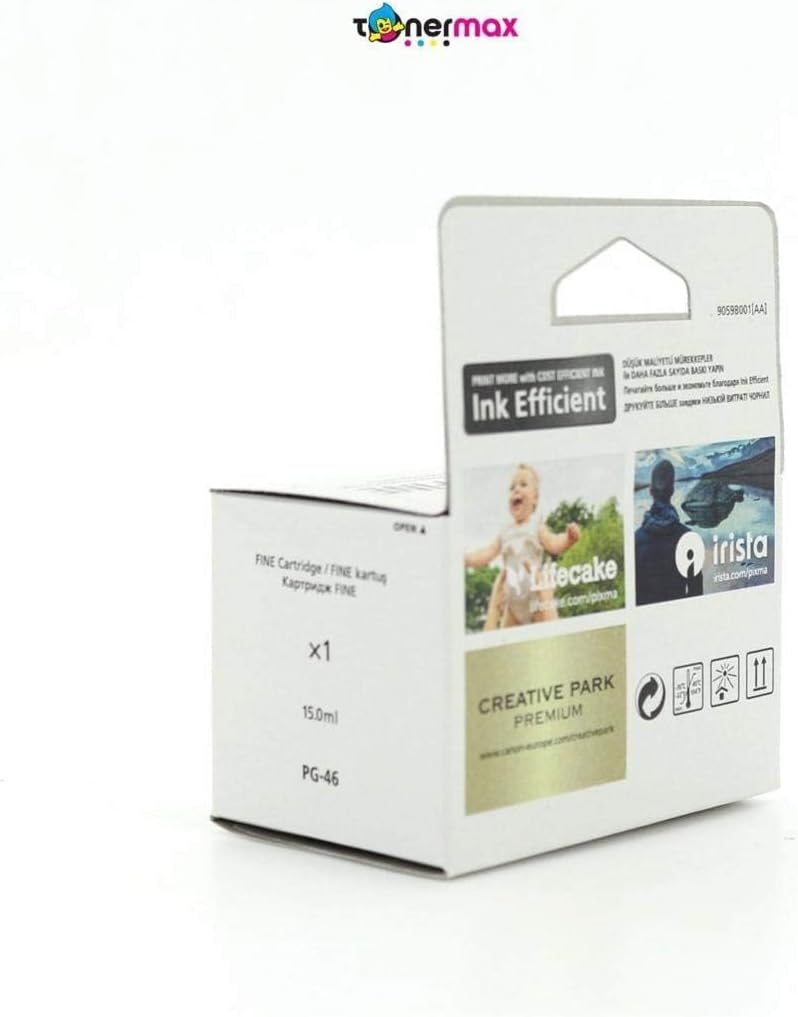
Image: The Canon PG-46 black ink cartridge, ready for installation.
5. 操作手順
Once the ink cartridge is installed, your printer is ready for use. For detailed printing instructions, refer to your printer's specific user manual.
- 印刷: Send print jobs from your computer or device as usual. The printer will automatically detect the new ink cartridge.
- インクレベルの確認: You can monitor the ink levels through your printer's software utility on your computer. Refer to your printer's manual for specific steps.
- 印刷品質: If print quality issues arise, perform a nozzle check and print head cleaning using your printer's maintenance functions.
6.メンテナンスと保管
Proper maintenance and storage ensure the longevity and performance of your ink cartridge:
- 保管条件: Store unused cartridges in a cool, dry place, away from direct sunlight. The recommended storage temperature range is -30°C to 40°C (-22°F to 104°F).
- 有効期限: Install the cartridge before the date indicated on the packaging.
- 取り扱い: Avoid touching the ink nozzles or electrical contacts on the cartridge.
- プリンターの使用法: Use your printer regularly to prevent ink from drying out in the print head.

画像: 背面 view of the Canon PG-46 ink cartridge packaging, showing storage temperature guidelines and a 'use by' date indicator.
7。 トラブルシューティング
If you encounter issues with your Canon PG-46 ink cartridge, consider the following common solutions:
- 印刷品質が悪い(縞模様、かすれ): Perform a print head cleaning and nozzle check through your printer's utility software. Ensure the cartridge is properly seated.
- カートリッジが認識されません: Remove the cartridge and reinsert it firmly. Clean the electrical contacts on the cartridge and inside the printer with a lint-free cloth. Ensure the protective tape was fully removed.
- インク残量警告: Replace the cartridge when the low ink warning appears to avoid print interruptions.
- エラーメッセージ: Refer to your printer's manual for specific error codes and their solutions.
8. 仕様
| メーカー | キヤノン |
| 商品型番 | 9059B001 |
| 製品寸法 | 20 x 15 x 10 cm |
| アイテム重量 | 60グラム |
| インク色 | 黒 |
| ページ収量 | 400ページ |
| インクベース | 水 |
| 特集 | Black cartridge |
| 互換性のあるプリンターモデル | E204、E304、E3140、E3340、E3440、E404、E414、E464、E474、E484、E4240 |
9. 保証とサポート
For warranty information, technical support, or additional resources, please visit the official Canon webサイトをご覧いただくか、キヤノンのカスタマー サービスにお問い合わせください。
- 公式キヤノン Webサイト: www.canon-europe.com
- キヤノンクリエイティブパーク: Explore creative printing projects and templates at クリエイティブパーク.キヤノン
- Printer Setup and Resources: Find guides and software for your printer at Canon Printer Resources
キヤノン株式会社
東京都大田区下丸子30丁目2-3、146-8501、日本
キヤノンヨーロッパNV
Bovenkerkerweg 59、1185 XB Amstelveen、オランダ