
1.製品オーバーview
The ECOVACS DEEBOT N79 is a robotic vacuum cleaner designed for efficient cleaning of low-pile carpets and hard floors. It features strong suction power and Wi-Fi connectivity for convenient control via a smartphone application.
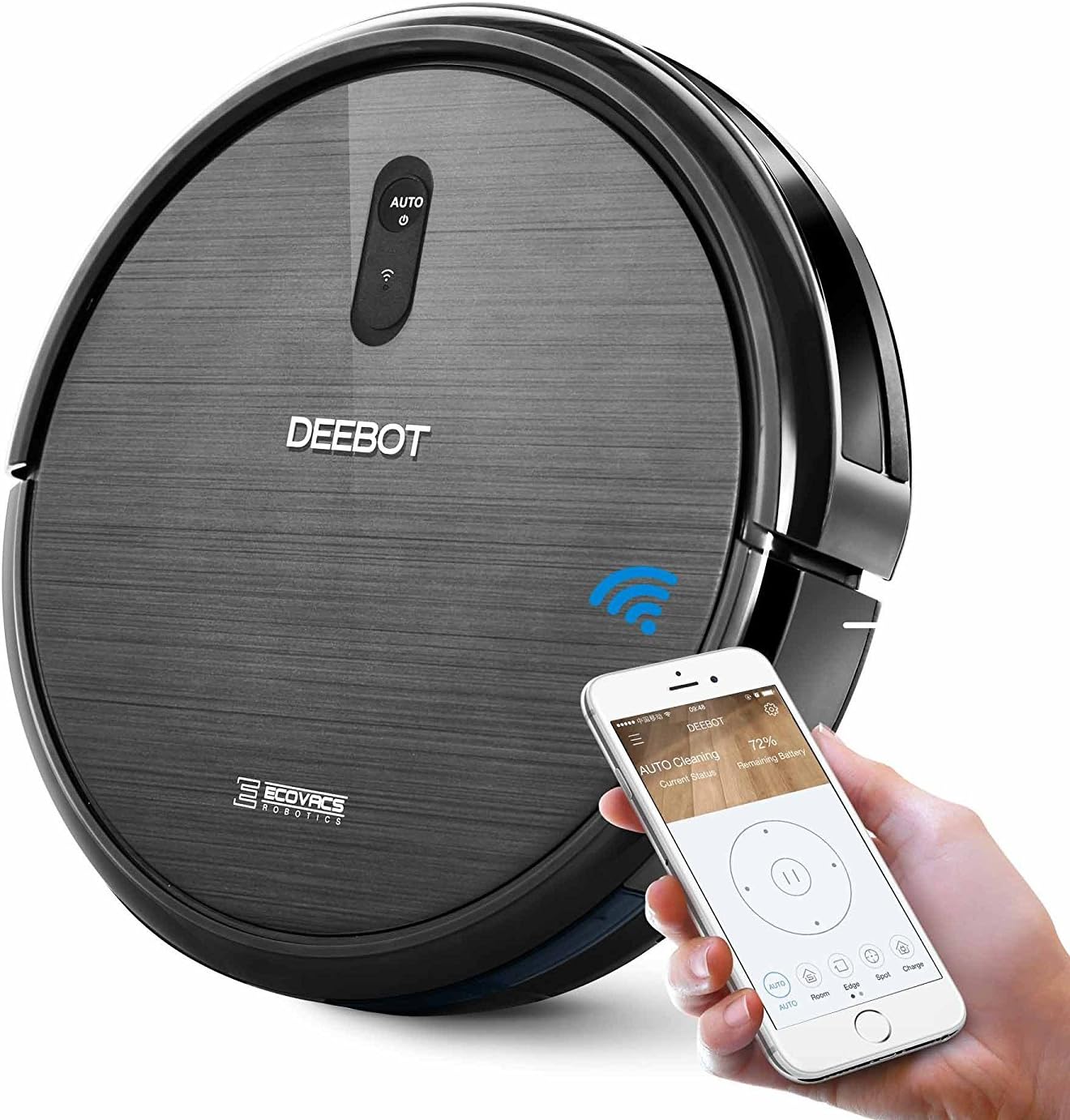
Image: The ECOVACS DEEBOT N79 robotic vacuum cleaner shown with a smartphone displaying its control application, highlighting its Wi-Fi connectivity and smart features.
2. パッケージ内容
始める前に、パッケージにすべてのアイテムが揃っていることを確認してください。
- 1 x DEEBOT N79 Floor Cleaning Robot
- 電源アダプター x 1
- 充電ドック x 1
- 4 x Side Brushes (2 for immediate use, 2 spare)
- 高効率フィルター1個
- 1 xリモコン(電池付き)
- 取扱説明書(本書)1部

Image: A visual representation of all components included in the ECOVACS DEEBOT N79 package, including the robot, charging dock, power adapter, side brushes, filter, and remote control.
3. セットアップ
- 充電ドックの配置: Place the charging dock against a wall in an open, uncluttered area. Ensure there is at least 0.5 meters (1.6 feet) of clear space on both sides of the dock and 1.5 meters (4.9 feet) in front of it. Plug the power adapter into the wall outlet and connect it to the charging dock.
- サイドブラシの取り付け: Press the side brushes onto the square posts at the bottom of the DEEBOT until they click into place.
- 初期費用: Place the DEEBOT onto the charging dock. Ensure the charging pins on the DEEBOT align with those on the dock. The indicator light on the DEEBOT will pulse during charging. Allow the DEEBOT to fully charge before first use (approximately 4 hours).
- Download ECOVACS App: For Wi-Fi connectivity and advanced features, download the ECOVACS App from your smartphone's app store. Follow the in-app instructions to connect your DEEBOT to your home Wi-Fi network.

Image: A screenshot of the ECOVACS App interface, showing options for scheduling, cleaning, status, and alerts, demonstrating smartphone control capabilities.
4. 操作手順
Starting a Clean Cycle:
- 手動スタート: Press the AUTO button on the DEEBOT or the AUTO button on the remote control.
- アプリコントロール: Use the ECOVACS App to start, pause, or stop cleaning, and to select cleaning modes.
クリーニングモード:
The DEEBOT N79 offers multiple cleaning modes to suit different needs:
- 自動モード: Default mode for general cleaning. The DEEBOT cleans in a systematic pattern.
- スポットモード: For concentrated cleaning of a specific dirty area. The DEEBOT cleans in a spiral pattern.
- エッジ モード: For cleaning along walls and corners. The DEEBOT follows the perimeter of the room.
- シングルルームモード: Designed for cleaning a single room. The DEEBOT will clean the room and return to its starting point.

Image: Icons representing the different cleaning modes available on the ECOVACS DEEBOT N79: Auto, Spot, Edge, and Single Room, illustrating the versatility of the robot.
スマート機能:
- 落下防止センサー: The DEEBOT is equipped with sensors to detect stairs and avoid falling.
- 衝突防止センサー: Sensors help the DEEBOT detect obstacles and navigate around furniture.
- 自動充電: When battery power is low, the DEEBOT automatically returns to its charging dock.

Image: The ECOVACS DEEBOT N79 navigating near furniture, with an overlay indicating "Smart Sensor Protection," demonstrating its ability to detect and avoid obstacles.

Image: The ECOVACS DEEBOT N79 operating under a low cabinet, with an overlay stating "100+ Minute Battery Life," indicating its extended cleaning duration.
5. メンテナンス
Regular maintenance ensures optimal performance of your DEEBOT N79.
Dust Bin and Filters:
- ゴミ箱を空にする: The dust bin capacity is 300 ml. Empty the dust bin after each cleaning cycle or when full.
- フィルターのクリーニング: Tap the High Efficiency Filter to remove dust. Brush off any remaining debris. Filters should be replaced periodically (refer to replacement schedule in the full user manual).
ブラシ:
- メインブラシ: Remove the main brush and clean any hair or debris tangled around it using the cleaning tool provided.
- サイドブラシ: Remove and clean the side brushes. If they are worn or damaged, replace them with new ones.

Image: An illustration of the underside of the ECOVACS DEEBOT N79, highlighting the Dual Wide Reach Nylon Brushes and the Deep-Reach Helix Brush-Roll, which are key components for cleaning.
センサーと充電接点:
- DEEBOT と充電ドックの両方にある落下防止センサー、衝突防止センサー、充電接点を清潔で乾いた布で拭いてください。
6。 トラブルシューティング
| 問題 | 考えられる原因 | 解決 |
|---|---|---|
| DEEBOTが起動しません。 | Low battery; Power switch off; Main brush or side brushes tangled. | Charge the DEEBOT; Turn on the power switch; Clean main brush and side brushes. |
| DEEBOT が頻繁にスタックします。 | 障害物が多すぎます。崖センサーが汚れています。 | 清掃エリアをクリアし、崖センサーを清掃します。 |
| 洗浄性能が悪い。 | Dust bin full; Filters clogged; Brushes worn or dirty. | Empty dust bin; Clean/replace filters; Clean/replace brushes. |
| DEEBOT が充電ドックに戻りません。 | Charging dock not powered; Obstacles near dock; DEEBOT too far from dock. | Ensure dock is plugged in; Clear area around dock; Manually place DEEBOT on dock. |
For more detailed troubleshooting, please refer to the full user manual or contact customer support.
7. 仕様
| 特徴 | 詳細 |
|---|---|
| ブランド | ECOVACS |
| モデル名 | ディーボットN79 |
| 商品型番 | FBA_DN622-DN79 |
| 製品寸法 | 13 x 13 x 3.1インチ |
| アイテム重量 | 8.25ポンド |
| ごみ箱の容量 | 0.3リットル(300ml) |
| バッテリー寿命 | 100 minutes |
| 電源 | 電池駆動 |
| 制御方法 | アプリ、リモコン |
| フィルタータイプ | Cartridge, High Efficiency Filter |
| 互換性のある表面 | Low-pile carpet, Hard floor |
8. 保証とサポート
The ECOVACS DEEBOT N79 comes with a 1年間の限定保証 ご購入日より1年間有効です。保証請求の際は購入証明書を保管してください。
For technical support, warranty service, or to purchase replacement parts, please visit the official ECOVACS website or contact their customer service department. Refer to the full user manual for detailed contact information.
完全なユーザーマニュアルはPDF形式でもご覧いただけます。 ここ.