
導入
ご購入ありがとうございますasing the ipega PG-9087S Wireless Game Controller. This device is designed to enhance your mobile gaming experience on Android and iOS smartphones and tablets. Please read this manual carefully before use to ensure proper operation and to maximize the lifespan of your controller.
安全情報
- コントローラーを極端な温度、湿度、直射日光にさらさないでください。
- コントローラーを落としたり、強い衝撃を与えたりしないでください。
- コントローラーを分解したり改造したりしないでください。保証が無効になり、損傷の原因となる可能性があります。
- Keep the controller away from children and pets.
- 付属または推奨の充電ケーブルのみを使用してください。
パッケージ内容
- ipega PG-9087S Wireless Game Controller
- USB充電ケーブル
- ユーザーマニュアル(このドキュメント)
製品終了view

Figure 1: Controller Layout. This image displays the ipega PG-9087S controller with its various buttons and components labeled, including the Left 3D joystick, D-Pad, TURBO button, battery/mode indicators, Home Button, R1/R2, ABXY Action buttons, Right 3D joystick, START, and SELECT buttons.

図 2: 主な機能 This image highlights specific design elements: a textured rocker for improved grip, LED red button lights for visibility, scrub and non-slip trigger construction for precise control, and a classic cross key design for the D-Pad.
主な特徴:
- Bluetooth 4.0接続: Ensures stable and high-speed transmission.
- 拡張可能なアーム: Accommodates devices with a maximum extending size of 6.2 inches (70-158mm) and a thickness of up to 9mm.
- 人間工学に基づいたデザイン: Provides comfort for extended gaming sessions.
- High Sensitivity Buttons: Designed for quick and accurate responses.
- Custom Function/Button Mapping: Allows users to customize button functions according to personal preferences for various games.
- マルチプラットフォームサポート: Compatible with Android 6.0 and above, and iOS devices.
設定
1. コントローラーの充電
Before first use, fully charge the controller. Connect the provided USB charging cable to the controller's charging port and to a USB power source (e.g., computer, USB wall adapter). The battery charging indicators (1, 2, 3, 4) will illuminate to show charging status and battery level.
2.電源のオン/オフ

Figure 3: Power Switch and Connection Methods. This image shows the physical on/off switch located at the bottom of the controller and provides visual instructions for Android and iOS direct connection methods.
- 電源を入れるには: Locate the power switch (labeled 'switch:on/off' in Figure 3) on the bottom of the controller and slide it to the 'ON' position.
- 電源を切るには: 電源スイッチを「OFF」の位置にスライドします。
3.Bluetoothペアリング
The PG-9087S supports direct connection without needing to download a separate application.
- iOSデバイスの場合: コントローラーの電源を切った状態で、 Yボタン + HOMEボタン インジケーターライトが高速点滅するまで、2秒間同時に押し続けます。
- Androidデバイスの場合: コントローラーの電源を切った状態で、 Aボタン + HOMEボタン インジケーターライトが高速点滅するまで、2秒間同時に押し続けます。
Once the indicator light flashes, enable Bluetooth on your mobile device and search for "PG-9087S". Select it to pair. The indicator light will become solid once successfully connected.
4.デバイスのインストール
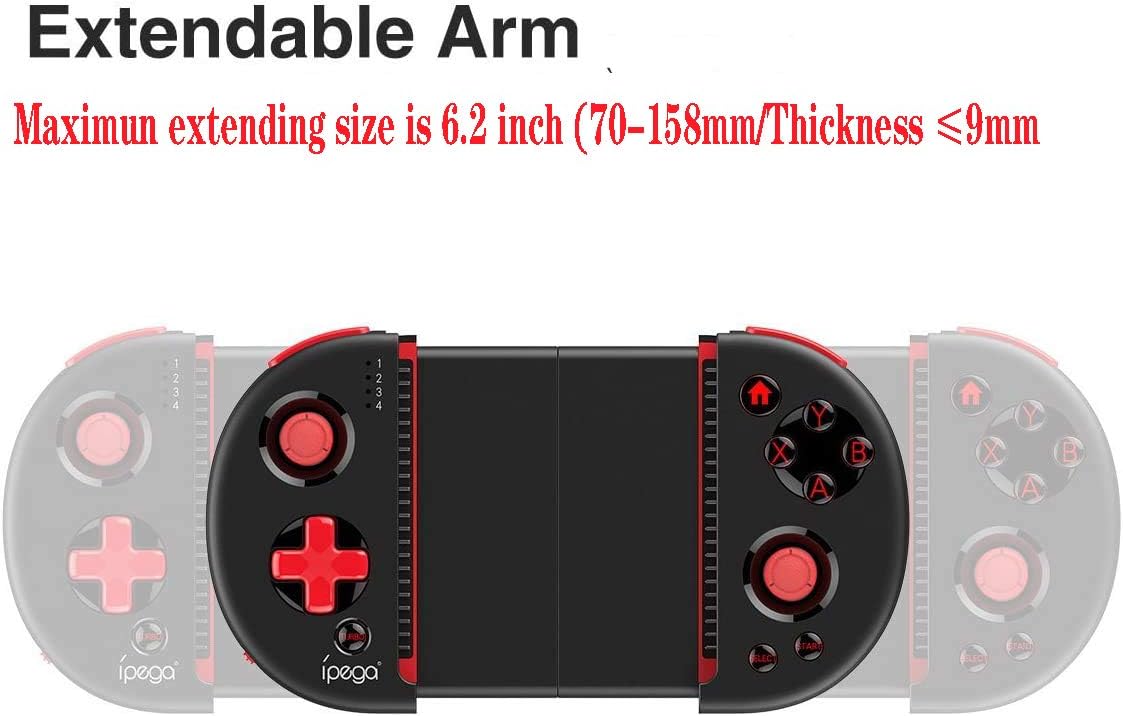
Figure 4: Extendable Arm. This image illustrates the extendable arm feature of the controller, showing its maximum extension size of 6.2 inches (70-158mm) and a maximum device thickness of 9mm.
Gently extend the arms of the controller to fit your smartphone or tablet. Ensure your device is securely seated within the extendable arm. The arm supports devices up to 6.2 inches (158mm) in length and 9mm in thickness.
操作手順
1. 基本的な操作
Refer to Figure 1 for the layout of the buttons and joysticks. The controller features:
- Left/Right 3D Joysticks: 正確な動きとカメラ制御を実現します。
- Dパッド(方向パッド): 方向入力用。
- ABXY Action Buttons: 標準的なゲームアクション ボタン。
- L1/L2/R1/R2 Triggers: ゲーム内のさまざまなアクションを実行するためのショルダーボタンとトリガー。
- スタート/選択ボタン: For in-game menu navigation and selections.
- ホームボタン: Returns to the device's home screen or controller menu.
- ターボボタン: Activates rapid-fire functionality for assigned buttons.
2. ボタンのマッピングとカスタマイズ
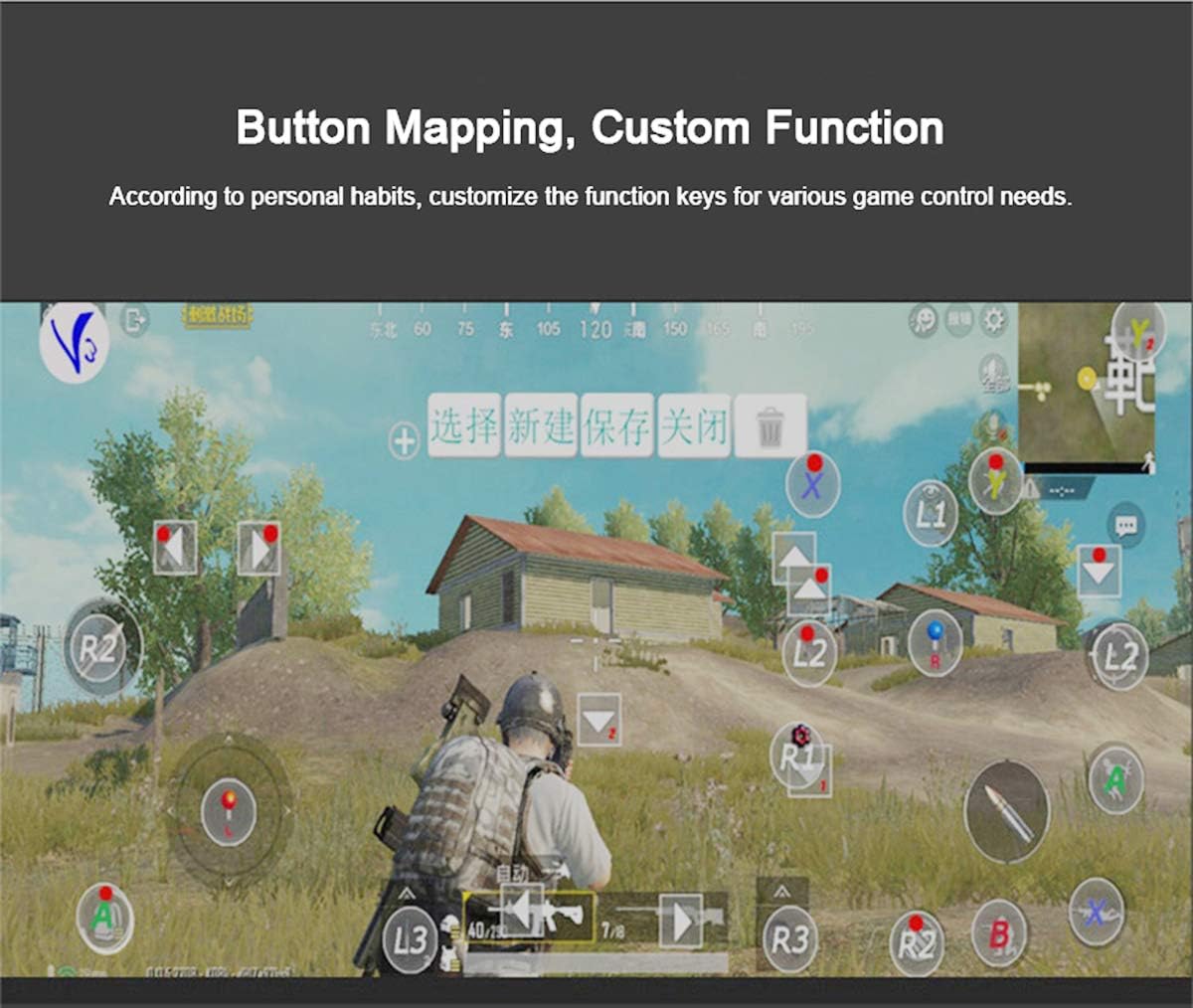
Figure 5: Button Mapping Interface. This image demonstrates the concept of button mapping within a game, allowing users to customize the function keys to suit their individual gaming preferences and needs.
The PG-9087S supports custom function key mapping. This feature allows you to assign specific in-game actions to the controller's buttons according to your personal habits. The method for customizing button functions typically depends on the game or emulator you are using. Refer to the specific game's settings or the emulator's configuration options for detailed instructions on how to remap controls.
3. Screen Orientation Support
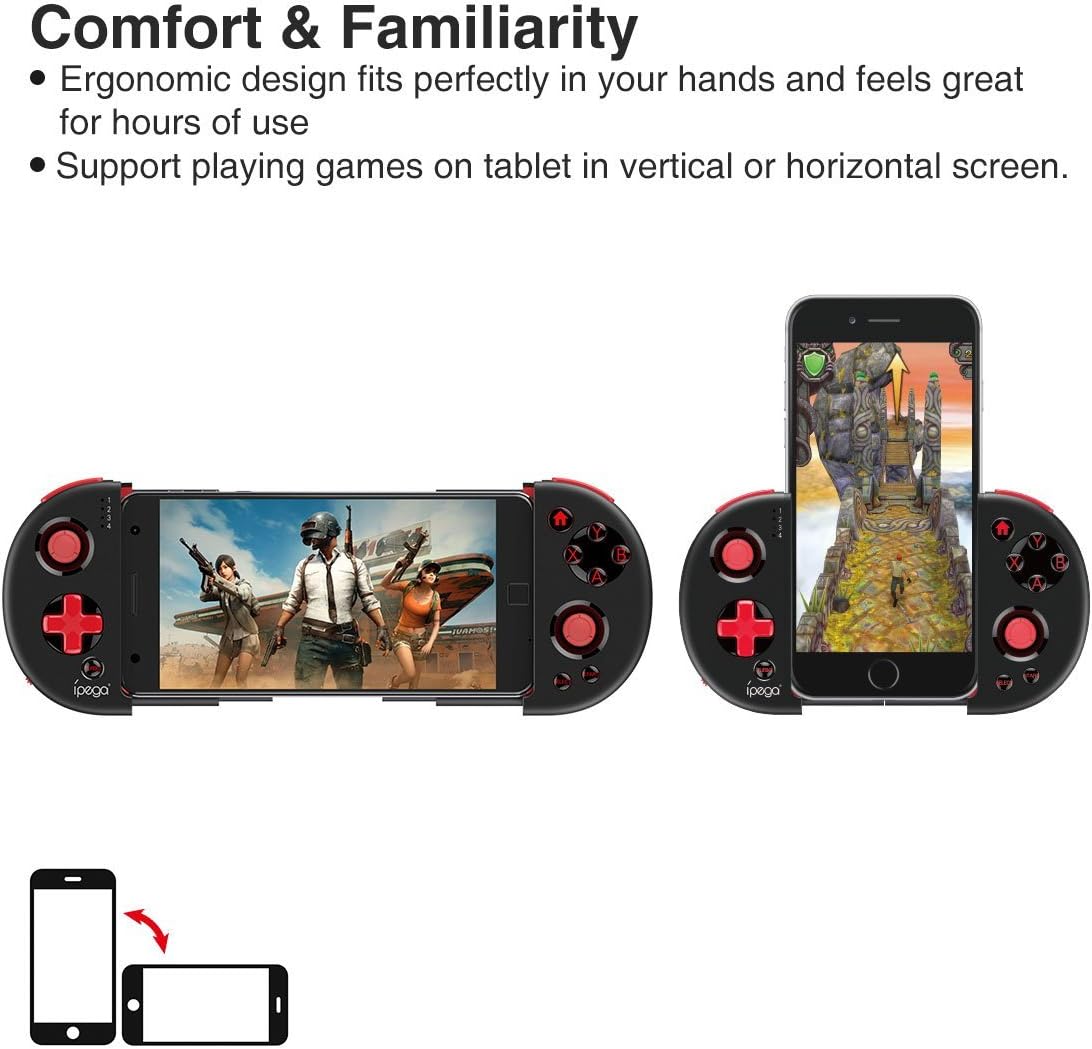
Figure 6: Orientation Support. This image illustrates the controller's ability to support gaming on tablets or smartphones in both vertical (portrait) and horizontal (landscape) screen orientations.
The controller supports playing games on your tablet or smartphone in both vertical (portrait) and horizontal (landscape) screen orientations, providing flexibility for various game types.
メンテナンス
- クリーニング: Use a soft, dry cloth to clean the controller. Do not use harsh chemicals or abrasive cleaners.
- ストレージ: コントローラーを使用しないときは、直射日光を避けて涼しく乾燥した場所に保管してください。
- バッテリーのケア: バッテリーの寿命を延ばすには、バッテリーを頻繁に完全に放電させないでください。コントローラーを頻繁に使用しない場合でも、定期的に充電してください。
トラブルシューティング
- コントローラーの電源が入らない: バッテリーが充電されていることを確認してください。USBケーブルを使用してコントローラーを電源に接続してください。
- Controller does not pair with device:
- コントローラーがペアリング モードになっていることを確認します (インジケーター ライトが高速で点滅します)。
- デバイスの Bluetooth をオフにしてからオンにします。
- Bluetooth 設定でデバイスを削除し、再度ペアリングを試行してください。
- Ensure you are using the correct pairing combination (Y+HOME for iOS, A+HOME for Android).
- ボタンが反応しない、または遅い:
- コントローラーが完全に充電されていることを確認してください。バッテリー残量が少ないとパフォーマンスに影響する可能性があります。
- Bluetooth 接続を強くするには、デバイスに近づけてください。
- コントローラーとモバイルデバイスの両方を再起動します。
- Check the game's settings to ensure controller input is enabled and correctly configured.
- Device does not fit in the extendable arm: Check the dimensions of your device. The arm supports devices up to 6.2 inches (158mm) in length and 9mm in thickness. Remove any bulky cases from your device.
仕様
| モデル | PG-9087S |
| ブランド | イフェガ |
| 接続技術 | Bluetooth 4.0、USB(充電用) |
| コントローラータイプ | ゲームパッド、ジョイスティック |
| 対応デバイス | Android (6.0 and above), iOS |
| バッテリー | リチウムイオン電池1個(必須) |
| Extendable Arm Max Size | 6.2インチ(158mm) |
| Extendable Arm Max Thickness | 9mm |
| アイテム重量 | 6.9オンス |
| 色 | 黒 |
| パッケージ寸法 | 6.8 x 5.15 x 1.6インチ |
保証とサポート
Warranty information for the ipega PG-9087S Wireless Game Controller is typically provided with your purchase or can be found on the manufacturer's official webサイトでご確認ください。保証請求のために購入証明書を保管してください。
For technical support or further assistance, please refer to the contact information provided by your retailer or visit the official ipega support channels.