
導入
This manual provides instructions for the safe and effective use of your MAXIMUM Waterproof Inspection Camera Scope. This device is designed for visual inspection of hard-to-reach areas in various applications, including automotive, plumbing, and construction. Please read this manual thoroughly before operating the device and retain it for future reference.
安全情報
- 本製品を分解または改造しないでください。許可されていない改造は、感電、火災、または製品の損傷につながる可能性があります。
- 電池の極性が正しいことを確認してください。長期間使用しない場合は、電池を取り外してください。
- The camera head is waterproof, but the main unit (LCD monitor) is not. Avoid exposing the main unit to water or excessive moisture.
- Keep the device away from strong magnetic fields, which can interfere with its operation.
- 可燃性または爆発性ガスのある環境ではデバイスを使用しないでください。
- Clean the camera lens and screen with a soft, dry cloth. Avoid abrasive cleaners.
- This device is not intended for medical use or personal inspection.
パッケージ内容
以下にリストされているすべてのアイテムがパッケージに含まれていることを確認してください。
- MAXIMUM Inspection Camera Unit with 2.7" LCD Monitor
- 9 mm Waterproof Camera Head with 3.3' (1.1 m) Flexible Cable
- ミラー アクセサリ
- フックアクセサリー
- マグネットアクセサリー
- Heavy Duty Storage Case
- 単三電池4本

製品の特徴
- 多用途アプリケーション: Ideal for automotive, plumbing, construction, and other hard-to-reach inspection areas.
- 防水カメラヘッド: Features a 9 mm diameter waterproof camera head on a 3.3' (1.1 m) flexible cable for navigating tight spaces.
- Integrated LCD Monitor: Images are transmitted directly onto a clear 2.7" (6.85 cm) color LCD monitor.
- 調整可能な明るさ: Offers 4x brightness with 5 adjustable settings for optimal visibility in dark environments.
- デジタルズーム: Includes a 2x digital zoom function to magnify details.
- 画像の回転: Allows for image rotation on the screen for correct orientation.
- バッテリーステータスインジケーター: Provides a visual indication of remaining battery life.
- 自動露出: Automatically adjusts exposure for clear image capture.

設定
1. バッテリーの取り付け
- 本体背面の電池ボックスの位置を確認します。
- 電池ボックスのカバーを開きます。
- 電池ボックス内の指示に従って、極性 (+/-) が正しいことを確認して単三電池 4 本を挿入します。
- 電池カバーをしっかりと閉じてください。
2. アクセサリの取り付け
The mirror, hook, and magnet accessories can be attached to the camera head for specialized tasks:
- Select the desired accessory (mirror, hook, or magnet).
- Carefully slide the accessory onto the tip of the camera head until it is securely in place.
- アクセサリがカメラのレンズや LED ライトを遮らないことを確認してください。
操作手順
1.電源のオン/オフ
- To power on the device, press and hold the power button (usually marked with a power symbol) until the LCD screen illuminates.
- 電源を切るには、画面が消えるまで電源ボタンをもう一度押し続けます。
2. Camera Head Placement
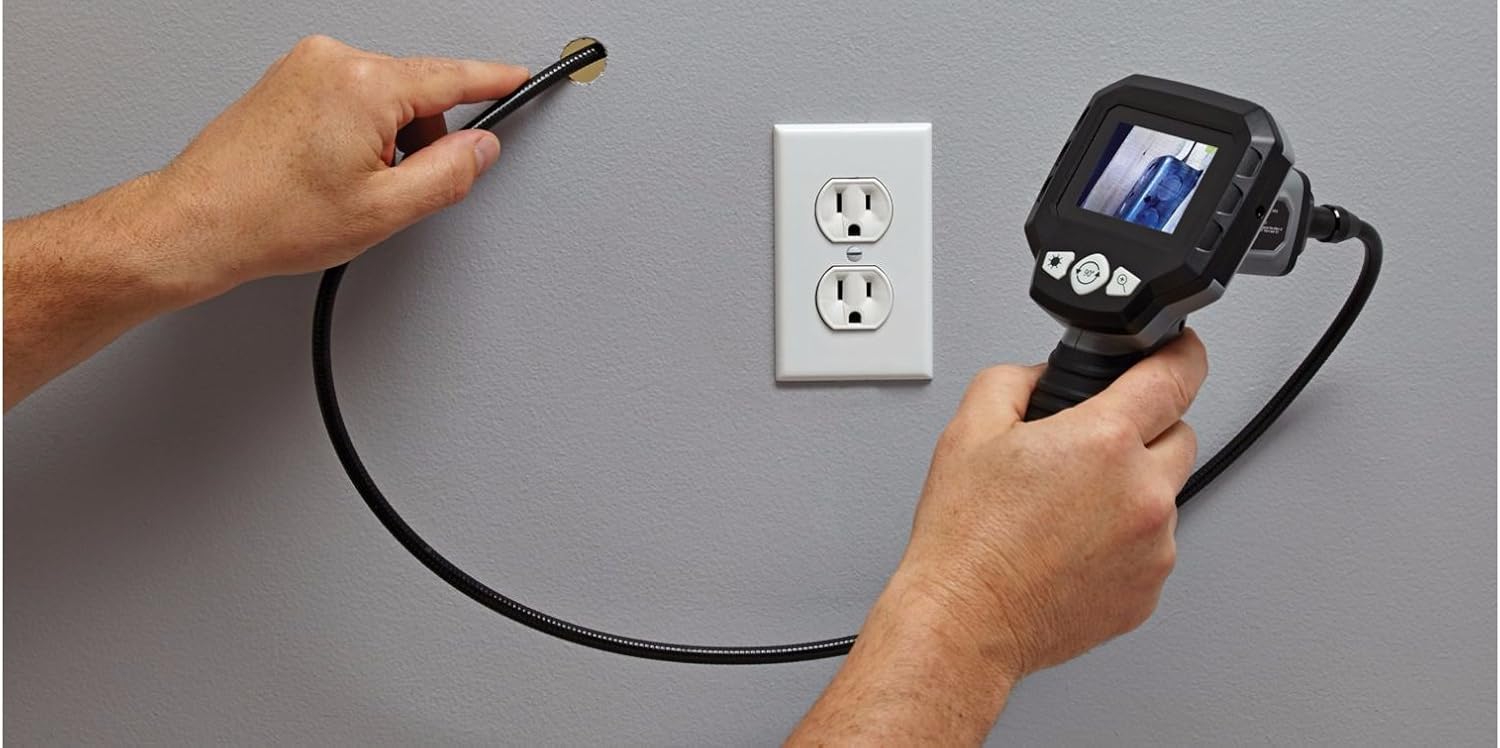
Carefully guide the flexible cable and camera head into the area you wish to inspect. The flexible cable allows for navigation around obstacles.


3.明るさの調整
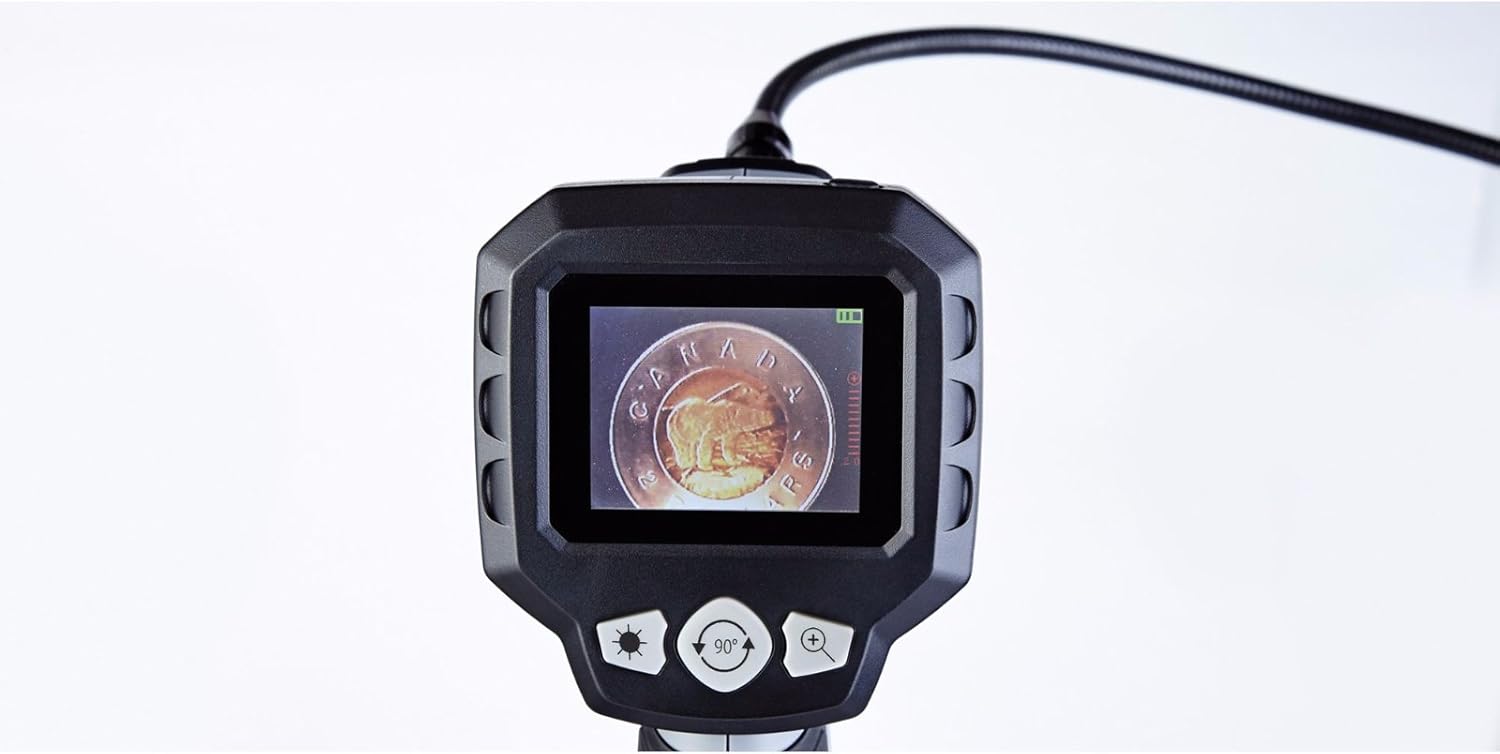
The camera head features built-in LED lights. Use the brightness control buttons (often marked with a sun icon or '+' / '-' symbols) on the main unit to cycle through the 5 brightness settings. Adjust as needed for optimal viewさまざまな光の条件で撮影します。
4.デジタルズーム
To magnify the image, press the digital zoom button (often marked with a magnifying glass icon or '+'). The device supports up to 2x digital zoom. Press the button repeatedly to cycle through zoom levels or to return to the original view.
5. 画像の回転
If the image on the screen appears upside down or sideways, use the image rotation button (often marked with a circular arrow icon) to adjust the orientation. Press the button to rotate the image in 90-degree increments until the desired view が達成されます。
6.バッテリーステータスインジケーター
The LCD screen displays a battery icon, indicating the current battery charge level. Recharge or replace batteries when the indicator shows low power to ensure uninterrupted operation.
メンテナンス
- クリーニング: Wipe the main unit and flexible cable with a soft, dry cloth. For the camera lens, use a lens cleaning cloth. Do not use harsh chemicals or abrasive materials.
- ストレージ: Store the device and its accessories in the provided heavy-duty case in a cool, dry place, away from direct sunlight and extreme temperatures.
- バッテリーのケア: 長期間使用しない場合は、液漏れや損傷を防ぐため、電池を取り外してください。
トラブルシューティング
| 問題 | 考えられる原因 | 解決 |
|---|---|---|
| デバイスの電源が入りません。 | 電池が切れているか、正しく挿入されていません。 | 正しい極性を確認して、新しい単三電池と交換してください。 |
| 画面に画像が表示されません。 | Cable not fully connected; camera lens obstructed. | Ensure the flexible cable is securely connected to the main unit. Check and clean the camera lens. |
| 画像が暗すぎるか明るすぎます。 | Brightness settings are incorrect for the environment. | Adjust the LED brightness using the dedicated buttons on the main unit. |
| 画像がぼやけています。 | Camera lens is dirty; object is too close or too far. | Clean the camera lens. Adjust the distance between the camera head and the object for optimal focus. |
| Screen is blue or frozen. | System error; low battery. | Power off the device, remove and reinsert batteries, then power on again. Replace batteries if low. |
仕様
- モデル番号: 057-458-0
- 画面サイズ: 2.7 inches (6.85 cm) Color LCD
- カメラヘッド直径: 9ミリメートル
- フレキシブルケーブルの長さ: 3.3フィート(1.1メートル)
- 耐水性: Waterproof camera head
- デジタルズーム: 2x
- 明るさの設定: 5レベル
- 電源: 単三電池4本(付属)
- ビデオキャプチャ解像度: 1080p (for compatible recording, if applicable)
- File 形式: MP4, JPEG (for compatible recording, if applicable)
- ハードウェアインターフェイス: HDMI (for compatible output, if applicable)
- メーカー: 最大
- ASIN: B01N2M40UB
- GTIN/UPC: 648824745488
- 小包の寸法: 31.2 x 25 x 12.2 cm; 1.68 kg
保証とサポート
This MAXIMUM product is covered by a manufacturer's warranty. For specific warranty terms, duration, and to obtain support or service, please refer to the documentation included with your purchase or contact the manufacturer directly. Keep your proof of purchase for warranty claims.