
導入
The SteelSeries Apex 100 Gaming Keyboard is designed for optimal gaming performance, featuring Quick Tension Switches for fast reaction times, tactile feedback, and quiet operation. It includes blue LED backlighting, advanced anti-ghosting, and is built with splash resistance for durability.
設定
1. キーボードの接続
Connect the keyboard's USB-A cable to an available USB port on your computer. The keyboard is plug-and-play, and your operating system should automatically detect and install the necessary drivers.

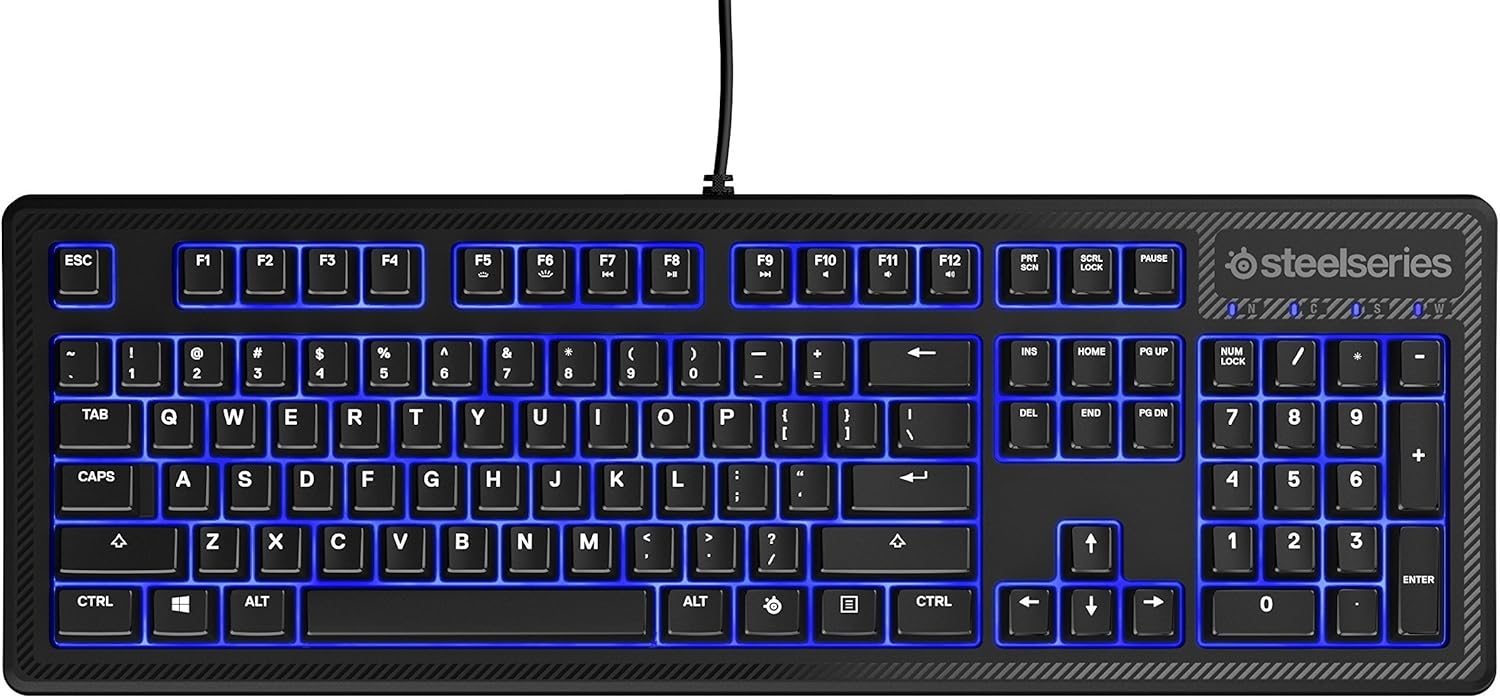
画像: 上 view of the SteelSeries Apex 100 Gaming Keyboard, showing the full QWERTY layout with blue LED backlighting and the attached USB cable.
2. ソフトウェアのインストール(オプション)
For advanced customization, including macro programming and backlighting adjustments, download and install the SteelSeries Engine 3 software from the official SteelSeries web地点 (Steelseries.com/engine)。画面の指示に従ってインストールしてください。
キーボードの操作
主な特徴
- Quick Tension Switches: Designed to mimic mechanical switches, providing a tactile feel and fast actuation.
- 青色LEDバックライト: Offers brilliant ground effects backlighting. Intensity can be adjusted via SteelSeries Engine 3.
- 高度なアンチゴースト: Ensures all key presses are registered accurately during intense gaming sessions.
- メディアコントロール: Integrated media control functions are accessible via function keys (F7-F12) in combination with the Fn key.
画像: サイド view of the SteelSeries Apex 100 Gaming Keyboard, highlighting its ergonomic design and keycap profile.
Customization with SteelSeries Engine 3
The SteelSeries Engine 3 software allows you to:
- Create and assign macros to any key.
- Adjust the intensity of the blue LED backlighting.
- Configure polling rates and other performance settings.
メンテナンス
クリーニング
To clean your keyboard, disconnect it from your computer. Use a soft, dry cloth to wipe down the keys and chassis. For stubborn dirt, a slightly damp cloth with mild soap can be used, ensuring no liquid enters the key switches or internal components. The keyboard is splash resistant, but not waterproof; avoid submerging it or exposing it to excessive liquids.
耐久性
The Apex 100 keyboard features a guaranteed 20-million click lifespan for its switches, ensuring long-term reliability under heavy use.

画像: 下 view of the SteelSeries Apex 100 Gaming Keyboard, showing the drainage channels and adjustable feet.
トラブルシューティング
キーボードが応答しない
- USB ケーブルがキーボードとコンピュータの両方にしっかりと接続されていることを確認します。
- キーボードを別の USB ポートに接続してみてください。
- コンピュータを再起動します。
- USB ハブを使用している場合は、コンピューターに直接接続してみてください。
バックライトの問題
- Check the backlighting settings within the SteelSeries Engine 3 software.
- Ensure the keyboard's brightness level is not set to minimum.
キーが登録されない
- 影響を受けたキーの周囲を清掃して、ゴミを取り除きます。
- If the issue persists, consider reinstalling the SteelSeries Engine 3 software or updating your USB drivers.
For further assistance, please refer to the SteelSeries support webサイト。
仕様
| 特徴 | 詳細 |
|---|---|
| ブランド | スティールシリーズ |
| モデル名 | アペックス100 |
| モデル番号 | 64435 |
| 接続技術 | USB-A |
| キーボードの説明 | ゲーム |
| 推奨用途 | ゲーム |
| 特集 | バックライト |
| 色 | 青 |
| キーボードのバックライト色のサポート | 単色(青) |
| スタイル | Whisper Quiet – Tactile & Silent |
| 製品寸法 | 長さ18.21インチ x 幅6.13インチ x 高さ1.58インチ |
| 電源 | USB |
| スイッチタイプ | Tactile (Quick Tension Switches) |
| キーボードレイアウト | QWERTY |
| ボタンの数量 | 104 |
| 互換性のあるオペレーティングシステムファミリ | ウィンドウズ |
| キーの数 | 100 |
| エンクロージャ材質 | プラスチック |
| アイテム重量 | 2.42 ポンド |
| 欧州連合 | 813682020101 |
保証情報
According to product information, this item comes with 無保証. Please check with your retailer for their return or exchange policies.
サポート
For additional support, driver downloads, or frequently asked questions, please visit the official SteelSeries support webサイト: