
1. はじめに
The Grandstream GWN7610 is a high-performance 802.11ac Wi-Fi Access Point designed for various environments such as office buildings, multi-floor locations, branch offices, and commercial/retail settings. It offers high network throughput, extensive wireless coverage, robust security features, and integrated network management without requiring external controllers. This manual provides essential information for the proper installation, configuration, and operation of your GWN7610 Access Point.
2. パッケージ内容
パッケージに次のアイテムが含まれていることを確認してください。
- Grandstream GWN7610 アクセスポイント
- Mounting Equipment (bracket, screws)
- クイックインストールガイド(このドキュメント)
Note: A power adapter is not included. The device supports Power over Ethernet (PoE/PoE+).
3. フィジカルオーバーview
Familiarize yourself with the ports and indicators on your GWN7610 Access Point.

図3.1: トップダウン view of the GWN7610 Access Point, showing its circular design and ventilation.
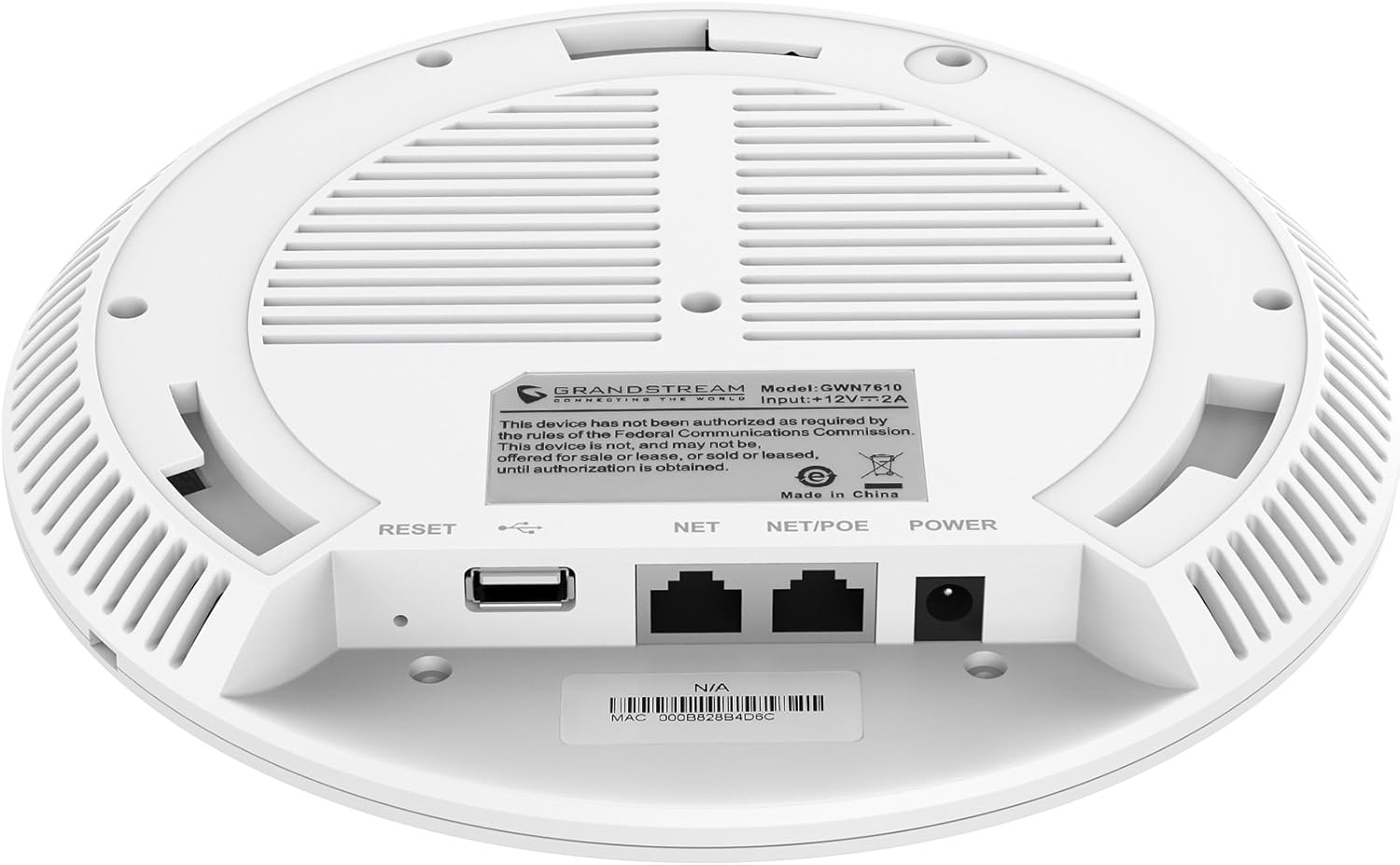
図3.2:下 view of the GWN7610 Access Point, highlighting the connectivity ports and regulatory information.
- リセットボタン: Used to reset the device to factory default settings. Press and hold for 10 seconds while the device is powered on.
- USBポート: For future applications such as location-based services and other IoT (Internet of Things) applications.
- NET/POE Port: Gigabit Ethernet port that supports Power over Ethernet (PoE/PoE+) for both data and power supply.
- 電源ポート: DC power input (12V===2A) if not using PoE.
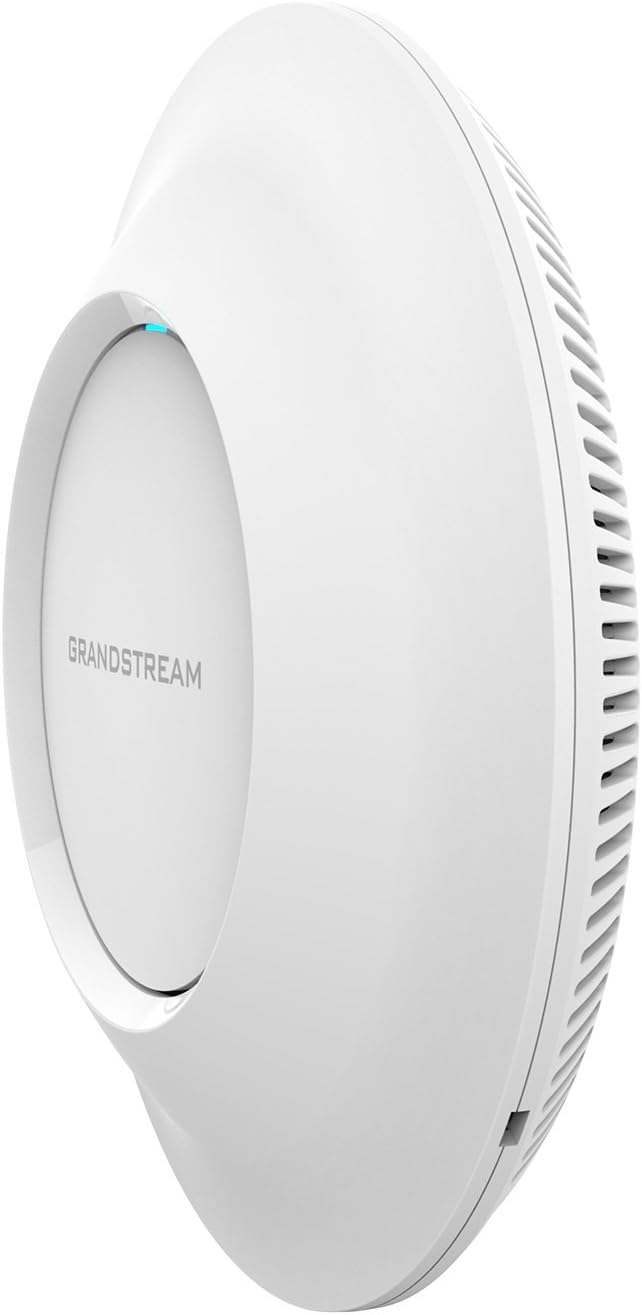
図3.3:側面 view of the GWN7610 Access Point, illustrating its sleek profile.
4.インストールとマウント
The GWN7610 can be mounted on a wall or ceiling. The included mounting equipment facilitates installation. For optimal wireless coverage, choose a central location free from obstructions and sources of interference. Ensure the device is positioned away from large metal objects, concrete walls, and other electronic devices that may cause signal degradation.
Refer to the specific instructions provided with the mounting kit for detailed steps on securing the access point.
5. セットアップ
The GWN7610 features embedded network management, allowing for easy setup and configuration without the need for external controllers. Follow these general steps for initial setup:
- 電源オン: Connect the GWN7610 to a PoE/PoE+ enabled switch or injector using an Ethernet cable, or connect a 12V===2A DC power adapter to the POWER port.
- ネットワーク接続: Connect the NET/POE port to your network infrastructure (router or switch).
- アクセス Web インタフェース: Once powered on and connected, the GWN7610 will obtain an IP address via DHCP. You can discover the device's IP address using Grandstream's discovery tools or by checking your DHCP server's client list. Enter the IP address into a web browser to access the management interface.
- 初期設定: Log in with the default credentials (usually found in the Quick Installation Guide or on the device label) and proceed with configuring your Wi-Fi networks (SSIDs), security settings, and other network parameters.
6. 操作手順
The GWN7610 is designed for robust and efficient wireless operation. Key operational features include:
- 複数のSSID: Supports up to 16 SSIDs per radio, allowing for flexible network segmentation (e.g., separate networks for employees, guests, IoT devices).
- クライアント容量: Capable of supporting over 250 concurrent Wi-Fi clients, making it suitable for high-density environments.
- Dual-Band MIMO: Utilizes dual-band 3x3:3 MIMO technology for enhanced performance and reliability across both 2.4GHz and 5GHz frequencies.
- 高スループット: Delivers a maximum network throughput of up to 1.75Gbps, ensuring fast data transfer rates.
- 拡張カバレッジ: Provides an expanded coverage range of up to 175 meters, minimizing dead zones.
- 統合コントローラー: Manage multiple GWN7610 units from a single master access point, simplifying network administration.
7. メンテナンス
Regular maintenance ensures optimal performance and longevity of your GWN7610 Access Point.
- ファームウェアの更新: グランドストリームを定期的にチェックする website for the latest firmware versions. Firmware updates often include performance improvements, security patches, and new features. Follow the instructions provided by Grandstream for updating firmware. Note that some updates may require using a TFTP server.
- クリーニング: デバイスを清潔に保ち、ほこりを取り除いてください。清掃には柔らかく乾いた布を使用してください。液体洗剤やエアゾール洗剤は使用しないでください。
- 環境条件: 損傷を防ぐために、デバイスが指定された温度と湿度の範囲内で動作することを確認してください。
8。 トラブルシューティング
If you encounter issues with your GWN7610, consider the following troubleshooting steps:
- 電源なし: Verify that the device is properly connected to a PoE/PoE+ source or a compatible 12V===2A power adapter. Check the power indicator light.
- ネットワーク接続なし: Ensure the Ethernet cable is securely connected to the NET/POE port and your network switch/router. Check the status of your network infrastructure.
- アクセスできません Web インタフェース: Confirm the device has an IP address and that your computer is on the same network segment. Try pinging the device's IP address. If the IP address is unknown, use Grandstream's discovery utility.
- Wi-Fi パフォーマンスが悪い: Check for sources of interference (e.g., microwaves, cordless phones). Ensure the access point is optimally placed. Adjust Wi-Fi channel settings to avoid congestion.
- デバイスが応答しません: Perform a soft reboot by disconnecting and reconnecting power. If the issue persists, perform a factory reset using the RESET button (refer to Section 3).
9. 仕様
| 特徴 | 仕様 |
|---|---|
| ワイヤレスタイプ | 802.11a/g/n/ac |
| USB 2.0 ポートの数 | 1 |
| ブランド | グランドストリーム |
| シリーズ | グランドストリーム GWN7610 |
| 商品型番 | GWN7610 |
| オペレーティング·システム | ルーターOS |
| アイテム重量 | 1.9ポンド |
| 製品寸法(長さx幅x高さ) | 9 x 9 x 3インチ |
| 色 | 白 |
| メーカー | グランドストリーム |
10. 安全情報
デバイスの損傷や怪我を防ぐために、以下の安全ガイドラインを読んで従ってください。
- デバイスを水や湿気にさらさないでください。
- デバイスを開けたり、修理を試みたりしないでください。すべての修理は資格のある担当者にご依頼ください。
- Use only the power sources specified (PoE/PoE+ or 12V===2A DC adapter).
- 換気の良い場所にデバイスを設置してください。
- 提案65の警告: この製品には、カリフォルニア州で癌や先天性欠損症、またはその他の生殖障害を引き起こすことが知られている化学物質が含まれている場合があります。
11. 規制遵守
This device complies with relevant regulatory standards. Please note the following:
FCC Warning: This device has not been authorized as required by the rules of the Federal Communications Commission. This device is not, and may not be, offered for sale or lease, or sold or leased, until authorization is obtained.
Users are advised to ensure compliance with local regulations regarding wireless device operation.
12. 保証とサポート
保証情報および技術サポートについては、Grandstreamの公式ウェブサイトをご覧ください。 webご購入いただいたサイトをご覧いただくか、正規販売代理店にお問い合わせください。保証請求のために購入時の領収書を保管してください。