
ロジクール M221
Logitech M221 ワイヤレス マウス ユーザー マニュアル
モデル: M221 | ブランド: Logitech
導入
This manual provides detailed instructions for the Logitech M221 Wireless Mouse. Designed for quiet operation and reliable performance, the M221 offers a comfortable, ambidextrous design with an 18-month battery life. Please read this manual thoroughly to ensure proper setup and optimal use of your device.
セットアップガイド
Follow these steps to set up your Logitech M221 Wireless Mouse:
- バッテリーの取り付け:
Locate the battery compartment on the underside of the mouse. Slide the battery cover off. Insert the included AA battery, ensuring correct polarity. Replace the battery cover.

画像: 下側 view of the Logitech M221 mouse, showing the battery compartment and the location of the USB receiver.
- USB レシーバーを見つけます。
The tiny USB receiver is stored inside the battery compartment for convenience during transport. Carefully remove it from its slot.
- Connect the Receiver to Your Computer:
Plug the USB receiver into an available USB port on your computer (PC or Mac). The mouse will automatically connect to your computer.
- マウスの電源をオンにします。
マウスの底面にある電源スイッチが「ON」の位置になっていることを確認してください。これでマウスは使用可能です。
操作手順
The Logitech M221 is designed for intuitive and comfortable use:
- サイレントクリック: The M221 features 90% reduced click sound, providing a quiet working environment without sacrificing the familiar click feel.
- 両手利きのデザイン: Its comfortable, contoured shape is suitable for both left and right-handed users.
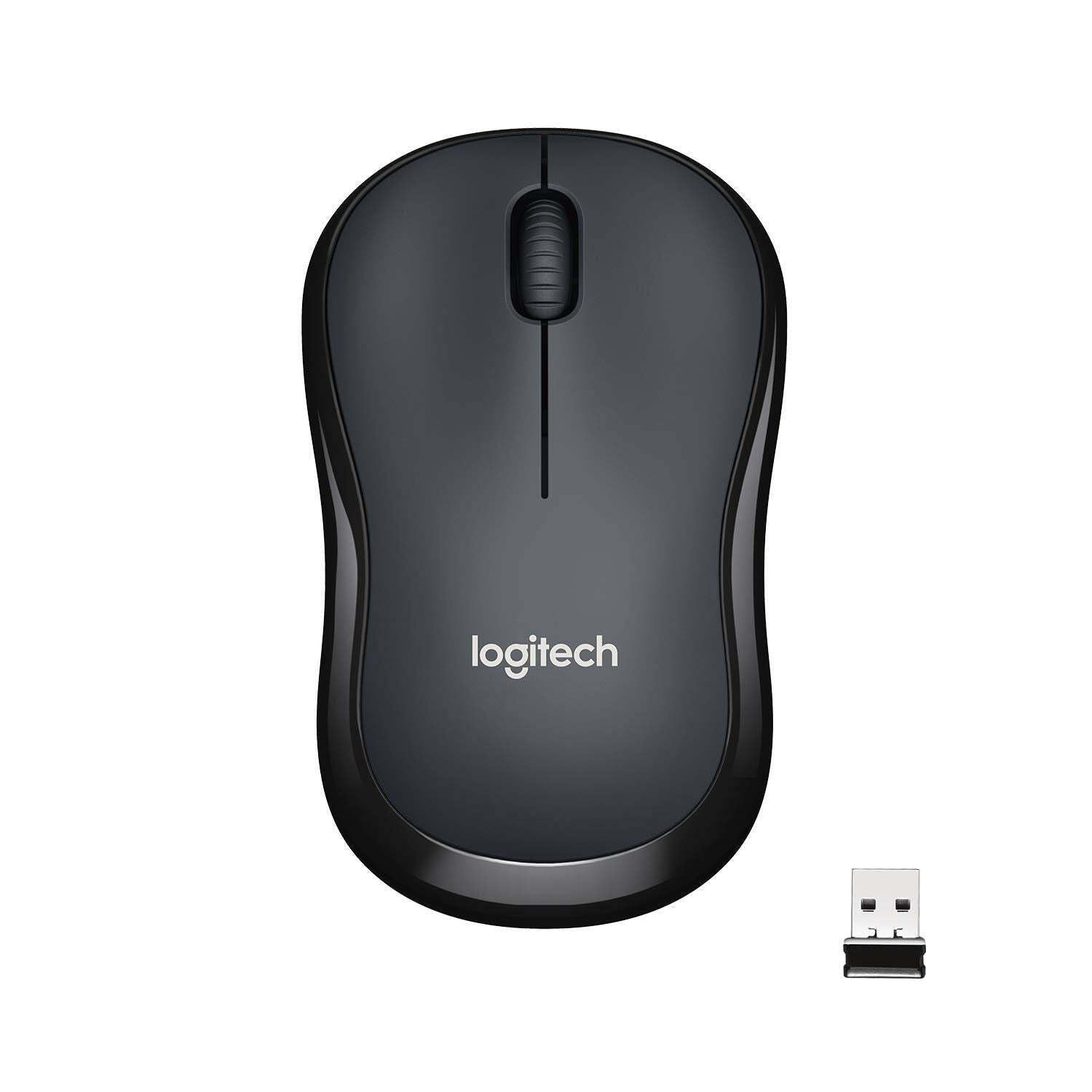
画像: 上 view of the Logitech M221 Wireless Mouse in charcoal, alongside its compact USB receiver.
- 光学トラッキング: The mouse uses 1000 DPI optical tracking for smooth and precise cursor control.
- 無線範囲: Enjoy reliable wireless connectivity up to 10 meters (33 feet) from your computer. Actual range may vary based on environmental conditions.
- 自動スリープ機能: To conserve battery life, the mouse automatically enters a sleep mode when not in use. Move the mouse or click a button to wake it up.
メンテナンス
Proper maintenance ensures the longevity and optimal performance of your M221 mouse.
- バッテリー交換: The M221 mouse boasts an 18-month battery life. When the mouse performance degrades or the indicator light (if present) signals low battery, replace the AA battery. Refer to the "Install the Battery" step in the Setup Guide.
- クリーニング: マウスの清掃には、柔らかく乾いた布をご使用ください。研磨剤入りの洗剤や溶剤は使用しないでください。
- ストレージ: When not in use for extended periods, turn off the mouse using the power switch on the underside to further conserve battery life. Store the USB receiver inside the battery compartment to prevent loss.
トラブルシューティング
Logitech M221 マウスで問題が発生した場合は、次の解決策を試してください。
- マウスが反応しない:
- マウスの電源がオンになっていることを確認してください。
- バッテリーを確認してください。必要であれば交換してください。
- USBレシーバーがコンピュータの正常に動作するUSBポートにしっかりと接続されていることを確認してください。別のUSBポートでお試しください。
- 範囲の問題を排除するには、マウスを USB レシーバーに近づけます。
- カーソルの動きが不規則:
- マウスの裏側にある光学センサーを、柔らかく乾いた布で拭いてください。
- マウスを適切な表面で使用していることを確認してください。反射率の高い表面や透明な表面は避けてください。
- 他のワイヤレス デバイスからの干渉がないか確認してください。
- ボタンまたはスクロールホイールが機能しない:
- コンピュータを再起動します。
- USBレシーバーを再度挿入します。
- If the issue persists, the mouse may require replacement.
仕様
| 特徴 | 詳細 |
|---|---|
| ブランド | ロジテック |
| モデル | M221 (Item model number: 910-004882) |
| 接続技術 | 2.4GHzワイヤレス(USBレシーバー) |
| 動き検出 | 光学式(1000 DPI) |
| サイレントボタン | Yes (90% reduced click sound) |
| 電池のタイプ | 1 x単三電池(付属) |
| 平均バッテリー寿命 | 18ヶ月 |
| 両手利きのデザイン | はい |
| 互換性のあるオペレーティングシステム | Windows 10 or later, Windows 8, Windows RT, Windows 7, Mac OS X 10.5 or later, Chrome OS, Linux Kernel 2.6+2 |
| 製品寸法 | 6 x 4 x 10 cm (長さ x 幅 x 高さ) |
| アイテム重量 | 77グラム |
| 含まれるコンポーネント | Mouse, Nano Receiver, 1 AA Battery, User Documentation |

Image: Diagram showing the dimensions of the Logitech M221 Wireless Mouse: 99mm length, 60mm width, 39mm height, and 75g weight.
保証とサポート
保証情報およびテクニカルサポートについては、ロジクールの公式ウェブサイトをご覧ください。 website or the documentation included with your product. Logitech provides customer support for product inquiries and assistance.
You can typically find support resources, FAQs, and contact information by visiting www.logitech.com/support.
Ask a question about this manual
Ask about setup, troubleshooting, compatibility, parts, safety, or missing instructions. Manuals+ will review the question and use this page’s manual context to help answer it.