
導入
This manual provides essential information for the safe and efficient operation of your Amazon Basics 15-Sheet Cross-Cut Paper, CD, and Credit Card Shredder. Please read all instructions carefully before use and retain this manual for future reference.
安全情報
安全な操作を確保するために、常に次のガイドラインに従ってください。
- 紙挿入口に手、髪の毛、ゆったりした衣服を近づけないでください。
- シュレッダーの中や周囲にエアゾール製品を噴霧したり、保管したりしないでください。
- Do not shred items like metallic credit cards, adhesive labels, or continuous forms.
- シュレッダーを使用していないときや清掃する前には、プラグを抜いてください。
- Keep the shredder out of reach of children and pets.
- 電源コードが損傷している場合はシュレッダーを操作しないでください。
製品終了view
The Amazon Basics 15-Sheet Cross-Cut Shredder is designed for efficient document destruction, offering a high level of security for personal and office use.

図1: 前面 view of the Amazon Basics 15-Sheet Cross-Cut Shredder.
主な特徴:
- 15枚収容可能: Shreds up to 15 sheets of 20 lb. paper at once.
- クロスカットシュレッディング: Shreds paper into 3/16" x 1-7/32" (4.7 x 31mm) particles for enhanced security (Security Level P-4).
- マルチマテリアルシュレッディング: Also destroys CD/DVDs, credit cards, staples, and small paper clips.
- 実行時間の延長: Features a 20-minute continuous run time.
- 安全機能: Includes Overheat / Overload protection.
- LEDインジケーター: Provides visual alerts for Standby, Overheat, Overload, Door open, and Bin full status.
- Large Capacity Bin: Equipped with a 6-gallon pull-out basket for easy waste disposal.
- モビリティ: Casters included for convenient movement.
- 4-Mode Switch: Auto/Off/Forward/Reverse settings for versatile control.
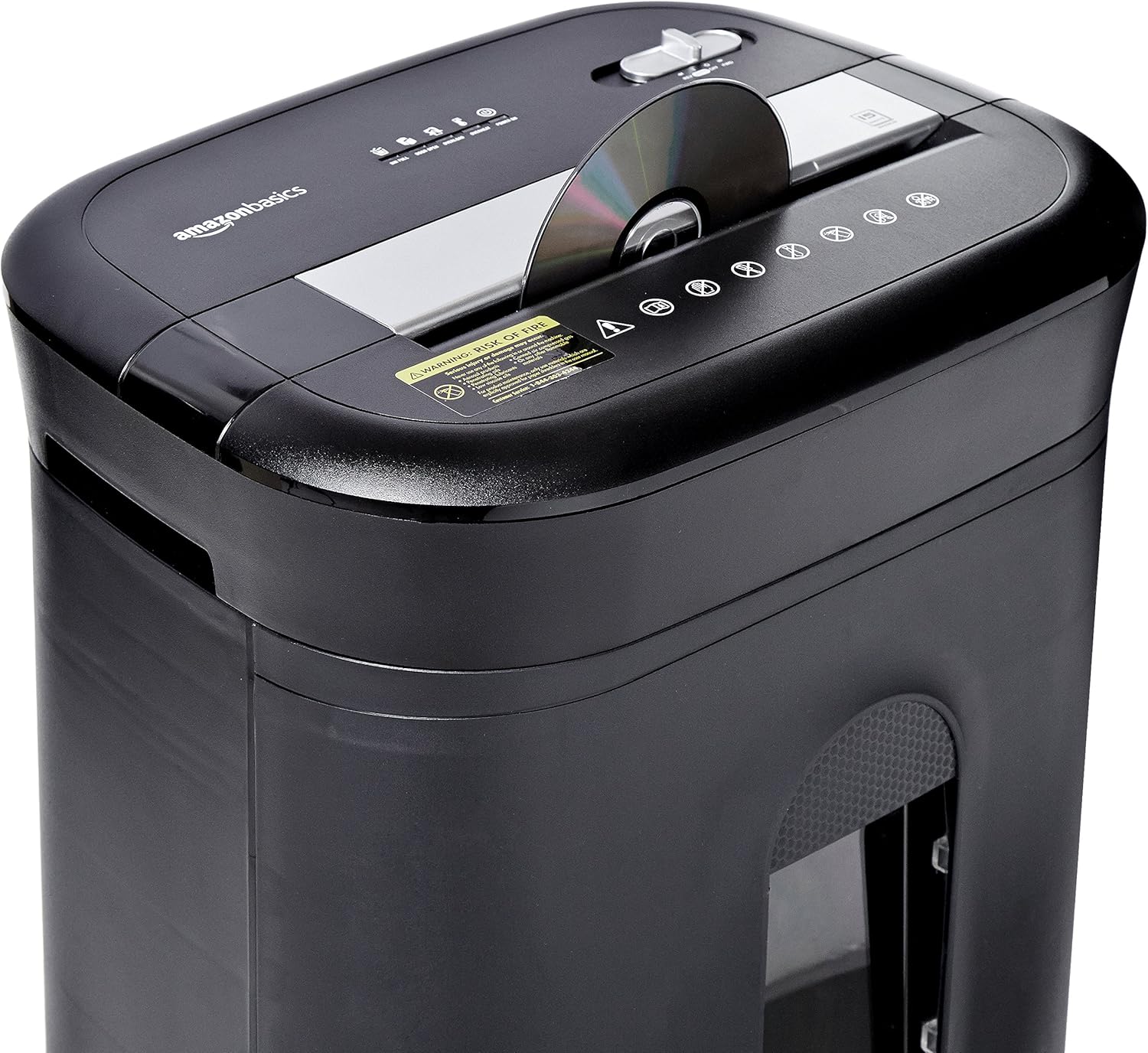
Figure 2: Diagram illustrating key features of the shredder.
設定
シュレッダーを設定するには、次の手順に従ってください。
- 開梱: パッケージからすべてのコンポーネントを慎重に取り出します。
- 位置: Place the shredder on a flat, stable surface. Ensure the waste bin is securely closed and properly inserted into the main unit.
- 接続電源: Plug the power cord into a standard 120-volt AC outlet.
Video 1: Official product video demonstrating the setup and basic operation of the Amazon Basics 15-Sheet Cross-Cut Shredder.
操作手順
電源モードスイッチ:
The shredder features a 4-mode slide switch located on the top panel:
- オート(I): シュレッダーは紙を挿入すると自動的に作動し、細断が完了すると停止します。これは通常の使用に推奨される設定です。
- オフ(O): Turns off all shredder functions. Always select this setting when emptying the waste bin or when the shredder is not in use.
- FORWARD (▶▶): Manually activates the shredder to continuously cut. Useful for clearing minor jams.
- REVERSE (◀◀): Reverses the shredder mechanism to help clear paper jams.

Figure 3: Close-up of the control panel with the 4-mode switch.
紙を細断する:
- Ensure the power mode switch is set to オート(I).
- Insert up to 15 sheets of paper (20 lb. bond) straight into the paper entry slot. The shredder will automatically start and stop.
- Do not force paper into the shredder. If the shredder struggles, reduce the number of sheets.

Figure 4: Inserting paper into the shredder.
Shredding Credit Cards and CDs/DVDs:
- Ensure the power mode switch is set to オート(I).
- Insert one credit card or CD/DVD at a time into the dedicated slot.
- シュレッダーは自動的に始動および停止します。

Figure 5: Shredding a credit card.
メンテナンス
Emptying the Shredder Bin:
Regularly empty the waste bin to prevent paper jams and ensure optimal performance.
- Set the power mode switch to オフ(お) シュレッダーのプラグを抜きます。
- シュレッダーの前面からゴミ箱を引き出します。
- 細断された材料を処分します。
- Slide the waste bin back into the shredder until it clicks securely into place.

Figure 6: Pull-out waste bin for easy emptying.
シュレッダーにオイルを差す:
To maintain the shredder's performance and longevity, it is recommended to oil the cutting blades periodically, especially after emptying the bin multiple times or if performance decreases.
- Apply shredder oil (or vegetable oil) in a zigzag pattern across the paper entry slot.
- Set the power mode switch to FORWARD (▶▶) 2〜3秒間置いてオイルを行き渡らせます。
- Then, set the switch to REVERSE (◀◀) 2〜3秒間。
- Shred a few sheets of paper to remove any excess oil.
トラブルシューティング
The shredder is equipped with LED indicators to help diagnose common issues:
- Standby (Green): Indicates the shredder is powered on and ready for operation.
- 過熱(赤): The shredder has exceeded its maximum operating temperature. Allow it to cool down for approximately 20-30 minutes before resuming use.
- オーバーロード(赤): Too much material has been inserted. Use the REVERSE (◀◀) function to clear the jam, then reduce the amount of material.
- Door Open (Red): The waste bin is not properly closed or inserted. Ensure the bin is fully pushed in.
- Bin Full (Red): The waste bin is full and needs to be emptied.
| 問題 | 考えられる原因 | 解決 |
|---|---|---|
| シュレッダーがオンになりません。 | Not plugged in; Power switch in OFF position; Waste bin not properly inserted. | Check power connection; Set switch to AUTO; Re-insert waste bin securely. |
| シュレッダーが動作中に停止します。 | Overheat protection activated; Overload protection activated; Bin full. | Allow to cool down; Clear jam using REVERSE, then reduce material; Empty bin. |
| 紙詰まり。 | Too much paper inserted; Paper inserted at an angle. | Use REVERSE function; Reduce paper quantity; Insert paper straight. |
仕様
| 特徴 | 仕様 |
|---|---|
| ブランド | Amazonベーシック |
| モデル番号 | PBH-49976 |
| シュレッドタイプ | クロスカット |
| シュレッドサイズ | 3/16" x 1-7/32" (4.7 x 31mm) |
| セキュリティレベル | P-4 |
| シート容量 | 15 sheets (20 lb. paper) |
| 連続実行時間 | 20 minutes |
| クールダウン時間 | 30 minutes |
| ゴミ箱容量 | 6ガロン |
| アイテム重量 | 22ポンド |
| 製品寸法 | 11 x 14.4 x 20.9インチ |
| 色 | 黒 |
保証とサポート
For warranty information or technical support, please refer to the documentation included with your product or contact Amazon Basics customer service.
カスタマーサービス: 1-844-303-4244
追加のリソースについては、 Amazonベーシックストア.