
1. はじめに
The PECO PPCPSG1 Pro Grass Micro Applicator is a specialized tool designed for model railway enthusiasts and diorama builders to apply static grass fibers to create realistic ground cover. This device uses an electrostatic charge to make the grass fibers stand upright, mimicking natural vegetation. Please read this manual thoroughly before use to ensure safe and effective operation.
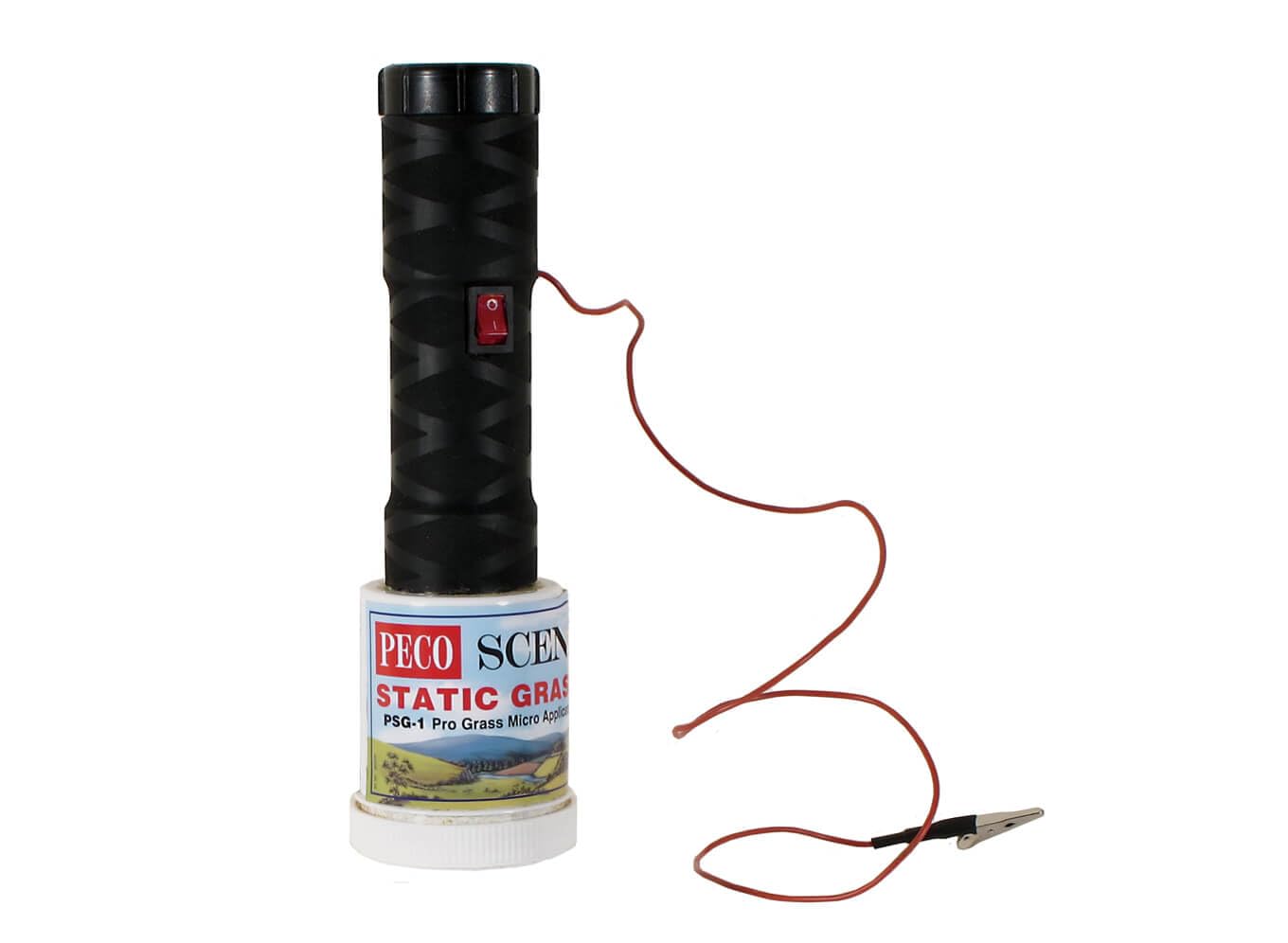
図1.1: The PECO PPCPSG1 Pro Grass Micro Applicator. This image displays the compact design of the applicator, ready for use in creating realistic static grass effects on model landscapes.
2. 安全情報
Your safety is paramount. Observe the following precautions:
- 成人の監督: This product is not a toy. Keep out of reach of children. Adult supervision is required if used by individuals under 18.
- 電源: Use only the specified batteries (e.g., 9V PP3 battery). Do not mix old and new batteries, or different types of batteries.
- 静電気: The applicator generates a high static charge. Avoid contact with the sieve and grass fibers during operation. Do not use near sensitive electronic equipment.
- 可燃性物質: Do not use near flammable liquids, gases, or dust. Static grass fibers are typically synthetic and can be flammable.
- 水分: Do not expose the applicator to water or high humidity. This can cause electric shock or damage to the device.
- 接地: Always ensure proper grounding of the applicator to your work surface as instructed in the operating section.
- メンテナンス: Disconnect power (remove batteries) before cleaning or performing any maintenance.
3. パッケージ内容
パッケージにすべてのアイテムが揃っていることを確認します。
- PECO PPCPSG1 Pro Grass Micro Applicator unit
- Assorted sieves (e.g., fine, medium, coarse)
- Grounding cable with crocodile clip
- 取扱説明書(本書)
- Note: Static grass fibers and 9V PP3 battery are typically sold separately.
4. セットアップ
- バッテリーの取り付け:
Open the battery compartment cover, usually located at the base or handle of the applicator. Insert a fresh 9V PP3 battery, ensuring correct polarity (+/-). Close the compartment securely.
画像の説明: A conceptual image would show the battery compartment being opened and a 9V PP3 battery being inserted with correct polarity.
- Attach Sieve:
Select the appropriate sieve for the length of static grass you intend to use. Screw or clip the chosen sieve onto the applicator head. Ensure it is firmly attached to maintain proper electrical contact.
画像の説明: A conceptual image would illustrate different sieve sizes and the process of attaching one to the applicator head.
- Load Static Grass:
Carefully pour the desired static grass fibers into the applicator's hopper, ensuring not to overfill. Do not fill above the maximum fill line, if indicated.
画像の説明: A conceptual image would show static grass fibers being poured into the applicator's hopper.
5. 操作手順
- 表面の準備:
Apply a layer of suitable adhesive (e.g., PVA glue, static grass glue) to the area where you wish to apply static grass. Ensure the glue is wet and tacky.
- Connect Grounding Cable:
Attach the crocodile clip of the grounding cable to a small nail, pin, or conductive object inserted into the glued area. Connect the other end of the grounding cable to the designated port on the applicator (usually a metal stud or socket).
画像の説明: A conceptual image would show the grounding cable connected to both the applicator and a pin in the glued surface.
- Apply Static Grass:
Hold the applicator approximately 5-10 cm (2-4 inches) above the glued surface. Press and hold the activation button. Gently shake the applicator to release the static grass fibers. The electrostatic charge will cause the fibers to stand upright as they fall onto the glue.
画像の説明: A conceptual image would depict the applicator being held over a glued surface, with static grass fibers falling and standing upright.
- Repeat and Finish:
Continue applying grass until the desired density is achieved. Once finished, release the activation button. Allow the glue to dry completely before handling the grassed area. Any loose fibers can be removed with a vacuum cleaner after the glue has dried.
6. メンテナンス
- クリーニング: After each use, remove any remaining static grass from the hopper. Use a soft, dry brush to gently clean the sieve and the interior of the hopper. Do not use water or cleaning solvents.
- バッテリーの取り外し: If the applicator will not be used for an extended period, remove the 9V PP3 battery to prevent leakage and damage.
- ストレージ: Store the applicator in a dry, dust-free environment, away from direct sunlight and extreme temperatures. Keep it in its original packaging or a protective case if available.
7。 トラブルシューティング
| 問題 | 考えられる原因 | 解決 |
|---|---|---|
| Grass fibers do not stand upright. |
|
|
| No grass fibers are dispensed. |
|
|
| Uneven grass application. |
|
|
8. 仕様
- モデル: PPCPSG1
- 電源: 1 x 9V PP3 Battery (not included)
- 出力巻tage: 高巻tage electrostatic charge (for static grass application)
- 寸法: Approximately 150mm (H) x 50mm (Dia) (estimated, for illustrative purposes)
- 重さ: Approximately 100g (excluding battery) (estimated, for illustrative purposes)
- 材料: 耐久性のあるプラスチックcasing, metal sieve
- 使用目的: Application of static grass fibers for model railways and dioramas.
9. 保証情報
PECO products are manufactured to high standards and are subject to rigorous quality control. This product comes with a standard manufacturer's warranty against defects in materials and workmanship. The warranty period typically covers 12 months from the date of purchase. Please retain your proof of purchase for any warranty claims. The warranty does not cover damage caused by misuse, accident, unauthorized modification, or normal wear and tear. For specific warranty terms and conditions, please refer to the documentation included with your purchase or visit the official PECO webサイト。
10. カスタマーサポート
Should you encounter any issues or have questions regarding your PECO PPCPSG1 Pro Grass Micro Applicator, please contact PECO customer support:
- Webサイト: www.peco-uk.com (for product information, FAQs, and contact details)
- メールアドレス: Refer to the PECO web最新のサポート メール アドレスについては、サイトをご覧ください。
- 電話: Refer to the PECO web地域の連絡先番号のサイト。
When contacting support, please have your product model number (PPCPSG1) and proof of purchase readily available.


