
1.製品オーバーview
The Vimtag CP1 is a wireless IP video monitoring surveillance security camera designed for remote home or business monitoring. It features high-definition video, pan/tilt functionality, two-way audio, and night vision capabilities.
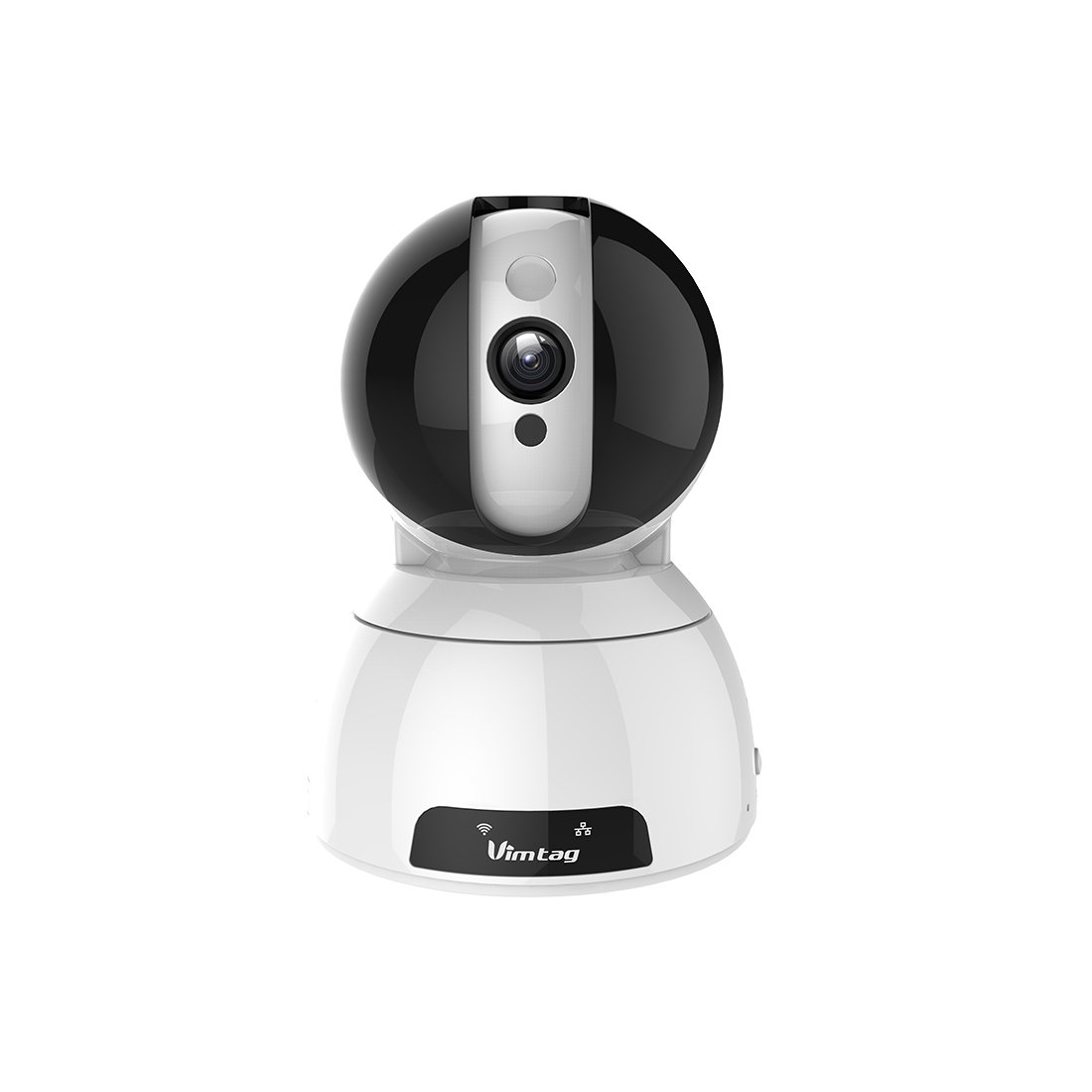
Figure 1: Vimtag CP1 Camera Front View
主な特徴:
- HDビデオ品質: 1280 x 720p at 25 frames per second for clear monitoring.
- パンとチルト機能: 350-degree horizontal rotation and 100-degree vertical tilt to cover a wide area.
- 双方向オーディオ: 通信用のマイクとスピーカーが内蔵されています。
- ナイトビジョン: 赤外線 LED により、暗い場所でも最大 10 メートルまで鮮明な視認性が得られます。
- モーション検出: Alerts with snapshots and video clips upon detecting movement.
- ローカルおよびクラウドストレージ: Supports Micro SD cards up to 64GB and optional cloud storage.
- 簡単なセットアップ: Quick Wi-Fi setup via the Vimtag モバイルアプリケーション。

Figure 2: Vimtag CP1 Key Features
2.セットアップガイド
2.1 パッケージ内容
始める前に、パッケージにすべてのアイテムが揃っていることを確認してください。
- 1 x Vimtag CP1カメラ
- 1 x Camera Rack
- 電源ケーブル x 1
- 1 xイーサネットケーブル
- ユーザーマニュアル (本書) x 1
2.2 初期設定手順
- 電源オン: Connect the power cable to the camera and plug it into a power outlet. The camera will initiate its startup sequence.
- アプリをダウンロード: Download the free Vimtag スマートフォンのアプリストア(iOS App Store または Google Play Store)からアプリをダウンロードします。
- アカウント登録: Open the Vimtag app and register for a new account or log in if you already have one.
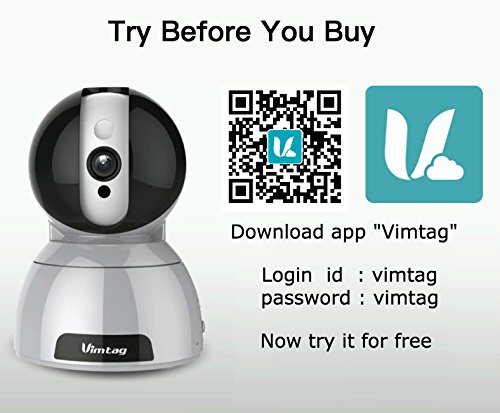
- カメラを追加: Follow the in-app instructions to add your new CP1 camera. This typically involves scanning a QR code on the camera or entering its device ID.
- Wi-Fi 設定: Configure the camera to connect to your Wi-Fi network using the app. Ensure your Wi-Fi network is 2.4GHz, as 5GHz networks may not be supported.
- 取り付け(オプション): Use the included camera rack to mount the camera on a wall or ceiling if desired.
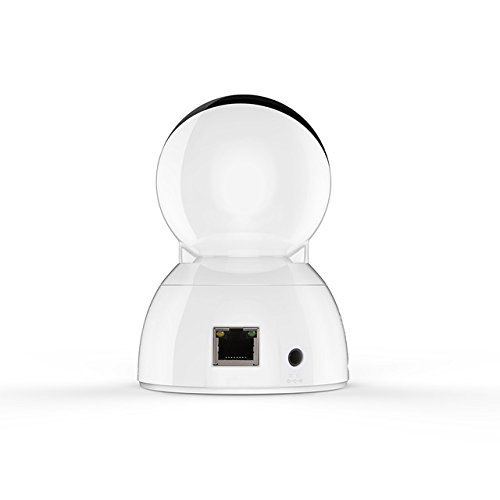
Figure 3: Vimtag CP1 Back View ポート付き
For detailed visual guidance, refer to the video tutorials available on the official Vimtag サポート webサイト。
3. 操作手順
3.1 ライブ View パン/チルトコントロール
Once the camera is connected, open the Vimtag app to access the live video feed. Use the on-screen controls to pan the camera horizontally (350 degrees) and tilt it vertically (100 degrees) to adjust the view角度。

図5: アプリによるパンとチルトの制御
3.2 双方向オーディオ
The camera supports two-way audio. Tap the microphone icon in the app to speak through the camera's speaker, and listen to audio from the camera's built-in microphone.
3.3 ナイトビジョン
The CP1 camera automatically switches to night vision mode in low-light conditions, providing clear black and white video up to 10 meters using its infrared LEDs.
3.4 動きの検出とアラート
Configure motion detection settings within the Vimtag app. You can set sensitivity levels and define specific areas for detection. When motion is detected, the camera can send instant notifications to your smartphone, including snapshots or short video clips.
3.5 ビデオ録画と保存
カメラは主に 2 つの保存方法をサポートしています。
- マイクロSDカード: Insert a Micro SD card (up to 64GB, not included) into the camera's designated slot for local recording. Recordings can be accessed and managed through the app.
- クラウドストレージ: Optional cloud storage services are available through Vimtag for remote backup and access to recorded footage.
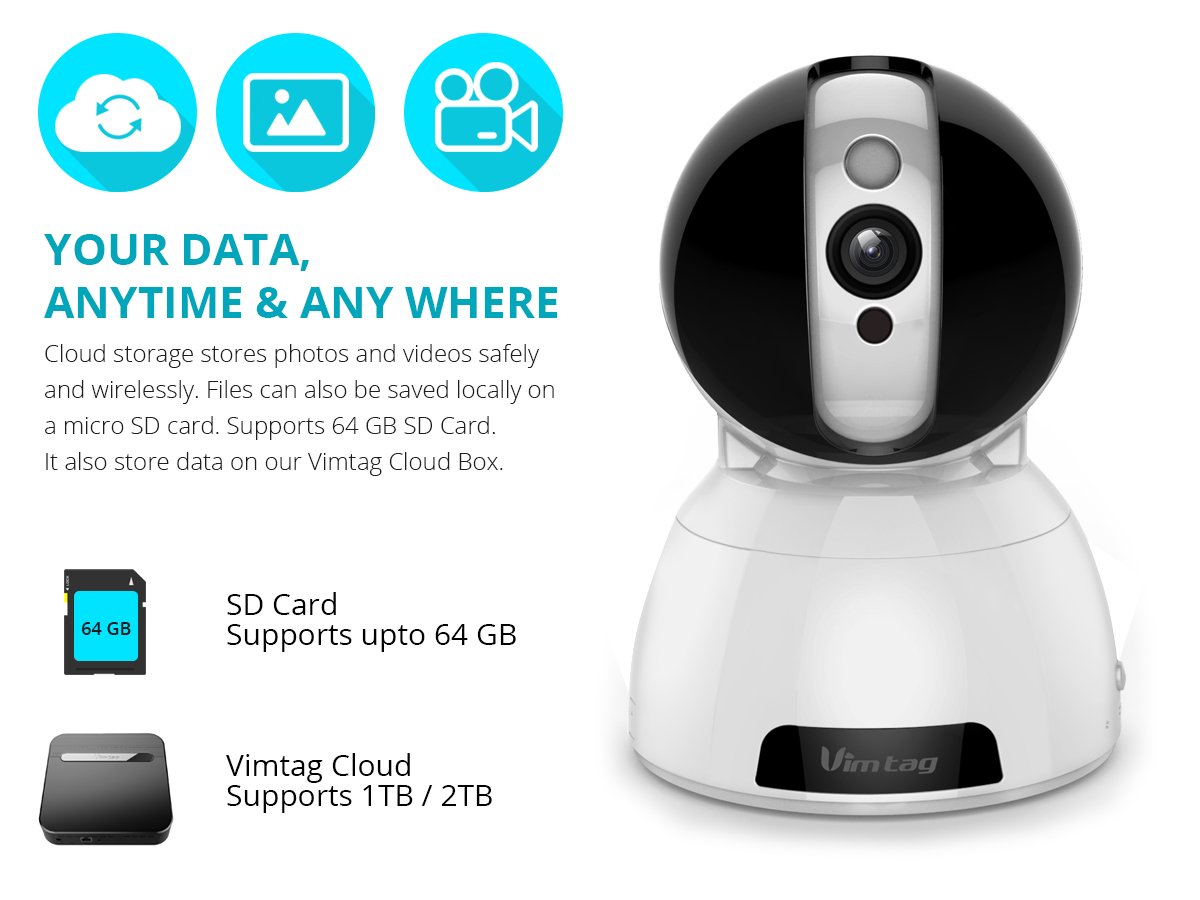
Figure 6: Storage Options for Vimtag CP1
4. メンテナンス
4.1 クリーニング
To maintain optimal performance, periodically clean the camera's lens and exterior. Use a soft, dry cloth. Avoid abrasive cleaners or solvents that could damage the camera's finish or lens coating.
4.2ファームウェアアップデート
ヴィムtag may release firmware updates to improve camera performance, add features, or enhance security. Check the Vimtag app regularly for available updates and follow the in-app instructions to install them. Ensure the camera remains powered during the update process.
4.3 環境への配慮
The Vimtag CP1 camera is designed for indoor use. Avoid exposing it to extreme temperatures, direct sunlight, high humidity, or water, as it is not water-resistant.
5。 トラブルシューティング
This section addresses common issues you might encounter with your Vimtag CP1 camera.
5.1 カメラがWi-Fiに接続できない
- Wi-Fiバンドを確認: Wi-Fiネットワークが2.4GHzであることを確認してください。カメラは5GHzネットワークをサポートしていない可能性があります。
- 信号強度: 強い信号を確保するために、カメラを Wi-Fi ルーターの近くに設置してください。
- 正しいパスワード: アプリに正しい Wi-Fi パスワードを入力していることを再確認してください。
- カメラをリセット: Locate the reset button on the camera (often a small pinhole) and press it for 5-10 seconds until the camera resets. Then, attempt the setup process again.
- ルーター設定: Verify that your router's firewall or security settings are not blocking the camera's connection.
5.2 ビデオ品質が悪い
- ネットワーク帯域幅: Ensure your internet connection has sufficient upload speed for streaming HD video.
- アプリの設定: Check the video quality settings within the Vimtag app; you might be able to adjust it.
- レンズの清潔さ: カメラのレンズは柔らかく乾いた布で拭いてください。
5.3 双方向オーディオの問題
- 音量レベル: Check the volume settings on your smartphone and within the Vimtag アプリ。
- マイク/スピーカーの障害: カメラのマイクとスピーカーが遮られていないことを確認してください。
- ネットワーク遅延: High network latency can affect audio quality and introduce delays.
5.4 モーション検出が機能しない
- 機能を有効にする: Verify that motion detection is enabled in the Vimtag アプリの設定。
- 感度: 動体検知の感度を調整してください。感度が低すぎると、イベントを見逃してしまう可能性があります。
- 検出ゾーン: Ensure the areas you want to monitor are correctly configured as detection zones.
6. 技術仕様
| モデル名 | ヴィムtag CP1 |
| 商品型番 | 6970167642228 |
| ビデオキャプチャ解像度 | 720p(1280×720ピクセル) |
| フレームレート | 毎秒25フレーム |
| パン/チルト範囲 | 350 degrees (Pan) x 100 degrees (Tilt) |
| デジタルズーム | 4x |
| 夜間視力距離 | 最大10メートル(赤外線) |
| ストレージオプション | Micro SD(最大64GB)、クラウドストレージ |
| 接続性 | Wireless (Wi-Fi IEEE802.12b/g/n) |
| 電源 | AC Power Adapter (7 Watts) |
| 寸法(長さ×幅×高さ) | 40 x 30 x 40ミリメートル |
| アイテム重量 | 450グラム |
| 屋内/屋外での使用 | 屋内 |
| 耐水性レベル | 耐水性はありません |
| 制御方法 | App (Android, iOS), Voice |
7. 保証とサポート
7.1製品保証
The Vimtag CP1 camera comes with a 6ヶ月の交換保証この保証は、通常の使用における製造上の欠陥および故障を対象としています。保証請求の際は、購入証明書を保管してください。
7.2 カスタマーサポート
For any queries, technical assistance, or warranty claims, please contact Vimtag customer support. Support is available via telephone, chat, Skype, and email. Refer to the official Vimtag web最新の連絡先情報については、サイトをご覧ください。
Step-by-step setup instructions and video tutorials are also available on the Vimtag support portal to assist you with installation and operation.