
1.製品オーバーview
The Genie Stinger 390GED21V is a visor-sized remote control designed for compatibility with Genie garage door openers and receivers. It operates on a 390 MHz frequency and utilizes 12 dip switches for secure coding. This remote features a test/operate LED light and is powered by a 12-volt long-life battery.
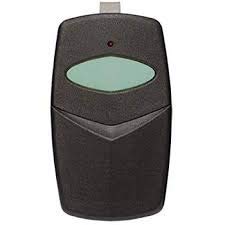
図1: Genie Stinger 390GED21V Garage Door Opener Remote. This image displays the compact, black remote control with a beige button, designed to clip onto a vehicle's sun visor.
2. セットアップとプログラミング
2.1 バッテリーの取り付け
The remote comes with a pre-installed 12V A23 battery. If replacement is needed:
- リモコンを慎重に開けるasing, typically by sliding the back cover or gently prying it open at a designated notch.
- Remove the old 12V A23 battery.
- Insert the new 12V A23 battery, ensuring the positive (+) and negative (-) terminals are correctly aligned.
- リモコンを閉じるasin安全に。
2.2 ディップスイッチの設定
The 390GED21V remote uses 12 dip switches to match the code of your existing Genie garage door opener or receiver. This ensures secure and unique operation.
- Locate the dip switches inside your existing working garage door remote or on the garage door opener unit itself. These are typically small switches labeled 1 through 12.
- cを開くasing of your new Stinger 390GED21V remote to expose its 12 dip switches.
- Carefully match the position (ON/OFF or +/0/-) of each dip switch on your new remote to the corresponding switch on your existing remote or opener unit. Ensure an exact match for all 12 switches.
- Once all switches are set, close the remote casing.
2.3 Testing the Remote
After setting the dip switches, test the remote's functionality:
- Stand within a reasonable range of your garage door opener.
- Press the button on the Stinger 390GED21V remote.
- Observe if the garage door responds (opens or closes). The remote's test/operate LED light should illuminate when the button is pressed.
- If the door does not respond, re-check the dip switch settings and battery installation.
3. 操作手順
To operate your garage door using the Stinger 390GED21V remote:
- ガレージドアオープナーの範囲内にいることを確認してください。
- Press and release the single button on the remote.
- ガレージのドアは、現在の状態に応じて開いたり閉じたりします。
- The remote's LED light will illuminate briefly when the button is pressed, indicating that a signal is being transmitted.
4. メンテナンス
4.1 電池の交換
Replace the 12V A23 battery when the remote's range decreases significantly or the LED light fails to illuminate when the button is pressed. Refer to Section 2.1 for battery installation steps.
4.2 クリーニング
リモコンは柔らかく乾いた布で拭いてください。強い化学薬品や研磨剤入りの洗剤は、リモコンを傷める恐れがあるため、使用しないでください。asing または内部コンポーネント。
5。 トラブルシューティング
- リモコンが機能しない:
- Check battery: Ensure the 12V A23 battery is correctly installed and not depleted. Replace if necessary.
- Verify dip switches: Confirm that all 12 dip switches are set to match your garage door opener's code exactly.
- Range: Ensure you are within the operational range of the garage door opener.
- 短い動作範囲:
- Low battery: Replace the 12V A23 battery.
- Interference: Check for potential sources of radio frequency interference near your garage door opener or remote.
- LEDライトが点灯しない:
- Battery issue: The battery may be dead or incorrectly installed. Replace or re-install.
- Remote malfunction: If battery and dip switch settings are correct, the remote may require replacement.
6. 仕様
| モデル番号 | 390GED21V |
| 頻度 | 390 MHz |
| 互換性 | Genie transmitters and receivers |
| コーディング | 12ディップスイッチ |
| 電池のタイプ | 12V A23 (included) |
| インジケータ | Test/Operate LED Light |
| 材料 | プラスチック |
| 色 | Black case, Beige button |
| 寸法(約) | 4 x 2 x 2インチ |
| 重量(約) | 4オンス |
7. 保証情報
Specific warranty details for the Genie Stinger 390GED21V remote are not provided in this manual. For information regarding product warranty, please refer to the manufacturer's official webサイトをご覧いただくか、製品を購入した小売店にお問い合わせください。
8. サポート
If you encounter issues not covered in this manual or require further assistance, please visit the official Genie support webメーカーのウェブサイトをご覧いただくか、カスタマーサービス部門にお問い合わせください。連絡先は通常、製品のパッケージまたはメーカーのウェブサイトに記載されています。 webサイト。