
1. はじめに
This manual provides detailed instructions for the installation, operation, and maintenance of your SMONET Wireless Security Camera System. This system is designed to provide reliable surveillance with easy setup and remote access capabilities.
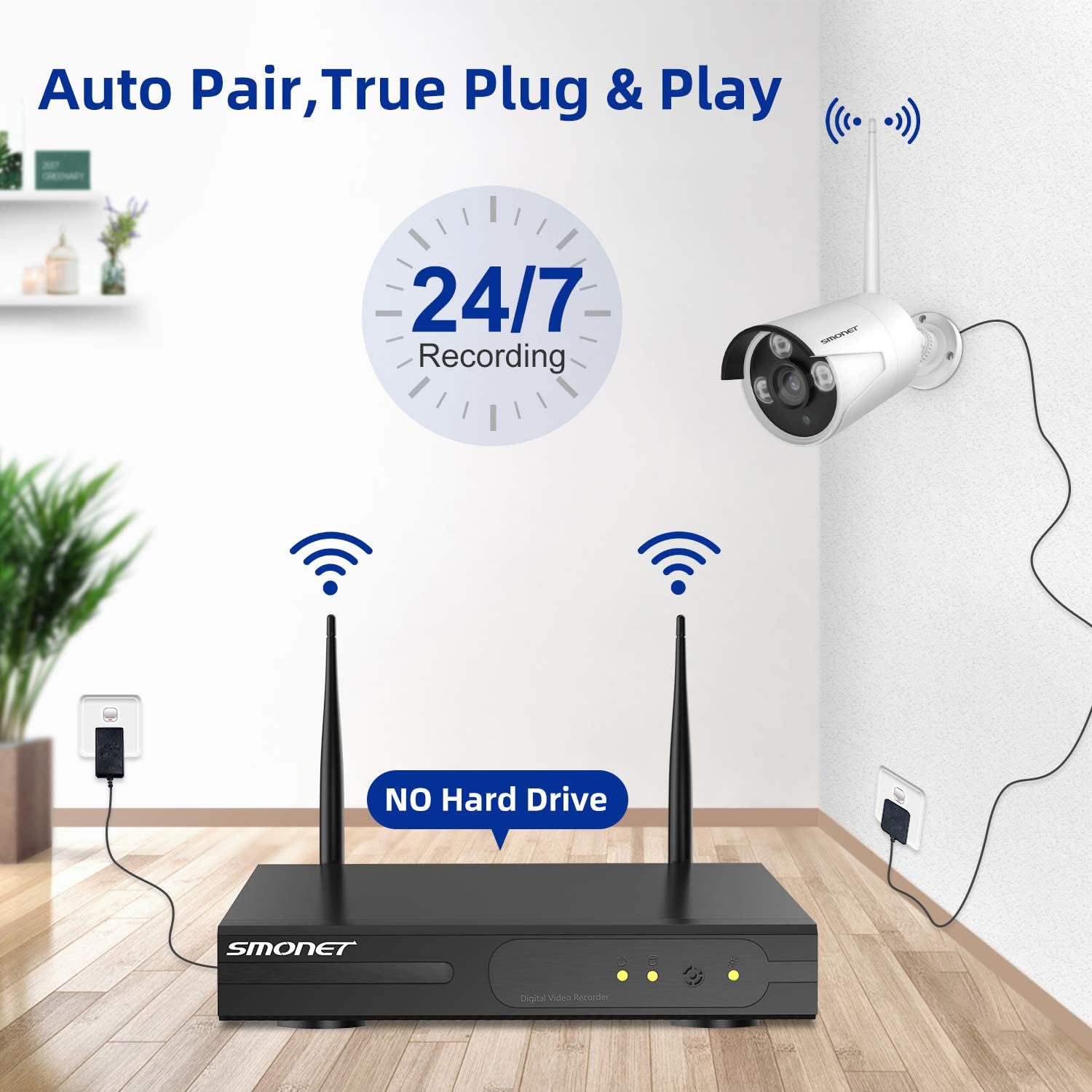
画像1: 以上view of the SMONET Wireless Security Camera System, showing the NVR unit and four bullet-style cameras with antennas, indicating wireless connectivity and 24/7 recording capability.
2. パッケージ内容
以下にリストされているすべてのアイテムがパッケージに含まれていることを確認してください。
- 1 x 4CH 1080p WiFi NVR (Network Video Recorder)
- 4 x Wireless IP Cameras
- DC 12V/2A 電源アダプター (NVR 用) x 1
- DC 12V/1A 電源アダプター 4 個 (カメラ用)
- 1 x USBマウス
- 3.3フィートのネットワークケーブル×1
- 取り付けネジと壁プラグ
- ユーザーマニュアル x 1
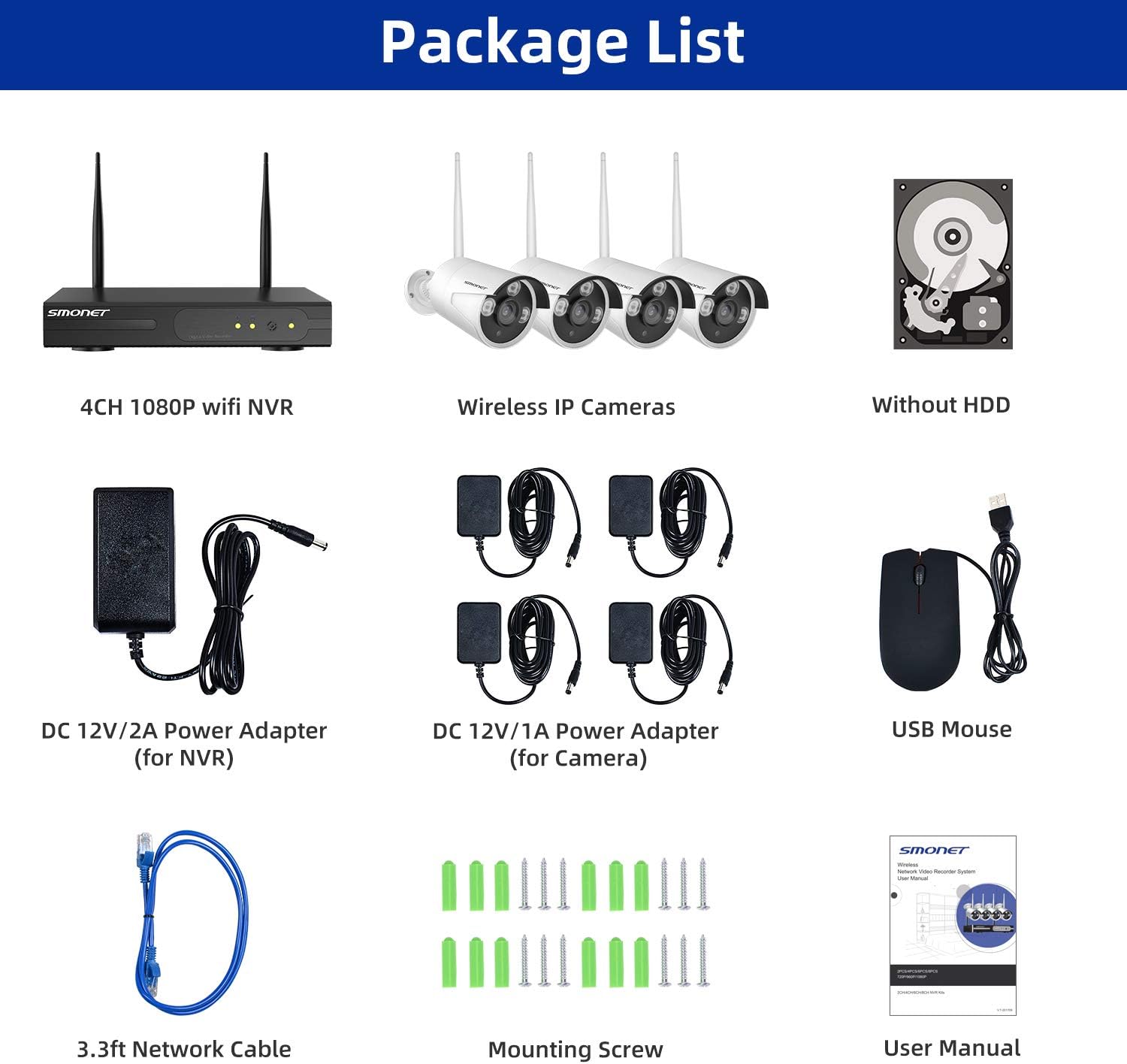
Image 2: Visual representation of the package contents, including the NVR, four cameras, power adapters, USB mouse, network cable, mounting hardware, and user manual.
3.製品オーバーview
3.1 カメラの機能
- 5DB Wi-Fi Antenna: For enhanced wireless signal reception.
- IP66 金属ハウジング: Provides weather resistance for outdoor use.
- 3個のLED: 夜間視認照明用。
- 光センサー: 昼モードと夜モードを自動的に調整します。
- 3.6mm レンズ: 幅広い分野を提供 view.
3.2 NVRポート
- VGAポート: Connect to a monitor.
- HDMIポート: Connect to a TV or monitor for high-definition output.
- WANポート: Connect to your router for internet access.
- USBポート: マウスと外部ストレージ用。
- 電源アダプター: For NVR power supply.
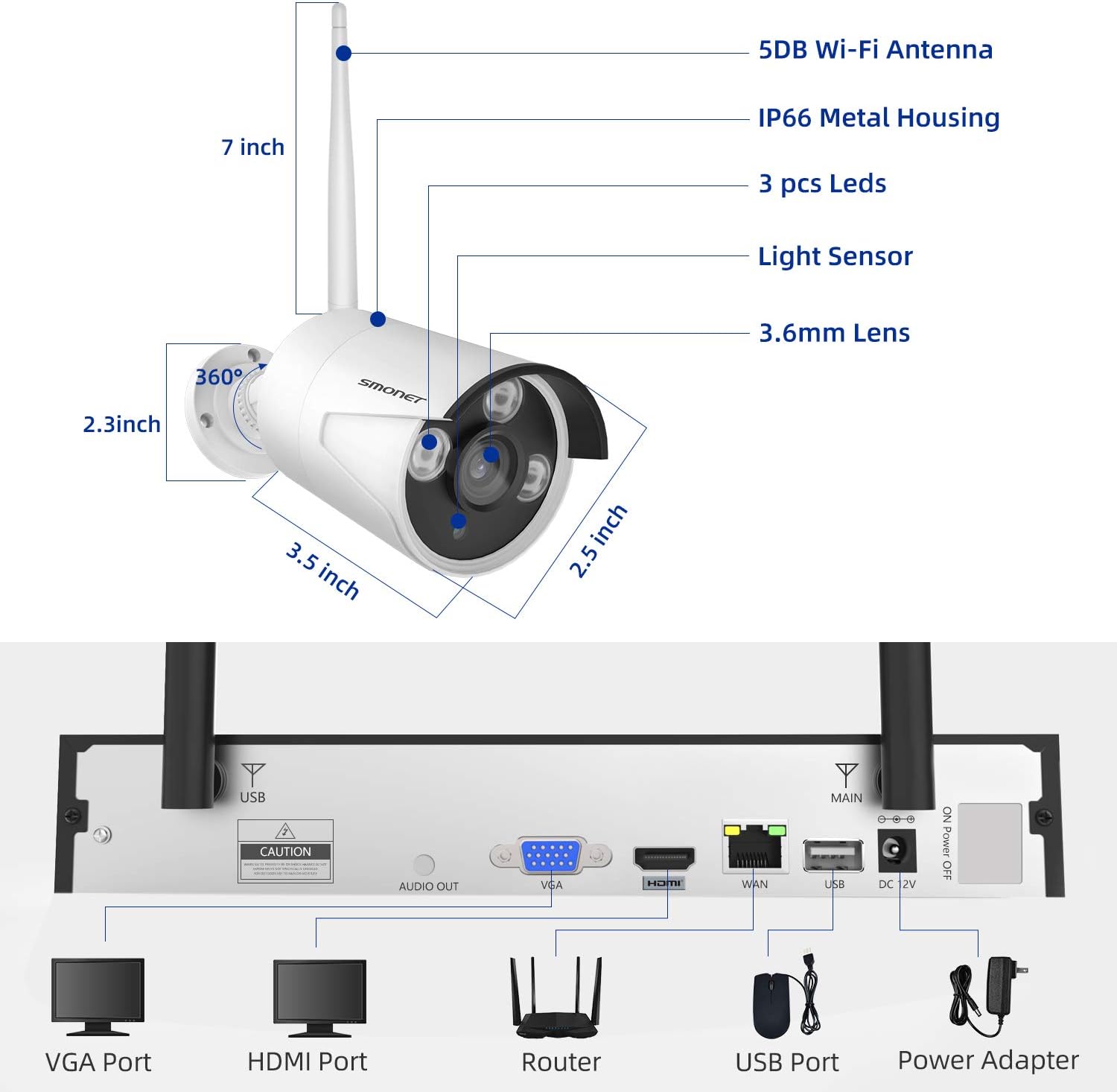
Image 3: Detailed diagram showing the dimensions of a SMONET camera and the various input/output ports on the back of the NVR unit.
4. セットアップ
4.1カメラの設置
- Choose desired locations for your cameras. Ensure they are within range of the NVR's wireless signal.
- Mount the cameras using the provided screws and wall plugs.
- Connect each camera to its dedicated DC 12V/1A power adapter and plug it into a power outlet.
Image 4: Illustration depicting the simple setup process for the SMONET cameras, highlighting the 'Auto Pair, True Plug & Play' feature.
4.2 NVR接続
- Connect the NVR to a monitor or TV using either the VGA or HDMI port.
- Connect the NVR to your home router using the provided network cable (WAN port).
- Plug in the NVR's DC 12V/2A power adapter and power on the system.
- The cameras should automatically pair with the NVR. If not, refer to the troubleshooting section.
Video 1: A brief introduction to the SMONET Wireless Camera System, demonstrating the ease of setup and key features.
4.3 ハードドライブのインストール(オプション)
This system does not include a hard drive. For continuous recording and video storage, a surveillance-grade hard drive (up to 4TB) must be installed. Refer to the detailed instructions in the full user manual for hard drive installation steps.
5. システムの操作
5.1リモート Viewモバイルアプリ経由
The SMONET system supports remote viewing via a dedicated mobile application. This allows you to monitor your cameras from anywhere using your smartphone or tablet.
- Download the 'IP PRO' app from your device's app store (iOS or Android).
- アプリ内で新しいアカウントを登録します。
- Add your NVR device by inputting its Cloud ID and the admin password. The Cloud ID can be found in the NVR's system settings (Main Menu > Advanced > Version > Serial Number).
- 接続すると、次のことができます view 接続されているすべてのカメラからのライブフィード。
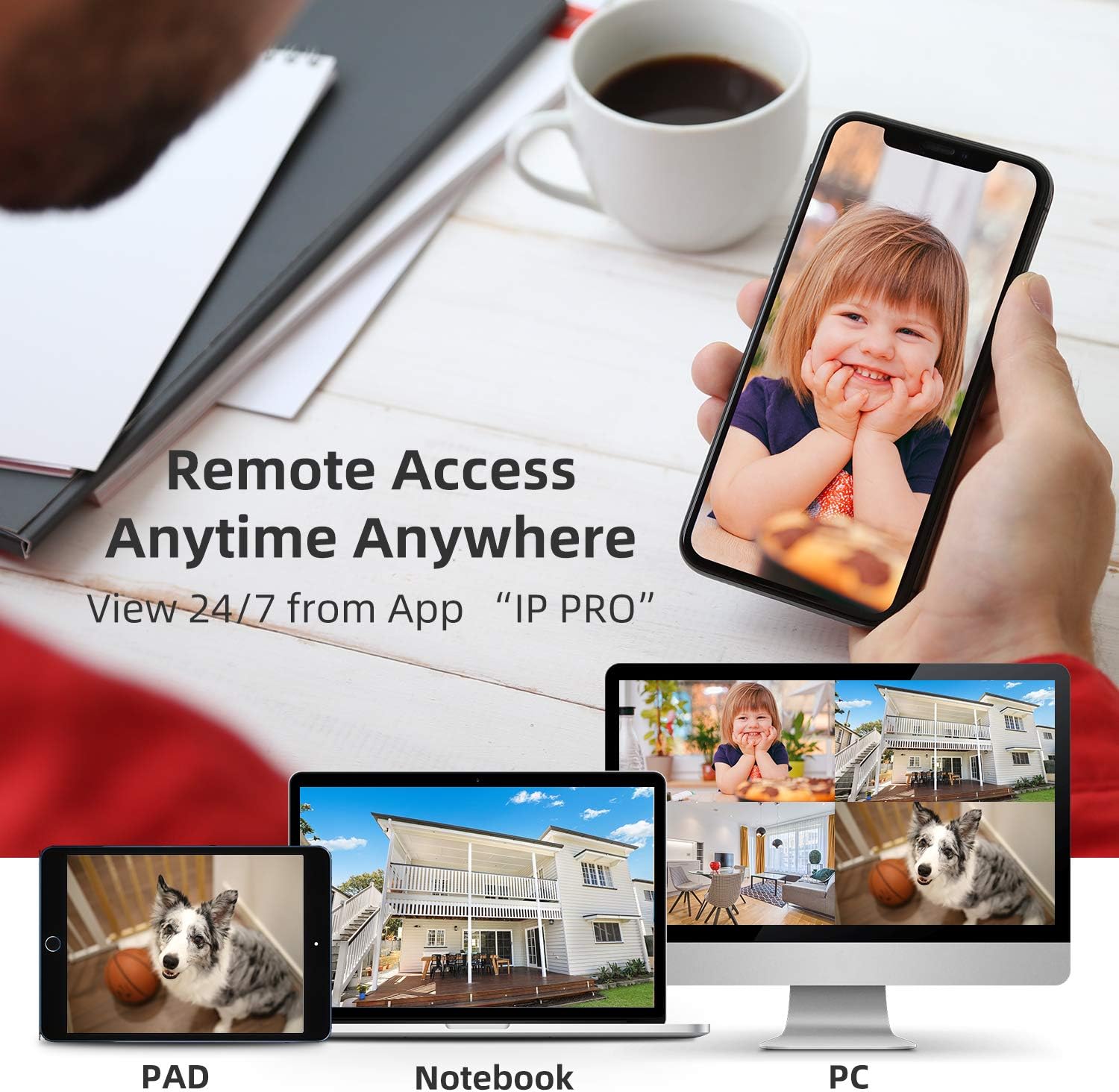
Image 5: Demonstrates remote access capabilities, showing live camera feeds on a smartphone, tablet, and laptop, accessible anytime, anywhere via the 'IP PRO' app.
5.2リモート Viewing via PC Software
また、 view your camera feeds on a computer using the VMS software.
- Download the VMS software to your computer.
- Log in using the default username 'admin' and password (leave blank if not set).
- In 'Device Manager', click 'Cloud Add' and enter your NVR's Cloud ID and password.
- Once connected, navigate to 'Live View' to see your camera feeds.
Video 2: A tutorial demonstrating how to view video from the SMONET system on a PC using the VMS software.
5.3 モーション検出
The system features real-time motion detection. When motion is detected, cameras can send email alerts or mobile notifications to you, enhancing your property's security.

Image 6: Illustrates the real-time motion detection capability, showing an alert being sent to a smartphone when movement is detected in a monitored area.
5.4 昼夜視力
The cameras provide clear vision both day and night. During the day, you get colorful images, and at night, the infrared LEDs enable clear black and white night vision.

Image 7: A side-by-side comparison demonstrating the system's ability to capture colorful images during the day and clear black-and-white images at night using infrared technology.
5.5 システムの拡張
The 4-channel NVR can support up to 8 cameras. You can add additional SMONET 1080P IP cameras (ASIN: B01IR4TXA8) で監視範囲を拡大します。

Image 8: Illustrates the wireless signal repeater function between cameras and the NVR, and shows how the system can be expanded to include up to 8 cameras.
6. メンテナンス
- 定期清掃: カメラのレンズは定期的に柔らかくてきれいな布で拭いてください。amp 鮮明な画質を確保するための布。
- ファームウェアの更新: メーカーの web最適なパフォーマンスとセキュリティを確保するために、ファームウェアの更新についてはサイトをご覧ください。
- 電源チェック: すべての電源アダプターがしっかりと接続され、損傷がないことを確認してください。
- ハードドライブの健全性: If a hard drive is installed, regularly check its health status through the NVR interface to prevent data loss.
7。 トラブルシューティング
- モニターに画像が表示されない: Check VGA/HDMI cable connections. Ensure NVR and monitor are powered on and input source is correct.
- カメラが接続されない: Verify cameras are powered on. Ensure they are within wireless range of the NVR. If issues persist, try re-pairing cameras manually (refer to full manual for specific steps).
- リモコンなし View: Check NVR's network status (should be 'Healthy Network'). Ensure your mobile device has internet access and the Cloud ID/password are correctly entered in the app.
- 録音の問題: Confirm a hard drive is installed and properly formatted. Check recording settings in the NVR menu.
8. 仕様
| 特徴 | 仕様 |
|---|---|
| ブランド | スモネット |
| 接続技術 | 無線 |
| チャンネル数 | 4 |
| メモリストレージ容量 | 4 TB (Max, HDD not included) |
| 電源 | Battery Powered (Cameras via adapter) |
| オペレーティング·システム | Android, iOS (for app) |
| 信号フォーマット | デジタル |
| ナイトビジョン | Night color (IR) |
| フレームレート | 30fps |
| 録画モード | モーション検出 |
| 光センサー技術 | シーモス |
| ハードウェアインターフェイス | 802.11 ac / b / g / n |
| レンズタイプ | 固定(3.6mm) |
| ビデオ入力 | RJ45 (NVR) |
| モデル番号 | SN-WNK 002 |
| アイテム重量 | 7ポンド(システム) |
| アイテムの寸法 | 12.5 x 10.5 x 6.5インチ(パッケージ) |
9. 保証とサポート
For warranty information and technical support, please refer to the official SMONET web公式サイトをご覧いただくか、カスタマーサービスに直接お問い合わせください。保証請求のために購入時のレシートを保管してください。


