
1. はじめに
The Arrowmax AEH4000-M9 Split D-Ring Headphone is designed for use with compatible Motorola multi-pin connector two-way radios. This earpiece features an inline Push-to-Talk (PTT) button and microphone, providing clear communication and comfortable wear for extended periods. Its flexible design and durable construction ensure reliable performance in various professional environments.

Image 1.1: The Arrowmax AEH4000-M9 Split D-Ring Headphone, showcasin人間工学に基づいたデザイン。
2 製品の特徴
- Split D-Ring Earpiece: Offers enhanced flexibility and comfort, adapting to various ear sizes and shapes.
- Moldable Earhooks: The earhooks can be reshaped to achieve a personalized and secure fit.
- 180°垂直回転: Provides greater movement range and optimal positioning for the earpiece.
- Inline PTT/Microphone: Integrated Push-to-Talk button and microphone for convenient communication. Features a durable metal clip for secure attachment to clothing.
- 耐久性のあるケーブル: Super flexible PU cable reinforced with Kevlar for maximum durability and longevity.
- 快適な素材: Soft, skin-friendly materials ensure comfort during long periods of wear.
3. セットアップとインストール
3.1 Connecting to Your Radio
- Ensure your Motorola two-way radio is powered off before connecting the earpiece.
- Align the multi-pin connector of the AEH4000-M9 earpiece with the accessory port on your compatible Motorola radio.
- Gently push the connector firmly into the radio's port until it is securely seated. Do not force the connection.
- 接続したら、ラジオの電源を入れます。

画像3.1: クローズアップ view of the multi-pin connector, designed for compatible Motorola radios.
3.2 イヤホンの装着
- Place the D-ring earpiece over your ear. The split design allows for easy adjustment.
- Gently mold the earhooks to fit the contour of your ear for a comfortable and secure fit. The earpiece can rotate 180° vertically to optimize positioning.
- Clip the inline PTT/microphone unit to your lapel or collar using the metal clip, ensuring it is easily accessible for communication and the microphone is positioned near your mouth.
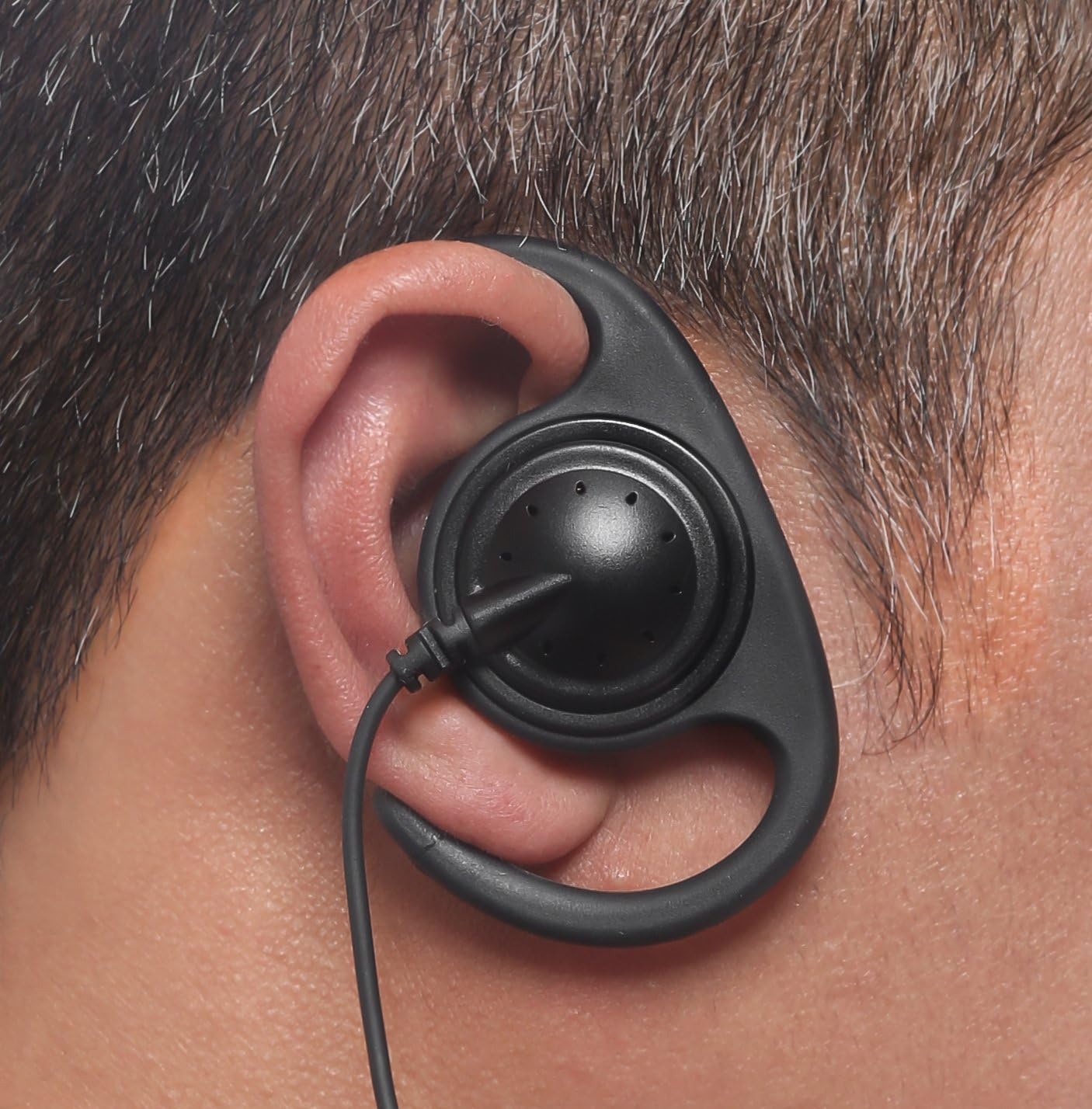
Image 3.2: The D-ring earpiece correctly worn on the ear, demonstrating its ergonomic fit.
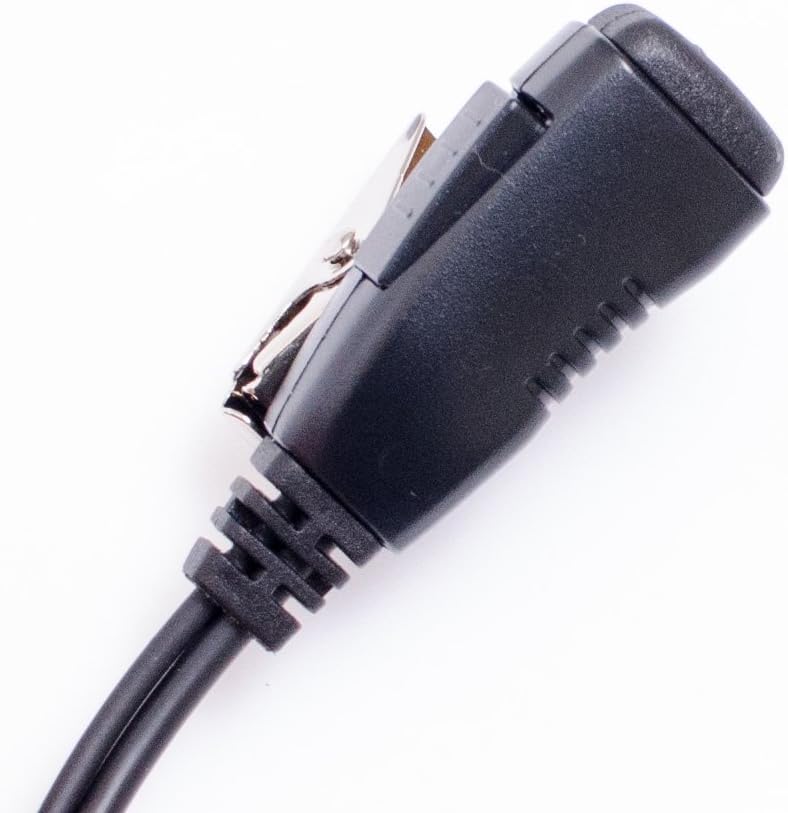
Image 3.3: The inline PTT/microphone unit with its metal clip for attachment to clothing.
4. 操作手順
4.1 送信(プッシュ・トゥ・トーク)
To transmit your voice, press and hold the PTT button located on the inline unit. Speak clearly into the microphone. Release the PTT button to stop transmitting and return to receive mode.
4.2 オーディオの受信
When the PTT button is not pressed, the earpiece will receive incoming audio from your radio. Adjust the radio's volume control to a comfortable listening level.
5. メンテナンスとケア
- クリーニング: Regularly wipe the earpiece and PTT unit with a soft, damp cloth. Avoid using harsh chemicals or abrasive cleaners. Ensure the earpiece is dry before use.
- ケーブルのお手入れ: While the cable is reinforced with Kevlar for durability, avoid excessive pulling, twisting, or sharp bending to prevent internal damage.
- ストレージ: Store the earpiece in a clean, dry place away from extreme temperatures and direct sunlight when not in use.
- コネクタ保護: Keep the multi-pin connector clean and free of debris. Avoid exposing it to moisture.
6。 トラブルシューティング
| 問題 | 考えられる原因 | 解決 |
|---|---|---|
| 受話口から音声が出ません。 | 受話器が完全に接続されていません。ラジオの音量が低すぎます。受話器またはラジオに不具合があります。 | コネクタが完全に差し込まれていることを確認してください。ラジオの音量を上げてください。別のイヤピース/ラジオがあれば、それらでテストしてください。 |
| マイクが送信していません。 | PTT button not pressed. Earpiece not fully connected. Microphone malfunction. | Press and hold PTT button firmly. Ensure connector is fully seated. Test with another earpiece/radio. |
| Earpiece is uncomfortable. | Improper fit or adjustment. | Re-mold earhooks and adjust the D-ring for a better fit. Utilize the 180° rotation feature. |
| Intermittent audio/transmission. | 接続が緩んでいます。ケーブルが損傷しています。 | Check and secure the connector. Inspect the cable for visible damage. If damaged, replace the earpiece. |
7. 仕様
- モデル番号: AEH4000-M9
- メーカー: Arrowmax
- 特集: Microphone Included (Inline PTT)
- ケーブル機能: Retractable, Kevlar Reinforced PU
- イヤホンのタイプ: Split D-Ring
- Cable Length (Connector to Earphone): Approximately 118 cm (46.5 in), stretches comfortably to 130 cm (51.2 in)
- 商品の重量: 1.6オンス(約45グラム)
- 互換性: Designed for Motorola Multi-Pin Connector radios, including but not limited to:
- Motorola APX P25 Series: APX900, APX1000, APX2000, APX3000, APX4000, APX5000, APX6000, APX7000, SRX2200
- Motorola DP Series: DP3400, DP3401, DP3600, DP3601, DP4400, DP4401, DP4600, DP4601, DP4800, DP4801 (including 'e' and 'EX' variants)
- Motorola XPR6000 Series: XPR6100, XPR6300, XPR6350, XPR6380, XPR6500, XPR6550, XPR6580
- Motorola XPR7000 / XPR7000e Series: XPR7350, XPR7380, XPR7550, XPR7580 (including 'e' and 'IS Global' variants)
- Motorola DGP Series: DGP4150, DGP6150, DGP5050, DGP5550, DGP8050, DGP8550 (including 'e' and 'EX' variants)
- Motorola XiR P Series: XiR P8200, XiR P8208, XiR P8268, XiR P8600, XiR P8608, XiR P8620, XiR P8628, XiR P8660 (including 'i' and 'EX' variants)
- Motorola TETRA Terminal: MTP830S, MTP850S, MTP6550, MTP6750, ATEX MTP8500EX, ATEX MTP8550EX
8. 保証とサポート
For warranty information, please refer to the documentation provided at the time of purchase or contact your retailer. For technical support or further assistance, please reach out to Arrowmax customer service through their official channels.