
1. はじめに
This manual provides instructions for the setup, operation, maintenance, and troubleshooting of your Plugable Foldable Bluetooth Keyboard (Model: BT-KEY3XL). This full-size, portable keyboard is designed for multi-device compatibility across various operating systems.
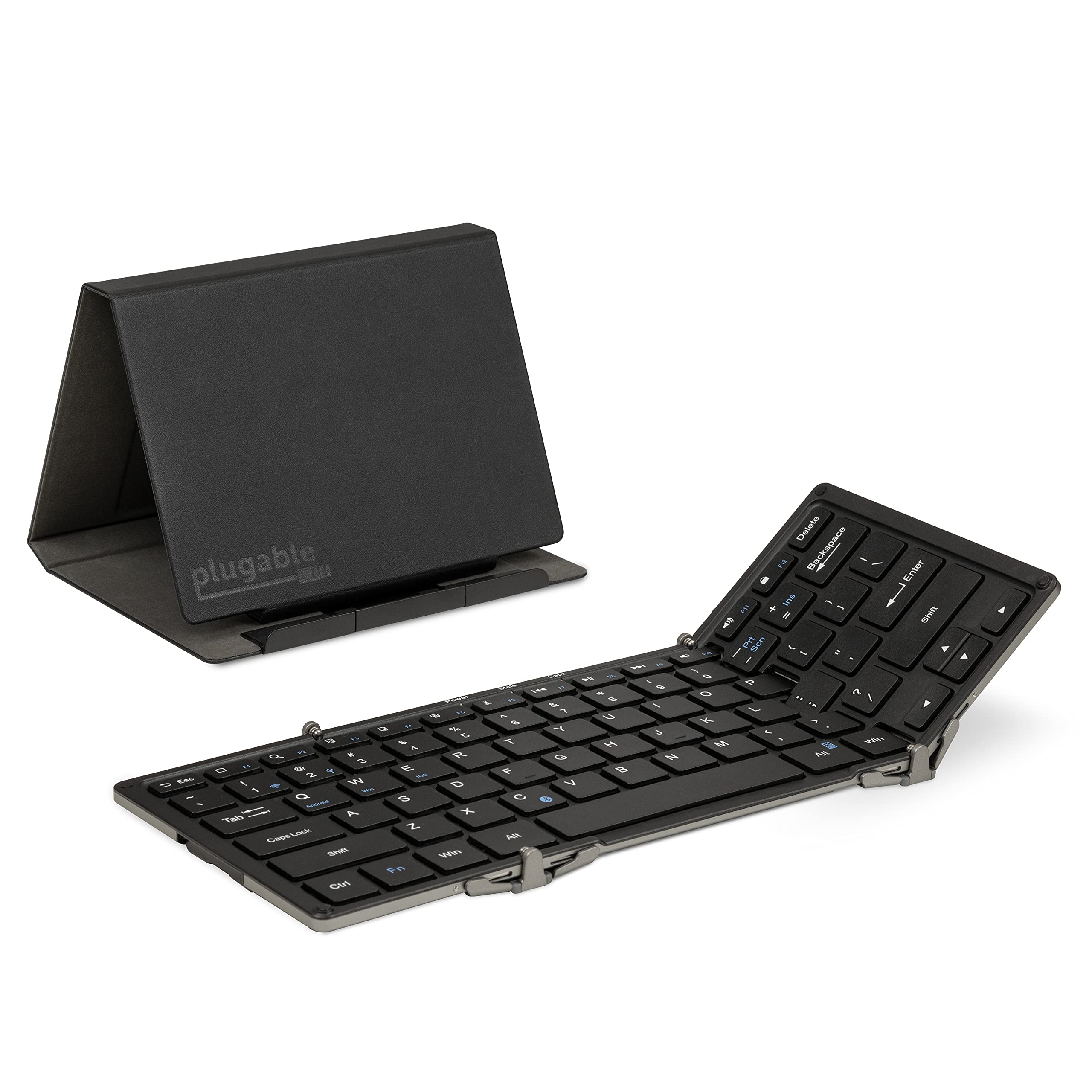
2. パッケージ内容
パッケージにすべてのアイテムが含まれていることを確認します。
- Plugable Foldable Bluetooth Keyboard (BT-KEY3XL)
- 保護ケース/スタンド
- USB充電ケーブル
- クイックスタートガイド

Video: Unboxing the Plugable Full-Size Keyboard, demonstrating the contents and initial presentation.
3. セットアップ
3.1 キーボードの充電
Before first use, fully charge the keyboard using the provided USB cable. Connect the small end of the USB cable to the keyboard's charging port and the other end to a USB power source (e.g., computer USB port, USB wall adapter).

3.2 折りたたみと展開
The keyboard features a foldable design for portability. To unfold, gently extend the side panels until they lock into place, forming a full-size keyboard. To fold, collapse the side panels inward.

3.3Bluetoothペアリング
The keyboard supports pairing with iOS, Android, Mac, and Windows devices.
- 電源オン: Unfold the keyboard to power it on. The power indicator light will illuminate.
- ペアリングモードに入る: を押す Fn キーを同時に押す C key. The Bluetooth indicator light will flash, indicating it is in pairing mode.
- OS モードを選択: For optimal key mapping, press Fn + Q Androidの場合、 Fn + W Windowsの場合、または Fn + E for iOS/macOS.
- デバイスで Bluetooth を有効にする: On your device (phone, tablet, computer), go to Bluetooth settings and ensure Bluetooth is enabled.
- キーボードを選択: Look for "Plugable Keyboard" or "BT-KEY3XL" in the list of available devices and select it to pair.
- ペアリングの確認: If prompted, enter the displayed code on the Plugable keyboard and press 入力. The Bluetooth indicator light will stop flashing and remain solid once successfully paired.
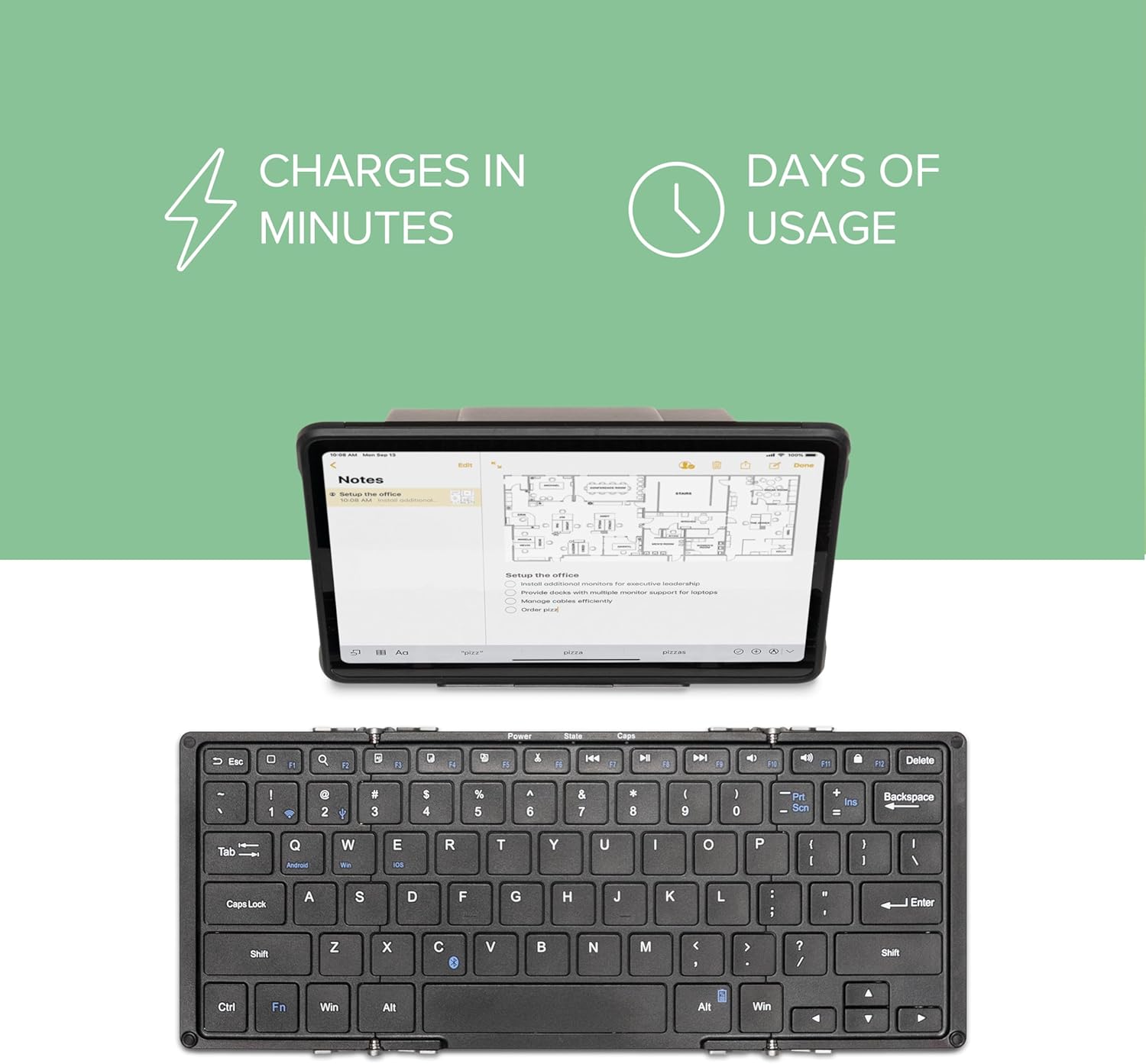
Video: A demonstration of the Plugable Foldable Bluetooth Keyboard's features and connectivity with tablets.
4. 操作手順
4.1 主な機能とショートカット
The keyboard features a standard QWERTY layout with additional function keys. Some keys have different functions depending on the selected operating system mode (Fn+Q/W/E).
- Fn + Top Row Keys (F1-F12): Access multimedia controls and system functions.
- Navigation Keys (Home, End, Page Up/Down): Accessed via Fn + Arrow keys on some systems.
- Edit Keys (Copy, Cut, Paste, Select All): Dedicated keys or Fn combinations available.
- OS固有のキー: Some keys are mapped differently for iOS, Android, and Windows. Refer to your device's operating system for specific key behaviors.
4.2 保護ケースをスタンドとして使用する
The included protective case can be folded into a stand to hold your smartphone or tablet, providing an ergonomic setup for typing.
- Unfold the case according to the diagrams provided in the quick start guide or on the product packaging.
- Ensure the magnetic clasps secure the stand in its triangular format.
- Place your device in the designated slot on the stand. The stand supports both landscape and portrait orientations.

Video: Demonstrating the Plugable Foldable Keyboard's ability to type on any device, highlighting its portability and versatility.
5. メンテナンス
5.1 クリーニング
キーボードを清掃するには、キーと表面を柔らかくて乾いた布で優しく拭いてください。amp cloth. Avoid using harsh chemicals or abrasive materials that could damage the finish or key legends.
5.2バッテリーケア
The keyboard uses a USB-rechargeable Li-Ion battery. To prolong battery life:
- バッテリーを頻繁に完全に放電することは避けてください。
- 長期間使用しない場合は、キーボードを涼しく乾燥した場所に保管してください。
- 長期間保管する場合は、過放電を防ぐために定期的にバッテリーを充電してください。
6。 トラブルシューティング
6.1 キーボードがペアリングされない
- キーボードが充電され、電源がオンになっていることを確認します。
- Confirm the keyboard is in pairing mode (Bluetooth indicator flashing after pressing Fn+C).
- Check that Bluetooth is enabled on your device and it is discoverable.
- Try forgetting the device on your host system's Bluetooth settings and re-pairing.
- Ensure the correct OS mode (Fn+Q/W/E) is selected for your device.
6.2 Keys Not Responding or Dropped Connection
- バッテリーレベルを確認し、必要に応じて充電してください。
- キーボードが Bluetooth デバイスの有効範囲内にあることを確認します。
- Restart both the keyboard (fold and unfold) and your host device.
- 強力な電磁干渉源を避けてください。
6.3 Keyboard Prevents Device from Sleeping (Windows)
- If connected via USB, disconnect the keyboard when not in use to allow the system to enter sleep mode properly.
- Check your computer's power management settings for USB devices.
7. 仕様
| モデル番号 | BT-KEY3XL |
| 接続技術 | Bluetoothワイヤレス |
| 対応デバイス | iPad, iPhone, Android Phones/Tablets, MacBooks, Windows Desktops/Laptops, Google Chromebooks, Linux |
| キーボードレイアウト | QWERTY |
| キーの数 | 78 |
| スイッチタイプ | はさみ |
| 材料 | アルミニウム |
| 製品寸法(展開) | 長さ11.5インチ x 幅4.75インチ x 高さ0.75インチ (290 x 117 x 13 mm) |
| Product Dimensions (Folded with cover) | 長さ6.6インチ x 幅5インチ x 高さ0.9インチ (167 x 124 x 23 mm) |
| Item Weight (Keyboard only) | 9.8オンス(278グラム) |
| Item Weight (Keyboard + cover) | 15.7オンス(446グラム) |
| 電源 | Battery Powered (USB-rechargeable Li-Ion) |
8. 保証とサポート
The Plugable Foldable Bluetooth Keyboard BT-KEY3XL comes with a 2年間の限定部品および作業保証. For technical support or warranty claims, please contact Plugable customer service. Details can be found on the official Plugable website or through the contact information provided with your product.