
1. はじめに
The ORICO M3H4-SV is a 4-port USB 3.0 hub designed to expand your device's connectivity. It features high-speed data transfer, a durable aluminum alloy construction, and broad compatibility with various operating systems. Its ergonomic design ensures convenient use for both home and office environments.

Image: The ORICO USB Hub connected to a laptop, demonstrating its use in an office setting.
2. 特徴
- 4ポート拡張: Easily expands one USB port into four, allowing connection of multiple peripherals simultaneously. Designed for durability, resisting wear from repeated plugging and unplugging. Utilizes USB PHY technology to prevent signal interference between individual ports.
- 5Gbps高速データ転送: Achieves a maximum data transfer speed of 5Gbps via the USB 3.0 communication protocol, significantly reducing synchronization time. It is backward compatible with USB 2.0 (480Mbps) and USB 1.1. Note: This product does not include a power adapter, and charging devices through it is not recommended.
- 人間工学に基づいた耐久性のあるデザイン: Features a 32° inclined design for enhanced convenience during use. Constructed from high-quality aluminum alloy, ensuring robustness, efficient heat dissipation, and long-lasting durability.
- Simple Plug and Play: Driver-free operation. Hot-swap functionality allows immediate use upon plugging in. Compatible with various operating systems including Mac, Windows, and Linux.
- 多重保護システム: Incorporates various safety features including short circuit protection, overvoltage protection, overcurrent protection, and leakage protection to safeguard connected devices.

Image: The ORICO USB Hub highlighting its high-speed USB 3.0 ports, capable of 5Gbps data transfer, compared to USB 2.0's 480Mbps.

Image: A close-up of the ORICO USB Hub, illustrating its 32° inclined design for easier access to ports.

Image: The ORICO USB Hub displaying icons for its multiple protection systems: short circuit, overvoltage, overcurrent, and leakage protection.
3. パッケージ内容
パッケージにすべてのアイテムが揃っていることを確認してください:
- 1x ORICO USB 3.0 Hub
- 1x USB 3.0 Cable (Black, 1m)
- ユーザーマニュアル x 1
- 1x サービスカード

Image: A visual representation of the package contents, including the ORICO USB 3.0 Hub, USB 3.0 cable, user manual, and service card.
4. セットアップ
- Unpack the ORICO M3H4-SV USB C Hub and its accessories from the packaging.
- Connect one end of the provided USB 3.0 cable to the USB C input port on the ORICO hub.
- Connect the other end of the USB 3.0 cable to an available USB port on your computer (Mac, Windows, or Linux).
- The hub is plug-and-play and does not require any driver installation. It should be recognized automatically by your operating system.
5. 操作手順
- Once the ORICO M3H4-SV hub is connected to your computer, you can begin connecting your USB devices to its four available USB 3.0 ports.
- Insert USB devices such as keyboards, mice, USB memory sticks, webcams, printers, or external hard drives into any of the four ports.
- The hub supports hot-swapping, meaning you can connect or disconnect devices without needing to restart your computer or the hub.
- For optimal performance, especially with high-bandwidth devices, ensure your computer's USB port supports USB 3.0.
- While the hub is designed for data transfer, it does not provide power for charging devices. For devices requiring external power, connect them directly to a power source or a powered hub.

Image: The ORICO USB Hub demonstrating compatibility with a range of devices including keyboards, webcams, cameras, mice, USB memory, iPads, mobile phones, and PC printers, across Windows, macOS, and Linux operating systems.
6. メンテナンス
- ハブを清潔に保つには、柔らかく乾いた布で拭いてください。液体クリーナーや溶剤の使用は避けてください。
- ハブを極端な温度、湿度、直射日光にさらさないでください。
- ハブを落としたり、強い衝撃を与えたりしないでください。
- Ensure proper ventilation around the hub to prevent overheating, although its aluminum design aids in heat dissipation.
7。 トラブルシューティング
- デバイスが認識されません:
- ハブがコンピューターの USB ポートにしっかりと接続されていることを確認します。
- ハブをコンピューターの別のUSBポートに接続してみてください。
- Test the USB device by connecting it directly to your computer to rule out device issues.
- コンピュータを再起動します。
- データ転送速度が遅い:
- Ensure both the hub and your connected device support USB 3.0 for 5Gbps speeds. If either is USB 2.0, speeds will be limited to 480Mbps.
- 利用可能な帯域幅を共有する可能性があるため、同時に高帯域幅のデバイスを多数接続することは避けてください。
- Ensure your computer's USB port is a USB 3.0 port (often blue inside).
- ハブは暖かく感じます:
- アルミニウムcでは正常ですasing to feel warm during operation, especially during heavy data transfer, as it is designed for heat dissipation.
- If it feels excessively hot, disconnect it and ensure it has adequate ventilation.
8. 仕様
| ブランド | オリコ |
| モデル | M3H4-SV |
| 色 | 銀 |
| ハードウェアインターフェイス | USB3.0 について |
| データ転送速度 | 5 Gigabits per second (5Gbps) |
| ポート数 | 4 |
| オペレーティングシステムの互換性 | Mac、Windows、Linux |
| 材料 | アルミニウム合金 |
| ケーブル長さ | 1メートル |
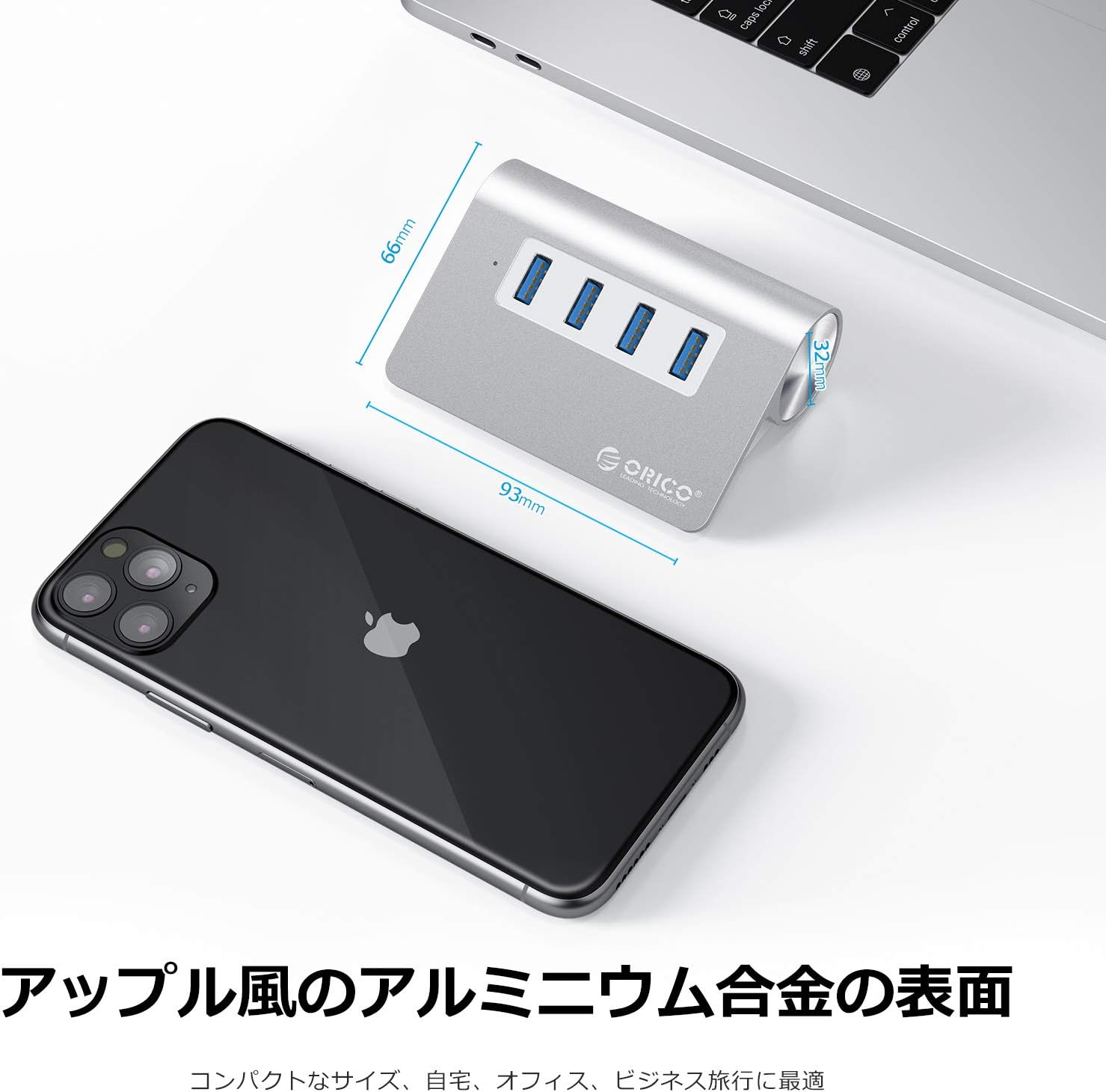
Image: The ORICO USB Hub with its dimensions (93mm length, 66mm width) and highlighting its aluminum alloy surface, suitable for various environments.
9. 保証とサポート
オリコは 12ヶ月の保証期間 for this product from the date of purchase. Additionally, lifetime technical support is available to assist you with any product-related inquiries or issues.
For technical support or warranty claims, please refer to the service card included in your package or visit the official ORICO webサイト:
保証のために購入証明書を保管してください。