
1. はじめに
This manual provides detailed instructions for the safe and efficient operation of your UNIC UC50 Mini Projector. Please read this manual thoroughly before using the device and retain it for future reference.
The UNIC UC50 is a compact DLP projector designed for various multimedia applications, offering portability and ease of use.
2. パッケージ内容
下記のすべての品目がパッケージに含まれていることをご確認ください。不足または破損している品目がある場合は、販売店までご連絡ください。
- 1x UNIC UC50 Projector
- ユーザーマニュアル (本書) x 1
- 1x電源アダプター
- ケーブル1本
- リモコン x 1

図2.1: UNIC UC50 Mini Projector and included accessories. The image displays the compact projector unit along with its power adapter, remote control, and connecting cables, all neatly arranged.
3.製品オーバーview
Familiarize yourself with the various components and ports of your UNIC UC50 Mini Projector.
3.1フロント View

図3.1.1: フロント view of the UNIC UC50 Mini Projector with the lens cover open. This view highlights the projection lens and the sliding lens cover mechanism.

図3.1.2: フロント view of the UNIC UC50 Mini Projector with the lens cover closed. The sliding cover protects the lens when the projector is not in use.
3.2 サイド Views (Input/Output Ports)

図3.2.1: 側 view of the UNIC UC50 Mini Projector, displaying the USB port and SD card slot for media input.

図3.2.2: 反対側 view of the UNIC UC50 Mini Projector, featuring the HDMI input, AV input, and 3.5mm earphone output jack.
3.3 リア View

図3.3.1: 後方 view of the UNIC UC50 Mini Projector. This side includes the focus adjustment wheel and the DC 5V 2A power input port.
3.4 トップ View
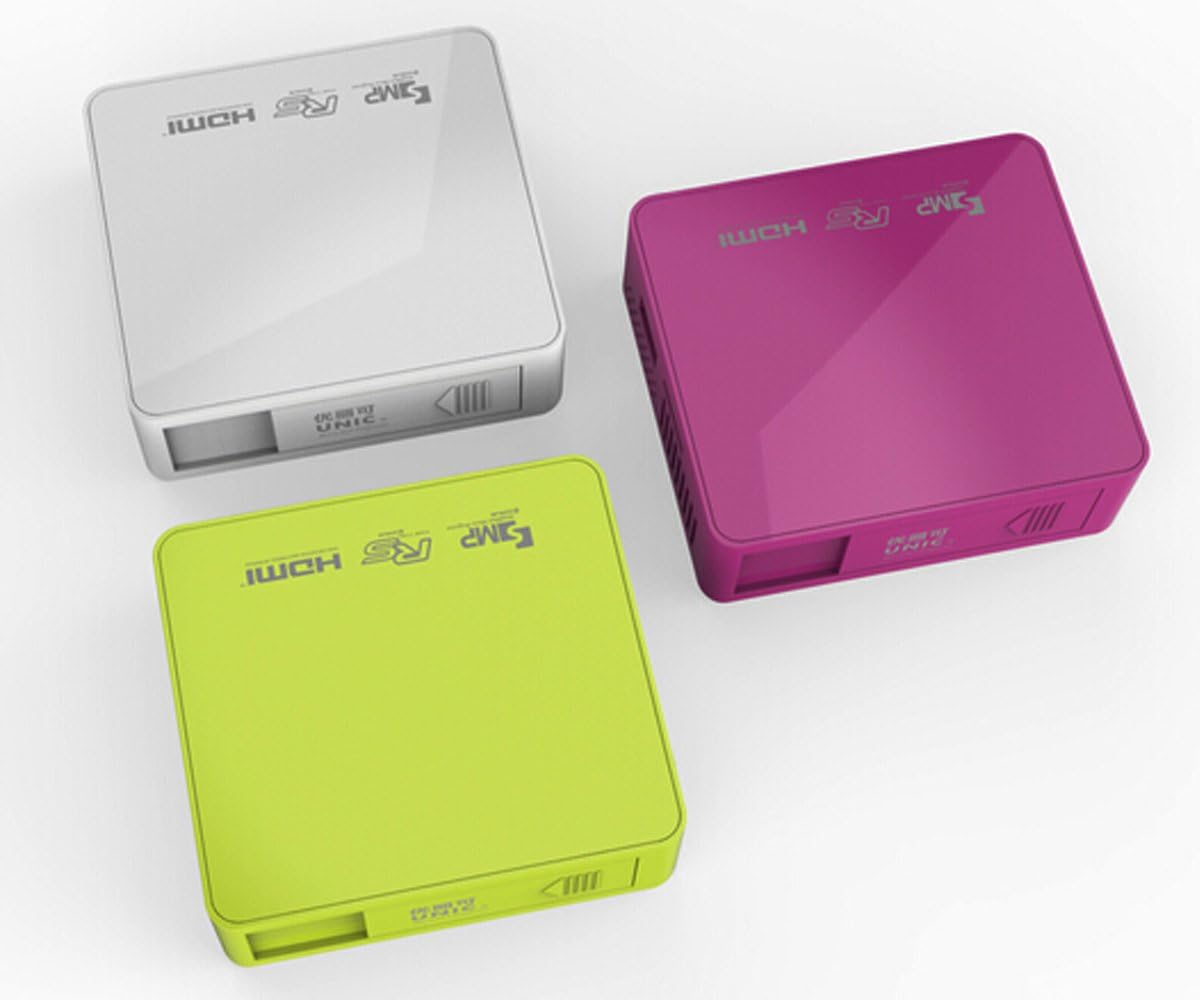
図3.4.1: トップ view of the UNIC UC50 Mini Projector, showing the minimalist design and branding.
4. セットアップ
4.1電源接続
- Connect the provided power adaptor to the DC 5V 2A input port on the rear of the projector.
- Plug the power adaptor into a standard electrical outlet (AC 100-240V, 50/60Hz).
- The projector will power on automatically or can be turned on using the remote control.
4.2 配置と投影
- プロジェクターを安定した平らな面に設置します。
- Ensure the projection surface (screen or wall) is clean and smooth.
- Adjust the projection distance between 35.5 cm and 430 cm to achieve the desired image size (14-150 inches).
- 最適な viewing, operate the projector in a dimly lit room.
5. 操作手順
5.1 フォーカスの調整
Rotate the focus adjustment wheel located on the rear of the projector until the projected image appears clear and sharp.
5.2 入力ソースの選択
The UNIC UC50 supports multiple input sources:
- USB: USB フラッシュドライブを USB ポートに挿入します。
- SD: SD カードを SD カード スロットに挿入します。
- AV: Connect an AV cable to the AV input port.
- HDMI: Connect an HDMI cable to the HDMI input port.
Use the remote control to navigate the on-screen menu and select the desired input source.
5.3 マルチメディア再生
When a USB drive or SD card is inserted, the projector's UNIC Multimedia OS will allow you to browse and play supported file フォーマット:
- ビデオフォーマット: MP4, AVI, MOV, VOB, DAT, MPEG, MPG, RM, RMVB (Video encoding: MPEG1/MPEG2/MPEG4/DivX/Xvid)
- オーディオフォーマット: MP3、WMA、WAV、AAC、OGG、ASF
- 画像フォーマット: JPG、BMP、PNG
- Document Format: TXT
ナビゲートする fileリモコンを使用して、再生するコンテンツを選択します。
5.4オーディオ出力
The projector has built-in speakers (1.0W *2). For private listening or connecting external audio systems, use the 3.5mm earphone output jack.
6. メンテナンス
6.1 レンズのクリーニング
光学レンズ専用の柔らかく糸くずの出ない布を使用して、プロジェクターレンズを優しく拭いてください。研磨剤入りのクリーナーを使用したり、無理な力で拭いたりするとレンズに傷がつく可能性があるため、使用は避けてください。
6.2 プロジェクター本体のクリーニング
プロジェクターの外装は、柔らかく乾いた布で拭いてください。液体クリーナーや溶剤は使用しないでください。
6.3 ストレージ
When not in use, store the projector in a cool, dry place, away from direct sunlight and extreme temperatures. Ensure the lens cover is closed to protect the lens from dust.
7。 トラブルシューティング
| 問題 | 考えられる原因 | 解決 |
|---|---|---|
| 画像が投影されない |
|
|
| 画像がぼやけている |
|
|
| 音が出ない |
|
|
| リモコンが動作しない |
|
|
8. 仕様
| 特徴 | 詳細 |
|---|---|
| 画像システム | 情報漏洩防止 |
| Lamp タイプ | 導かれた |
| ネイティブ解像度 | 854 x 480 ピクセル |
| サポートされている解像度 | 最大1920 x 1080ピクセル(1080P) |
| アスペクト比 | 4:3 / 16:9 |
| オペレーティング·システム | UNIC Multimedia OS |
| 輝度 | 800ルーメン |
| コントラスト比 | 800:1 |
| レンズ | 125 倍 |
| 集中 | マニュアル |
| Lamp 勤務時間 | 20,000時間 |
| 画像サイズ | 14~150インチ |
| 投影距離 | 35.5cm~430cm |
| 投影モード | フロントプロジェクション |
| 操作モード | 手動/リモートコントロール |
| 出力ポート | 3.5mmイヤホン |
| 入力ポート | USB, SD, AV, HDMI, IR |
| 電源入力 | AC 100-240V、50/60Hz |
| 出力 | DC 5V 2A |
| 消費電力 | 10W |
| スピーカー | 1.0W×2 |
| 重さ | 130グラム |
| 寸法(長さ×幅×高さ) | 78 x 71 x 24.5 ミリメートル |
| OS言語 | English, Polski, Russian, Deutsch, Spanish, Czech, etc. (23 Languages) |
| 特集 | 3D対応 |
9. 保証とサポート
The UNIC UC50 Mini Projector comes with a standard manufacturer's warranty. Please refer to the warranty card included in your package for specific terms and conditions, including warranty period and coverage details.
For technical support, troubleshooting assistance beyond this manual, or warranty claims, please contact your original point of purchase or visit the official UNIC support webサイト(利用可能な場合)。
Note: Specific warranty details and support contact information may vary by region and retailer.