
1. 重要な安全情報
- 換気: Ensure adequate ventilation around the projector. Do not block ventilation openings. Overheating can cause damage.
- 電源: Use only the specified power adapter. Disconnect power during thunderstorms or when unused for long periods.
- 水分: Do not expose the projector to rain, moisture, or liquids.
- クリーニング: プロジェクターは柔らかく乾いた布で拭いてください。研磨剤入りの洗剤は使用しないでください。
- レンズケア: Handle the lens with care. Clean gently with a lens cleaning cloth.
- 配置: Place the projector on a stable, level surface. Avoid direct sunlight or heat sources.
- 目の保護: プロジェクターレンズを直接見ないでください。amp オンです。
2.製品オーバーview
2.1. Projector Dimensions
The Excelvan EHD02 projector has compact dimensions, making it portable. The approximate dimensions are 152mm (width) x 220mm (depth) x 76mm (height).
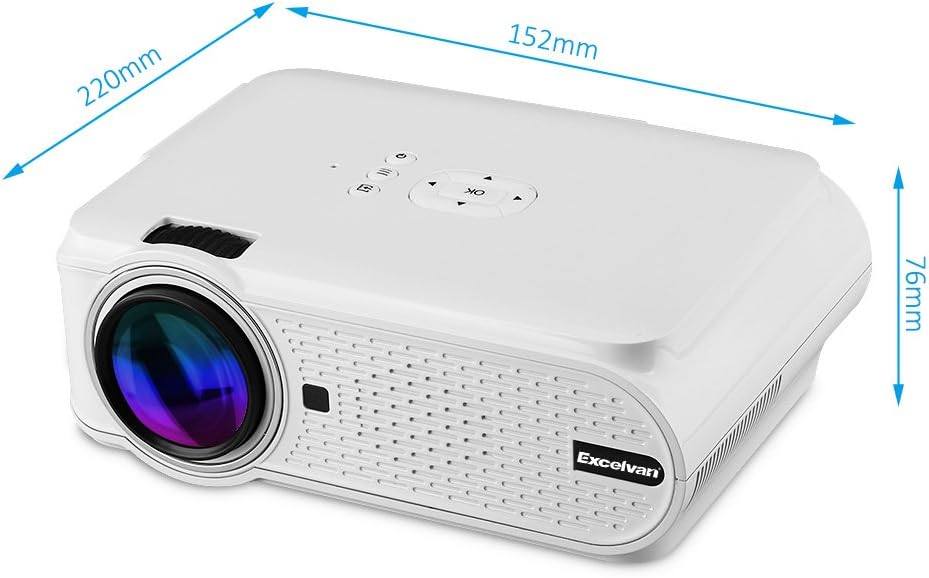
Figure 1: Excelvan EHD02 Mini Projector with labeled dimensions.
2.2. Projector Components and Interfaces
Familiarize yourself with the various ports and controls on your projector for proper setup and operation.

Figure 2: Top controls and rear panel interfaces of the Excelvan EHD02 Projector.
- 上部のコントロール: OK button, Up/Down/Left/Right navigation, Back, Menu, Power.
- Rear Interfaces: VGA port, USB port, Power plug, AV input, 3.5mm Audio port, IR receiver, HDMI port, Keystone adjustment, SD Card slot, TV antenna input.
3. セットアップ
3.1.配置
Position the projector on a flat, stable surface. The projection distance determines the image size. For optimal viewing, ensure the projector is centered with the screen or projection surface.
- 投影距離: 1.2 to 3.8 meters (approximately 3.9 to 12.5 feet).
- 画像サイズ: 37 to 130 inches (diagonal).
- 投影方法: 前面、背面、天井投影をサポートします。
3.2. 電源接続
- 電源コードをプロジェクターの電源入力に接続します。
- 電源コードのもう一方の端を適切な電源コンセントに差し込みます。
- 電源インジケータライトが点灯します。

Figure 3: Power cord and remote control for the projector.
3.3. 入力ソースの接続
プロジェクターは複数の入力ソースをサポートしています:
- HDMI: Connect to devices like laptops, Blu-ray players, or gaming consoles using an HDMI cable.
- USB: メディアを再生するにはUSBフラッシュドライブを挿入します file直接。
- SDカード: メディアを再生するにはSDカードを挿入してください files.
- AV: 付属の AV ケーブルを使用して、コンポジットビデオ出力を備えた古いデバイスに接続します。
- VGA: VGA ケーブルを使用してコンピューターに接続します。
- テレビ: Connect a TV antenna for analog TV reception.
- 3.5mmオーディオ: 外部スピーカーまたはヘッドフォンを接続します。
3.4. フォーカスとキーストーン補正
- フォーカス調整: 画像が鮮明に表示されるまで、プロジェクター レンズのフォーカス リングを回転させます。
- キーストーン補正: If the projected image appears trapezoidal (wider at the top or bottom), use the keystone adjustment dial (typically on the side or rear) to correct the image shape. The projector supports ±12° vertical manual keystone correction.
4. 操作手順
4.1.電源のオン/オフ
- 電源オン: プロジェクターまたはリモコンの電源ボタンを押します。
- 電源を切る: Press the Power button again. The projector will go into standby mode.
4.2. Menu Navigation and Input Selection
- Use the navigation buttons (Up, Down, Left, Right) and the OK button on the projector or remote to navigate through the on-screen menu.
- Press the "Input" or "Source" button (if available on remote, or navigate through menu) to select your desired input source (HDMI, USB, SD, AV, VGA, TV).
4.3. スマートフォン接続
Connecting smartphones requires specific cables:
- iPhone/iPad: Requires an original Apple composite AV cable.
- Androidの電話番号: Requires an MHL cable, and the phone must support MHL (Mobile High-Definition Link).
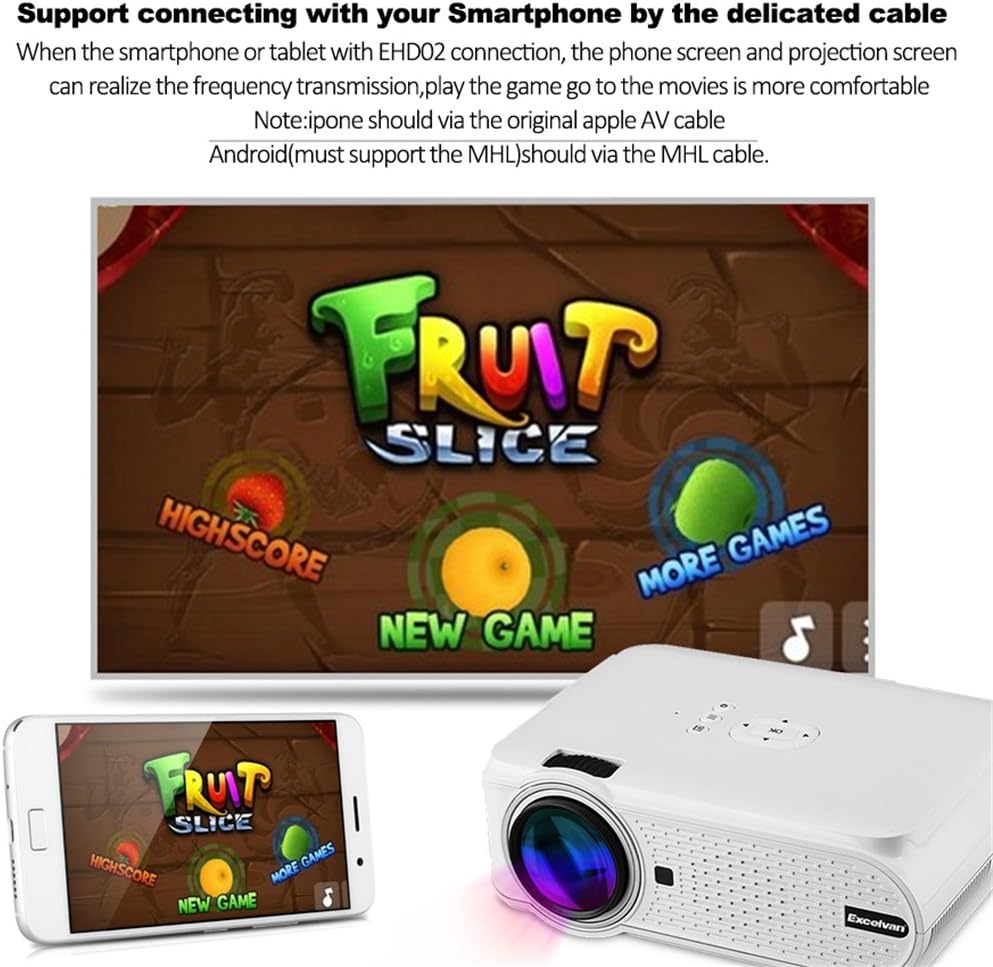
図4:例ample of smartphone connection for content projection.
4.4. 3D Playback
The Excelvan EHD02 projector supports red-blue 3D content only. To view 3Dコンテンツ:
- Obtain red-blue 3D source content.
- Use red-blue 3D glasses for viewing。
5. メンテナンス
- レンズクリーニング: プロジェクターレンズを拭く際は、光学レンズ専用の柔らかく糸くずの出ない布を使用してください。素手でレンズに触れないようにしてください。
- ほこりの除去: Periodically clean the projector's exterior with a soft, dry cloth. Ensure ventilation openings are free from dust and obstructions to prevent overheating.
- ストレージ: 長期間使用しない場合は、プロジェクターをほこりから保護し、涼しく乾燥した場所に保管してください。
6。 トラブルシューティング
| 問題 | 考えられる原因 | 解決 |
|---|---|---|
| 画像が投影されない |
|
|
| 画像がぼやけている |
|
|
| 画像は台形です |
|
|
| 音が出ない |
|
|
| リモコンが動作しない |
|
|
| Projector is noisy or hot |
|
|
7. 仕様
| 特徴 | 詳細 |
|---|---|
| モデル | エクセルバン EHD02 |
| 表示タイプ | TFT- Single LCD Panel + LED Technology |
| ネイティブ解像度 | 800 x 480 ピクセル |
| サポートされている解像度 | Up to 1080p (1920 x 1080) |
| 輝度 | 1000ルーメン |
| 投影レンズ | F=126mm, Manual Focus |
| コントラスト比 | 1000:1 |
| アスペクト比 | 4:3 / 16:9 |
| 内蔵スピーカー | 4Ω2W |
| LED大amp 人生 | 20,000時間 |
| 表示可能な色 | 1.67 Million Colors (Full Color) |
| メニュー言語 | English, Spanish, French, German, Portuguese, Italian, Chinese, etc. |
| 投影法 | フロント、リア、天井 |
| インターフェース | 1x VGA, 1x USB, 1x SD, 1x HDMI, 1x 3.5mm Audio, 1x AV, 1x TV |
| 画像サイズ(対角) | 37~130インチ |
| 投影距離 | 1.2~3.8メートル |
| 画面調整 | Horizontal and Vertical Flip; Image Zoom |
| キーストーン補正 | ±12°垂直(手動) |
| 寸法(長さ×幅×高さ) | 220mm x 152mm x 76mm |
| 重さ | 1.44キロ |
8. 保証とサポート
The Excelvan EHD02 Mini Portable LED Projector comes with a 2年間保証 購入日より。
For technical support, warranty claims, or further assistance, please contact your retailer or the Excelvan customer service department. Please have your model number (EHD02) and purchase information ready when contacting support.