
導入
The Vonyx STM2270 is a versatile 2-channel DJ mixer designed for both aspiring and experienced DJs. It integrates modern features such as Bluetooth connectivity and a USB/SD card MP3 player, alongside essential DJ tools like a crossfader and microphone input. This manual provides detailed instructions for the safe and efficient setup, operation, and maintenance of your Vonyx STM2270 mixer.
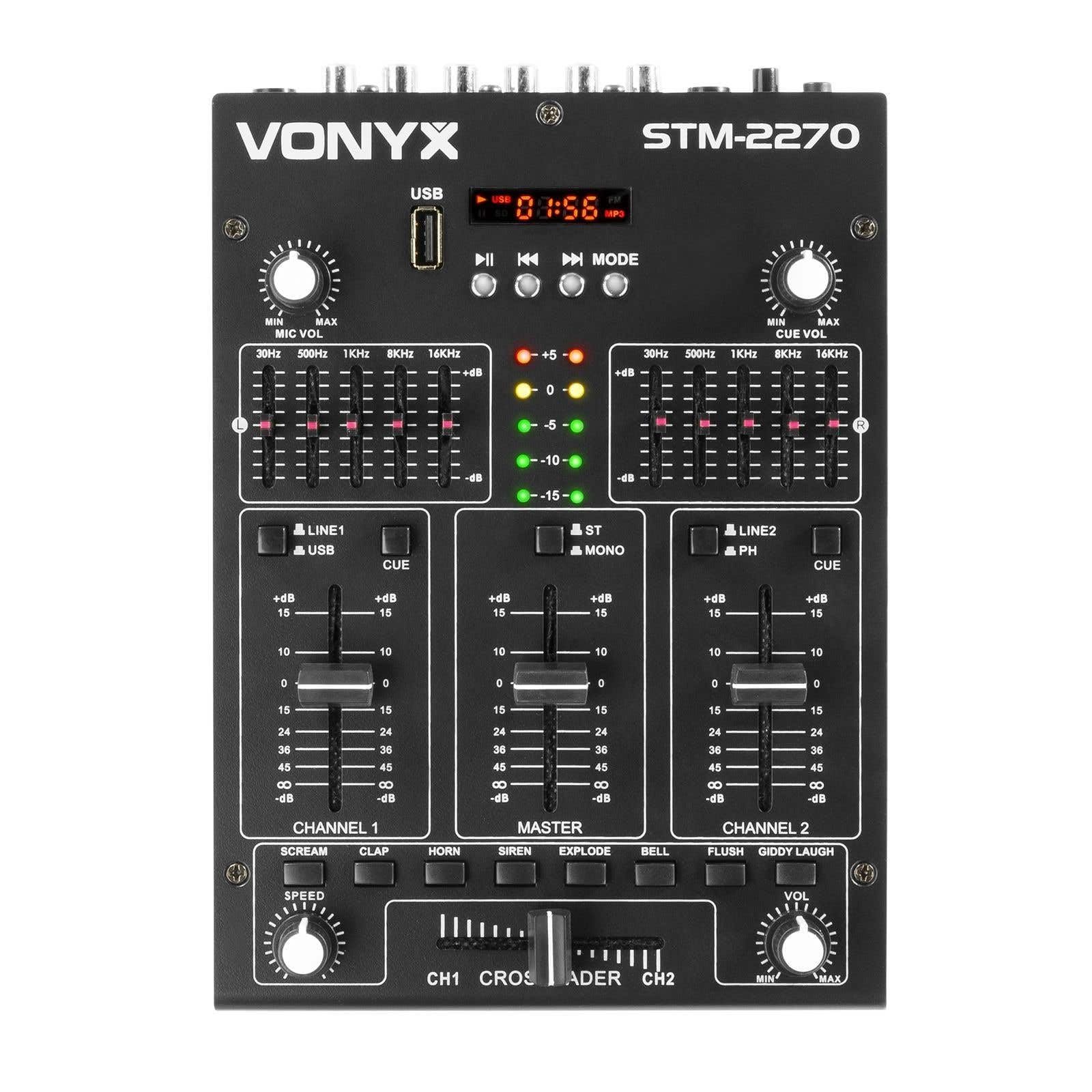
フロント view of the Vonyx STM2270 DJ Mixer, showing all controls and inputs.
設定
開梱
- パッケージからすべてのコンポーネントを慎重に取り出します。
- すべての部品が揃っていて損傷がないことを確認します。
- 将来の輸送や保管のために、元の梱包を保管してください。
電源接続
- Ensure the mixer is switched off before connecting the power supply.
- Connect the provided 14V/600mA power adapter to the DC input on the rear panel of the mixer.
- 電源アダプタを標準の 220V AC 電源コンセントに差し込みます。
オーディオ接続
The STM2270 offers various input and output options for connecting your audio sources and sound system.
Rear panel of the Vonyx STM2270 DJ Mixer, showing power input, master output, line/phono inputs, and microphone input.
- マスター出力: Connect your main sound system (amplifiers, powered speakers) to the MASTER OUTPUT RCA jacks.
- ライン/フォノ入力: Connect CD players, media players, or other line-level devices to the LINE inputs. For turntables, use the PHONO inputs. Ensure the correct input type is selected on the mixer.
- マイク入力: Connect a microphone to the 6.3mm jack input on the rear panel.
- ヘッドフォン出力: Connect your headphones to the 6.3mm jack on the front panel for monitoring.
オペレーティング
電源のオン/オフ
- To power on, ensure all volume controls are at their minimum setting, then press the POWER button.
- To power off, lower all volume controls, then press the POWER button.
チャンネルコントロール
The mixer features two main channels, each with dedicated controls:
- 入力セレクター: Switch between LINE/USB (for Channel 1) or LINE/PHONO (for Channel 2) inputs.
- ゲインコントロール: クリッピングを防ぐために各チャンネルの入力レベルを調整します。
- イコライザー(EQ): Each channel has 2-band EQ controls (High and Low) to adjust the tone of the audio. (Highs: ±10dB, Lows: ±10dB).
- チャンネルフェーダー: Controls the volume of the respective channel.
- CUEボタン: Activates pre-fader listening (PFL) for the channel through headphones.

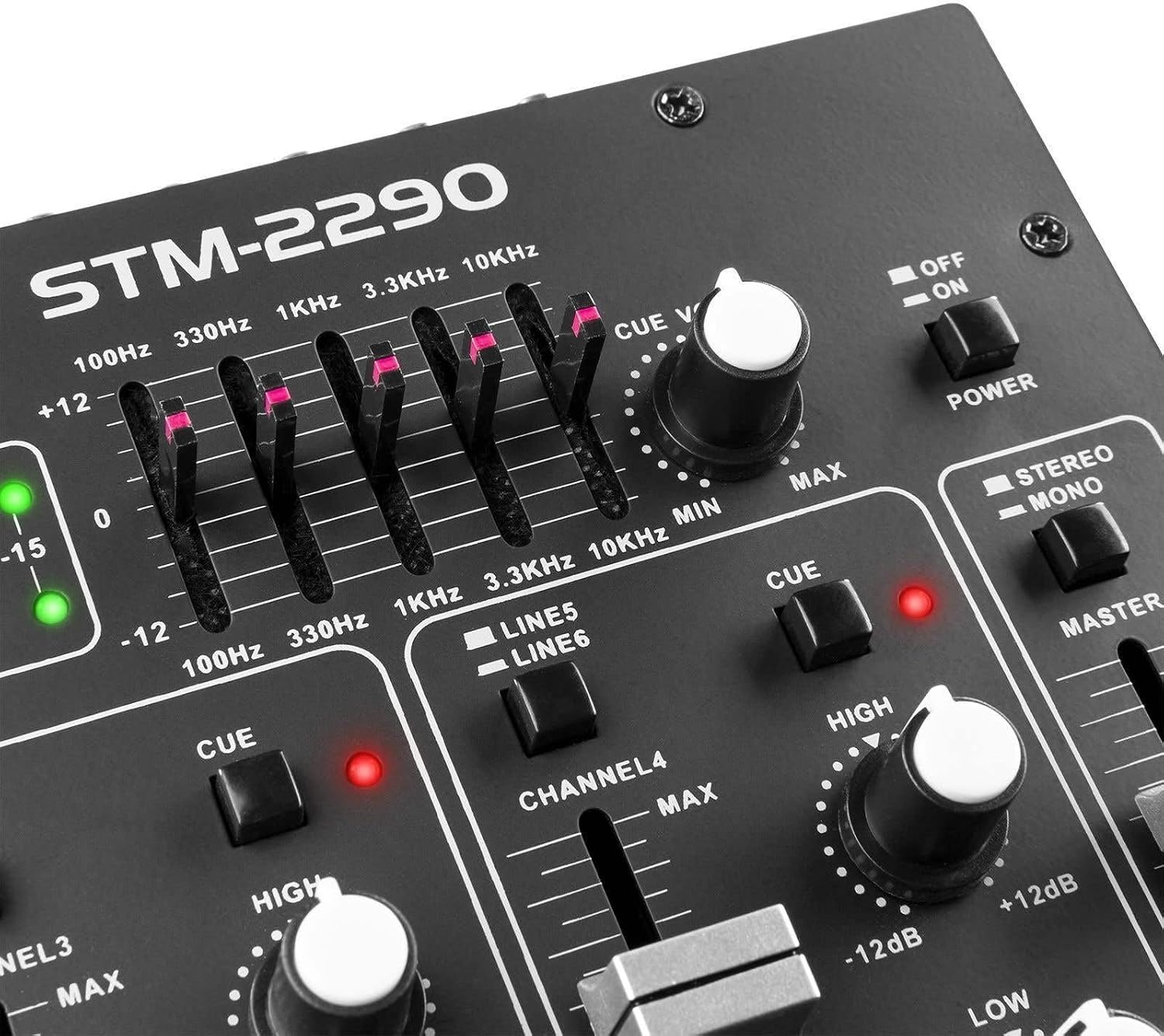
Close-up of the EQ section and LED level meters.
Master and Crossfader
- マスターフェーダー: ミキサーの全体的な出力音量を制御します。
- クロスフェーダー: Allows for smooth transitions between Channel 1 and Channel 2. Slide the crossfader to the left for Channel 1, to the right for Channel 2, and to the center for a blend of both.

Close-up of the crossfader and integrated sound effects buttons.
Bluetooth接続
- Activate the Bluetooth function on the mixer (usually via the MP3 player section).
- 外部デバイス(スマートフォン、タブレットなど)で Bluetooth を有効にします。
- 検索する and select "Vonyx STM2270" (or similar) in your device's Bluetooth settings to pair.
- Once paired, audio from your device will be routed through the mixer.
USB/SD MP3 Player
- MP3オーディオが入ったUSBフラッシュドライブまたはSDカードを挿入します file指定されたスロットに挿入します。
- Use the player controls (Play/Pause, Next, Previous, Mode) to navigate and play tracks.
- The display will show track information and playback time.

Close-up of the USB port and SD card slot for the integrated MP3 player.
マイクの使用
- Connect your microphone to the MIC input.
- Adjust the MIC VOL knob to control the microphone's volume.
- The mixer may include a 'talkover' function, which automatically lowers the music volume when the microphone is in use, allowing vocals to be heard clearly.
サウンドエフェクト
The mixer includes integrated sound effects. Use the dedicated buttons to trigger effects and the SPEED knob to adjust their characteristics.
メンテナンス
クリーニング
- Disconnect the mixer from power before cleaning.
- 外側を拭くときは、柔らかく乾いた布を使用してください。
- 頑固な汚れには、軽くamp 中性洗剤を含ませた布で拭いた後、乾いた布で拭いてください。
- Avoid using abrasive cleaners, solvents, or excessive moisture, as these can damage the unit.
ストレージ
- ミキサーは直射日光や極端な温度を避け、涼しく乾燥した場所に保管してください。
- If storing for an extended period, use the original packaging to protect against dust and physical damage.
トラブルシューティング
If you encounter issues with your Vonyx STM2270 mixer, refer to the following common problems and solutions:
- 電源なし:
- Check if the power adapter is securely connected to both the mixer and the electrical outlet.
- 電源コンセントが機能していることを確認します。
- サウンド出力なし:
- Ensure the Master Fader is raised.
- Check that individual Channel Faders are raised and not muted.
- Verify all audio cables are correctly connected to the mixer's inputs and outputs, and to your sound system.
- Confirm the correct input source is selected for each channel.
- 歪んだオーディオ:
- Reduce the Gain control for the input channel to prevent clipping (indicated by red LEDs on the level meter).
- Check the volume levels on your connected audio sources.
- オーディオ ケーブルに損傷や接続の緩みがないか検査します。
- Bluetooth接続の問題:
- Ensure the mixer's Bluetooth function is active and in pairing mode.
- Make sure your external device's Bluetooth is enabled and searching for devices.
- Move your device closer to the mixer to ensure it's within range.
- デバイスのペアリングを解除して再度ペアリングしてみてください。
- Humming/Noise in Headphones:
- すべての接続が安全であることを確認します。
- ヘッドフォンの問題を排除するために、さまざまなヘッドフォンでテストします。
- Check for potential ground loops or interference from other electronic devices nearby.
仕様
| 特徴 | 仕様 |
|---|---|
| ブランド | ヴォニクス |
| モデル | STM2270 |
| チャンネル数 | 2 (with multiple inputs per channel) |
| 周波数応答 | 20 Hz - 20 KHz |
| THD(全高調波歪み) | < 0.05% |
| イコライザー(EQ) | Highs: ±10dB, Lows: ±10dB |
| マイク入力 | 10 mV / 10 K Ohm (6.3mm Jack) |
| ライン入力 | 300 mV / 30 K Ohm |
| フォノ入力 | 15 mV / 22 K Ohm |
| マスター出力 | 2 V / 400 Ohm (RCA) |
| ヘッドホンインピーダンス | 16~32オーム |
| 信号対ノイズ比 | > 70dB |
| 電源 | 14 V / 600 mA (AC Adapter) |
| 営業巻tage | 220ボルト |
| 接続技術 | ブルートゥース、USB |
| 寸法(D x W x H) | 24 cm x 20 cm x 6 cm |
保証とサポート
This Vonyx STM2270 DJ Mixer is covered by a manufacturer's warranty, subject to the terms and conditions provided at the time of purchase. Please retain your proof of purchase for warranty claims.
For technical support, service, or warranty inquiries, please contact your retailer or the official Vonyx support channels. Refer to the product packaging or the Vonyx web連絡先情報のサイト。
Do not attempt to repair the unit yourself, as this may void your warranty and could result in electrical shock or damage to the device.