
導入
ご購入ありがとうございますasing the Capello Self-Setting Atomic Clock with Calendar & Indoor Temperature. This clock is designed to provide accurate timekeeping, date display, and indoor temperature readings, all within a sleek, contemporary design. Its self-setting atomic feature ensures precise time synchronization.
主な特徴
- Self-Setting Atomic Time: Automatically synchronizes with the WWVB radio signal for precise time.
- デジタルディスプレイ: Bright and easy-to-read digital readout.
- カレンダー機能: 月、日、曜日を表示します。
- 室内温度: Provides current indoor temperature in Fahrenheit or Celsius.
- デュアルアラーム: Two independent alarm settings for versatile use.
- 洗練されたデザイン: Durable polyurethane frame with a black plastic face, suitable for any room decor.
- 電池駆動: Operates on AAA batteries (not included).
パッケージ内容
- Capello Self-Setting Atomic Clock
- ユーザーマニュアル(このドキュメント)
設定
1. バッテリーの取り付け
Locate the battery compartment on the back of the clock. Insert 3 AAA batteries (not included) according to the polarity indicators (+ and -). Ensure the battery compartment cover is securely closed.
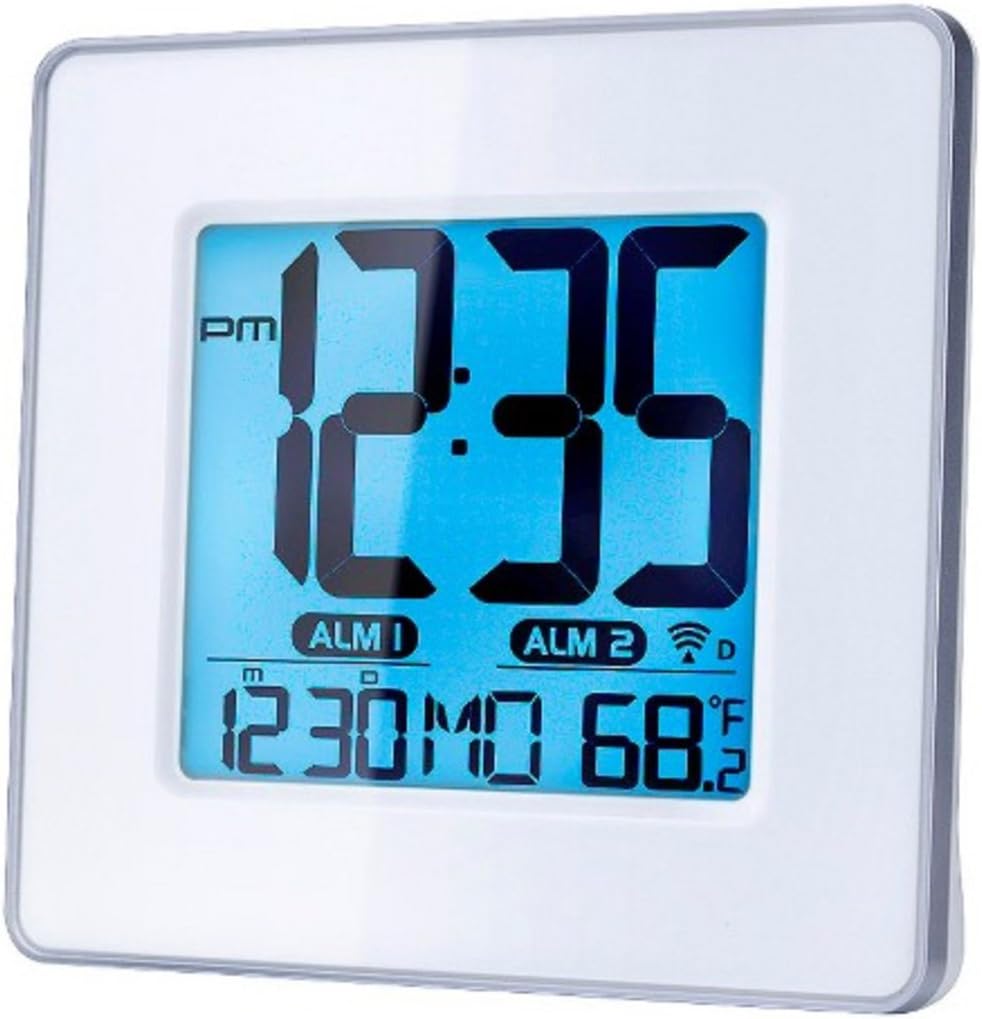
図1: フロント view of the Capello Self-Setting Atomic Clock. This image displays the clock's digital screen, showing the time (12:35 PM), two alarm indicators (ALM 1, ALM 2), the date (12:30 MO), and the indoor temperature (68.2°F). The clock has a white frame and a blue-tinted digital display.
2. Initial Power-On and Atomic Signal Reception
Upon battery installation, the clock will automatically attempt to receive the WWVB atomic time signal. This process may take several minutes to several hours, especially during initial setup. For best reception, place the clock near a window and away from electronic devices that may cause interference. The atomic signal is typically stronger at night.

図2: クローズアップフロント view of the Capello Self-Setting Atomic Clock. This image highlights the clear digital display, which shows the time, date, and temperature. The white frame of the clock is visible, emphasizing its clean design.
A signal strength indicator (often a tower icon with waves) will appear on the display once a successful signal is received. If the signal is not received immediately, the clock will default to a manual time setting. You can manually initiate a signal search by holding the "WAVE" button (if present) on the back of the clock for a few seconds.
操作手順
1. 手動の時刻と日付の設定
In case the atomic signal is not available or for manual adjustment:
- を押し続けます セット button (or similar, refer to back panel buttons) for a few seconds until the display flashes.
- 使用 UP そして 下 点滅している値(時間、分、年、月、日など)を調整するためのボタン。
- プレス セット again to confirm the selection and move to the next setting.
- Repeat until all desired settings are configured.
2.アラーム設定
The clock features two independent alarms (ALM 1 and ALM 2).
- を押す アラーム button (or ALM 1/ALM 2 button) to select the alarm you wish to set.
- を押し続けます アラームセット button (or similar) until the alarm time flashes.
- 使用 UP そして 下 アラームの時間と分を調整するボタン。
- プレス アラームセット 確認します。
- アラームを有効/無効にするには、対応する アラームのオン/オフ ボタンを押します。アラームがオンになると、ディスプレイにアラームアイコンが表示されます。
3.温度表示
The clock displays indoor temperature. To switch between Fahrenheit (°F) and Celsius (°C), locate the °F/°C button on the back of the unit and press it.

図3: 角度付き view of the Capello Self-Setting Atomic Clock. This perspective shows the clock's depth and the sleek design of its white frame, along with the clear digital display from a side angle.
メンテナンス
クリーニング
時計は柔らかく乾いた布で拭いてください。研磨剤入りの洗剤や溶剤は、ディスプレイや液晶画面を傷める恐れがあるため、使用しないでください。asing.
バッテリー交換
When the display dims or the clock stops functioning, replace the AAA batteries. Always replace all batteries at the same time with new ones. Dispose of old batteries responsibly according to local regulations.
トラブルシューティング
| 問題 | 考えられる原因 | 解決 |
|---|---|---|
| 時計が自動的に設定されません。 | Weak or no atomic signal reception. Interference from other electronics. Incorrect time zone setting. | Relocate the clock closer to a window, away from electronic devices (TVs, computers, microwaves). Try initiating a manual signal search (WAVE button). Ensure correct time zone is set if applicable. Note that the signal is often stronger at night. |
| ディスプレイが暗いか空白です。 | 電池残量が少なくなっています。 | Replace all AAA batteries with new ones. |
| Time is incorrect after Daylight Saving Time change. | Atomic clock may take up to 24 hours to adjust or requires manual adjustment for DST. | Allow up to 24 hours for automatic adjustment. If it doesn't adjust, manually set the time. Some atomic clocks may not automatically adjust for DST and require manual intervention. |
| アラームが鳴らない。 | Alarm not activated. Alarm volume too low (if adjustable). | Ensure the alarm icon is visible on the display. Check alarm settings and ensure the time is correctly set. |
仕様
| 特徴 | 詳細 |
|---|---|
| ブランド | カペッロ |
| モデル | B0170ZSMGG |
| 表示タイプ | デジタル |
| 電源 | 電池式(単4電池3本、別売) |
| 特集 | Atomic, Alarm, Calendar, Indoor Temperature |
| 取り付けタイプ | テーブルトップ |
| 製品寸法 | 0.71 x 5.79 x 5.35インチ |
| アイテム重量 | 9.6オンス |
| フレーム素材 | ポリウレタン |
| 色 | White (Frame), Black (Dial) |
保証とサポート
For warranty information or technical support, please refer to the contact details provided with your purchase or visit the official Capello webサイトでご確認ください。購入証明として購入レシートを保管してください。
For further assistance, you may contact Capello customer service through their official channels. Please have your model number (B0170ZSMGG) ready when contacting support.