
1. はじめに
This manual provides comprehensive instructions for the YI YHS-113-IR Home Camera 1. This wireless home camera system is designed to provide reliable surveillance with clear 720p HD video recording and two-way audio communication. It features a 111° wide-angle lens, 940nm infrared night vision, and 4x digital zoom for detailed monitoring of your home or workplace.
The non-invasive infrared sensor ensures monitoring without disturbance, making it suitable for various applications including baby monitoring and pet surveillance.

Figure 1: YI YHS-113-IR Home Camera 1. This image shows the white camera unit with its black lens and base, designed for indoor use.
2. セットアップ
Follow these steps to set up your YI Home Camera 1:
- YI Homeアプリをダウンロードしてください: 検索する "YI Home" in your smartphone's app store (available for Android and iOS).
- 電源オン: Connect the provided USB cable to the camera and the power adapter, then plug the adapter into a power outlet. The camera will power on and indicate its status (e.g., blinking light).
- Wi-Fiに接続します: Open the YI Home App, create an account if you don't have one, and follow the on-screen instructions to add your camera. Ensure your Wi-Fi network is 2.4GHz, as the camera supports 802.11 bgn single-band 2.4Ghz Wi-Fi. The app will guide you through scanning a QR code displayed on your phone with the camera to establish the connection.

Figure 2: Visual guide for the initial setup process, showing the three main steps: downloading the YI Home app, plugging in the power cable, and connecting the camera to your phone via the app.
2.1 MicroSDカードの取り付け(オプション)
For local video storage, you can install a microSD card. The YI Home Camera supports High Speed Class 10, UHS Speed Class 1 (U1), and UHS Speed Class 3 (U3) microSD cards (8-32GB). We recommend using high-quality microSD cards for optimal recording performance.

図3:例amples of recommended microSD card brands and types (SanDisk Ultra, Toshiba EXCERIA, Samsung EVO, Transcend Premium) for use with the YI Home Camera, indicating supported capacities (8GB, 32GB).
3. 操作手順
3.1 ライブ View 録音
Once connected, you can access real-time streaming from your camera via the YI Home App. The camera records in 720p HD, providing clear video quality. You can view ライブfootage、再view recorded events, and capture snapshots directly from the app.

Figure 4: The YI Home Camera positioned in a living room, illustrating its 720p HD resolution and 111° wide-angle lens capabilities for comprehensive room coverage.
3.2 双方向オーディオ
The camera features a built-in microphone and speaker, enabling two-way audio communication. Use the YI Home App to speak through the camera and listen to audio from its surroundings. This feature is useful for communicating with family members, pets, or deterring intruders.

Figure 5: A smartphone displaying the YI Home App interface during a two-way conversation, highlighting the clear voice quality feature.
3.3 動きの検出とアラート
The camera is equipped with a motion sensor that triggers activity alerts. When motion is detected, you will receive notifications on your phone. The YI Home App allows you to customize alert settings, including defining specific activity regions and setting alert schedules to suit your preferences.
3.4 ナイトビジョン
With 940nm infrared technology, the camera provides clear night vision without visible red glow, ensuring non-invasive monitoring in low-light or dark conditions. This allows you to monitor areas discreetly, such as a child's room during sleep.
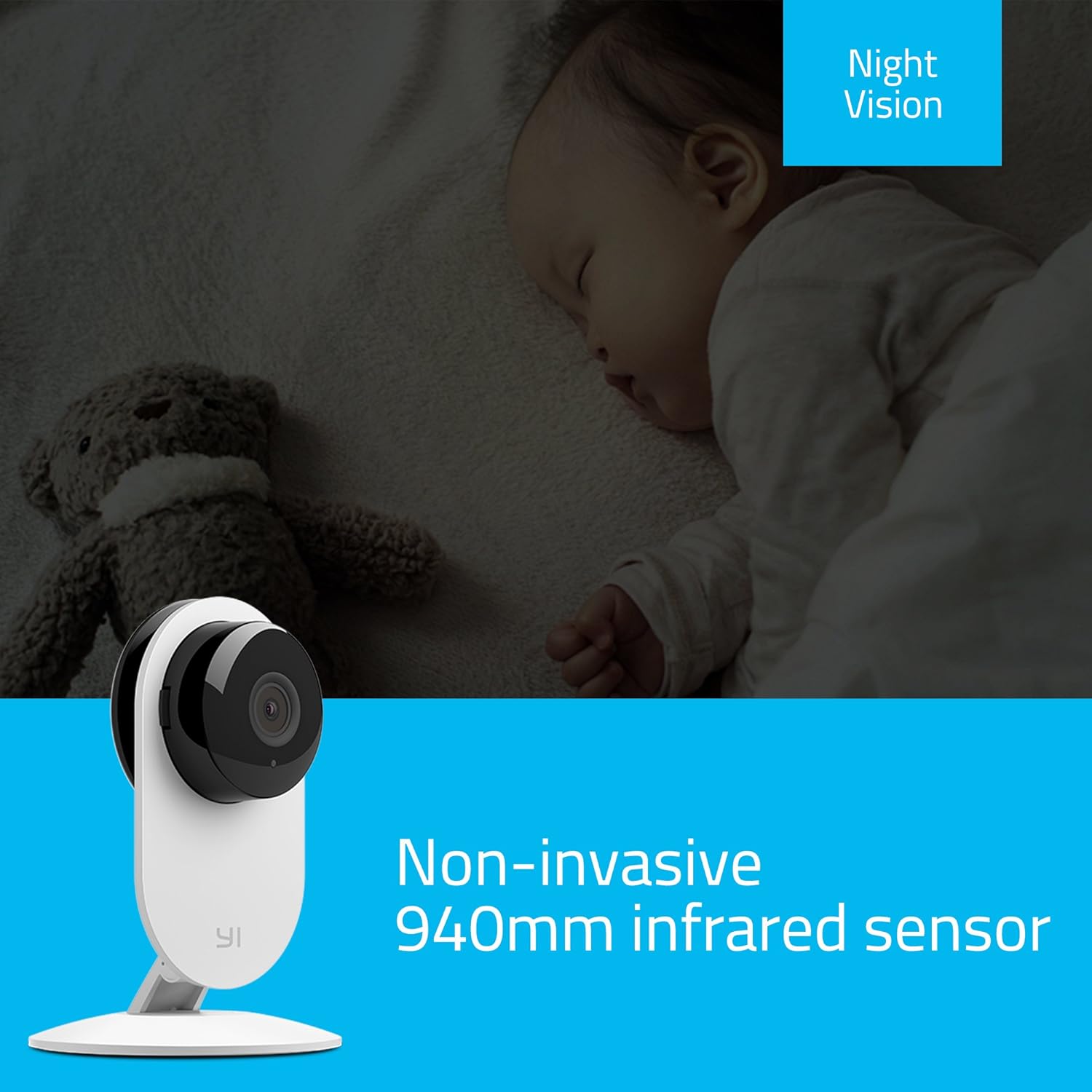
Figure 6: The YI Home Camera demonstrating its non-invasive 940nm infrared night vision capability, monitoring a sleeping baby without disturbance.
3.5 Manual Rotation
The camera unit can be manually rotated 180 degrees on its base to adjust the viewing angle as needed. This allows for flexible positioning to cover your desired area.
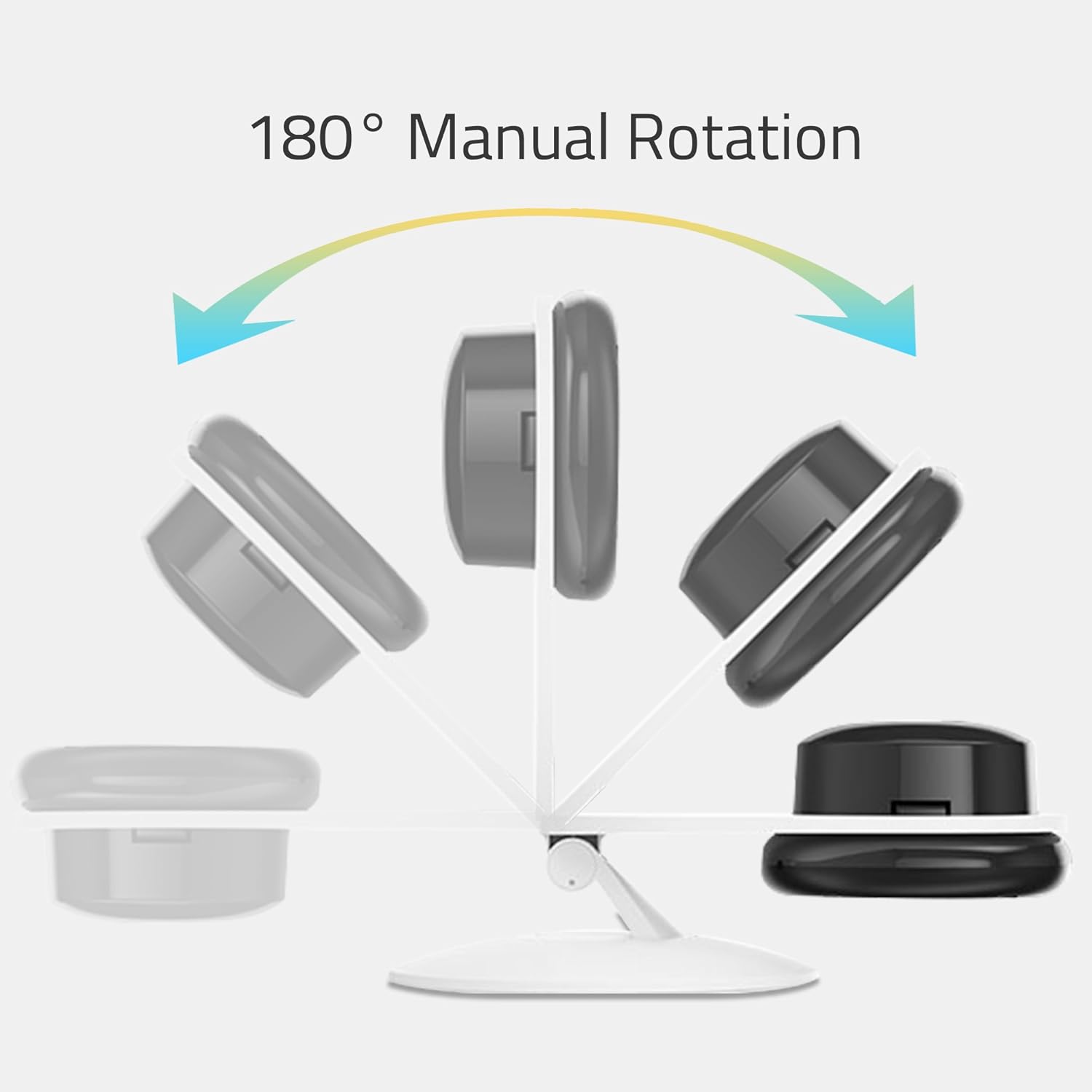
Figure 7: An illustration depicting the 180° manual rotation capability of the YI Home Camera, showing how the camera head can be adjusted on its stand.
4. メンテナンス
- クリーニング: Use a soft, dry cloth to clean the camera lens and body. Do not use liquid cleaners, aerosols, or harsh chemicals, as these may damage the device.
- 配置: Ensure the camera is placed in a well-ventilated area to prevent overheating. Avoid placing it near heat sources or in direct sunlight.
- 力: Always use the original power adapter and cable provided with the camera to ensure proper operation and safety.
5。 トラブルシューティング
If you encounter issues with your YI Home Camera, refer to the following common solutions:
- カメラがオフライン:
- カメラの電源が正しくオンになっていて、電源アダプターがしっかりと接続されているかどうかを確認してください。
- Wi-Fi ネットワークがアクティブであり、カメラが範囲内にあることを確認します。
- Wi-Fi ネットワークが 2.4GHz であることを確認してください。
- 電源ケーブルを抜き差ししてカメラを再起動します。
- If the issue persists, try resetting the camera and re-pairing it with the YI Home App.
- ビデオ品質が悪い:
- カメラのレンズがきれいで、ほこりや汚れがないことを確認してください。
- インターネット接続速度をご確認ください。最適なストリーミングには、安定した高速接続が必要です。
- 特に日中は十分な照明が確保されるようにカメラの位置を調整します。
- No Audio or Poor Two-Way Audio:
- Check the volume settings on your smartphone and within the YI Home App.
- カメラのマイクやスピーカーを遮る障害物がないことを確認してください。
- 安定した音声伝送のためにインターネット接続を確認してください。
- モーションアラートが機能しない:
- Confirm that motion detection is enabled in the YI Home App settings for your camera.
- Check the alert schedule and activity regions to ensure they are configured correctly.
- Verify that your phone's notification settings allow alerts from the YI Home App.
For further assistance, refer to the help section within the YI Home App or contact YI customer support.
6. 仕様
| ブランド | YI |
| モデル名 | YI Home Camera 1 |
| 商品型番 | US Edition (YHS-113-IR) |
| 色 | 白 |
| ビデオキャプチャ解像度 | 720p HD |
| View角度 | 111度 |
| フレームレート | 毎秒20フレーム |
| 無線通信 | Wi-Fi (802.11 bgn, Single band 2.4Ghz) |
| 特集 | Motion Sensor, 2-Way Audio, Night Vision (940nm infrared) |
| 屋内/屋外での使用 | 屋内 |
| 対応デバイス | スマートフォン、タブレット(Android、iPhone) |
| 電源 | コード式電気(5ボルト、1ワット) |
| 材料 | 金属 |
| 寸法(長さ×幅×高さ) | 8.2 x 8.2 x 11.5 cm |
| 重さ | 150グラム |
| 含まれるコンポーネント | YI Home Camera 1, USB Cable, Power Adapter, Manual |
7. 保証情報
For detailed warranty information, please refer to the warranty card included with your product or visit the official YI Technology webサイトをご覧ください。保証条件は地域や購入日によって異なる場合があります。
8. カスタマーサポート
If you require technical assistance or have questions regarding your YI YHS-113-IR Home Camera 1, please contact YI Technology customer support. Support contact details can typically be found on the official YI website or within the YI Home App.
You can also find frequently asked questions (FAQs) and troubleshooting guides on the YI Technology support portal.