
1. はじめに
Thank you for choosing the Baseus Bluetooth Selfie Stick with Tripod. This versatile device combines an extendable selfie stick with a stable tripod and a detachable Bluetooth remote control, allowing you to capture photos and videos with ease. Please read this manual carefully before use to ensure proper operation and to maximize your product experience.
2.製品オーバーview
The Baseus Selfie Stick with Tripod is designed for portability and functionality. It features a compact, foldable design that extends to 810mm, a 360-degree rotatable phone holder, and a removable Bluetooth remote for convenient shooting.
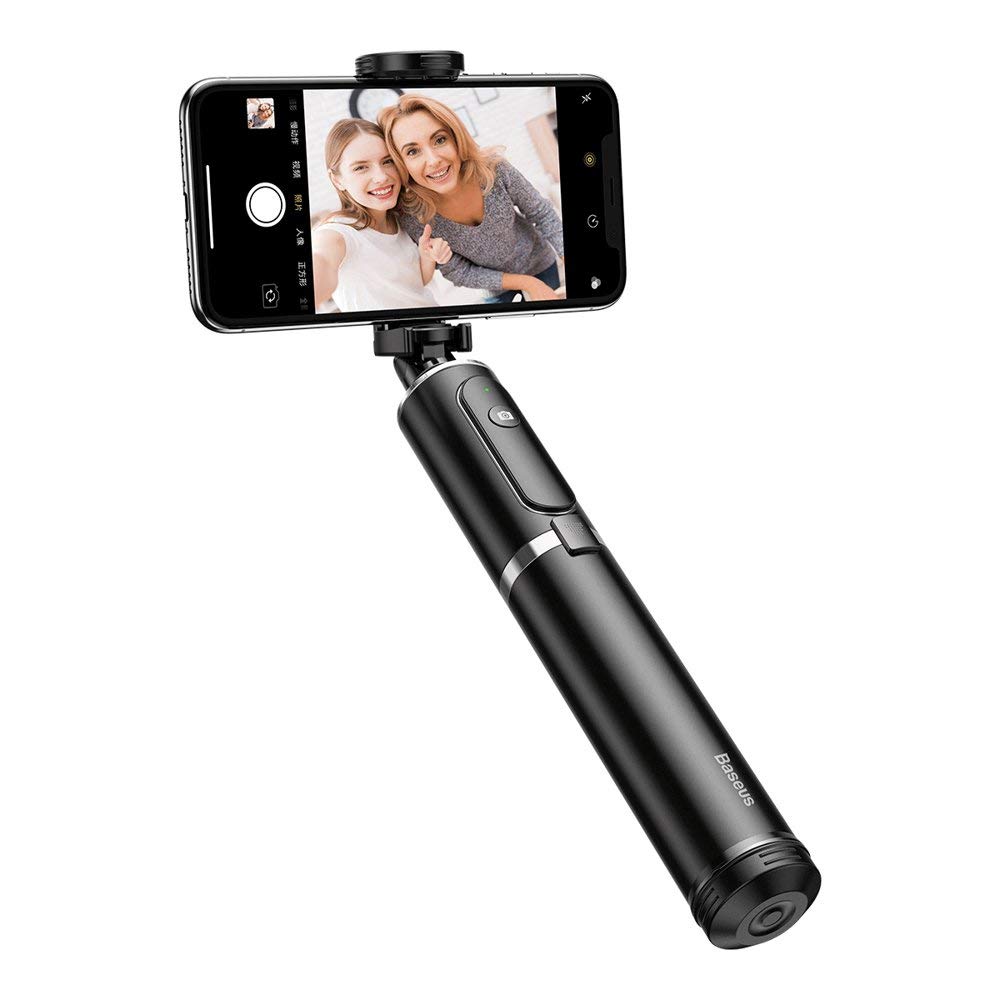
図2.1: The Baseus Selfie Stick fully extended with a smartphone in tripod mode.

図2.2: The selfie stick in its compact, folded form, highlighting the remote control.
3. 安全情報
- デバイスを極端な温度や直射日光に長時間さらさないでください。
- デバイスを水やその他の液体から遠ざけてください。
- デバイスを分解または変更しようとしないでください。
- Ensure your smartphone is securely mounted before extending the stick or using the tripod.
- お子様の手の届かない場所に保管してください。
4. パッケージ内容
パッケージにすべてのアイテムが含まれていることを確認します。
- Baseus Bluetooth Selfie Stick with Tripod (Black/Gray)
- 取り外し可能なBluetoothリモコン
5. セットアップ
5.1 Unfolding and Extending the Selfie Stick
- Gently pull the top part of the stick upwards to unfold it from its compact state.
- Extend the telescopic rod segments to your desired length. The stick can extend up to 810mm.
5.2 スマートフォンの接続
- 電話を開くamp スティックの上部にあります。
- スマートフォンを慎重にclに置きますamp, ensuring it is held securely. The clamp supports phones up to 6.5 inches.
- Adjust the phone holder's angle and rotation (360 degrees) as needed.

図5.1: Smartphone mounted horizontally in the clamp.

図5.2: Smartphone mounted vertically in the clamp.
5.3 Bluetooth Pairing for Remote Control
- Remove the remote control from its slot on the selfie stick.
- Press and hold the button on the remote control until the indicator light starts flashing, indicating it is in pairing mode.
- スマートフォンで Bluetooth 設定に移動し、利用可能なデバイスを検索します。
- Select "Baseus Selfie" or a similar name from the list to pair.
- ペアリングされると、リモコンのインジケーター ライトの点滅が停止し、点灯または消灯します。
6. 操作手順
6.1 自撮り棒として使う
Hold the handle firmly and extend the stick to your desired length. Use the Bluetooth remote control to take photos or start/stop video recording.

図6.1: Using the selfie stick in handheld mode.

図6.2: Example of a user taking a selfie with the stick.
6.2 三脚として使用する
- While the stick is folded or partially extended, gently push the bottom part to deploy the tripod legs.
- 三脚を平らで安定した場所に設置します。
- Adjust the stick's height and phone holder's angle for optimal shooting.
- Use the remote control to capture photos or videos from a distance.

図6.3: Close-up of the tripod legs.
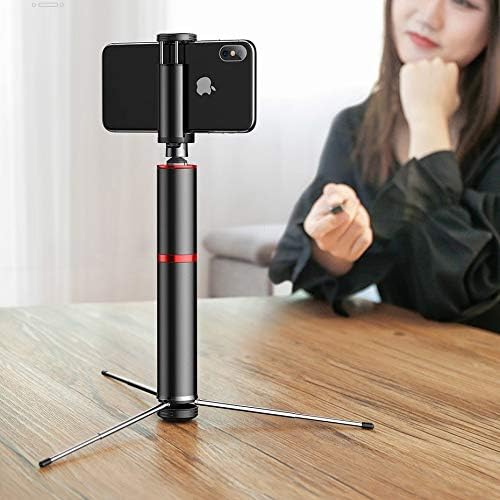
図6.4: Selfie stick used as a tripod on a table.

図6.5: Tripod setup with the remote control nearby.
7. メンテナンス
- クリーニング: 柔らかく乾いた布でデバイスを拭いてください。刺激の強い化学薬品や研磨剤入りの洗剤は使用しないでください。
- ストレージ: 使用しないときは、自撮り棒をコンパクトに折りたたんで、直射日光を避けて涼しく乾燥した場所に保管してください。
- バッテリー: The remote control uses a small button cell battery. Replace it when the remote's performance degrades.
8。 トラブルシューティング
8.1 リモコンがペアリングされない
- リモコンが充電されているか、新しい電池が入っていることを確認してください。
- スマートフォンで Bluetooth が有効になっていることを確認してください。
- Restart both your smartphone and the remote control (by removing and reinserting the battery if possible, or turning it off and on).
- 携帯電話の以前の Bluetooth 接続をクリアして、再度ペアリングを試みてください。
8.2 自撮り棒の不安定さ
- Ensure all telescopic segments are fully extended and locked into place (if applicable).
- When using as a tripod, ensure the legs are fully deployed and placed on a flat, stable surface.
- スマートフォンが安全に保護されていることを確認してくださいamped and balanced.
9. 仕様
| モデル番号 | SUDYZP-D1S |
| ブランド | ベースス |
| 対応デバイス | Mobile Phones (up to 6.5 inches) |
| 製品重量 | 0.3キログラム |
| 最大延長長さ | 810ミリメートル |
| 特徴 | Bluetooth Remote Control, Tripod Function, 360-Degree Rotatable Phone Holder |
| 色 | Black - Gray |
10. 保証とサポート
This product comes with a manufacturer's warranty. For detailed warranty information, please refer to the warranty card included in your product packaging or visit the official Baseus webサイト。
For technical support, troubleshooting assistance, or any other inquiries, please contact Baseus customer service through their official channels. You can often find support contact information on the Baseus webサイトまたは製品パッケージに記載されています。
オンラインサポート: www.baseus.com