
1. はじめに
This manual provides detailed instructions for the setup, operation, and maintenance of your Zmodo Mini WiFi 720p HD Wireless Indoor Home Video Security Camera. Please read this manual thoroughly before using the device to ensure proper functionality and safety. This camera is designed for indoor surveillance, offering 720p HD video, two-way audio, and remote access capabilities.
2.製品オーバーview
Familiarize yourself with the components of your Zmodo Mini WiFi Camera.

画像2.1: Zmodo Mini WiFi Camera mounted on a wall, showing its compact design and lens. This image illustrates the camera's appearance and typical indoor placement.

画像2.2: Zmodo Mini WiFi Camera held in a person's hand, demonstrating its small and portable size. This helps visualize the camera's dimensions.
画像2.3: Zmodo Mini WiFi Camera displayed with its power adapter and a quick guide. This shows the main items included in the product package.
2.1 パッケージ内容
- Zmodo Mini WiFi Camera
- 電源アダプター
- クイックスタートガイド
3. セットアップ手順
3.1アプリのダウンロード
制御し、 view your camera, download the MeShare app. 検索する "MeShare" in the Apple App Store (for iOS 6 and up) or Google Play Store (for Android 2.3 and up).
3.2電源オン
- 電源アダプターをカメラの電源入力ポートに接続します。
- 電源アダプタを標準のコンセントに差し込みます。
- Wait for the camera's indicator light to show a specific status (refer to the app for light status meanings during setup).
3.3 Network Connection (SmartLink)
The camera uses 2.4GHz Wi-Fi for connectivity. It is not compatible with 5GHz networks.
- Open the MeShare app and create an account or log in.
- アプリ内の指示に従って新しいデバイスを追加します。
- Select the SmartLink setup option. The app will guide you through connecting the camera to your home Wi-Fi network.
- Ensure your mobile device is connected to the 2.4GHz Wi-Fi network you intend to connect the camera to during setup.
4. 操作手順
4.1 ライブ View リモートアクセス
Access your camera's live 720p HD video feed from anywhere using the MeShare app on your Android, iPhone, or iPad device. You can also access it via a web ブラウザ user.meshare.com/user/login.

画像4.1: A laptop, tablet, and smartphone simultaneously displaying live video feeds from Zmodo cameras. This illustrates the multi-device remote access capability.
4.2 双方向オーディオ
The camera features two-way audio, allowing you to listen to the environment around the camera and speak through its built-in speaker using the MeShare app.
4.3 モーション検出
The camera is equipped with a motion sensor that can detect movement. You can configure motion alerts within the MeShare app to receive notifications when motion is detected.

画像4.2: A smartphone screen showing a Zmodo alert for motion detected, with video clips available for review. This demonstrates the motion alert feature.
4.4 ナイトビジョン
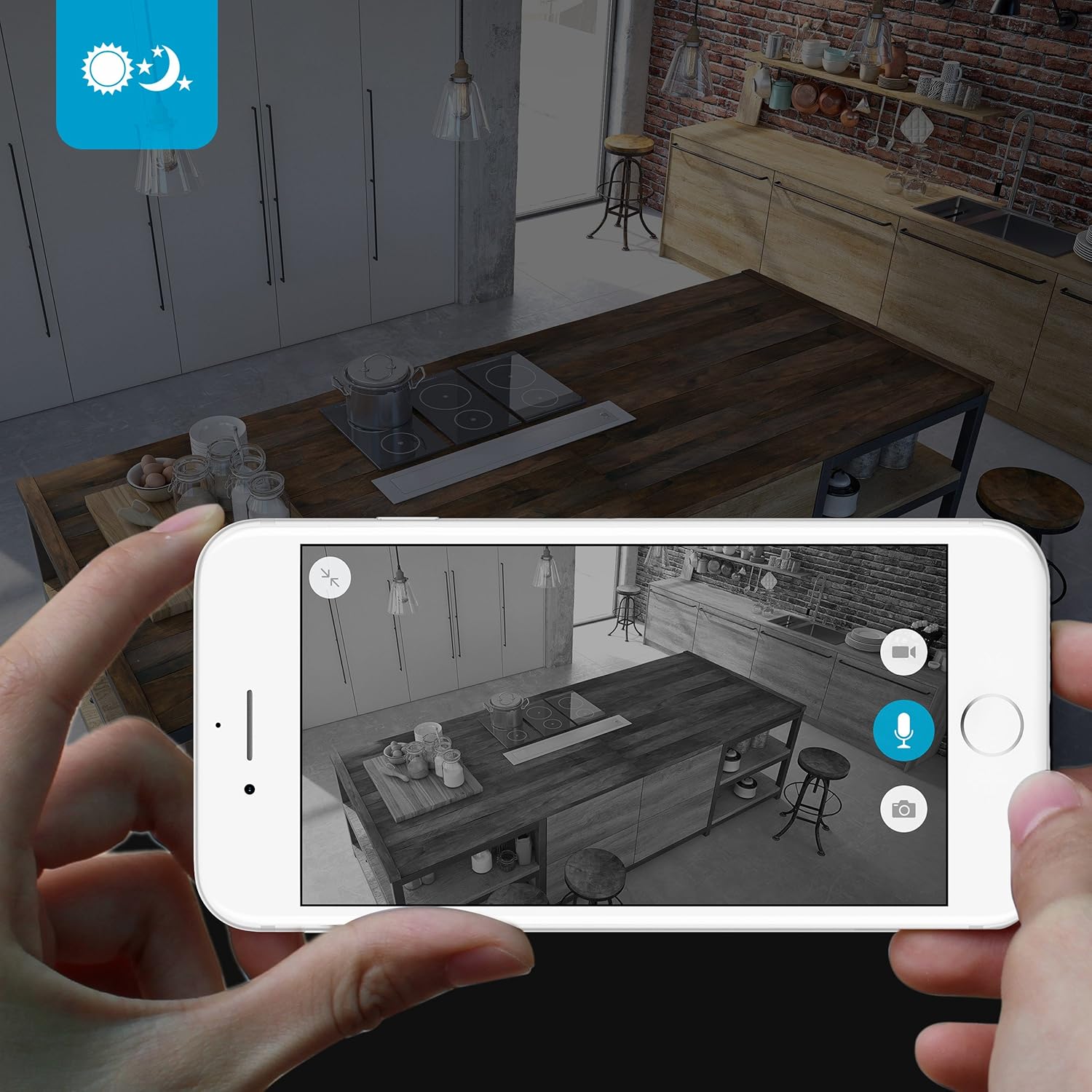
The camera provides clear surveillance even in low-light conditions with its night vision capabilities, offering a range of up to 30 feet. It automatically switches between color day mode and black & white night mode using infrared light.

画像4.3: A smartphone screen showing a black and white night vision view from the Zmodo camera in a kitchen setting. This illustrates the camera's low-light performance.
4.5 広角 View
The camera features a 115° wide-angle lens, allowing for a broad view of your indoor space.

画像4.4: A smartphone screen showing a wide-angle view from the Zmodo camera in a bedroom, capturing a broad area. This highlights the 115-degree field of view.
5. メンテナンス
5.1 カメラのクリーニング
- 清掃する前にカメラの電源がオフになっていることを確認してください。
- 柔らかく乾いた布でカメラ本体を優しく拭いてください。
- レンズには、傷を防ぐために光学用に特別に設計されたレンズクリーニングクロスを使用してください。
- Do not use liquid cleaners or aerosol sprays directly on the camera.
5.2 環境への配慮
- このカメラは屋内専用に設計されています。
- カメラを直射日光の当たる場所や熱源の近くに置かないでください。
- Keep the camera away from moisture and extreme temperatures.
6。 トラブルシューティング
6.1 一般的な問題と解決策
- カメラがWi-Fiに接続できない: Ensure your Wi-Fi network is 2.4GHz. Verify your Wi-Fi password. Try restarting your router and the camera.
- ビデオ品質が悪い: インターネット接続速度を確認してください。カメラレンズが汚れておらず、障害物がないことを確認してください。
- 音声が出ない、または音声が歪んでいる: Verify microphone and speaker settings in the MeShare app. Ensure there are no physical obstructions blocking the microphone or speaker.
- モーションアラートが機能しない: Check motion detection settings in the MeShare app. Ensure notifications are enabled for the app on your mobile device.
- カメラがオフラインです: Check if the camera is powered on. Verify your Wi-Fi network is active and stable. Try restarting the camera.
7. 仕様
| 特徴 | 説明 |
|---|---|
| モデル番号 | WAUBMAKGCUVDD |
| ビデオキャプチャ解像度 | 720p HD |
| 接続技術 | ワイヤレス(Wi-Fi 2.4GHz) |
| 双方向オーディオ | はい |
| 広角 | 115° |
| 暗視範囲 | 最大30フィート(赤外線) |
| モーションセンサー | はい(モーションのみのアラートタイプ) |
| 電源 | AC/DC(5ボルト、5ワット) |
| 屋内/屋外での使用 | 屋内 |
| 寸法(長さ×幅×高さ) | 7 x 2.1 x 4.5インチ |
| アイテム重量 | 12オンス |
| 対応デバイス | Video Monitor (Android, iPhone, iPad) |
8. 保証とサポート
For warranty information or technical support, please refer to the official Zmodo website or contact Zmodo customer service directly. Keep your purchase receipt for warranty claims.
さらにサポートが必要な場合は、次のサイトを参照してください。 Zmodo Store on Amazon.