
導入
Thank you for choosing the Baseus Golden Cudgel Stylus. This multi-purpose stylus is designed for precise touch control and delicate strokes on both tablets and smartphones. Featuring a soft silicone tip and a dual-purpose design, it offers a smooth and comfortable experience for various activities, including writing, drawing, and gaming. This manual provides essential information on setting up, operating, maintaining, and troubleshooting your stylus to ensure optimal performance.
製品の特徴
- Precise touch control and delicate stroke for accurate input.
- Dual-purpose design suitable for both handwriting and general navigation.
- Soft silicone tip ensures smooth interaction and protects screen surfaces.
- 人間工学に基づいた設計で、長時間使用しても快適です。
- Compatible with a wide range of smartphones and tablets.
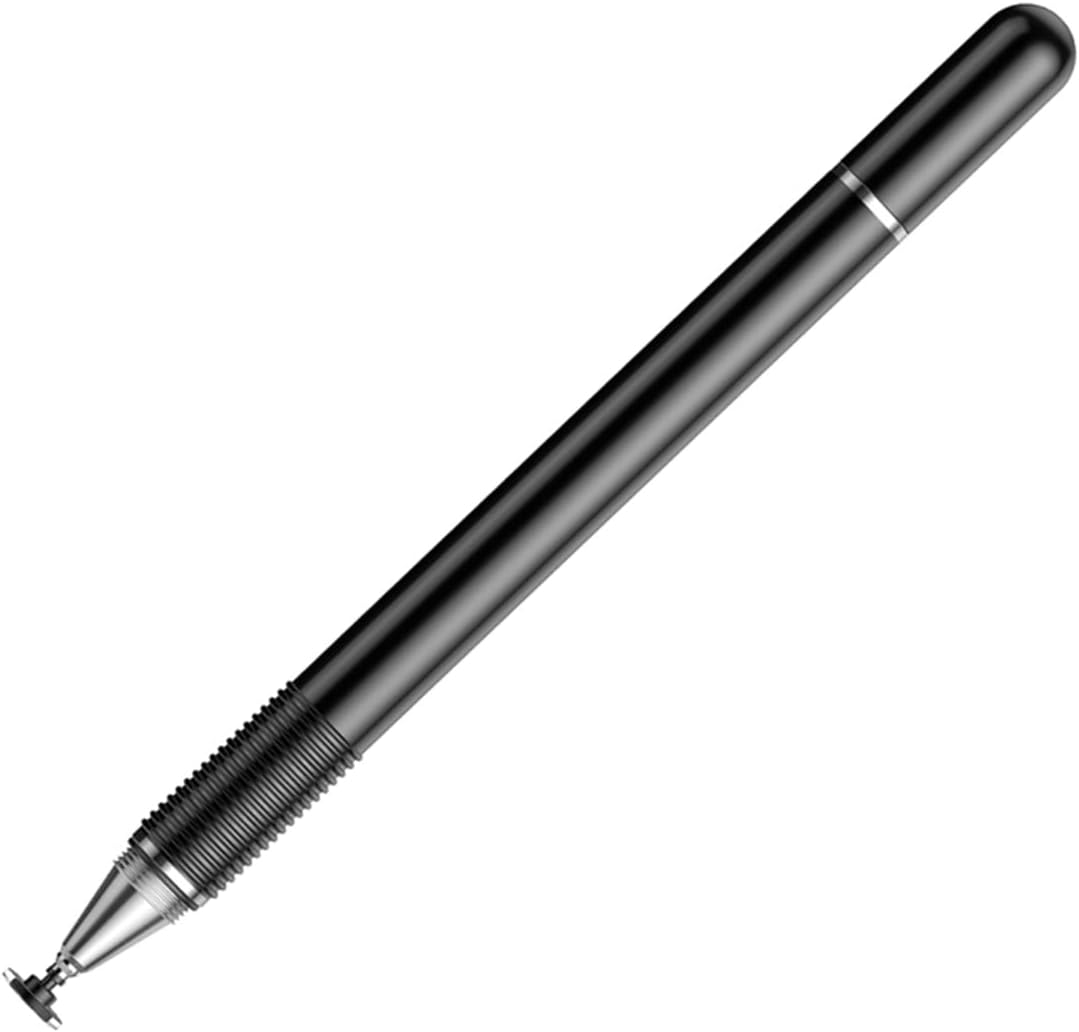
図1: The Baseus Golden Cudgel Stylus in black, showcasing its sleek design and soft silicone tip. This image provides an overall view 製品の。
パッケージ内容
Upon opening the package, please verify that all items are present and in good condition. The standard package for the Baseus Golden Cudgel Stylus includes:
- 1 x Baseus Golden Cudgel Stylus
- ユーザーマニュアル (本書) x 1

図2: An illustration showing the main components of the Baseus Golden Cudgel Stylus, including the body and the tip.
設定
The Baseus Golden Cudgel Stylus is designed for immediate use without complex setup procedures.
- 開梱: スタイラスをパッケージから慎重に取り出します。
- チップ検査: Ensure the soft silicone tip is securely attached and free from any damage.
- すぐに使用可能: The stylus does not require batteries, charging, or Bluetooth pairing. It is ready for use directly on your compatible touchscreen device.
操作手順
The Baseus Golden Cudgel Stylus provides a natural and intuitive way to interact with your touchscreen devices.
一般的な使用
- 通常のペンと同じようにスタイラスを持ちます。
- Gently touch the silicone tip to your device's screen to navigate, select, or input text.
- The stylus is designed for precise control, making it ideal for detailed tasks.

図3: Demonstrates the sensitive touch control and delicate stroke capability of the stylus while drawing on a tablet.
For Business and Office Work
Enhance your productivity by using the stylus for note-taking, document annotation, and precise navigation in office applications. Its responsive tip allows for quick and accurate input.

図4: The stylus provides convenient and fast performance for business and office tasks on a tablet.
ゲーム用
Experience smoother and more comfortable gameplay, especially for touch-intensive games. The stylus provides improved accuracy and control compared to finger input.

図5: Enjoy a smooth and comfortable game experience using the stylus on a smartphone.
Dual-Purpose Handwriting
The stylus is designed to mimic the feel of a traditional pen, making it ideal for digital handwriting and drawing. The soft silicone tip allows for a natural flow.

図6: The stylus functions as a dual-purpose handwriting pen, suitable for digital note-taking and drawing.

図7: The stylus tip allows for smooth drawing and drafting with up to 180° inclination, providing flexibility in use.
メンテナンス
Proper care and maintenance will extend the lifespan of your Baseus Golden Cudgel Stylus.
- クリーニング: Wipe the stylus body and tip with a soft, dry, lint-free cloth. Do not use abrasive cleaners or solvents.
- ストレージ: Store the stylus in a clean, dry place away from direct sunlight and extreme temperatures. Avoid placing heavy objects on top of it.
- ヒントのケア: Avoid pressing the tip excessively hard against the screen, as this can cause premature wear. If the tip becomes damaged, it may affect performance.
トラブルシューティング
If you encounter issues with your Baseus Golden Cudgel Stylus, please refer to the following common problems and solutions:
| 問題 | 考えられる原因 | 解決 |
|---|---|---|
| Stylus not responding or inconsistent response. | Dirty screen or stylus tip; screen protector interference; device compatibility issue. | Clean your device's screen and the stylus tip. Ensure your screen protector is thin and properly applied. Verify your device is a compatible touchscreen model. |
| Tip feels rough or scratched. | Wear and tear; foreign particles on tip. | Inspect the tip for damage. Clean the tip thoroughly. If severely worn, consider replacing the stylus if performance is significantly affected. |
| Stylus leaves marks on screen. | Dirty tip; screen not clean. | Clean both the stylus tip and your device's screen with a soft, lint-free cloth. |
仕様
| 属性 | 価値 |
|---|---|
| ブランド | ベースス |
| モデル | Golden Cudgel Stylus |
| 色 | 黒 |
| 材料 | プラスチック |
| 製品重量 | 0.02キログラム |
| 対応デバイス | スマートフォン、タブレット |
保証とサポート
Baseus products are manufactured to the highest quality standards. For information regarding warranty coverage, technical support, or service inquiries, please refer to the warranty card included with your purchase or visit the official Baseus webサイト。
また、 AmazonのBaseusストア 追加の製品情報およびサポート リソースについては、こちらをご覧ください。