
1.製品オーバーview
The ELECROW 5-inch Resistive Touch Screen TFT LCD Display offers an 800x480 HD resolution, providing a clear and vibrant full-color display with a wide viewing angle and fast response time. This industrial-grade resistive touchscreen is designed for durability, supporting use with gloved hands or non-conductive tools, and boasts a 1 million touch lifespan. It features manual backlight control, allowing users to turn off the backlight to reduce power consumption.
This versatile display is compatible with various platforms, including Raspberry Pi 5/4/3B+/3B/2B+/Zero, Banana Pi, and Jetson Nano. When used with Raspberry Pi, it utilizes GPIO for touch functionality and power supply, and an HD interface for display. It can also function as a standard HDMI-compatible PC monitor, though touch functionality is not available in this mode, and requires adjusting the output resolution to 800x480 with a 5V 2A power supply.

Figure 1: ELECROW 5-Inch Resistive Touch Screen Display.
2. パッケージ内容
以下にリストされているすべてのアイテムがパッケージに含まれていることを確認してください。
- 5-inch touchscreen x 1
- CD x 1 (containing drivers and documentation)
- タッチペン×1
- HD Adapter x 1
- Copper Pillars (4PCS) x 1

Figure 2: Included components: 5-inch touchscreen, touch pen, HD adapter, and copper pillars.
3. 仕様
| 特徴 | 仕様 |
|---|---|
| ブランド | エレクトロクロウ |
| 画面サイズ | 5インチ |
| 解決 | 800x480 Pixels (SVGA) |
| アスペクト比 | 16:9 |
| スクリーン表面の説明 | 光沢のある |
| リフレッシュレート | 60Hz |
| 表示タイプ | 液晶 |
| View角度 | 170度 |
| 接続技術 | USB、HDMI |
| 巻tage | 5ボルト |
| 商品の寸法(奥行き x 幅 x 高さ) | 奥行き1インチ x 幅4.7インチ x 高さ3インチ |
| アイテム重量 | 113グラム |
| モデル番号 | RPA05010R |
4.セットアップガイド
4.1 Raspberry Piへの接続
This display is designed to connect directly to your Raspberry Pi via its GPIO pins for touch and power, and an HD interface for video. Ensure your Raspberry Pi is powered off before making connections.
- Align the display's GPIO pins with the Raspberry Pi's GPIO header. Carefully press the display onto the Raspberry Pi until it is securely seated.
- Connect the HD adapter between the display's HD port and the Raspberry Pi's HDMI port.
- Power on your Raspberry Pi.

Figure 3: Connecting the 5-inch display to a Raspberry Pi.
4.2 Connecting to Other HDMI-Compatible Devices (PC, Banana Pi, Jetson Nano)
The display can be used with standard HDMI-compatible devices. For these devices, the touch function is generally not supported.
- Connect the display to your device using an HD cable (not included) and a micro USB cable (not included) for power.
- Ensure the device's output resolution is set to 800x480. A 5V 2A power supply is recommended for the display.
Video 1: Official ELECROW demonstration of the 5-inch Raspberry Pi screen and its connections.
5. 操作手順
5.1 タッチ機能
The resistive touchscreen supports touch input, ideal for interactive projects. Use the included touch pen or your finger. The touch function is supported for Raspbian and Ubuntu systems when connected to a Raspberry Pi.

Figure 4: Demonstrating touch functionality with the included stylus.
5.2 バックライトコントロール
The display features manual backlight control. A switch on the display allows you to turn the backlight ON or OFF. Turning off the backlight can help reduce power consumption, which is beneficial for battery-powered projects.
6. メンテナンス
To ensure the longevity and optimal performance of your ELECROW 5-inch Resistive Touch Screen Display, follow these maintenance guidelines:
- クリーニング: 柔らかく糸くずの出ない布で軽く拭き取ってください。ampened with water or a screen-cleaning solution. Avoid harsh chemicals, abrasive cleaners, or solvents that could damage the screen surface.
- 取り扱い: Always handle the display by its edges. Avoid applying excessive pressure to the screen, especially the resistive touch layer, as this can cause damage.
- ストレージ: When not in use, store the display in a cool, dry place away from direct sunlight and extreme temperatures. Protect it from dust and physical impact.
- 力: 常に安定した5V電源を使用してください。電圧が正しくありませんtage can damage the display.
7。 トラブルシューティング
If you encounter issues with your ELECROW 5-inch Resistive Touch Screen Display, refer to the following common problems and solutions:
7.1 Display Not Showing Image or Flickering
- 電源: Ensure the display is receiving adequate power (5V 2A recommended). Check all power connections.
- HDMI接続: Verify that the HD adapter and HDMI cable are securely connected to both the display and your device.
- 解決: If connecting to a PC or non-Raspberry Pi device, ensure the output resolution is manually set to 800x480.
- バックライト: Check the manual backlight switch on the display to ensure it is in the 'ON' position.
7.2 タッチ機能が動作しない
- 互換性: The touch function is primarily supported for Raspbian and Ubuntu systems on Raspberry Pi. It is generally not available when used as a standard PC monitor.
- GPIO Connection: For Raspberry Pi, ensure the display is correctly seated on the GPIO pins.
- ドライバーのインストール: Ensure the necessary drivers and configuration settings are correctly applied for your Raspberry Pi operating system. Refer to the included CD or ELECROW's official support resources for specific instructions.
- Raspberry Pi 4 (Bullseye/Buster):
- For system images after 2021-10-30 (e.g., Bullseye), modify
dtoverlay = vc4-kms-v3dにdtoverlay = vc4-fkms-v3dのconfig.txtfile. - For Buster, comment out
dtoverlay = vc4-fkms-V3Dby adding a '#' at the beginning of the line inconfig.txt.
- For system images after 2021-10-30 (e.g., Bullseye), modify
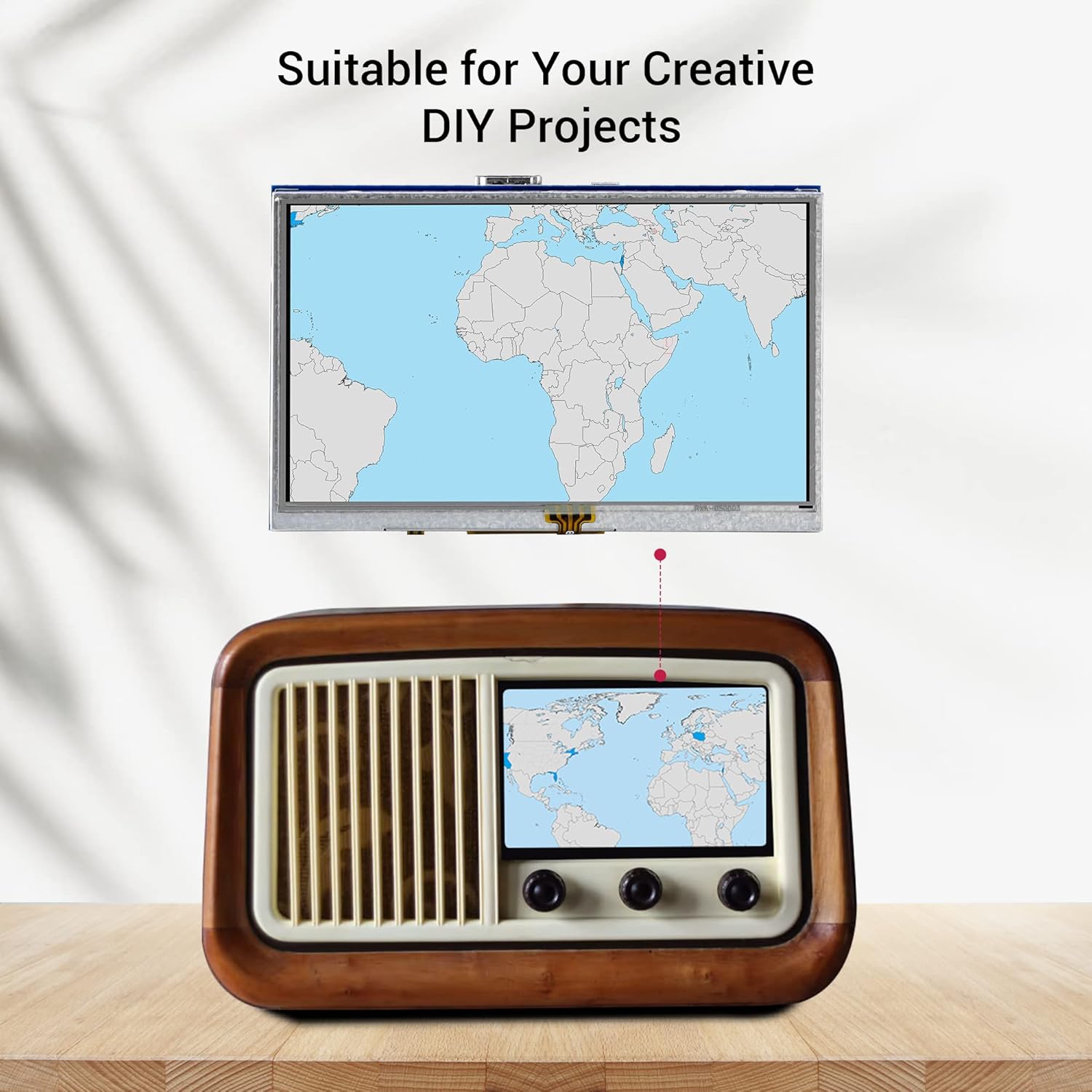
Figure 5: The display's versatility across different applications.
8. 保証とサポート
This ELECROW 5-inch Resistive Touch Screen Display comes with a 1年間のメーカー保証.
For any technical issues, questions, or support needs, please contact the ELECROW support team. Refer to the contact information provided in the product packaging or on the official ELECROW webサイト。