
1. はじめに
This manual provides essential information for the safe and effective use of your UpBright 5V AC/DC Adapter. This power supply is designed to provide reliable power to various Sylvania Digital Photo Picture Frame models, ensuring optimal performance.
Compatible Sylvania Digital Photo Picture Frame Models:
- SDPF785, SDPF787, SDPF751, SDPF751B
- SDPF757, SDPF757C, SDPF781
- SDPF808 (8"), SDPF1089 (10")
2. 重要な安全情報
本製品をご使用になる前に、すべての安全に関する指示をよくお読みになり、理解してください。これらの指示に従わない場合、感電、火災、その他の危険が発生する可能性があります。
- 入力ボリュームtage: This adapter is designed for a wide input voltage range of 100-240VAC, 50/60Hz. Ensure your power outlet matches these specifications.
- 保護機能: アダプターにはOver Volが含まれていますtagデバイスを保護するために、過電流保護 (OVP)、短絡保護 (OCP)、短絡保護 (SCP) を備えています。
- 乾燥した環境: Use the adapter in dry locations only. Do not expose it to water, rain, or excessive humidity.
- 換気: Ensure adequate ventilation around the adapter during use. Do not cover it or place it in an enclosed space that could restrict airflow.
- ダメージ: Do not use the adapter if the cord or plug is damaged. Contact support for a replacement.
- 子供たち: アダプターは子供の手の届かないところに保管してください。
3. パッケージ内容
パッケージにすべてのアイテムが含まれていることを確認します。
- 1 x UpBright 5V AC/DC Adapter (Model: HJ-050200U)
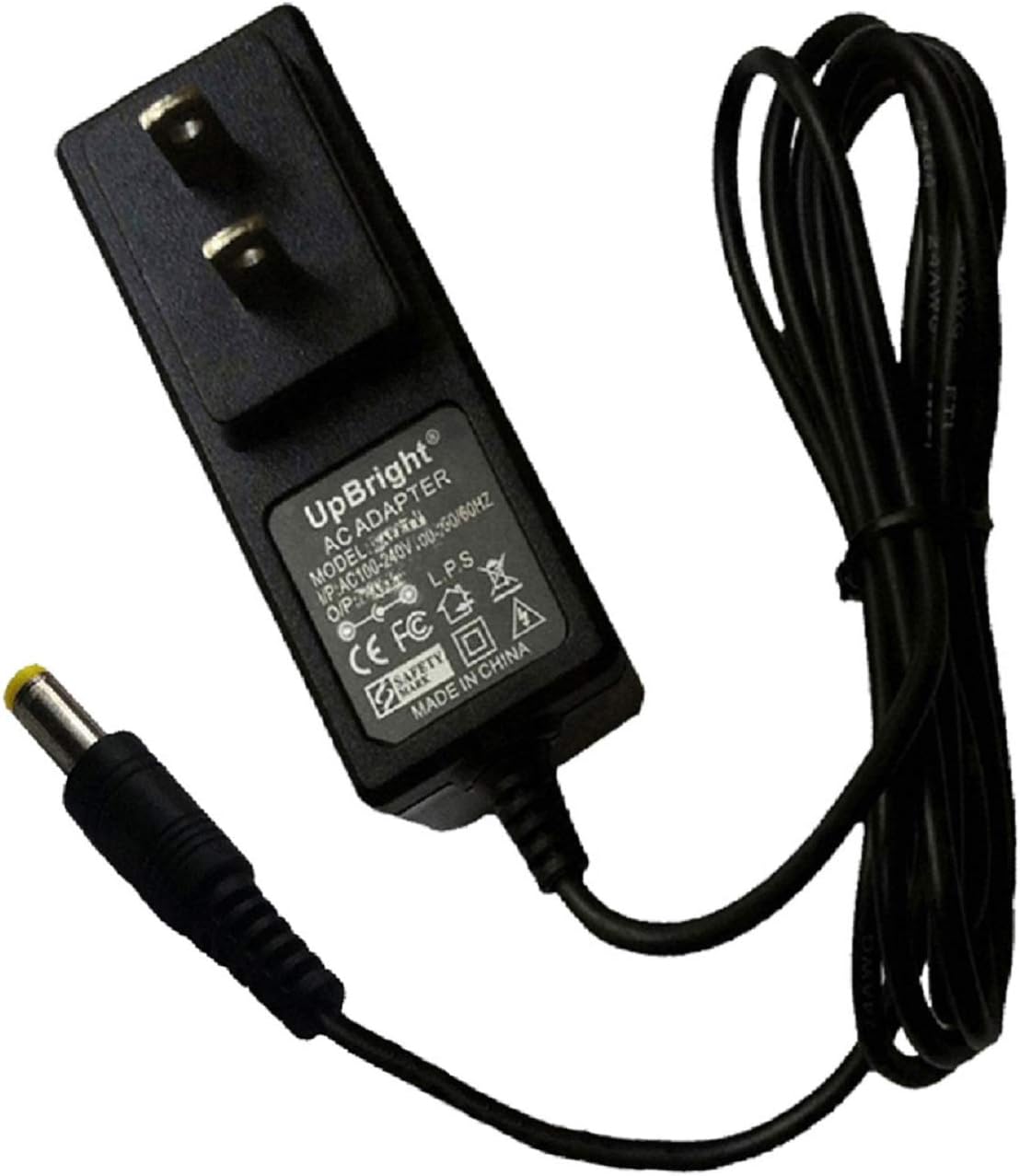
Image: The UpBright 5V AC/DC Adapter, featuring a black casing, standard US two-prong plug, and an attached cable terminating in a yellow barrel connector.
4. セットアップ手順
Follow these steps to connect your UpBright AC/DC Adapter to your Sylvania Digital Photo Picture Frame:
- 電源ポートを識別します。 Locate the DC input port on your Sylvania Digital Photo Picture Frame. This is typically a small, round port.
- アダプターを接続します: Insert the barrel connector of the UpBright adapter firmly into the DC input port of your digital photo frame.
- 電源コンセントに差し込みます: Insert the two-prong plug of the adapter into a standard electrical wall outlet (100-240VAC).
- 電源の確認: Once connected, your digital photo frame should receive power and typically turn on or indicate power status.
5. アダプタの操作
The UpBright AC/DC Adapter operates automatically once connected to a power source and a compatible device. It converts the AC wall current to the required 5V DC power for your digital photo frame.
- Ensure the adapter is always connected to a functioning power outlet.
- 長期間使用しない場合は、アダプタを電源コンセントから抜いてください。
6. お手入れとメンテナンス
To ensure the longevity and proper functioning of your adapter, follow these maintenance guidelines:
- クリーニング: 清掃する前に、アダプターを電源コンセントから抜いてください。表面は柔らかく乾いた布で拭いてください。液体クリーナーや溶剤は使用しないでください。
- ストレージ: アダプタは、直射日光や極端な温度を避け、涼しく乾燥した場所に保管してください。
- ケーブルのお手入れ: 電源コードを過度に曲げたり、折り曲げたりしないでください。コードの上に重い物を置かないでください。
- 検査: Periodically inspect the adapter and cable for any signs of damage. If damage is found, discontinue use and replace the adapter.
7。 トラブルシューティング
If you encounter issues with your UpBright AC/DC Adapter, refer to the following common problems and solutions:
| 問題 | 考えられる原因 | 解決 |
|---|---|---|
| Digital photo frame does not power on. | Adapter not receiving power. | Ensure the adapter is securely plugged into a live wall outlet. Test the outlet with another device. |
| Adapter not properly connected to the frame. | Verify the barrel connector is fully inserted into the frame's DC input port. | |
| アダプタまたはケーブルが破損しています。 | Inspect the adapter and cable for visible damage. If damaged, discontinue use and replace. | |
| アダプタが異常に熱く感じます。 | 過負荷または換気不良。 | Ensure the adapter is not covered and has adequate airflow. If the issue persists, disconnect and contact support. |
8. 製品仕様
| 特徴 | 仕様 |
|---|---|
| モデル番号 | HJ-050200U |
| 入力ボリュームtage | 100-240VAC、50/60Hz |
| 出力巻tage | 5VDC |
| 出力電流 | 1.5A - 2A (1500mA - 2000mA) |
| 保護機能 | OVP(オーバーボリュームtage保護)、OCP(過電流保護)、SCP(短絡保護) |
| コネクタタイプ | バレルコネクタ |
| 色 | 黒 |
| 製品寸法 | 約3×3×1インチ |
| アイテム重量 | 約4オンス |
9. 保証とサポート
UpBright products are designed for reliability and performance. This adapter comes with the following warranty and support:
- 返金ポリシー: 購入日から30日間の返金期間。
- 交換ポリシー: 24-month exchange period for defective units.
For warranty claims, technical assistance, or any questions regarding your UpBright AC/DC Adapter, please refer to the contact information provided with your purchase or visit the official UpBright webサイト。

Image: A visual representation of the UpBright Limited Warranty Certificate, alongside examples of international plug adapters (AU, EU, UK) that may be included with international orders.