
導入
Thank you for choosing the Baseus H08 3D Surround Sound Gaming Earphones. This manual provides essential information for the safe and efficient use of your new earphones. Please read it thoroughly before use and retain it for future reference.
製品終了view
The Baseus H08 earphones are designed to deliver an immersive 3D surround sound experience for gaming. They feature a wired connection, in-ear design, and an integrated microphone for clear communication.
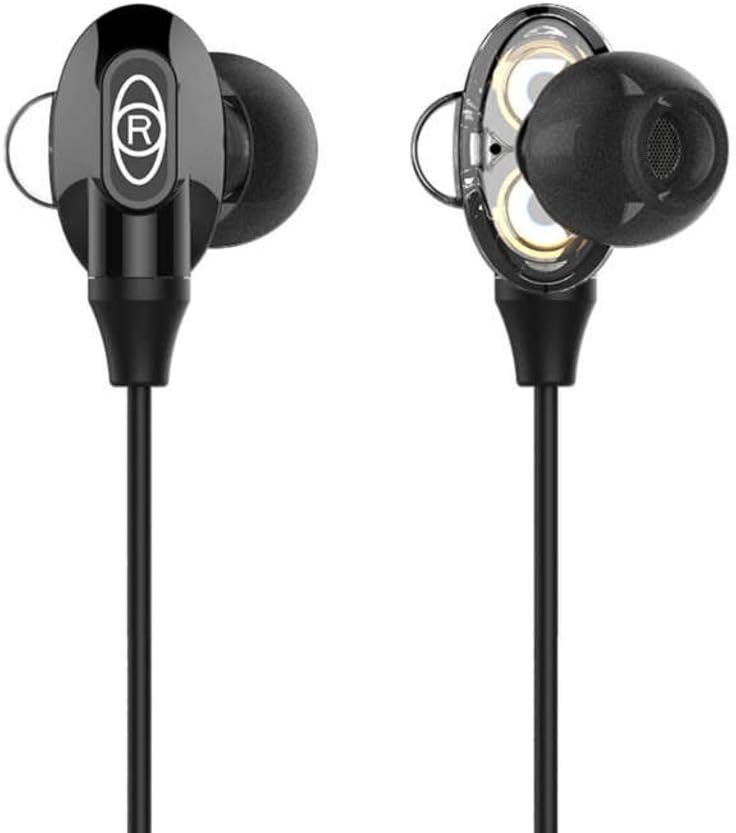
Figure 1: Baseus H08 In-Ear Gaming Earphones
This image displays the two in-ear earpieces of the Baseus H08 earphones, highlighting their sleek black design and the 'R' (right) indicator on one of the earpieces.
主な特徴:
- 3Dサラウンドサウンド: Engineered for an immersive audio experience, enhancing spatial awareness in games.
- 有線接続: Ensures stable audio transmission with a 3.5mm jack.
- インイヤーデザイン: Provides a secure and comfortable fit, along with passive noise isolation.
- 統合マイク: For clear voice communication during gameplay.
- インライン制御: Easy access to volume adjustments and microphone functions.
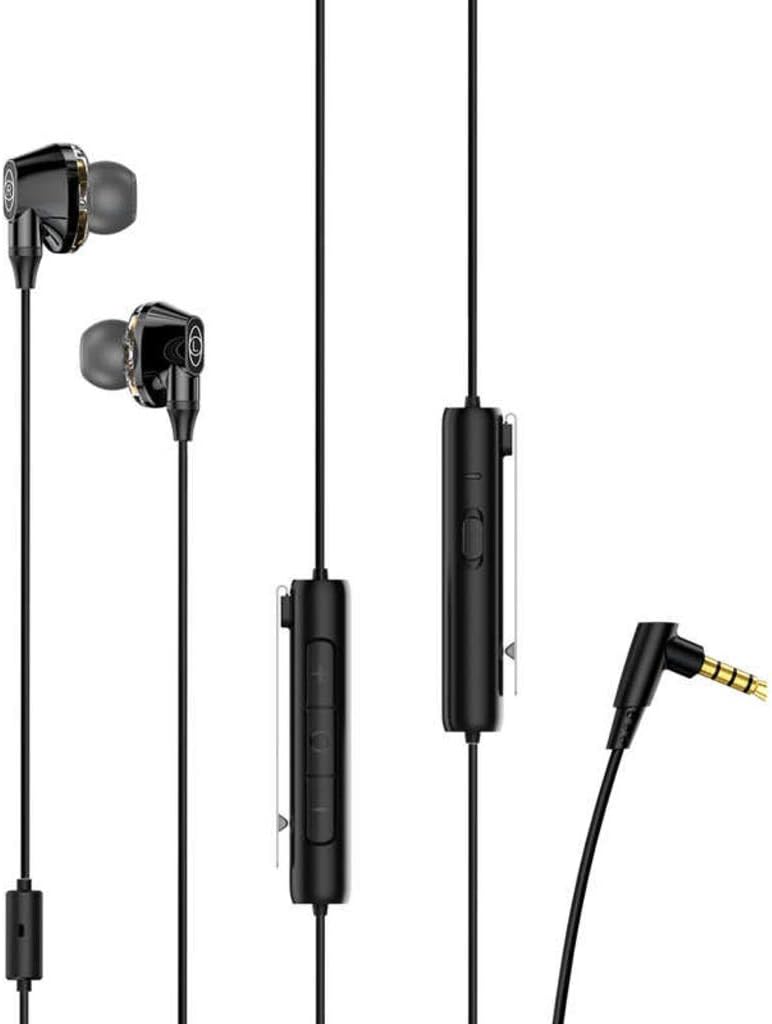
Figure 2: Earphones with Inline Control and 3.5mm Jack
This image shows the full length of the Baseus H08 earphones, including the in-ear buds, the inline control unit with buttons, and the L-shaped 3.5mm audio jack.
設定
- デバイスに接続します: Insert the 3.5mm audio jack into the corresponding port on your gaming console, PC, or mobile device. Ensure the connection is secure.
- イヤホンの装着: Gently insert the left (L) and right (R) earpieces into your ears. Adjust them for a comfortable and snug fit. The correct fit is crucial for optimal sound quality and noise isolation.
- マイクの位置: Position the inline microphone close to your mouth for clear voice pickup.
操作手順
インライン制御関数:
- 音量コントロール: Use the volume up (+) and volume down (-) buttons on the inline control unit to adjust the audio level.
- マイクのミュート/ミュート解除: The inline control may include a switch or button to mute or unmute the microphone. Refer to the specific markings on your control unit.
- 通話管理: For mobile devices, the central button on the inline control typically allows you to answer/end calls or play/pause music.
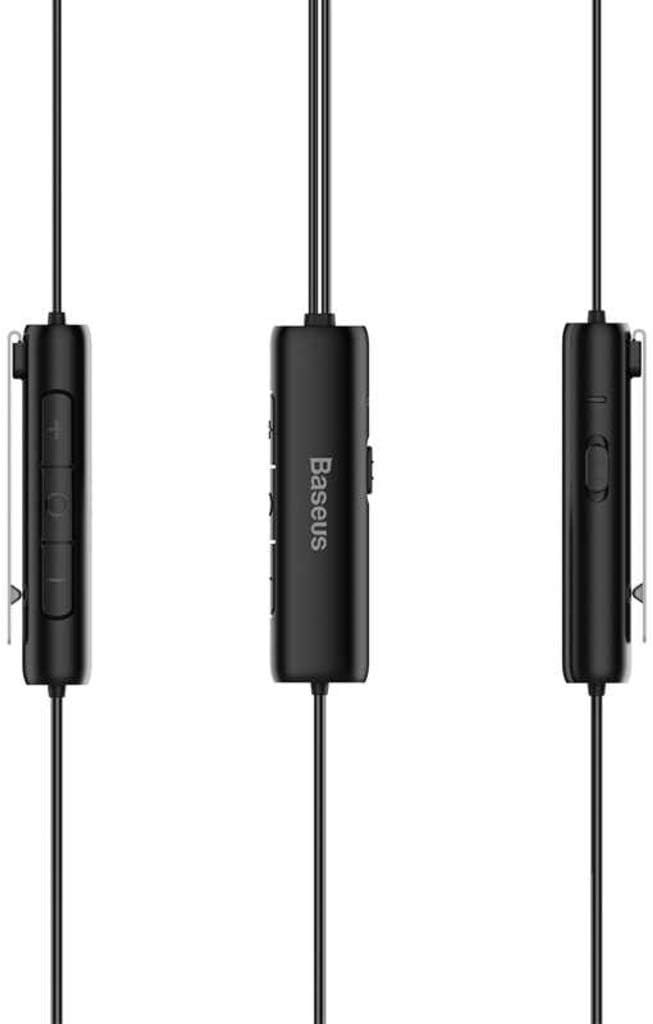
Figure 3: Inline Control Unit
この画像は詳細な view of the inline control unit, showing the volume buttons and the Baseus branding.
3Dサラウンドサウンド:
The Baseus H08 earphones are designed to deliver a 3D surround sound effect, enhancing directional audio cues in compatible games. This feature is automatically active when connected to a device that supports stereo audio output. No additional setup is required for the 3D sound functionality.

Figure 4: Immersive 3D Sound Experience
This image shows a person wearing the Baseus H08 earphones, with visual effects suggesting an immersive 3D sound experience, highlighting the earphones' capability to deliver rich audio details.
メンテナンス
- クリーニング: Regularly clean the earpieces and ear tips with a soft, dry cloth. For stubborn dirt, a slightly damp 布を使用することもできますが、スピーカー グリルに水分が入らないようにしてください。
- ストレージ: When not in use, store the earphones in a clean, dry place, preferably in a protective pouch, to prevent tangling and damage.
- 極端な状況を避ける: イヤホンを極端な温度、湿度、直射日光にさらさないでください。
- ケーブルのお手入れ: Avoid sharply bending or pulling the cable, as this can damage internal wiring.
トラブルシューティング
| 問題 | 考えられる原因 | 解決 |
|---|---|---|
| 音が出ない、または音量が小さい |
|
|
| マイクが機能しない |
|
|
| 音質が悪い |
|
|
仕様
| ブランド | ベースス |
| モデル番号 | NGH08-01 |
| 接続技術 | 有線 |
| ヘッドフォンジャック | 3.5ミリジャック |
| ヘッドフォンのフォームファクター | 耳に装着 |
| マイク付き | はい |
| 騒音制御 | アクティブノイズキャンセリング |
| コントロールタイプ | ボリュームコントロール |
| 色 | 黒 |
| 製品寸法 | 5 x 3 x 10 cm |
| アイテム重量 | 200グラム |
| 対応デバイス | PC、Mac用 |
保証とサポート
For warranty information or technical support, please refer to the documentation included with your purchase or visit the official Baseus webサイトをご覧ください。Baseusのカスタマーサービスに直接お問い合わせいただくこともできます。
Baseus公式 Webサイト: www.baseus.com