
1.製品オーバーview
The UDIRC U818A-HD is a 2.4GHz 4-channel, 6-axis headless RC quadcopter equipped with an HD camera. It is designed for both beginners and experienced pilots, offering stable flight and easy control. Key features include headless mode for simplified orientation, 6-axis gyro for stability, and 360-degree eversion capabilities.

Image: The UDIRC U818A-HD quadcopter and its remote control unit.
2. パッケージ内容
パッケージにすべてのアイテムが揃っていることを確認します。
- UDI U818A-HD RC Quadcopter
- リモートコントロール
- LiPO Battery (2 included)
- 4GB マイクロ SD メモリーカード
- USB充電器
- スペアプロペラ
- ドライバー
- 取扱説明書
3. セットアップ
3.1 バッテリーの取り付け
- Open the battery compartment on the quadcopter's underside.
- Connect the LiPO battery to the quadcopter's power connector.
- バッテリーを慎重に収納部内に置き、カバーを閉じます。
3.2 プロペラの取り付け
Ensure propellers are correctly oriented. Propellers marked 'A' should be installed on motor shafts 'A', and 'B' on 'B'. Secure them with the provided screws.
3.3カメラの設置
Attach the HD camera to the designated slot on the quadcopter's underside. Connect the camera cable to the port. Insert the 4GB Micro SD card into the camera's slot.

画像: 下側 view of the quadcopter, highlighting the camera and LED lights.
3.4 リモートコントロールの設定
Insert 4 AA batteries (not included) into the remote control. Power on the remote control.
3.5 Binding and Calibration
- クワッドコプターを平らで水平な面に置きます。
- Turn on the quadcopter, then turn on the remote control.
- Move the left joystick (throttle) all the way up, then all the way down. The quadcopter's lights will stop flashing, indicating successful binding.
- To calibrate the gyroscope, move both joysticks to the bottom-right corner simultaneously until the lights flash and then become solid.

Image: The UDIRC U818A-HD quadcopter and its remote control, ready for operation.
4. 操作手順
4.1 基本的な飛行制御
- スロットル(左ジョイスティック上下): 高度を制御します。
- ヨー(左ジョイスティック左/右): クワッドコプターを水平に回転させます。
- 前進/後進(右ジョイスティック上下): 前進と後進の動きを制御します。
- 左/右横方向飛行(右ジョイスティック左/右): 横方向の動きを制御します。
4.2 Headless Mode (IOC)
The Headless/IOC function allows the quadcopter to fly based on the pilot's orientation, regardless of the drone's actual front direction. This simplifies control for beginners. Activate and deactivate using the dedicated button on the remote control.
4.3 360° Eversion
Press the 360° Eversion button on the remote control, then move the right joystick in any direction to perform a continuous roll. Ensure sufficient altitude before attempting this maneuver.
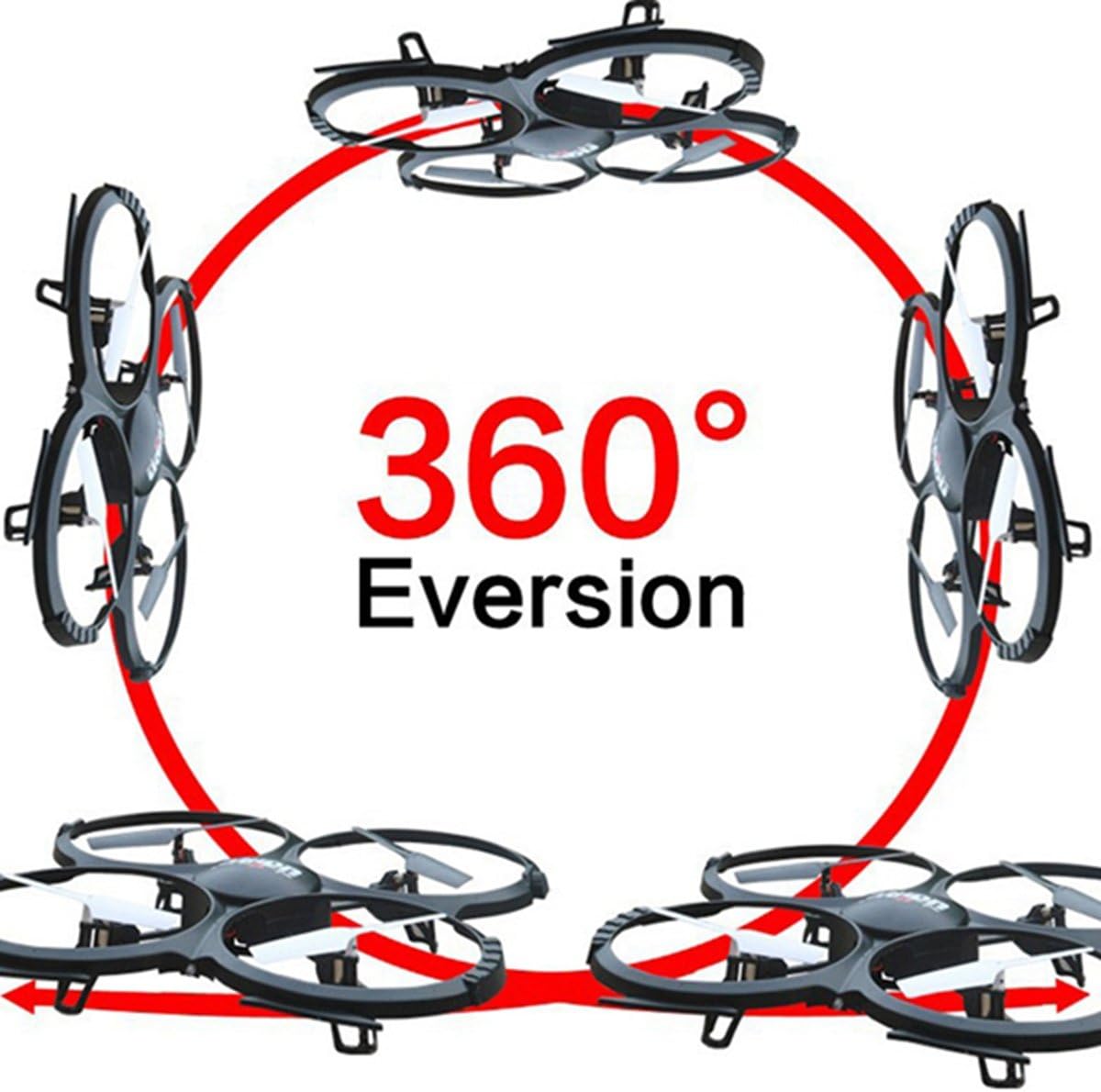
Image: Diagram showing the quadcopter performing a 360-degree eversion.
4.4 写真やビデオの撮影
Use the dedicated buttons on the remote control to capture photos or start/stop video recording. Ensure the Micro SD card is inserted correctly in the camera. Recorded media can be accessed by removing the SD card and inserting it into a computer.
5. メンテナンス
- バッテリーのケア: Charge batteries using the provided USB charger. Do not overcharge. Store batteries in a cool, dry place.
- クリーニング: Use a soft, dry cloth to clean the quadcopter. Avoid water or harsh chemicals.
- プロペラの交換: If propellers are damaged, replace them with spare parts. Ensure correct 'A' and 'B' propeller placement.
6。 トラブルシューティング
- Quadcopter not responding: Ensure the battery is charged, the remote control has fresh batteries, and the quadcopter is properly bound and calibrated.
- 不安定な飛行: Recalibrate the gyroscope on a flat surface. Check for damaged propellers and replace if necessary.
- カメラが録画しない: Verify the Micro SD card is inserted correctly and has sufficient free space. Ensure the camera cable is securely connected.
7. 仕様
| 特徴 | 仕様 |
|---|---|
| ブランド | UDIRC |
| モデル名 | U818A |
| コントロールタイプ | RC |
| 接続技術 | USB、無線周波数 |
| ビデオキャプチャ解像度 | 720p (1280 x 720 ピクセル) |
| 実効静止画解像度 | 1 MP |
| バッテリー容量 | 500ミリamp 営業時間 |
| アイテム重量 | 0.41キログラム |
| 最大範囲 | 100メートル |
| 材料 | プラスチック |
| 商品の寸法(長さ x 幅 x 高さ) | 長さ13.4インチ x 幅13インチ x 高さ2.2インチ |
8. 保証とサポート
保証情報および技術サポートについては、メーカーの公式ウェブサイトをご覧ください。 web購入サイトをご覧いただくか、カスタマーサービス部門にお問い合わせください。購入証明書としてレシートを保管してください。