
Coby CD191
Coby Portable CD Player User Manual
モデル: CD191
Brand: Coby
導入
Thank you for choosing the Coby Portable CD Player CD191. This device is designed to provide a versatile and enjoyable audio experience, combining classic CD playback with modern features like FM radio and MP3 compatibility. Its compact and shockproof design makes it ideal for both home use and on-the-go listening. Please read this manual thoroughly to understand the proper operation and maintenance of your new CD player.

フロント view of the Coby Portable CD Player, showcasing its compact design, LCD display, control buttons, and the included wired earbuds and Micro USB charging cable.
安全情報
安全な操作を確保し、損傷を防ぐために、次の注意事項を守ってください。
- ユニットを雨、湿気、または極端な温度にさらさないでください。
- Avoid dropping or subjecting the unit to strong impacts, as this may damage internal components.
- ユニットを分解しないでください。すべての修理は資格のある担当者にご依頼ください。
- Use only the specified battery type (2 AA batteries) and ensure correct polarity.
- 聴覚障害を防ぐため、過度に大きな音量で長時間聴くことは避けてください。
- Keep the CD compartment clean and free of dust or debris.
パッケージ内容
パッケージにすべてのアイテムが揃っていることを確認します。
- Coby Portable CD Player CD191
- ステレオイヤフォン
- マイクロUSBケーブル

The high-fidelity wired stereo earbuds that come with the CD player, providing a personal listening experience.
製品終了view
コンポーネントとコントロール
Familiarize yourself with the main components and controls of your CD player:
- LCDディスプレイ: Shows track number, time, mode, and battery status.
- CDコンパートメント: Where the CD is inserted.
- 再生/一時停止ボタン: 再生を開始または一時停止します。
- 停止ボタン: 再生を停止します。
- スキップ/検索ボタン (◀◀ / ▶▶): Skips tracks or fast-forwards/rewinds.
- モードボタン: Switches between CD, FM, and MP3 modes.
- プログラムボタン: トラックの順序をプログラミングするために使用されます。
- 音量+/-ボタン: 音声出力レベルを調整します。
- ヘッドホンジャック(3.5mm): ヘッドホンや外部オーディオ機器を接続します。
- マイクロUSBポート: 外部電源用。
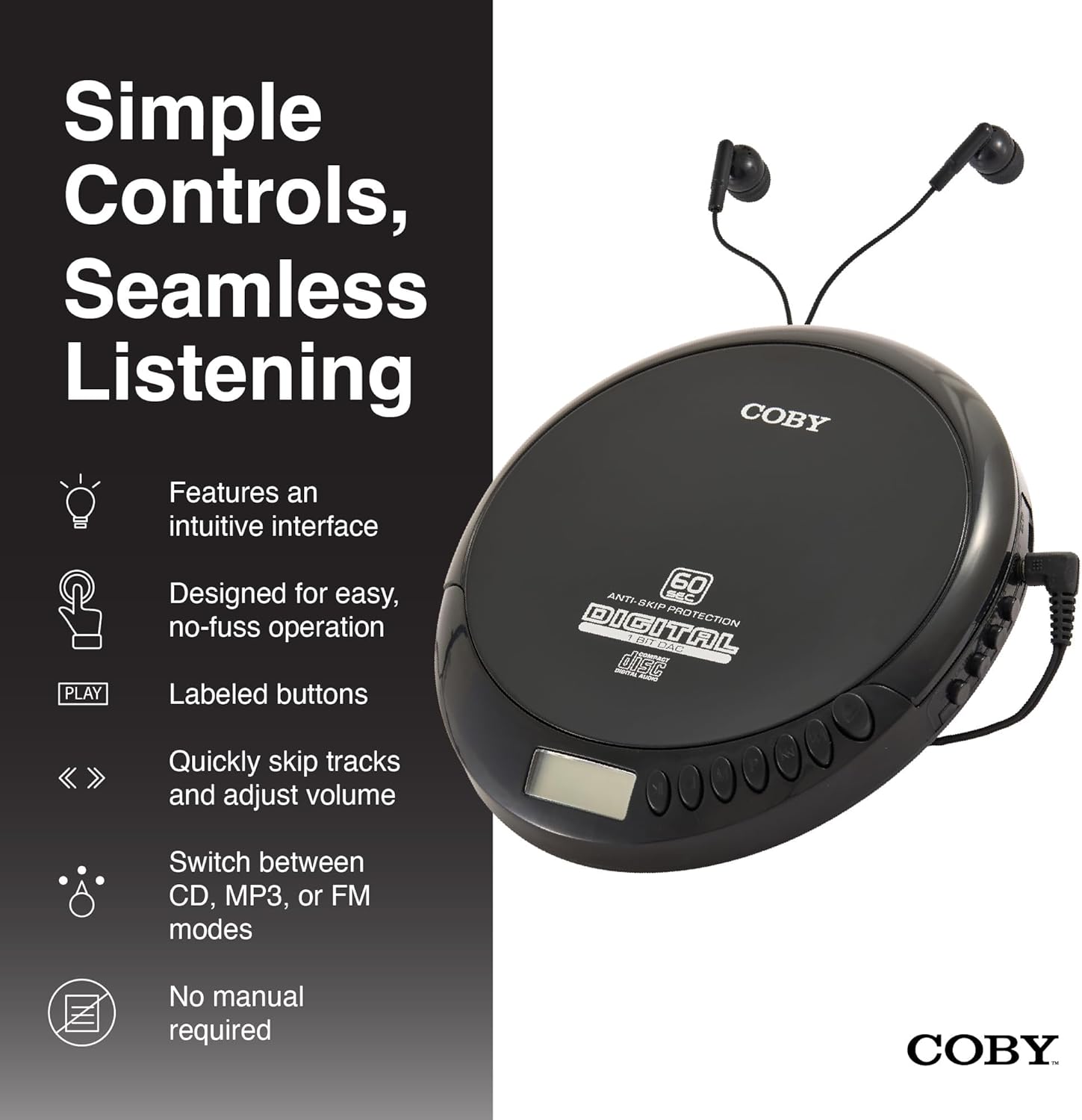
An illustration of the Coby CD Player highlighting its simple controls and intuitive interface.

詳細な view of the player's LCD screen, which displays the current track number, elapsed time, and battery status.

A close-up of the player's intuitive control buttons, including Play/Pause, Stop, Skip/Search, Mode, and Program functions, designed for easy operation.
設定
デバイスの電源供給
The Coby CD Player can be powered by 2 AA batteries (not included) or via the included Micro USB cable.
- バッテリーの取り付け: Open the battery compartment cover on the back of the unit. Insert 2 AA batteries, ensuring correct polarity (+/-). Close the cover securely.
- USB電源: Connect the Micro USB cable to the Micro USB port on the CD player and the other end to a USB power source (e.g., USB wall adapter, computer USB port).

An image showing a user enjoying music with the Coby CD player, highlighting its versatility with both battery and USB power options.

The included Micro USB cable, used for powering the CD player when not using batteries.
ヘッドフォンの接続
Insert the 3.5mm plug of your headphones into the headphone jack on the side of the CD player.
CDの挿入
- Press the OPEN button to open the CD compartment lid.
- ラベル面を上にして、CD を中央のスピンドルに慎重に置きます。
- カチッと音がするまで CD をゆっくりと押し下げます。
- CDコンパートメントの蓋を、ロックされるまでしっかりと閉じます。
操作手順
CD再生
- Insert a CD (CD, CD-R, CD-RW, or CD-MP3).
- を押す 再生/一時停止 button to begin playback. The LCD display will show the track number and elapsed time.
- 再生を一時停止するには、を押します 再生/一時停止 もう一度押すと再開します。
- 再生を停止するには、を押します 停止 ボタン。
The player features 60-second anti-skip protection to ensure continuous audio during movement.
トラックナビゲーション
- プレス ▶▶ 次のトラックにスキップします。
- プレス ◀◀ to return to the beginning of the current track. Press it twice quickly to go to the previous track.
- 押し続ける ▶▶ to fast-forward through the current track.
- 押し続ける ◀◀ to rewind through the current track.
ボリュームコントロール
使用 ボリューム+ そして 音量 - 音量を快適なレベルに調整するためのボタン。
FMラジオの操作
- を押す モード button until 'FM' appears on the LCD display.
- The player will automatically scan and tune to available FM stations.
- 使用 ◀◀ そして ▶▶ buttons to manually tune to specific frequencies or to scan for the next/previous strong station.

This image illustrates the built-in FM radio feature of the Coby CD player, allowing users to tune into their favorite radio stations.
MP3再生
The Coby CD Player supports MP3 files burned onto CD-R or CD-RW discs. When an MP3 CD is inserted, the player will automatically detect the format and begin playback.
Connecting to External Audio Systems
You can connect your Coby CD Player to external speakers or a car audio system using a 3.5mm AUX cable (not included).
- Connect one end of the 3.5mm AUX cable to the headphone jack on the CD player.
- Connect the other end to the AUX input of your external speaker or car audio system.
- 外部デバイスが AUX 入力モードに設定されていることを確認します。

The CD player connected to an external speaker, demonstrating its ability to deliver enhanced sound with features like Super Bass and Crystal Clear Sound when connected to compatible audio systems.

The portable CD player integrated into a car's audio system via an AUX connection, allowing for on-the-go music playback through car speakers.
メンテナンス
ユニットのクリーニング
- 本体の外側は、柔らかく乾いた布で拭いてください。研磨剤入りの洗剤や溶剤は使用しないでください。
- To clean the CD lens, use a specialized CD lens cleaning disc (not included).
バッテリーのケアと保管
- 長期間使用しない場合は、液漏れを防ぐため電池を取り外してください。
- 直射日光や極端な温度を避け、涼しく乾燥した場所に保管してください。
トラブルシューティング
| 問題 | 考えられる原因 | 解決 |
|---|---|---|
| ユニットの電源が入りません。 | 電池が切れているか、正しく挿入されていません。USB ケーブルが正しく接続されていません。 | Replace batteries with new ones, ensuring correct polarity. Check USB cable connection. |
| Disc skipping or distorted sound. | Disc is dirty, scratched, or damaged. Unit is subjected to excessive vibration. | Clean the disc with a soft, lint-free cloth. Try a different disc. Ensure the anti-skip protection is active. Avoid strong impacts. |
| ヘッドホンから音が出ません。 | ヘッドホンが完全に差し込まれていません。音量が低すぎます。ヘッドホンに不具合があります。 | Ensure headphones are fully inserted into the jack. Increase the volume. Try a different pair of headphones. |
| FM ラジオの雑音または受信状態が悪い。 | 信号が弱い。干渉がある。 | Adjust the position of the unit. Try moving to a different location. |
| MP3 CD not recognized. | Disc format not supported or disc is corrupted. | MP3を確認する files are properly encoded and the disc is finalized. Try a different MP3 CD. |
仕様
| 特徴 | 詳細 |
|---|---|
| 製品寸法 | 5.5 x 1 x 5インチ |
| アイテム重量 | 7オンス |
| モデル番号 | CD-191-BLK |
| 電源 | 2 AA batteries (not included), Micro USB |
| 接続技術 | 補助、USB |
| 特集 | Portable, FM Radio, MP3 Compatible |
| スキップ防止保護 | 60秒 |
| 互換性のあるディスクフォーマット | CD、CD-R、CD-RW、CD-MP3 |
公式製品ビデオ
公式製品ビデオショーasing the features and benefits of the Coby Portable CD Player with Stereo Earbuds.
保証とサポート
For warranty information and customer support, please refer to the documentation included with your purchase or visit the official Coby webサイトをご覧ください。サポートの連絡先は通常、メーカーの製品ページまたは保証書に記載されています。
Coby Official Webサイト: Visit the Coby Store on Amazon
Ask a question about this manual
Ask about setup, troubleshooting, compatibility, parts, safety, or missing instructions. Manuals+ will review the question and use this page’s manual context to help answer it.