
導入
Thank you for choosing the Peakeep Twin Bell Analog Alarm Clock. This classic-style alarm clock is designed to provide a loud, effective alarm for heavy sleepers, while also featuring a silent sweeping second hand for undisturbed rest. Its vintage design and clear 3D dial make it a functional and attractive addition to any room.

画像: 正面 view of the Peakeep 4 Inches Twin Bell Loud Alarm Clock in pink, showcasing its classic design and clear 3D dial.
設定
1. バッテリーの取り付け
Your Peakeep alarm clock requires one (1) AA 1.5V battery (not included).
- 時計の裏側にある電池収納部を見つけます。
- 電池ボックスのカバーを開きます。
- 単三電池 1 本を挿入し、極性 (+ と -) が電池室内のインジケータと一致していることを確認します。
- 電池カバーをしっかりと閉じてください。
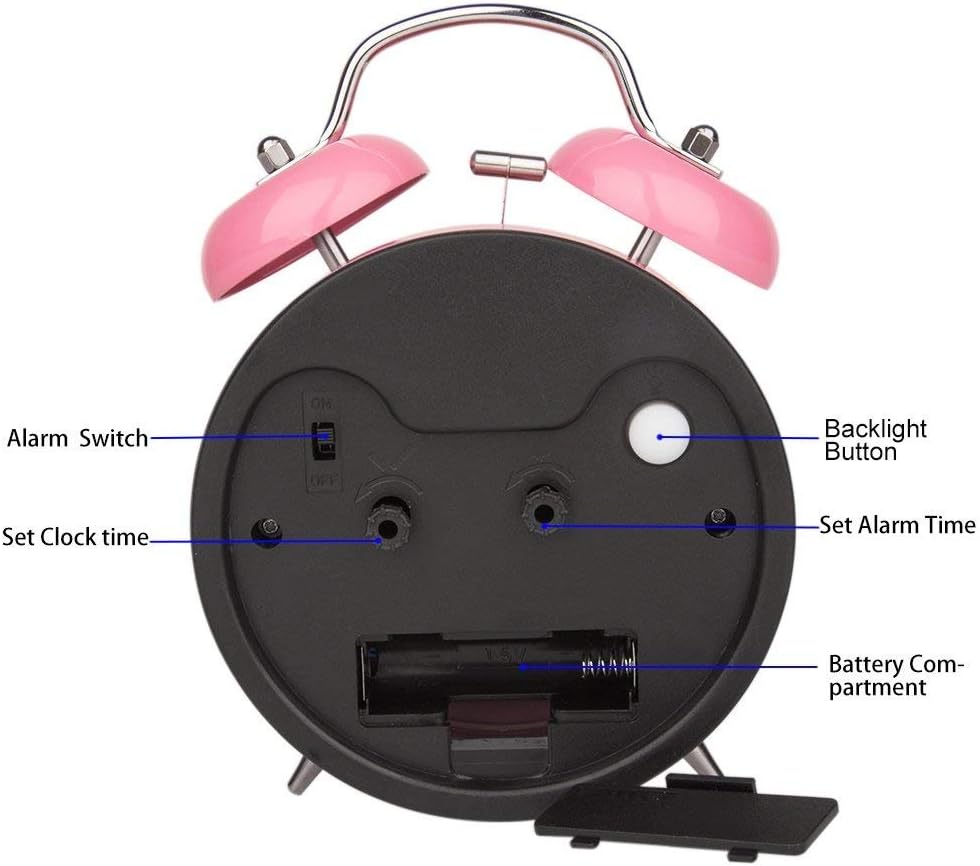
画像: 背面 view of the alarm clock, highlighting the battery compartment for easy access and replacement.
2.時間を設定する
現在の時刻を設定するには:
- Locate the "Set Clock Time" knob on the back of the clock.
- Rotate this knob in the direction of the arrow until the hour and minute hands display the correct time.

画像: 詳細 view of the back of the alarm clock, showing the "Set Clock Time" and "Set Alarm Time" knobs, and the "Alarm Switch".
3.アラームの設定
希望するアラーム時間を設定するには:
- Locate the "Set Alarm Time" knob on the back of the clock.
- Rotate this knob in the direction of the arrow until the alarm hand points to your desired wake-up time.
- Ensure the "Alarm Switch" (ON/OFF toggle) is in the "ON" position for the alarm to activate.
操作手順
1. アラーム機能
When the set alarm time is reached, the twin bells will ring loudly. This clock does not feature a snooze button. To turn off the alarm, simply move the "Alarm Switch" on the back of the clock to the "OFF" position.
2. バックライト機能
For visibility in low-light conditions or at night, press the "Backlight Button" located on the back of the clock. The dial will illuminate, allowing you to easily read the time. Release the button to turn off the backlight.
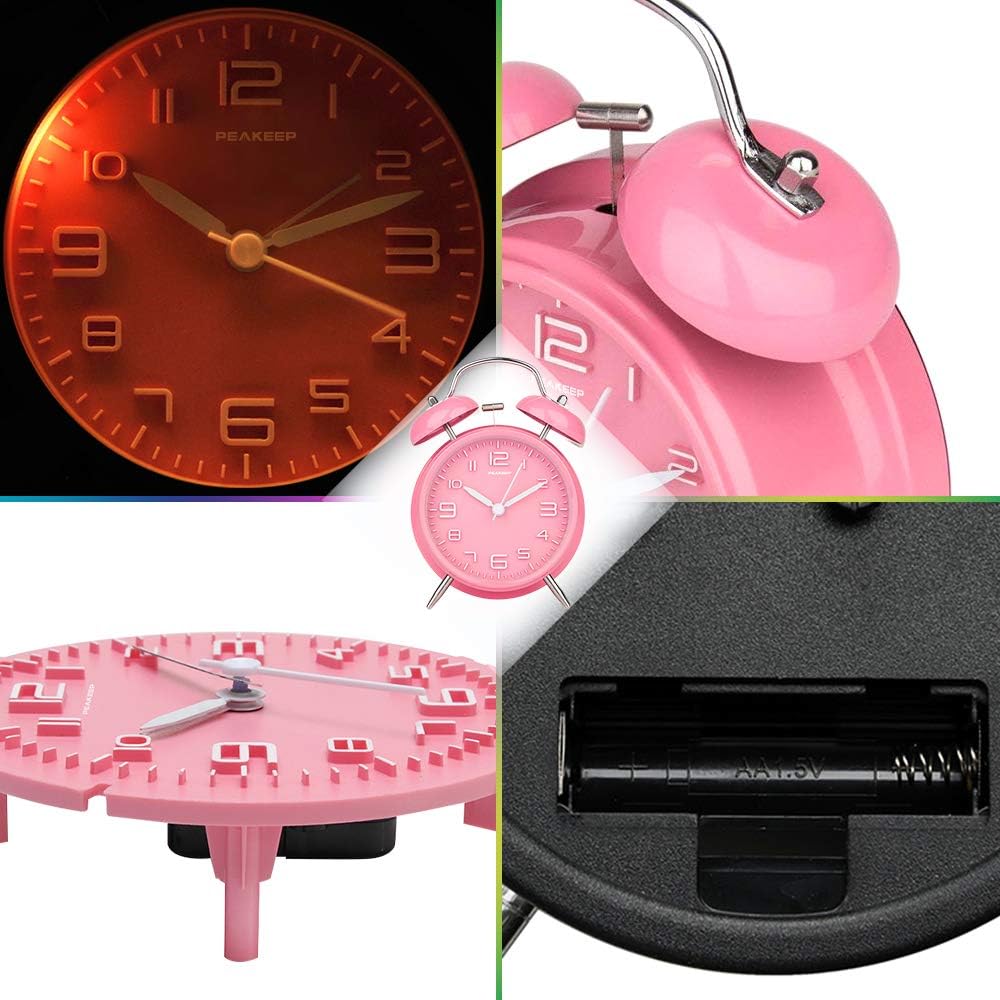
Image: The alarm clock's face illuminated by the backlight, demonstrating its visibility in the dark.
3. 静音操作
The clock features a silent sweeping second hand, ensuring no distracting "tick-tock" noise, promoting a peaceful sleeping environment.
メンテナンス
1. 清掃
To maintain the appearance and functionality of your alarm clock, keep it away from damp environments. Wipe the exterior with a soft, dry cloth as needed. Avoid using harsh chemicals or abrasive cleaners.
2. バッテリーのお手入れ
If the clock will not be used for an extended period, remove the AA battery to prevent potential leakage and damage to the clock's mechanism.
トラブルシューティング
- 時計が正確な時間を刻んでいない: Ensure the battery is fresh and correctly installed. Replace the battery if necessary.
- アラームが鳴らない: Verify that the "Alarm Switch" on the back of the clock is in the "ON" position. Check if the alarm time is correctly set. Ensure the battery is not depleted.
- バックライトが機能しない: Press the "Backlight Button" firmly. If it still doesn't work, replace the battery.
仕様
| 特徴 | 詳細 |
|---|---|
| ブランド | ピーキープ |
| モデル番号 | MHP3129 |
| 色 | ピンク |
| 表示タイプ | Analog (3D Dial) |
| スタイル | ヴィンtage |
| 特集 | Loud Alarm, Silent Sweeping Second Hand, Backlight |
| 製品寸法 | 幅4.5インチ x 高さ6.5インチ |
| 電源 | 電池式(単三電池1本必要、別売) |
| 材料 | Metal (Iron Frame) |
| アイテム重量 | 5.1オンス |
| 欧州連合 | 700355113478 |

Image: The Peakeep alarm clock with its dimensions (4.5" W x 6.5" H) clearly indicated.
保証とサポート
This Peakeep alarm clock comes with a manufacturer's warranty for 90 days from the date of purchase. For any product-related inquiries or support, please refer to the contact information provided in your product packaging or visit the official Peakeep webサイト。
A detailed user manual is included in the product packaging for further assistance.
Image: The product packaging, illustrating the included user manual and warranty card.