
導入
The Lexar JumpDrive S75 is a high-performance USB 3.1 flash drive designed for efficient storage and transfer of photos, videos, and files. It offers fast read and write speeds, making it suitable for various data management tasks. The drive features a retractable connector for protection and is compatible with both PC and Mac systems.
This manual provides essential information for setting up, operating, maintaining, and troubleshooting your Lexar JumpDrive S75.
製品終了view
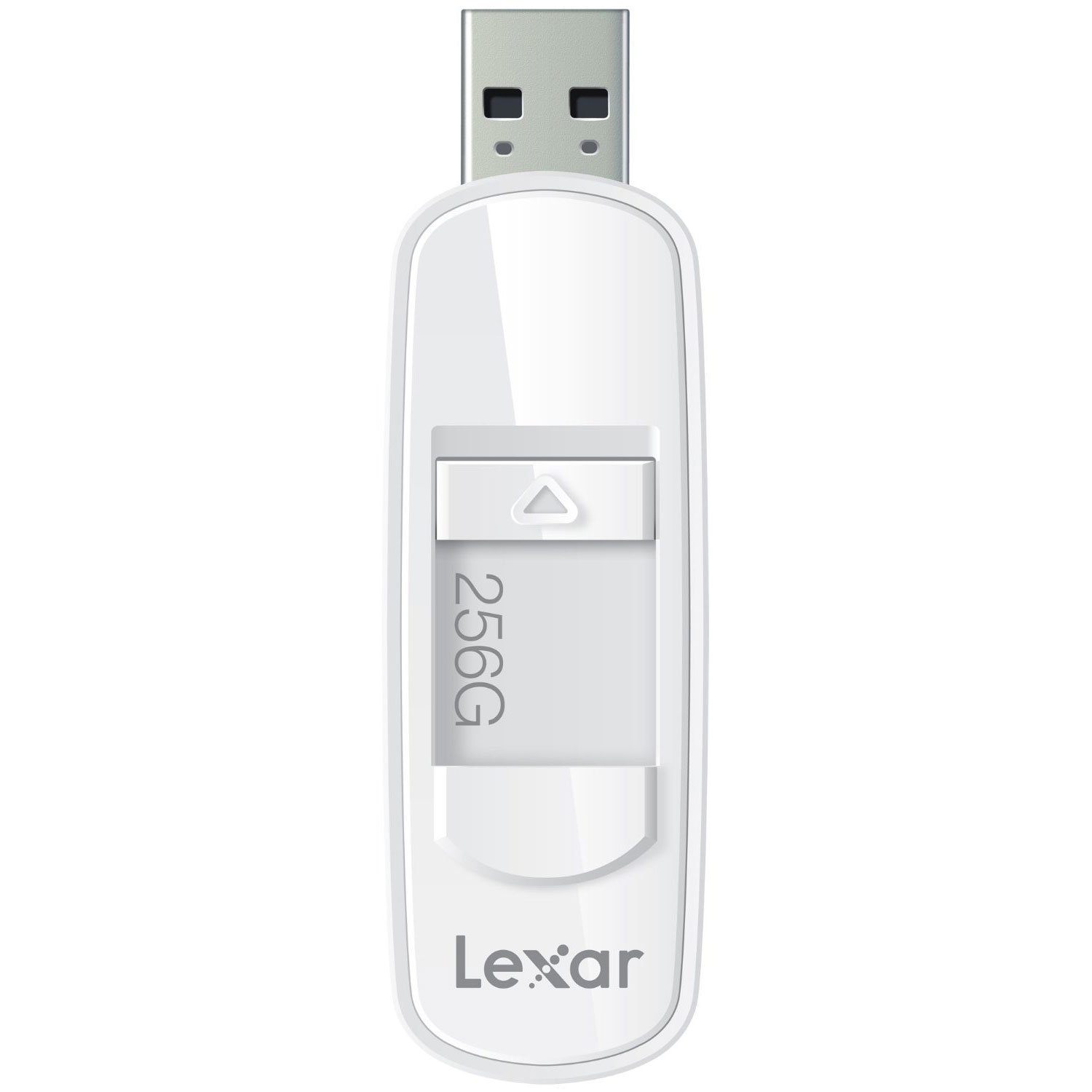
This image shows the Lexar JumpDrive S75 USB 3.1 Flash Drive, highlighting its compact design and retractable connector. The drive is being held in a hand, positioned near a laptop and a notebook, illustrating its portability and ease of use in a typical work or study environment.
The Lexar JumpDrive S75 features a sleek design with a retractable USB connector, which protects the connector when not in use. It is equipped with SuperSpeed USB 3.1 technology for rapid data transfer.
- SuperSpeed USB 3.1 Technology: Enables fast content transfer with speeds up to 150MB/s read and 60MB/s write for 64GB-256GB capacities.
- Retractable Connector: A convenient thumb slide mechanism extends and retracts the USB connector.
- 幅広い互換性: Works with both PC and Mac operating systems.
- LED Activity Indicator: A small light indicates when the drive is actively reading or writing data.
設定
The Lexar JumpDrive S75 is a plug-and-play device, requiring no special driver installation for most modern operating systems.
- コネクタを拡張します。 Use the thumb slide to extend the USB connector from the drive casing.
- コンピュータに接続します: Insert the USB connector into an available USB port on your computer. For optimal performance, use a USB 3.0 or USB 3.1 port. The drive is also backward compatible with USB 2.0 ports, though speeds will be limited to USB 2.0 specifications.
- 認識: Your computer's operating system should automatically detect the drive and make it accessible. It will typically appear as a removable disk drive in 'My Computer' (Windows) or on the desktop/Finder (Mac).
操作手順
転送中 Files
- ドライブを開きます: Double-click the drive icon on your computer to open its contents.
- コピー Files: ドラッグアンドドロップ files or folders from your computer to the JumpDrive S75, or vice versa. Alternatively, use the copy and paste functions.
- モニター転送: Observe the LED activity indicator on the drive. A flashing light indicates that data is being read from or written to the drive.
安全な取り外し
To prevent data corruption, always safely eject the flash drive before physically removing it from your computer.
- ウィンドウズ: Click the 'Safely Remove Hardware and Eject Media' icon in the system tray, then select the Lexar JumpDrive S75. Wait for the 'Safe to Remove Hardware' message before unplugging.
- マック: Drag the drive icon to the Trash, or right-click (Control-click) the drive icon and select 'Eject'. Wait for the icon to disappear before unplugging.
メンテナンス
- コネクタを保護する: Always retract the USB connector into the drive casing when not in use to prevent damage to the connector pins.
- 取り扱いにはご注意ください: Avoid dropping the drive or subjecting it to excessive force, as this can cause internal damage.
- 乾燥を保つ: Protect the drive from moisture and extreme temperatures.
- 定期的なバックアップ: While flash drives are reliable, it is good practice to back up important data to multiple locations to prevent data loss.
トラブルシューティング
ドライブが検出されません
- ドライブが USB ポートに完全に挿入されていることを確認します。
- コンピュータの別のUSBポートを試してください。
- Test the drive on another computer to determine if the issue is with the drive or the computer's USB port.
- コンピュータを再起動します。
転送速度が遅い
- Verify that you are connected to a USB 3.0 or USB 3.1 port. USB 2.0 ports will operate at significantly lower speeds.
- 多くの小さな file単一の大きなデータを転送するよりも遅くなる場合があります file 合計サイズは同じです。
- コンピュータのドライバーが最新であることを確認してください。
Data Corruption or Inaccessible Files
- Always safely eject the drive before removal. Unexpected removal can lead to data corruption.
- If files become inaccessible, you may consider using data recovery software (third-party) or reformatting the drive if data is not critical. Reformatting will erase all data.
Reported Capacity Discrepancy
- The actual usable storage capacity may be less than the stated capacity due to formatting, operating system files, and other functions. This is normal for all storage devices.
仕様
| モデル名 | S75 |
| 商品型番 | LJDS75-256ABNL |
| メモリストレージ容量 | 256ギガバイト |
| ハードウェアインターフェイス | USB 3.0(USB 3.1と互換性あり) |
| 読み取り速度 | 最大150MB/秒 |
| 書き込み速度 | 最大60MB/秒 |
| 接続技術 | USB |
| ハードウェアプラットフォーム | PC、Mac用 |
| オペレーティング·システム | PC; Mac |
| 色 | 白 |
| アイテム重量 | 0.768オンス |
| 製品寸法 | 4 x 0.54 x 5.5インチ |
| メーカー | Lexar International |
保証情報
For detailed warranty information regarding your Lexar JumpDrive S75, please refer to the official Lexar website or the warranty card included with your product at the time of purchase. Warranty terms and conditions may vary by region and product.
サポート
If you encounter any issues or have questions not covered in this manual, please visit the official Lexar support webさらなるサポート、FAQ、および連絡先オプションについては、サイトをご覧ください。
Lexar Official Webサイト: 詳しくはこちら