
1. はじめに
The Xiaomi Mi 5000mAh Power Bank is a portable charging solution designed for smartphones and other USB-powered devices. Its slim 9.9mm design and lightweight construction (156 grams) make it highly portable, fitting easily into a pocket or bag. Equipped with a 5000mAh lithium-ion polymer battery, it provides reliable power on the go. The integrated battery indicator keeps you informed about the remaining charge level.
2. 安全情報
- パワーバンクを極端な温度(60°C / 140°F 以上または 0°C / 32°F 以下)、直射日光、火気にさらさないでください。
- Avoid dropping, disassembling, or attempting to repair the device yourself. This may cause damage or injury.
- Keep the power bank away from water, moisture, and other liquids.
- Use only certified charging cables and adapters. Using incompatible accessories may lead to fire, explosion, or other hazards.
- お子様の手の届かない場所に保管してください。
- Dispose of the power bank according to local regulations for electronic waste. Do not dispose of it in household waste.
3. パッケージ内容
- Xiaomi Mi 5000mAh Power Bank (Model XPB5000)
- USB充電ケーブル(マイクロUSB - USB-A)
- ユーザーマニュアル
4.製品オーバーview
Familiarize yourself with the components of your Xiaomi Mi 5000mAh Power Bank.
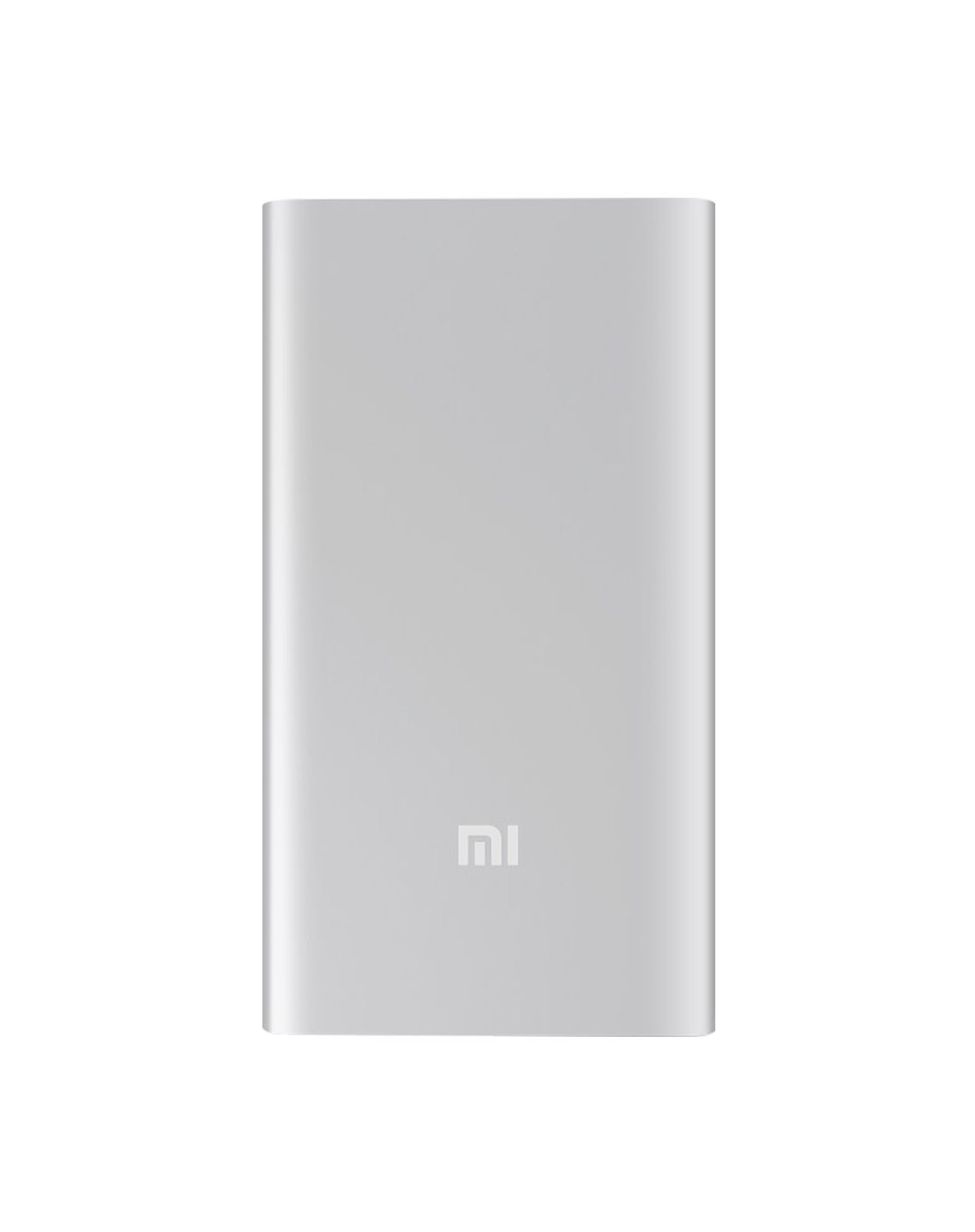
図4.1: 前面 view of the Xiaomi Mi 5000mAh Power Bank, silver color with the 'Mi' logo.

図4.2:上 view of the power bank, highlighting the ports and indicators.
- マイクロUSB入力ポート: パワーバンク自体を充電するために使用されます。
- USB-A 出力ポート: 外部機器の充電に使用します。
- 電源ボタン: Press once to check battery level; press and hold to turn on/off (if applicable, some power banks are auto-on).
- LEDインジケーター: Four small lights that show the remaining battery capacity of the power bank. Each light typically represents 25% of the charge.
5. セットアップ
5.1 初期充電
Before using your Xiaomi Mi 5000mAh Power Bank for the first time, it is recommended to fully charge it.
- Connect the Micro USB end of the provided cable to the power bank's Micro USB Input Port.
- ケーブルの USB-A 端子を USB 壁面アダプタ (別売) またはコンピュータの USB ポートに接続します。
- The LED indicators will light up and blink, showing the charging progress. All four LEDs will remain solid when the power bank is fully charged.
6. 操作手順
6.1 パワーバンクの充電
パワーバンクを充電するには:
- Use the included USB cable to connect the power bank's Micro USB input port to a power source (e.g., wall charger, computer USB port).
- The LED indicators will show the charging status. When all four LEDs are solid, the power bank is fully charged.
6.2 デバイスの充電
To charge a smartphone or other USB-powered device:
- Connect your device's charging cable to the USB-A Output Port of the power bank.
- ケーブルのもう一方の端をデバイスに接続します。
- パワーバンクは自動的にデバイスの充電を開始します。充電が開始されない場合は、電源ボタンを1回押して充電を開始してください。
- パワーバンクの使用中、LED インジケーターにパワーバンクの残量が表示されます。
7. メンテナンス
- クリーニング: パワーバンクのお手入れには、柔らかく乾いた布をご使用ください。刺激の強い化学薬品や研磨剤は使用しないでください。
- ストレージ: Store the power bank in a cool, dry place away from direct sunlight and extreme temperatures. If storing for extended periods, charge it to about 50% every three months to prolong battery life.
- バッテリーのケア: パワーバンクを頻繁に完全に放電することは避けてください。全体的な寿命が短くなる可能性があります。
8。 トラブルシューティング
| 問題 | 考えられる解決策 |
|---|---|
| パワーバンクが充電されない | Ensure the charging cable is securely connected to both the power bank and the power source. Try a different cable or wall adapter. Check if the power source is active. |
| デバイスがパワーバンクから充電されない | Check if the power bank has sufficient charge (indicated by LEDs). Ensure the cable connecting the device to the power bank is functional and securely connected. Press the power button on the power bank once. |
| 充電が遅い | Ensure you are using a high-quality cable. The charging speed may vary depending on the device being charged and the power bank's remaining capacity. |
| LEDインジケーターが機能しない | The power bank might be completely discharged or damaged. Try charging it for a few hours. If the issue persists, contact support. |
9. 仕様
| 特徴 | 詳細 |
|---|---|
| ブランド名 | 小米 |
| モデル番号 | XPB5000 |
| バッテリー容量 | 5000mAh |
| バッテリーセルの構成 | リチウムポリマー |
| 色 | 銀 |
| 特集 | 軽量 |
| 巻tage | 5ボルト |
| 現在 | 2.1 Amps |
| 電源 | 電池駆動 |
| 対応デバイス | スマートフォン |
| 互換性のある電話モデル | Apple iPhone 5S, Apple iPhone 6 (and other USB-compatible devices) |
| 入力ポート | 1(マイクロUSB) |
| 出力ポート | 1 (USB-A) |
| 商品の寸法 (長さ x 幅 x 高さ) | 15 x 4.5 x 2.5 cm |
| 重さ | 156グラム(約) |
| GTIN / UPC | 06954176883742 / 700254076065 190268050890 |
Note: The specification 'Number of Ports: 6' from product data likely refers to the combination of physical ports (Micro USB input, USB-A output) and the four LED indicators.
10. 保証とサポート
10.1 保証情報
According to the product specifications, this item is sold with "No Warranty". Please refer to your point of purchase for any return or exchange policies.
10.2 カスタマーサポート
For further assistance or inquiries regarding your Xiaomi Mi 5000mAh Power Bank, please contact the retailer where the product was purchased or visit the official Xiaomi support web一般的な製品情報のサイト。
公式Xiaomi Webサイト: https://www.mi.com/global/support