
導入
The Fellowes Saturn 125 Thermal Laminator is designed for efficient and reliable lamination of documents up to 12.5 inches wide. Featuring InstaHeat technology for rapid warm-up and a jam-free design, this machine is suitable for home, office, or classroom use. This manual provides essential information for safe operation, setup, maintenance, and troubleshooting.
安全情報
- 電気安全: Always plug the laminator into a grounded outlet. Do not operate with a damaged power cord or plug. Keep the power cord away from heated surfaces.
- 熱警告: The laminator's rollers and surrounding areas become hot during operation. Avoid touching these surfaces to prevent burns. Allow the machine to cool completely before storing.
- Proper Pouch Use: Use only laminating pouches designed for thermal laminators. Do not attempt to laminate items thicker than the maximum recommended pouch thickness (5-mil).
- 換気: Ensure adequate ventilation around the laminator during use. Do not block air vents.
- 子供とペット: Keep the laminator out of reach of children and pets. Adult supervision is required if children are operating the device.
- 液体接触: Do not expose the laminator to water or other liquids. If liquid spills on the device, unplug it immediately and contact customer support.
パッケージ内容
パッケージにすべてのアイテムが揃っていることを確認します。
- Fellowes Saturn 3i 125 Laminator
- Pouch Starter Kit (quantity may vary)
- 取扱説明書
設定
- 開梱: ラミネーターとすべての付属品をパッケージから慎重に取り出します。
- 配置: Place the laminator on a stable, flat surface with adequate space around it for proper ventilation and document feeding/exiting. Ensure it is away from heat sources and direct sunlight.
- 電源接続: 電源コードを標準の電源コンセントに差し込みます。
- 電源オン: Locate the power switch on the back of the unit and turn it to the 'ON' position. The laminator will begin its warm-up cycle.
- 準備し始める: The InstaHeat technology allows for a rapid warm-up time of approximately 60 seconds. The indicator light will change from red to green when the machine is ready for use.

Image: Fellowes Saturn 125 Thermal Laminator ready for use.

Image: The laminator features a quick 60-second warm-up time, indicated by a green light.
操作手順
- ポーチの厚さを選択: Choose the appropriate pouch thickness (3-mil, 4-mil, or 5-mil) using the control panel buttons. For self-adhesive pouches, select the 'COLD' setting (snowflake icon).
- ドキュメントを準備する: Place your document neatly inside the laminating pouch, ensuring it is centered and there is a small border around the edges.
- ポーチを挿入: Feed the sealed edge of the pouch into the laminator's entry slot. The machine will automatically draw the pouch through.
- ラミネート工程: The Saturn 125 laminates at a speed of 19 inches per minute. Allow the machine to complete the process without pulling or pushing the pouch.
- ラミネート文書の取得: Once the pouch exits the rear of the machine, carefully remove it. The document will be warm; allow it to cool for a few moments before handling extensively.
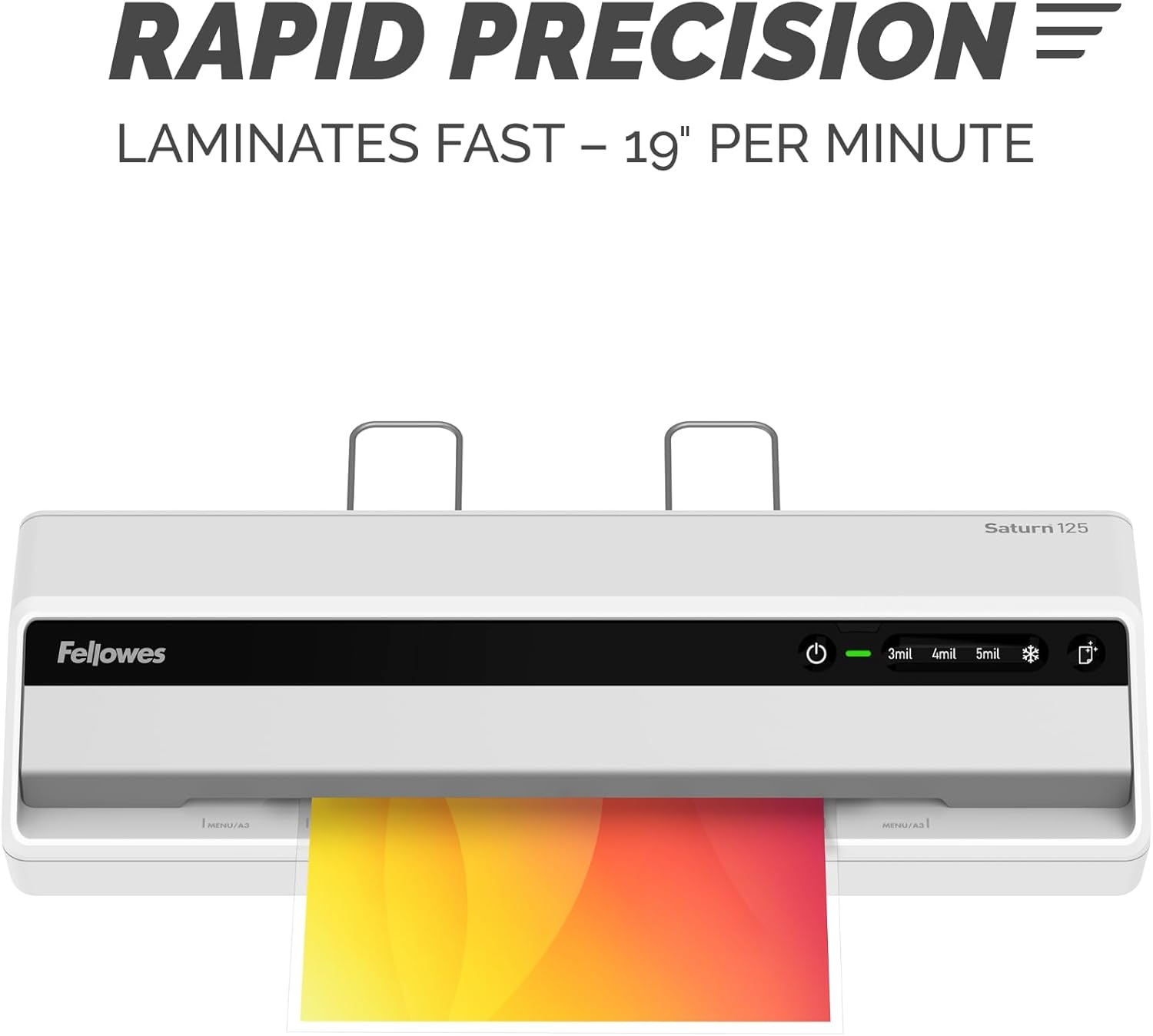
Image: The laminator processes documents quickly at 19 inches per minute.

Image: Choose from 3-mil, 4-mil, 5-mil, or cold settings for various pouch types.
Video: A quick demonstration of the Fellowes Saturn 3i 125 laminator in action, showing the ease of use and efficient lamination process.
Video: This video demonstrates how simple it is to laminate documents using the Fellowes Saturn 125, highlighting its user-friendly operation.
メンテナンス
- クリーニング: The laminator features a CleanAlert reminder system. When activated, run a cleaning sheet through the machine to remove adhesive residue and maintain optimal performance.
- 外装清掃: Wipe the exterior of the laminator with a soft, dry cloth. Do not use abrasive cleaners or solvents.

Image: The CleanAlert system provides reminders for cleaning to ensure longevity.
トラブルシューティング
- Document Jam: The Saturn 125 includes jam detection technology. If a jam occurs, use the quick release lever to free the pouch. Re-center or remove the pouch and attempt lamination again.
- Bubbles or Uneven Lamination: Ensure the correct pouch thickness setting is selected. For optimal results, use high-quality laminating pouches.
- 過熱: The laminator is equipped with an automatic shut-off feature that activates after 30 minutes of non-use to prevent overheating and conserve energy. If the machine feels excessively hot, unplug it and allow it to cool.

Image: The jam release lever helps clear jammed pouches for continuous productivity.
仕様
| 特徴 | 詳細 |
|---|---|
| ブランド | フェローズ |
| モデル番号 | 5736601 |
| アイテム重量 | 5.1ポンド |
| 製品寸法 | 5.75 x 20.94 x 4.13インチ |
| 材質タイプ | プラスチック |
| Max Document Width | 12.5インチ |
| シートサイズ | 手紙 |
| ウォームアップタイム | 60 seconds (InstaHeat) |
| ラミネート速度 | 毎分 19 インチ |
| Pouch Thickness Settings | 3-mil, 4-mil, 5-mil, Cold |
| 自動シャットオフ | Yes (after 30 minutes of non-use) |
保証とサポート
For warranty information and customer support, please refer to the official Fellowes webご購入の際は、ウェブサイトをご覧いただくか、カスタマーサービスまでお問い合わせください。保証請求の際は、購入証明としてレシートを保管してください。
メーカー: フェローズ