
1. はじめに
The Acer Aspire Switch 10 SW5-012-16AA is a versatile 2-in-1 detachable touchscreen laptop designed for flexibility and productivity. It combines the functionality of a traditional laptop with the portability of a tablet, allowing users to switch between modes to suit various tasks and environments. This manual provides essential information for setting up, operating, maintaining, and troubleshooting your device.

Figure 1: Acer Aspire Switch 10 in traditional laptop mode.
2. セットアップ
2.1 開梱と初期検査
Upon opening the package, ensure all components are present and undamaged. Your Acer Aspire Switch 10 package should include the laptop unit, AC adapter, and power cord. Inspect the device for any physical damage before proceeding.
2.2デバイスの充電
Before first use, fully charge your Acer Aspire Switch 10. Connect the AC adapter to the charging port on the device and then to a power outlet. The charging indicator light will illuminate. A full charge typically takes several hours.
2.3 キーボードの取り付けと取り外し
The Acer Aspire Switch 10 features a magnetic snap hinge for easy attachment and detachment of the keyboard. To attach, align the tablet portion with the keyboard dock and gently push until the magnets engage. To detach, firmly pull the tablet away from the keyboard. Ensure the device is powered off or in sleep mode before detaching to prevent data loss.

Figure 2: Attaching the tablet to the keyboard dock.
Video 1: Demonstration of the Acer Switch 10's magnetic snap hinge and mode switching.
3. 操作
3.1 電源のオン/オフ
To power on, press and hold the power button until the Acer logo appears. To power off, navigate to the Windows Start menu, select "Power," and then "Shut down."
3.2動作モード
The Acer Aspire Switch 10 offers four distinct operating modes:
- Notebook Mode: タイピングと生産性を高める従来のラップトップ セットアップ。
- タブレットモード: Detach the screen for a portable touchscreen experience.
- スタンドモード: Flip the screen around and dock it facing outwards for presentations or media viewing。
- 表示モード: Fold the screen back completely, with the keyboard facing down, ideal for watching videos or interacting with the touchscreen.
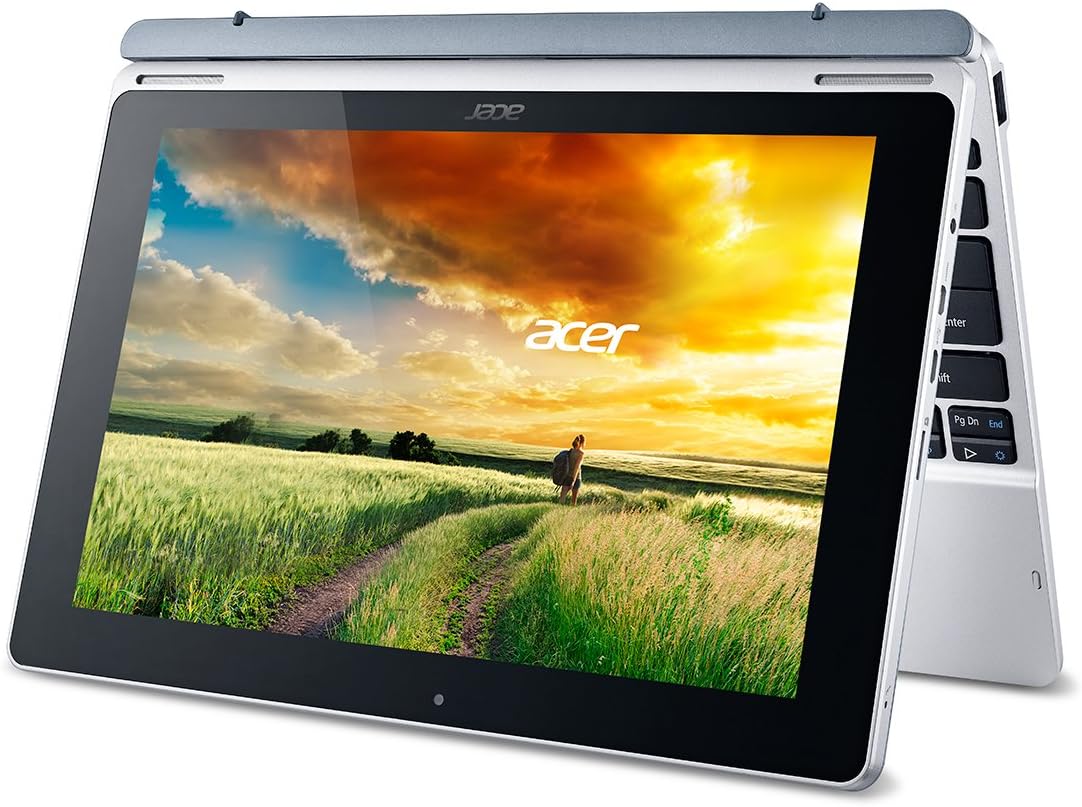
Figure 3: Acer Aspire Switch 10 in tablet mode.
ビデオ2: 終了view of the Aspire Switch 10's various modes and functionalities.
3.3 基本的なナビゲーション
The device runs on Windows 8.1 (32-bit) with Bing. You can navigate using the 10.1-inch touchscreen, the keyboard, or the integrated touchpad. Familiarize yourself with Windows 8.1 gestures for optimal touchscreen interaction.
3.4 接続性
The Aspire Switch 10 supports various connectivity options:
- Wi-Fi: 802.11a/b/g/n Wireless LAN with Acer Nplify, featuring MIMO technology (Dual-Band 2.4GHz and 5GHz).
- ブルートゥース: ワイヤレス周辺機器を接続するための Bluetooth 4.0。
- USB ポート: One Micro USB 2.0 port on the tablet and one USB 2.0 port on the keyboard.
- マイクロHDMI: HDCP 対応の外部ディスプレイに接続します。
- マイクロSDスロット: For expanding internal storage.
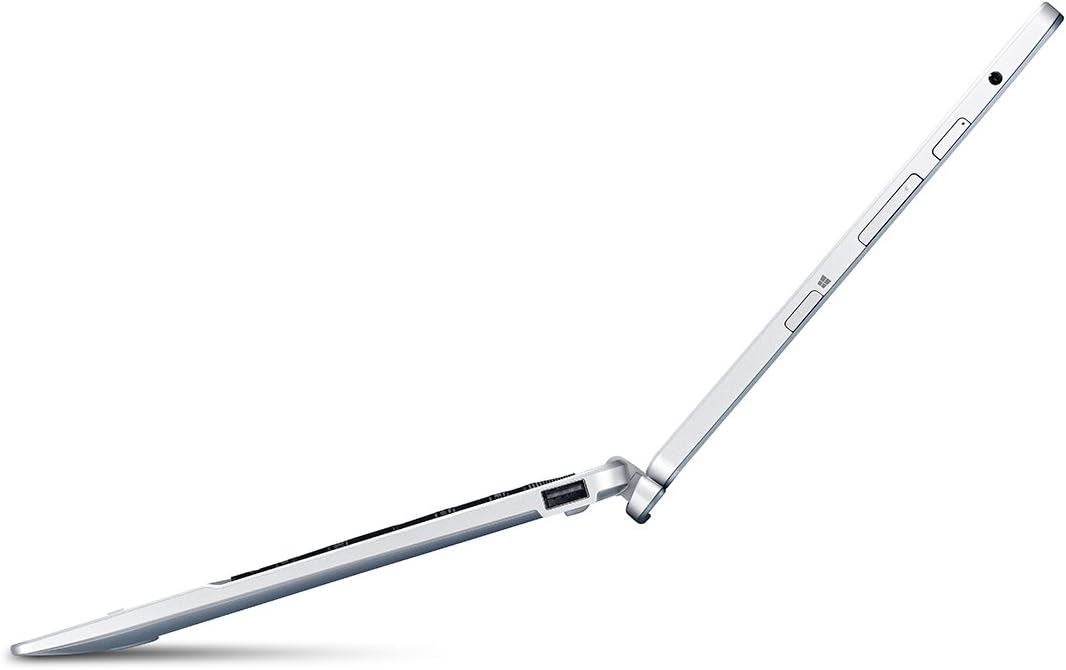
図4:側面 view 利用可能なポートを示します。
3.5 プリインストールソフトウェア
Your device comes with a Microsoft Office 365 Personal 1-Year Subscription (activation code included), providing access to essential productivity applications like Word, Excel, and PowerPoint.
4. メンテナンス
4.1デバイスのクリーニング
画面と外装の表面を拭くときは、柔らかく糸くずの出ない布を使用してください。頑固な汚れには、軽く拭いてください。amp布に水または画面に安全な洗浄液を含ませてください。刺激の強い化学薬品や研磨剤は使用しないでください。
4.2バッテリーケア
To maximize battery life, avoid extreme temperatures and fully discharging the battery frequently. For long-term storage, charge the battery to about 50% and store the device in a cool, dry place.
4.3ソフトウェアアップデート
Regularly check for and install Windows updates to ensure your system has the latest security patches and performance improvements. Go to "Settings" > "Update & Security" > "Windows Update" to manage updates.
5。 トラブルシューティング
5.1 デバイスの電源が入らない
If the device does not power on, ensure it is connected to the AC adapter and charging. Press and hold the power button for several seconds. If the issue persists, try connecting to a different power outlet or contact support.
5.2 キーボードが反応しない
Ensure the tablet is securely docked to the keyboard. Detach and reattach the tablet to re-establish the connection. If the problem continues, restart the device.
5.3 パフォーマンスの低下
Close unnecessary applications running in the background. Check for available storage space and consider uninstalling unused programs. Running Windows updates can also improve performance.
6. 仕様
| 特徴 | 詳細 |
|---|---|
| モデル名 | SW5-012-16AA |
| 画面サイズ | 10.1インチ |
| ディスプレイ解像度 | 1280x800ピクセル(HD) |
| プロセッサ | Intel Atom Z3735F 1.33 GHz (Quad-Core) |
| RAMメモリ | 2 GB LPDDR3 SDRAM |
| 内部ストレージ | 32 GB(SSD) |
| オペレーティング·システム | Windows 8.1 (32-bit) with Bing |
| グラフィックス | Intel HD グラフィックス(統合) |
| バッテリー寿命 | 最大8時間 |
| 重さ | 2.58 lbs (Tablet & Keyboard) |
| 接続性 | 802.11a/b/g/n Wi-Fi, Bluetooth 4.0, Micro USB 2.0, USB 2.0 (keyboard), Micro-HDMI, Micro SD slot |
7. 保証とサポート
The Acer Aspire Switch 10 SW5-012-16AA comes with a 1年間の国際旅行者限定保証(ITW). For detailed warranty terms, service, and technical support, please refer to the official Acer support website or contact Acer customer service directly. Keep your proof of purchase for warranty claims.