
1.製品オーバーview
The UGREEN Micro USB 2.0 OTG Cable is designed to enable Micro USB-equipped smartphones and tablets to function as a host, allowing connection of various USB peripherals. This adapter facilitates data transfer and expands the functionality of your mobile device.

Image 1.1: The UGREEN Micro USB 2.0 OTG Cable, featuring a Micro USB male connector on one end and a USB-A female port on the other.
パッケージ内容:
- UGREEN Micro USB OTGアダプター x 1
- ユーザーマニュアル x 1
2. セットアップ手順
This OTG cable is designed for plug-and-play operation. No drivers or software installation are typically required. Ensure your device supports OTG functionality before use.
Connecting the OTG Cable:
- Verify OTG Support: Confirm that your smartphone or tablet has Micro USB 2.0 and supports OTG (On-The-Go) functionality. This is crucial for the adapter to work.
- デバイスに接続します: Insert the Micro USB male connector of the UGREEN OTG cable into the Micro USB port of your compatible smartphone or tablet.
- 周辺機器を接続: Plug your desired USB-A peripheral (e.g., flash drive, keyboard, mouse, game controller) into the USB-A female port of the UGREEN OTG cable.
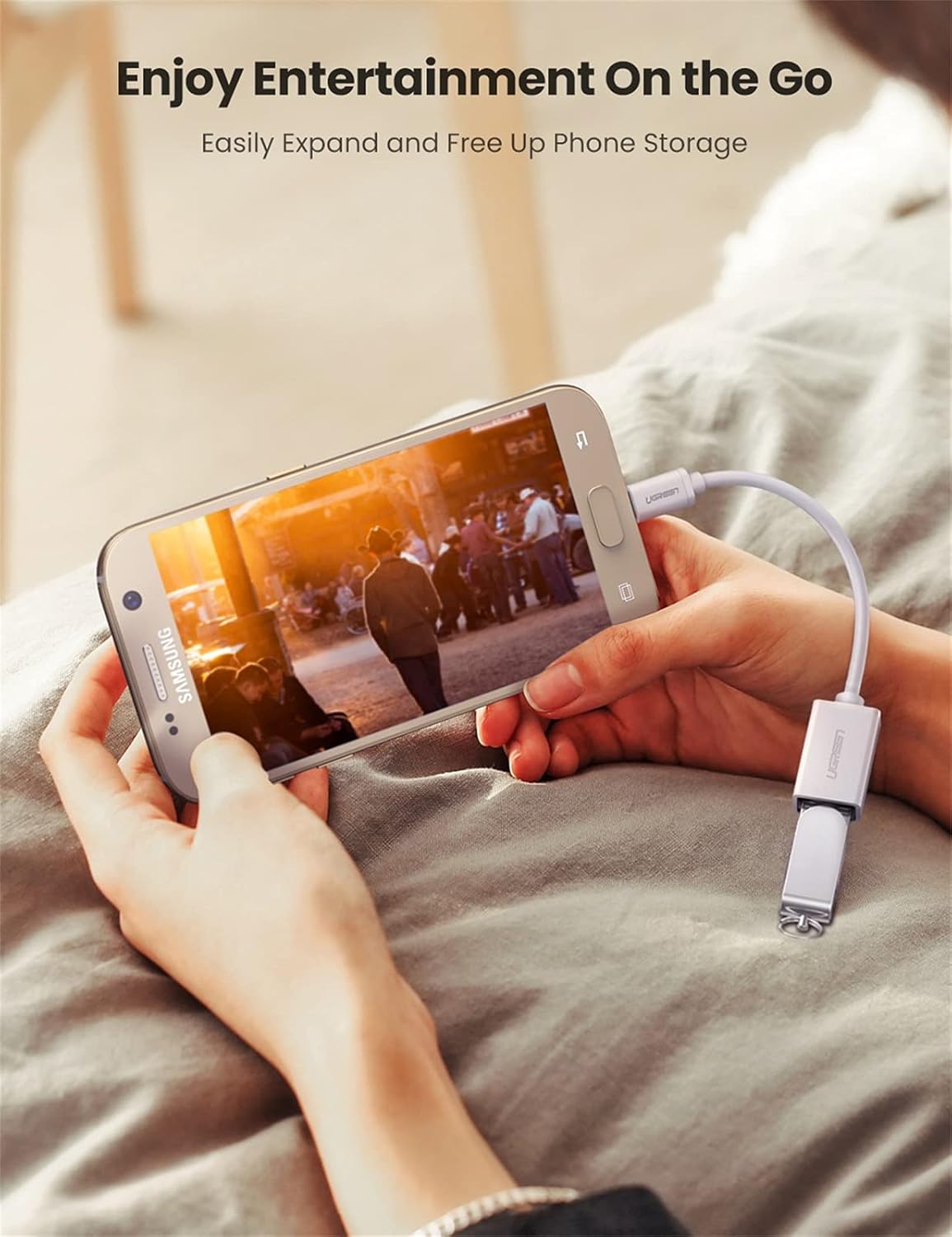
Image 2.1: A smartphone connected to a USB flash drive using the UGREEN OTG cable, demonstrating data access.
3. 操作手順
Once connected, your device should automatically detect the peripheral. You can then interact with the connected device as you would with a computer.
一般的な用途:
- データ転送: Connect USB flash drives or external hard drives to transfer photos, videos, and documents to or from your mobile device.
- Keyboard/Mouse Input: Connect a USB keyboard or mouse for easier typing, navigation, and control, especially useful for productivity tasks or if your device's screen is damaged.
- ゲームコントローラー: Enhance your gaming experience by connecting compatible game controllers (e.g., PS3, PS4 controllers) to your smartphone or tablet.
- カードリーダー: Use a USB card reader to access data from SD/TF cards directly on your device.
- USB Headphones: Connect USB headphones for audio output.

Image 3.1: Demonstrates connecting a keyboard to a smartphone and a game controller to a tablet using the OTG cable for enhanced control.
重要な注意事項:
- このアダプタは ない support OTG and charging simultaneously.
- This is a Micro USB to USB-A Female adapter, ない a Micro USB to HDMI adapter. It does not support video output.
- Some devices may require a file manager application to access files on connected storage devices.
4. メンテナンス
To ensure the longevity and optimal performance of your UGREEN Micro USB 2.0 OTG Cable, follow these maintenance guidelines:
- ストレージ: ケーブルは直射日光や極端な温度を避け、涼しく乾燥した場所に保管してください。
- 取り扱い: 内部の配線が損傷しないように、特にコネクタ付近ではケーブルを過度に曲げたりねじったりしないでください。
- クリーニング: ケーブルとコネクタの清掃には、柔らかく乾いた布を使用してください。液体クリーナーや溶剤は使用しないでください。
- 接続/切断: Always grasp the connector housing when plugging in or unplugging the cable. Avoid pulling on the cable itself.

図4.1: 爆発した view of the UGREEN OTG cable's internal construction, highlighting its durable PVC jacket, aluminum foil shielding, tinned copper conductors, and ground wire for stable signal transmission.
5。 トラブルシューティング
If you encounter issues while using your UGREEN Micro USB 2.0 OTG Cable, refer to the following common troubleshooting steps:
- デバイスが認識されません:
- Ensure your smartphone or tablet supports OTG functionality. Not all Micro USB devices have this feature.
- Verify that both the OTG cable and the peripheral are securely connected.
- モバイルデバイスを再起動して、もう一度試してください。
- Test with a different peripheral to rule out an issue with the connected device.
- If connecting a storage device, ensure it is formatted to a file system compatible with your mobile device (e.g., FAT32, exFAT).
- バッテリーの消耗:
- Some peripherals draw power from the host device. If you notice significant battery drain, disconnect the OTG cable and peripheral when not in use.
- The cable does not support simultaneous charging and OTG.
- 緩い接続:
- If the Micro USB connector feels tight or loose, ensure it is fully inserted. Some Micro USB ports may have slight variations.
6. 仕様
| 特徴 | 詳細 |
|---|---|
| モデル番号 | 10822 |
| コネクタタイプ | Micro USB オス - USB-A メス |
| USBの標準 | USB 2.0(USB 1.1との下位互換性) |
| データ転送速度 | 最大480Mbps |
| ケーブル長さ | 約4cm |
| 色 | 白 |
| 製品寸法 | 5.71 x 3.15 x 0.08インチ |
| アイテム重量 | 0.529オンス |
| 材料 | 耐久性のあるPVC構造、錫メッキ銅導体 |
| 互換性 | OTG-enabled Micro USB phones/tablets (e.g., Samsung Galaxy S7/S6/S5, LG G4, Google Nexus 6, DJI Spark/Mavic Remote Controller) |

Image 6.1: Visual representation of the UGREEN OTG cable's universal compatibility, showing connections to phones and tablets with peripherals like game controllers, keyboards, mice, cameras, and flash drives.
7. 保証とサポート
UGREEN products are designed for reliability and performance. For specific warranty information regarding your UGREEN Micro USB 2.0 OTG Cable, please refer to the warranty card included with your purchase or visit the official UGREEN webサイト。
For technical support, product inquiries, or assistance with troubleshooting, please contact UGREEN customer service through their official webサイトまたは製品パッケージに記載されている連絡先情報を参照してください。
メーカー: ユーグリーングループ株式会社