
1. はじめに
The Radial StageBug SB-5W is a compact, 2-channel wall-mount stereo direct box designed to convert unbalanced consumer-level audio signals into balanced, professional-level signals. This device is ideal for integrating laptops, smartphones, CD players, and other consumer audio devices into professional sound systems, reducing noise and ensuring optimal audio quality. Its wall-mount design allows for discreet and permanent installation in studios, venues, or control rooms.
2. 安全情報
Please read and understand all safety instructions before operating this device. Failure to do so may result in injury or damage to the unit or other equipment.
- 電気安全: This unit contains passive components and does not require external power. Ensure all connected equipment is properly grounded to prevent electrical hazards.
- インストール: Installation should be performed by a qualified professional in accordance with local electrical codes. Ensure the mounting location is secure and free from moisture.
- 環境: Do not expose the unit to water, excessive moisture, or extreme temperatures. Operate in a well-ventilated area.
- クリーニング: Disconnect all cables before cleaning. Use a dry, soft cloth. Do not use liquid cleaners or solvents.
- サービス: 本製品の修理はご自身で行わないでください。修理はすべて資格を持ったサービス担当者にご依頼ください。
3. 主な特徴
- Wall-mounted design for permanent installation.
- Dual isolation transformers for noise reduction.
- 1/8-inch TRS and L/R RCA input terminals.
- Front-panel level control.
- Mono fold-down switch for summing stereo signals.
- Ground-lift switch to eliminate hum and buzz.
- Converts unbalanced consumer signals to balanced pro-level outputs.
4. セットアップとインストール
The Radial StageBug SB-5W is designed for installation into a standard electrical junction box. Professional installation is recommended.
4.1物理的な設置
- Ensure power is off to the junction box before beginning installation.
- Mount the SB-5W into a standard electrical junction box using appropriate screws.
- Secure the faceplate to the unit.
4.2 入力ソースの接続
The SB-5W accepts two types of stereo input connections: a 1/8-inch (3.5mm) TRS stereo jack and a pair of RCA (Left/Right) jacks.
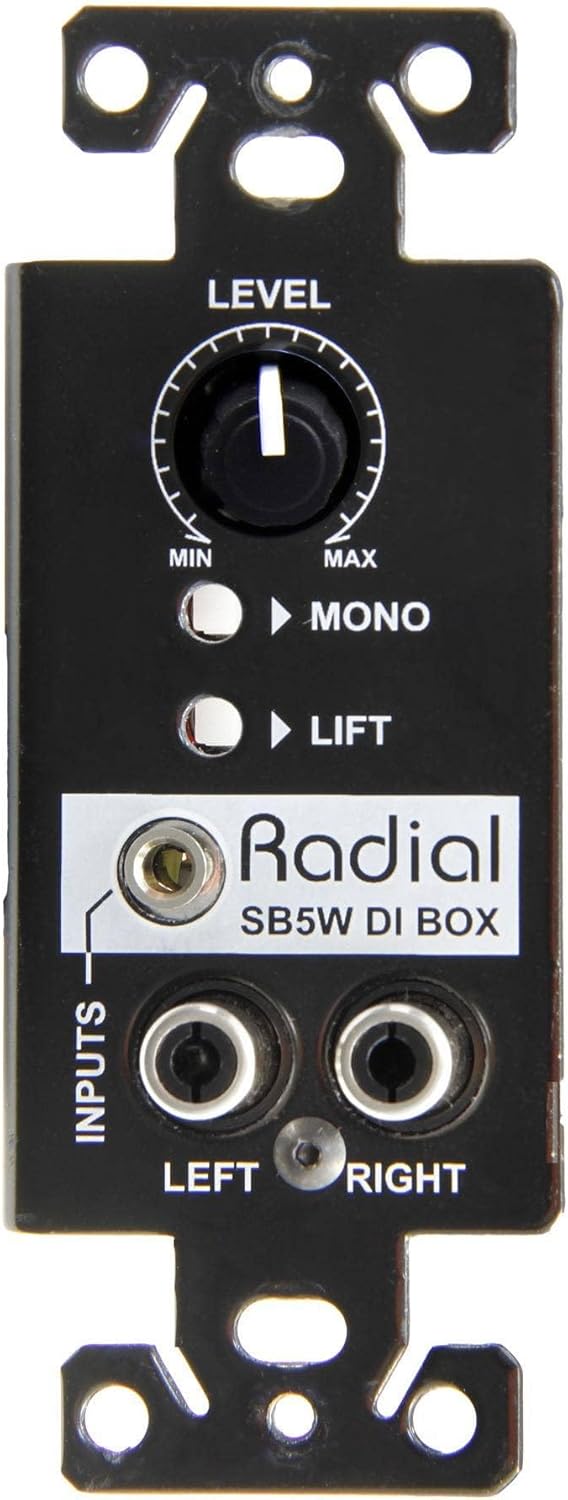
Figure 1: Front panel of the Radial StageBug SB-5W with 1/8-inch TRS and RCA inputs.
- 1/8インチTRS入力: Connect your laptop, smartphone, or tablet directly to the 1/8-inch TRS input jack.
- RCA入力: For devices with RCA stereo outputs (e.g., CD players, turntables), connect the Left and Right RCA cables to the corresponding jacks.

Figure 2: Connecting a laptop to the SB-5W.

Figure 3: Connecting a CD player to the SB-5W.
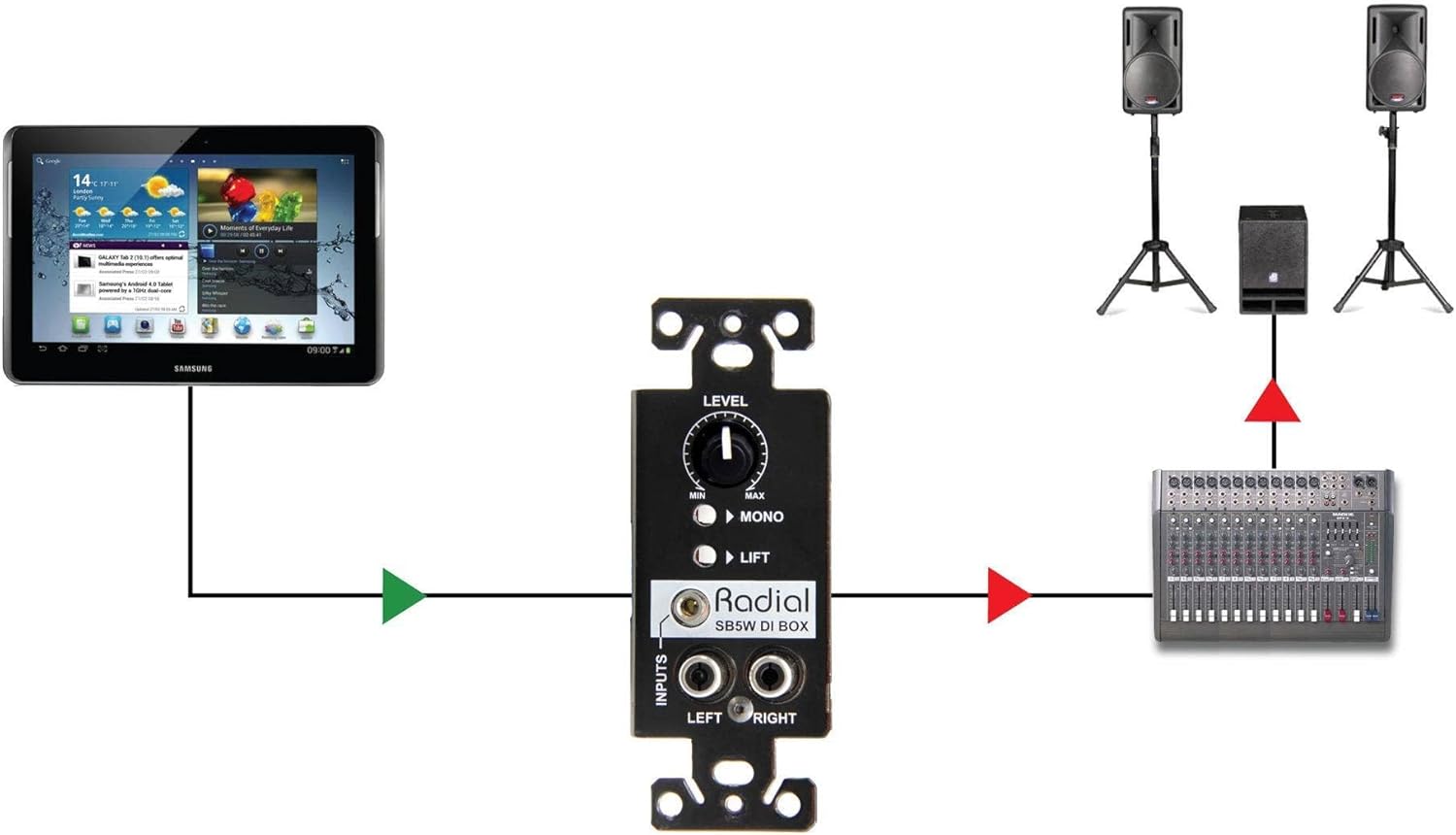
Figure 4: Connecting a tablet to the SB-5W.
4.3 Connecting Outputs to a Mixer/Console
The SB-5W provides balanced outputs via terminal blocks on the rear of the unit. These outputs are designed to be hard-wired to your console or mixing board using standard twisted-pair balanced audio cable.

図5:背面 view showing output terminal blocks.
- Connect the balanced audio cables from the SB-5W's output terminal blocks to the appropriate input channels on your mixing console or audio interface.
- Ensure correct polarity and channel assignment (Left/Right).
5. Operating the SB-5W
The SB-5W features a level control, a mono fold-down switch, and a ground-lift switch on its front panel for easy access and signal management.
図 6: フロント パネルのコントロール。
5.1 レベルコントロール
The large knob labeled レベル adjusts the output volume of the stereo signal. Rotate clockwise to increase the level and counter-clockwise to decrease it. Start with the level at minimum and gradually increase it to achieve the desired output volume without clipping at your mixer.
5.2 Mono Fold-Down Switch
The button labeled 単核症, when engaged, sums the left and right stereo input signals into a single mono output. This is useful when feeding a mono sound system or when you need to check for phase issues in a stereo mix. When disengaged, the unit operates in stereo.
5.3 グランドリフトスイッチ
The button labeled リフト activates the ground-lift function. This switch disconnects the audio ground from the chassis ground, which can help eliminate hum and buzz caused by ground loops between the source device and the connected audio system. If you experience hum, try engaging this switch. If the hum persists, ensure all equipment is properly grounded and check cable connections.
6. メンテナンス
The Radial StageBug SB-5W is a robust and passive device designed for long-term reliability with minimal maintenance.
- クリーニング: Periodically wipe the unit's surface with a dry, soft cloth to remove dust. Avoid using abrasive cleaners or solvents, as these can damage the finish and labels.
- 検査: Occasionally check all cable connections for secure fit. Ensure the unit is free from physical damage.
- 環境: Maintain a stable environment, avoiding extreme temperatures, humidity, or direct sunlight, which can shorten the lifespan of electronic components.
7。 トラブルシューティング
If you encounter issues with your Radial StageBug SB-5W, refer to the following common problems and solutions:
| 問題 | 考えられる原因 | 解決 |
|---|---|---|
| 音声出力なし |
|
|
| ハムまたはバズ |
|
|
| 歪んだオーディオ |
|
|
| Only one channel (Left or Right) is working |
|
|
If the problem persists after trying these solutions, contact Radial Engineering customer support or a qualified technician.
8. 仕様
- モデル: R800 0155
- 商品の重量: 0.01オンス
- 製品寸法: 5.1 x 2.85 x 2.15インチ
- コネクタタイプ: 1/8-inch TRS, RCA
- ワットtage: 5 watts (passive device, refers to maximum signal handling)
- 入力チャンネル: 2(ステレオ)
- 出力チャンネル: 2 (Balanced, via terminal blocks)
- コントロール: Level, Mono Fold-Down, Ground Lift
- 分離: Dual isolation transformers
9.保証とサポート
Radial Engineering products are designed for durability and performance. For specific warranty details, please refer to the warranty card included with your product or visit the official Radial Engineering website. For technical support, troubleshooting assistance beyond this manual, or service inquiries, please contact Radial Engineering customer support directly through their webサイトまたは認定サービス センターにお問い合わせください。
オンラインリソース: 最新情報、FAQ、サポートについては、 ラジアルエンジニアリング webサイト.